

Why RAM Terminology Matters 💾
Walking into the RAM section of any tech retailer can feel like decoding a foreign language. DDR5, CAS latency, ECC, registered, unbuffered—none of these terms appeared in marketing materials five years ago, yet they're critical to making an informed choice. Understanding RAM terminology prevents embarrassing mistakes (buying DDR4 for a DDR5-only motherboard) and helps you identify genuine value versus marketing hype. This glossary cuts through the jargon and explains every term you'll encounter when shopping for memory upgrades.
Generation Terms: DDR4, DDR5, and What They Mean
DDR (Double Data Rate): RAM transfers data twice per clock cycle instead of once, effectively doubling throughput. DDR is now 20+ years old; every stick you buy is DDR.
DDR4: The previous generation (2014–2023). Runs at 3000–4800 MHz, uses 1.2V power, supports up to 288GB per motherboard. If your PC is from 2020–2022, it likely uses DDR4. DDR4 is effectively dead for new builds but remains cheaper and is perfectly capable for non-gaming workloads.
DDR5: The current generation (2022+). Runs at 4800–6400 MHz, uses 1.1V power (more efficient), supports up to 1TB per motherboard. Required for Intel 13th-gen and AMD Ryzen 7000-series onwards. DDR5 pricing has dropped significantly; it's now the only sensible choice for new builds.
DDR6 (Future): Coming ~2028. Not relevant for current purchasing decisions.
Speed Ratings: MHz and What They Actually Mean
MHz (Megahertz): How many million cycles per second the RAM performs. Higher MHz = faster data transfer. DDR5 typically ranges from 4800 MHz (entry-level) to 6400 MHz (premium). The difference between 4800 MHz and 5600 MHz is real but modest (~5–8% performance impact in gaming).
Rated vs. JEDEC Speed: Manufacturers "rate" RAM at specific speeds (e.g., "5600 MHz"), but this requires enabling XMP/DOCP profiles in BIOS. Default JEDEC speed is conservative (4800 MHz DDR5), ensuring stability across all motherboards. Unless you manually enable XMP, your "5600 MHz" RAM runs at 4800 MHz.
Timing and Latency: CAS, tRCD, tRP, tRAS
This is where RAM terminology becomes overwhelming, but it's worth understanding.
CAS Latency (CL): Cycles between requesting data and receiving it. Lower is faster. DDR5 typically ranges from CL30–CL40. CL30 DDR5 is noticeably faster than CL40, and the gap matters more than raw MHz differences. Think of CAS as the time delay between asking a question and hearing the answer.
tRCD (RAS to CAS Delay): Cycles between activating a row and accessing a column. Typical values: tRCD16–20. Lower is better, but improvement from tRCD18 to tRCD16 is marginal unless you're doing memory-intensive computing.
tRP (Precharge time): Cycles to prepare a row for access. Typical values: tRP16–20. Similar importance to tRCD—lower is better, but real-world difference is subtle.
tRAS (Row Active Time): Total cycles a row stays active. Typical values: tRAS50–70. Very technical; doesn't directly impact gaming performance.
Takeaway: CAS latency (CL) is the single most important timing specification for gaming. Everything else is secondary.
RAM Shopping Pro Tip ⚡
Don't obsess over timings if you're gaming. A CL30 5600 MHz kit is clearly faster than CL40 4800 MHz. A CL36 5600 MHz versus CL40 5600 MHz? The difference is undetectable. Buy based on MHz and CAS latency, ignore tRCD tRP unless you're doing professional computing.
Capacity: 8GB, 16GB, 32GB, and Beyond
8GB: Absolute minimum for modern computing. Gaming is playable but tight; multitasking causes stuttering. Not recommended for new builds.
16GB: The sweet spot for 2026. Handles gaming, content creation, and heavy multitasking without compromise. Standard for builders.
32GB: Overkill for gaming but necessary for video editing, 3D rendering, data analysis, and music production. Worth it if you're doing creative work or content creation.
64GB+: Professional territory. Needed for 4K video workflows, extreme 3D projects, and data science. Overkill for consumers.
Channels: Single vs. Dual Rank
Single Rank (1R): Data path uses one rank of memory cells. Slightly better latency, lower power consumption. Typical for most consumer RAM.
Dual Rank (2R): Two independent ranks increase throughput. Slightly more complex for the CPU to manage, marginal performance increase. Not relevant for gaming decisions.
ECC vs. Non-ECC (and Why It Matters)
Non-ECC: Standard consumer RAM. No error checking; assumes data integrity. Used in every consumer PC and laptop.
ECC (Error-Correcting Code): Automatically detects and corrects single-bit errors. Mandatory for servers, workstations, and some professional environments. Slower (1–2% performance penalty) and more expensive. You don't need this unless your motherboard specifically requires it (rare for consumer boards).
Registered vs. Unbuffered
Unbuffered: Direct connection to the CPU. Standard for consumer systems. Lower latency, simpler design.
Registered (Buffered): Intermediary register delays signals slightly, reducing load on the memory controller. Primarily used in servers and workstations with 8+ RAM sticks.
For consumer builds, you'll only encounter unbuffered. Don't worry about this term unless building a server.
XMP and DOCP: The Magic Stability Acronyms
XMP (Extreme Memory Profile): Intel's overclocking profile standard. Enables rated speeds and timings automatically through BIOS.
DOCP (Direct Overclocking Profile): AMD's equivalent to XMP. Same concept, different manufacturer.
UDIMM, RDIMM, SO-DIMM: Physical form factors. UDIMM (unbuffered DIMM) is standard consumer RAM. RDIMM is registered (servers). SO-DIMM is small outline DIMM (laptops). Don't mix these—they're physically incompatible.
Brightness and Heatsinks: Marketing vs. Reality
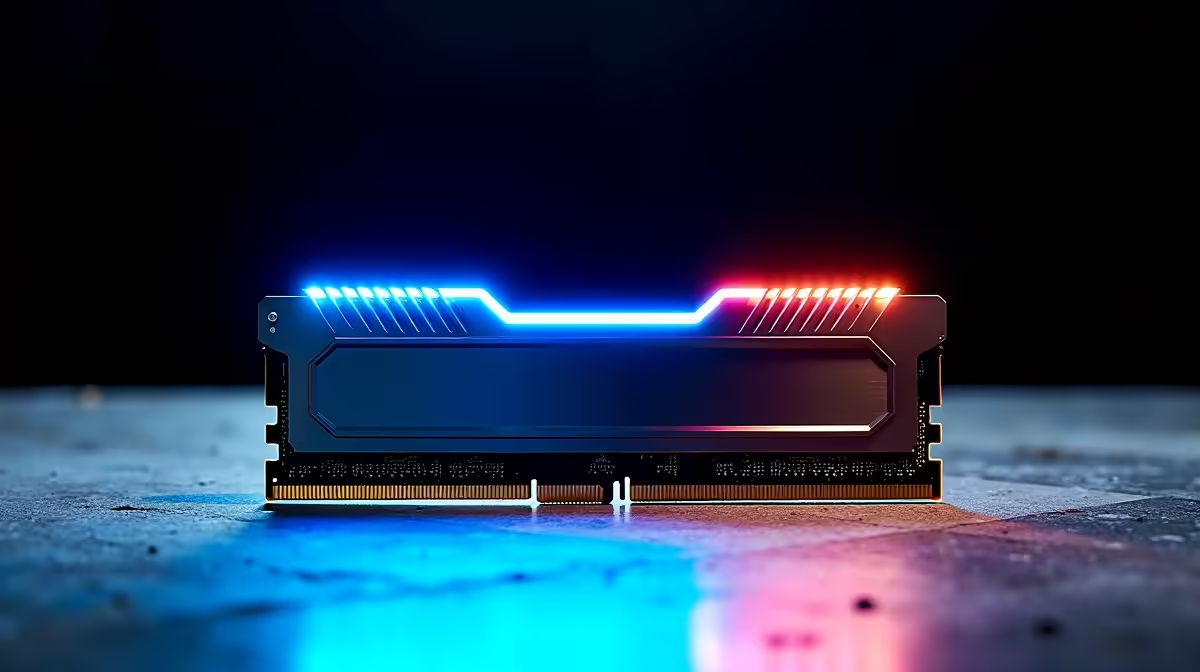
RGB and LED: Purely aesthetic. Zero performance impact. Pay more only if you value looks; gaming performance is identical with or without LEDs.
Heatsinks: Thin metal plates on RAM sticks. Help with heat dissipation but are rarely necessary—consumer RAM generates minimal heat. Premium heatsinks look cooler and dissipate marginally better; basic heatsinks are functionally sufficient.
Binning and Overclocking: The Advanced Layer
Binning: Manufacturers test RAM at specific speeds; only kits that pass at certain MHz get certified as CL30 5600 MHz, for example. Underbinned kits (tested at lower speeds, sold cheaper) sometimes overclock to higher speeds. Risky but occasionally rewarding.
Silicon Lottery: Individual RAM sticks have manufacturing variance. Some kits hit stated speeds reliably; others require tweaking. Premium brands (Corsair, G.Skill, Kingston) have better QC and more consistent results.
Making Your Purchase Decision
For gaming: 16GB DDR5, 5600 MHz, CL30 is the golden standard. For professional work: 32GB DDR5, 6000 MHz, CL30. Check our RAM selection to find kits matching your build requirements.
Ready to upgrade your memory? Browse our comprehensive selection of DDR4 and DDR5 RAM, with options for every budget and performance requirement from casual gaming to professional workloads. Shop RAM kits











