


Humidity Damage to PC Components: Recovery Guide
Humidity Damage to PC Components: Recovery Guide. Everything you need to know with SA pricing, step-by-step instructions & expert recommendations.
Read morePicking a 120mm ARGB case fan for gaming PC builds? Focus on airflow, static pressure, RPM control, noise levels, and ARGB compatibility for cleaner temps and smoother lighting ✨🕹️
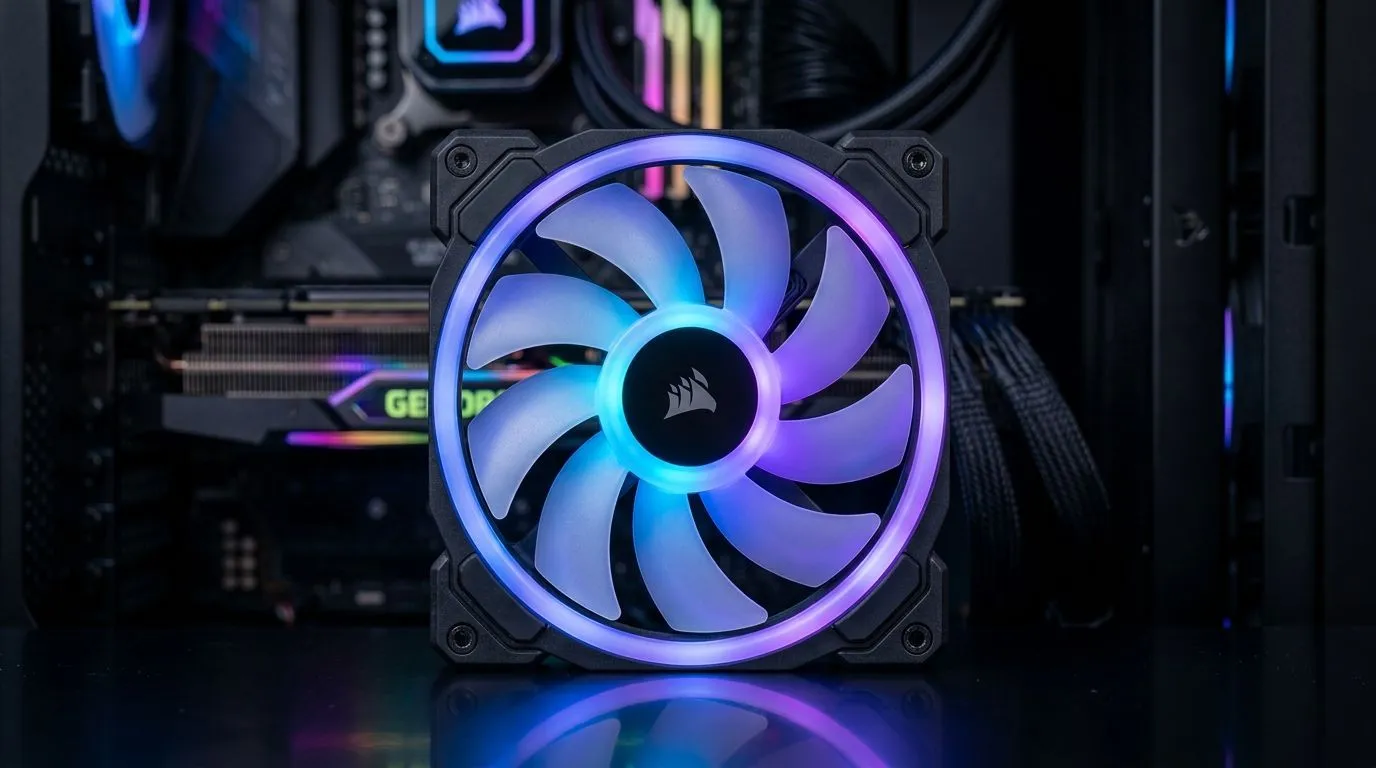
If your gaming PC sounds like it’s auditioning for a role in a jet engine, it’s often airflow… not your GPU. And if your temps run hot during Warzone weekends or Apex grinds, your case fans can be the difference between “smooth” and “stuttery”. The twist? A great setup is more than RGB on full brightness. Let’s walk through what to look for when choosing a 120mm ARGB case fan for gaming PC: what to look for… so you buy once, and enjoy the next upgrade without regrets. ⚡
A “120mm” fan is sized for a 120mm mounting location on your case. It should match your case’s fan mounts, radiator compatibility, and clearance around the motherboard area. If you have options, 140mm fans often move more air at lower RPM, but only if your case supports them.
For browsing 120mm and other sizes, check:
ARGB (5V) addressable lighting usually gives cleaner, more custom effects than basic RGB (often 12V). But the big buy question is control: will the fan sync with your motherboard ecosystem (ASUS Aura Sync, MSI Mystic Light, etc.) or your controller? If you’re chasing that tidy “one system, one theme” look, confirm compatibility before checkout.
Explore Evetech’s ARGB-focused filters and lighting sets:
And if you’re building a quieter sleeper build, lighting may not be a priority:
Not all fans sound the same under load. Different bearings and blade designs can mean smoother curves, less buzzing, and better long-term reliability. Brands also make it easier to match aesthetics across your build.
If you’re considering a popular lineup, browse:
You can also start broad:
Here’s a quick micro-playbook I wish I had earlier. When upgrading one fan, don’t treat it like a cosmetic accessory.
On a Windows gaming rig, use your motherboard’s fan control software (or BIOS fan curves) to set a gentle “quiet baseline” at idle, then ramp only during gameplay. This keeps your system comfortable at home and avoids the annoying ramp-up whenever you launch a match.
Before you add to cart, confirm:
If you’re already planning a whole-fan refresh, pick a set that looks consistent and behaves consistently. That way your RGB theme and cooling performance both “just work”.
Ready to Find Your Perfect Match? The Mac vs Windows debate is complex, but for maximum power, choice, and value in South Africa, Windows is hard to beat. Explore our massive range of laptop specials and find the perfect machine to conquer your world.
Prioritize airflow and static pressure, PWM speed control, noise level, and ARGB header compatibility so you get cooler temps and clean lighting.
Use static pressure for restrictive areas like radiator fins and dust filters; use higher airflow for open front intakes to move more air.
PWM fans usually offer finer speed control and quieter operation across loads, helping you balance cooling and fan noise during gaming.
Confirm your motherboard or controller has the right ARGB header type and voltage; match addressable RGB requirements before you install.
Lower dBA ratings generally mean quieter fans. Compare real-world noise at your target RPM, especially under gaming load.
Look for a balanced RPM range with effective control. Higher max RPM helps cooling, but PWM should let you run lower RPM when needed.
Start with proper intake and exhaust balance. Common setups use 2 to 3 fans, depending on case airflow, GPU heat, and radiator placement.
Cooling improves when fan placement and pressure targets are correct. Proper intake/exhaust flow and compatible control matter as much as the fan itself.
Humidity Damage to PC Components: Recovery Guide. Everything you need to know with SA pricing, step-by-step instructions & expert recommendations.
Read more
Gamer Spending Trends April : Complete Setups. Clear setup instructions with SA-specific considerations, troubleshooting tips & recommended components.
Read more
Setting Up DDR5 32GB Kit. Tested & verified settings for best FPS and visual quality on SA hardware budgets.
Read more
Tech Setup Guide for SPU Res Students. Clear setup instructions with SA-specific considerations, troubleshooting tips & recommended components.
Read more
Monster Hunter Wilds Ultrawide Support: 21:9 and. Clear setup instructions with SA-specific considerations, troubleshooting tips & recommended components.
Read more
Apple iPad Durability Guide: Cases, Screen. Practical breakdown of costs, regulations & whether it makes financial sense for SA buyers.
Read more
AMD RX 9050 XT: Rumoured Specs, Price & Release. SA-focused analysis with local pricing data, real-world insights & actionable buying advice.

Can RTX 4080 Super Run AI Workloads for SA Developers Detailed answer with SA data, expert analysis & practical recommendations for local buyers.

Can RTX 4090 Run AI Workloads for SA Developers Detailed answer with SA data, expert analysis & practical recommendations for local buyers.

Top Settings for Intel Arc B580 at Ultrawide 1440p picks evaluated on performance, value & SA availability with current Rand pricing from Evetech.

RTX 4060 CS2 Low Settings at 1080p: FPS Results. Real-world benchmark data, FPS numbers & performance analysis. What SA gamers can actually expect.

Visual Artifacts: Possible GPU Issue Issue #1. Diagnosis steps, proven fixes & when to seek professional help. SA-specific support info included.

Can the RTX 4090 Handle 1440p 144Hz Gaming. Performance testing verdict with real data & practical recommendations for SA buyers.

Top ASUS GPU Under R15000 picks evaluated on performance, value & SA availability with current Rand pricing from Evetech.

GTA 6 Max Settings on RTX 5070. Tested & verified settings for best FPS and visual quality on SA hardware budgets.

Cyberpunk 2077 Max Settings on RTX 5080. Tested & verified settings for best FPS and visual quality on SA hardware budgets.

Starfield Max Settings on RTX 5070 Ti. Tested & verified settings for best FPS and visual quality on SA hardware budgets.

Top RTX 5090 Under R5000 picks evaluated on performance, value & SA availability with current Rand pricing from Evetech.