


Humidity Damage to PC Components: Recovery Guide
Humidity Damage to PC Components: Recovery Guide. Everything you need to know with SA pricing, step-by-step instructions & expert recommendations.
Read moreOptimise your 2200 RPM PWM fan curve for better cooling without unnecessary noise. Learn practical ramp points, hysteresis, and thermal targets to smooth acoustics. 🔧❄️
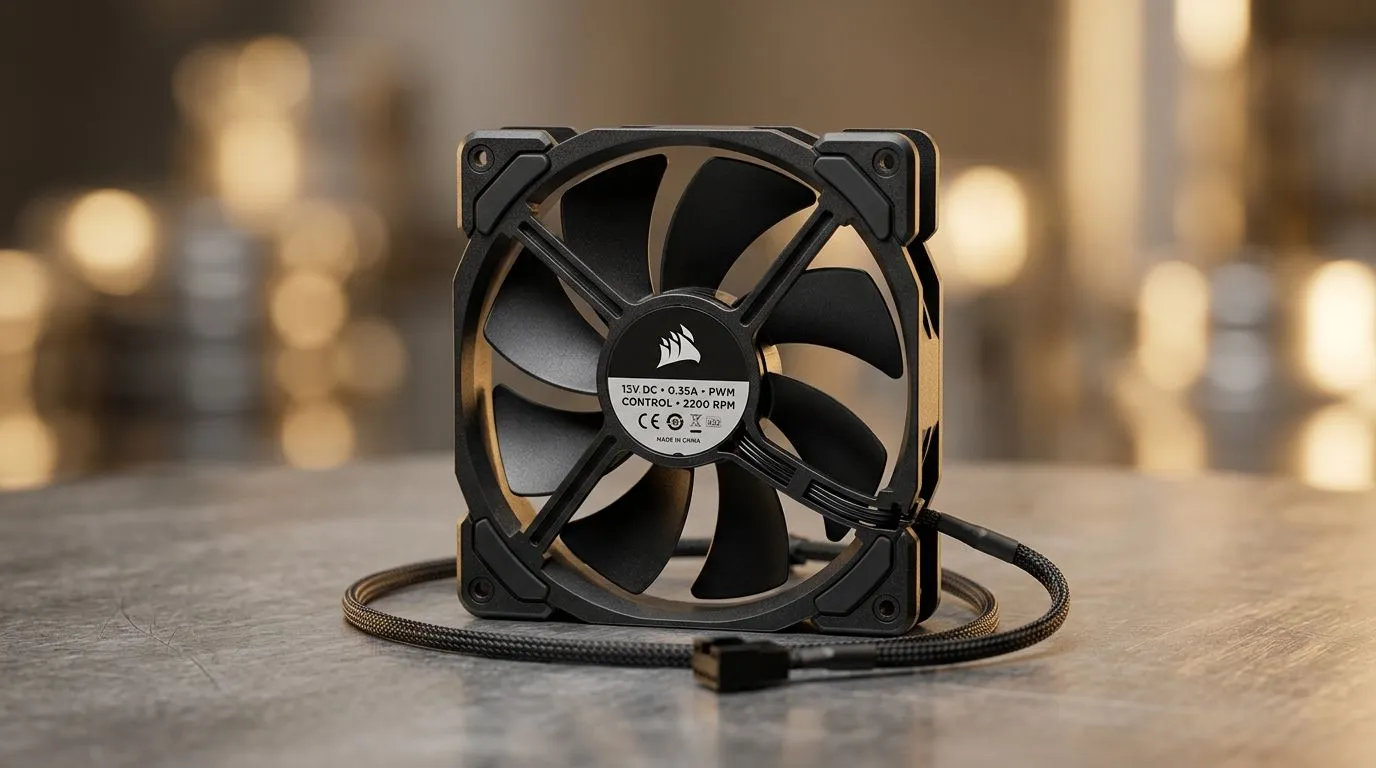
If your PC sounds like a mini jet engine every time it hits full load, it’s time to rethink your 2200 RPM PWM fan curve. South African gamers know the value of a cool, quiet rig whether grinding in Cape Town or streaming in Johannesburg. Optimising your fan curve means smarter fan speeds that balance silence and thermal performance without sacrificing stability.
PWM (Pulse Width Modulation) fans running at 2200 RPM can easily get noisy if the curve isn't set right. Let’s explore how you can tailor your fan curves and keep that cool breeze whisper-quiet.
Fans spinning at a consistent 2200 RPM often run louder than necessary during light workloads. By adjusting the PWM fan curve, you can reduce noise when your system isn’t under heavy stress while still ramping up performance when it counts. This means better acoustics without risking heat buildup.
If you’re keen on upgrading, sourcing quality components like 120mm case fans can offer great airflow with less noise. These sizes hit a sweet spot for most PC chassis and help distribute airflow efficiently.
Many PWM fans hover around 2200 RPM at full speed, but they don’t have to blast at max RPM all the time. Use your motherboard’s fan control software (like ASUS Fan Xpert or MSI Dragon Centre) to set custom RPM thresholds. For example, keeping fans below 50% speed until the CPU hits 60°C keeps sound levels low.
Create a curve where fan speed stays low below 50°C, starts ramping moderately between 50–70°C, then hits 100% only above 80°C. This way, your 2200 RPM PWM fans stay quiet for everyday use but kick in during intense sessions.
If you’re wanting quieter cooling solutions, consider fans from brands like Corsair or Deepcool. These often have superior bearings and blades designed to slip through air more silently at high RPMs.
Your case setup impacts airflow heavily. Large fans, such as 140mm ones, can push more air at lower RPMs, reducing noise. Also, think about RGB lighting—while visuals are great, lighting effects can slightly increase fan blade weight and noise. Opt for RGB or non-RGB fans based on your preference for aesthetics or silent operation.
Adjust your PWM fan curve in 5% increments to find the quietest speeds while keeping temps below 75°C. This keeps your rig whisper-silent without thermal surprises.
One Johannesburg gamer switched from a default fan profile to a custom 2200 RPM PWM fan curve. The result? Their rig’s noise dropped by half, and ambient room sound no longer drowned out game audio. Plus, with affordable case fans from Evetech, the upgrade cost under R400. This simple tweak made marathon gaming easier on the ears without compromising temperatures.
Tweaking your 2200 RPM PWM fan curve isn’t about eliminating noise—it’s about controlling when your fans spin up and how loud they get. With the right fans, case setup, and curve tuning, you can enjoy a quieter, cooler gaming PC custom-built for South African conditions.
Upgrade Your Cooling Setup Today Ready to silence your rig without losing airflow? Explore our full range of customizable fans now at Evetech and take control of your cooling.
A good curve keeps fans low under light loads, ramps gently near your temperature target, and avoids rapid oscillation around thresholds.
Use gradual increases (for example, 20–40% steps) and begin ramping before peak temps. Test with sustained load to confirm stability.
Yes, set a high-temperature ceiling for safety, but keep 100% as a last resort. Aim for cooler sustained temps with earlier ramping.
Hysteresis adds a buffer so the fan doesn’t constantly switch speeds near a temperature setpoint, cutting audible hunting and wear.
Lower sensitivity by smoothing temp inputs, widening the ramp interval, and enabling hysteresis so speed changes happen less frequently.
Prefer the most relevant sensor for your goal (CPU package for CPU cooling, motherboard/VRM sensors for case balance) and keep fan logic consistent.
Yes. Lower heat output often means you can shift your ramp later or reduce peak fan duty while maintaining safe temperatures.
Run a repeatable stress test, log temps and fan PWM %, then confirm that noise drops during idle/light loads and temps stay within your targets.
Humidity Damage to PC Components: Recovery Guide. Everything you need to know with SA pricing, step-by-step instructions & expert recommendations.
Read more
Gamer Spending Trends April : Complete Setups. Clear setup instructions with SA-specific considerations, troubleshooting tips & recommended components.
Read more
Setting Up DDR5 32GB Kit. Tested & verified settings for best FPS and visual quality on SA hardware budgets.
Read more
Tech Setup Guide for SPU Res Students. Clear setup instructions with SA-specific considerations, troubleshooting tips & recommended components.
Read more
Monster Hunter Wilds Ultrawide Support: 21:9 and. Clear setup instructions with SA-specific considerations, troubleshooting tips & recommended components.
Read more
Apple iPad Durability Guide: Cases, Screen. Practical breakdown of costs, regulations & whether it makes financial sense for SA buyers.
Read more
AMD RX 9050 XT: Rumoured Specs, Price & Release. SA-focused analysis with local pricing data, real-world insights & actionable buying advice.

Can RTX 4080 Super Run AI Workloads for SA Developers Detailed answer with SA data, expert analysis & practical recommendations for local buyers.

Can RTX 4090 Run AI Workloads for SA Developers Detailed answer with SA data, expert analysis & practical recommendations for local buyers.

Top Settings for Intel Arc B580 at Ultrawide 1440p picks evaluated on performance, value & SA availability with current Rand pricing from Evetech.

RTX 4060 CS2 Low Settings at 1080p: FPS Results. Real-world benchmark data, FPS numbers & performance analysis. What SA gamers can actually expect.

Visual Artifacts: Possible GPU Issue Issue #1. Diagnosis steps, proven fixes & when to seek professional help. SA-specific support info included.

Can the RTX 4090 Handle 1440p 144Hz Gaming. Performance testing verdict with real data & practical recommendations for SA buyers.

Top ASUS GPU Under R15000 picks evaluated on performance, value & SA availability with current Rand pricing from Evetech.

GTA 6 Max Settings on RTX 5070. Tested & verified settings for best FPS and visual quality on SA hardware budgets.

Cyberpunk 2077 Max Settings on RTX 5080. Tested & verified settings for best FPS and visual quality on SA hardware budgets.

Starfield Max Settings on RTX 5070 Ti. Tested & verified settings for best FPS and visual quality on SA hardware budgets.

Top RTX 5090 Under R5000 picks evaluated on performance, value & SA availability with current Rand pricing from Evetech.