


Humidity Damage to PC Components: Recovery Guide
Humidity Damage to PC Components: Recovery Guide. Everything you need to know with SA pricing, step-by-step instructions & expert recommendations.
Read moreDual BIOS quiet mode vs performance mode for thermal and acoustic control: real-world performance, SA pricing, power draw and which one delivers better value for your build. The clear answer —.
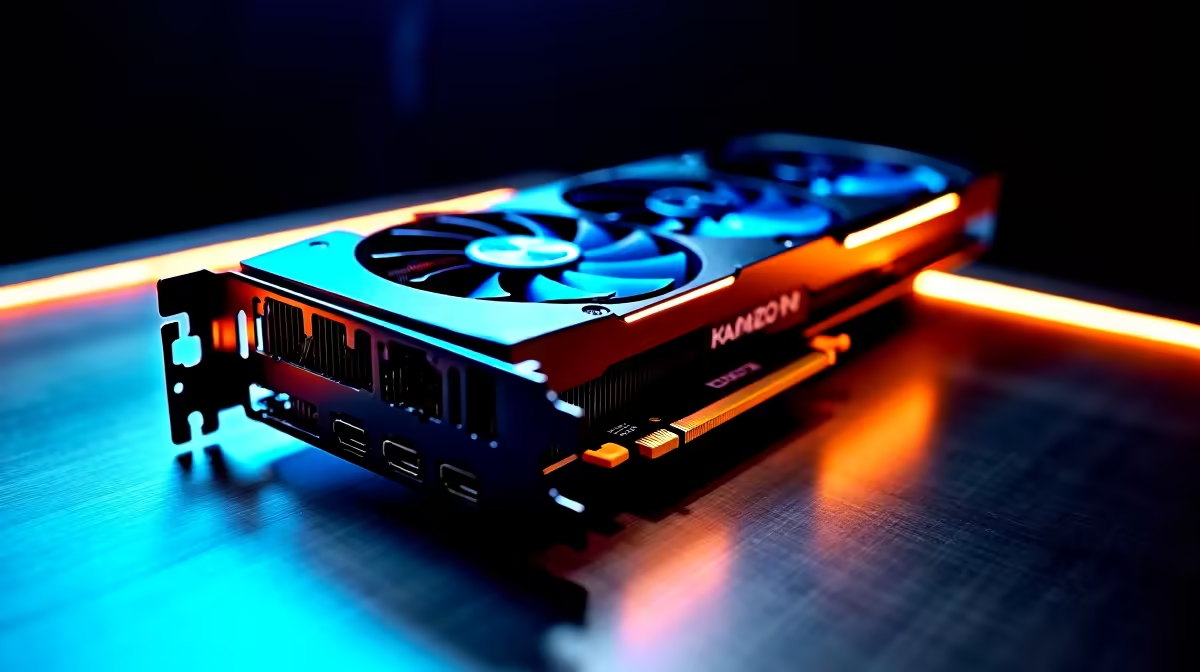
Load shedding might be a fading memory, but the South African summer heat is relentless. When your rig sounds like a jet engine during a sweaty Warzone session, it is time to take control. Understanding dual BIOS quiet mode vs performance mode for thermal and acoustic control is essential. It lets you balance raw frame rates with peaceful silence... saving your sanity and your hardware.
Modern graphics cards and premium motherboards often feature a tiny physical switch on the PCB. Flipping this switch toggles between two distinct firmware profiles. It is a brilliant hardware feature that dictates how your fans spin and how much power your silicon draws. Instead of messing around with complex software curves, you get an instant hardware-level solution. This dual-profile setup gives enthusiasts the ultimate flexibility. You no longer have to compromise between a cool system and a quiet workspace.
When you activate performance mode, your system prioritises raw power 🚀. Fan curves ramp up aggressively to keep temperatures low while boosting clock speeds to their absolute limits. This is ideal when you are chasing every last frame in competitive shooters... or rendering heavy video files. If you are buying from the best gaming PC deals, performance mode ensures maximum value for your ZAR. Just be prepared for a bit more fan noise as the cooling system works overtime.
Quiet mode takes a completely different approach to thermal management. It relaxes the fan curve and slightly limits power targets to reduce overall heat output. The result is a whisper-quiet machine that still delivers excellent gameplay. Your GPU might run a few degrees warmer, but modern silicon is engineered to handle these temperatures safely. This acoustic control is perfect for late-night gaming sessions when the rest of the house is asleep.
Always turn off your PC and unplug the power cable before flicking the physical dual BIOS switch on your GPU. Switching profiles while the system is running can cause system instability or driver crashes.
Choosing between dual BIOS quiet mode vs performance mode for thermal and acoustic control depends entirely on your environment. If your room lacks air conditioning during a scorching Pretoria afternoon, performance mode keeps your hardware safe. On the other hand, if you are simply browsing our latest specials, quiet mode is undoubtedly your best friend.
Absolutely. While laptops rarely have physical BIOS switches, they use sophisticated software profiles to achieve the exact same result. High-end gaming laptops automatically adjust thermal limits and fan acoustics based on your chosen power profile. If you are shopping for portable power, explore our massive range of notebooks for sale in South Africa. You will find models with advanced cooling systems that mimic these dual BIOS benefits perfectly ✨.
Ready to Upgrade Your Cooling? Whether you want whisper-quiet operation or maximum frame rates, having the right hardware is essential. Explore our massive range of PC components and find the perfect upgrade to master your thermals and acoustics today.
Dual BIOS quiet mode vs performance mode for thermal and acoustic control is available at Evetech.co.za with local SA warranty, Rand pricing and nationwide delivery. Stock and pricing is updated in real time on the product page.
It depends on your workload and budget. We break down the key performance differences, SA pricing gap and the scenarios where each one is the smarter buy.
Real-world gaming performance varies by title and settings. The article covers head-to-head FPS benchmarks and the resolutions where the gap actually shows up.
We compare current Rand pricing from trusted SA retailers and show which option delivers more performance per Rand for your build tier.
Each option has clear wins and compromises covered in the article — from power draw and thermals to platform cost, upgrade path and feature set.
Humidity Damage to PC Components: Recovery Guide. Everything you need to know with SA pricing, step-by-step instructions & expert recommendations.
Read more
Gamer Spending Trends April : Complete Setups. Clear setup instructions with SA-specific considerations, troubleshooting tips & recommended components.
Read more
Setting Up DDR5 32GB Kit. Tested & verified settings for best FPS and visual quality on SA hardware budgets.
Read more
Tech Setup Guide for SPU Res Students. Clear setup instructions with SA-specific considerations, troubleshooting tips & recommended components.
Read more
Monster Hunter Wilds Ultrawide Support: 21:9 and. Clear setup instructions with SA-specific considerations, troubleshooting tips & recommended components.
Read more
Apple iPad Durability Guide: Cases, Screen. Practical breakdown of costs, regulations & whether it makes financial sense for SA buyers.
Read more
AMD RX 9050 XT: Rumoured Specs, Price & Release. SA-focused analysis with local pricing data, real-world insights & actionable buying advice.

Can RTX 4080 Super Run AI Workloads for SA Developers Detailed answer with SA data, expert analysis & practical recommendations for local buyers.

Can RTX 4090 Run AI Workloads for SA Developers Detailed answer with SA data, expert analysis & practical recommendations for local buyers.

Top Settings for Intel Arc B580 at Ultrawide 1440p picks evaluated on performance, value & SA availability with current Rand pricing from Evetech.

RTX 4060 CS2 Low Settings at 1080p: FPS Results. Real-world benchmark data, FPS numbers & performance analysis. What SA gamers can actually expect.

Visual Artifacts: Possible GPU Issue Issue #1. Diagnosis steps, proven fixes & when to seek professional help. SA-specific support info included.

Can the RTX 4090 Handle 1440p 144Hz Gaming. Performance testing verdict with real data & practical recommendations for SA buyers.

Top ASUS GPU Under R15000 picks evaluated on performance, value & SA availability with current Rand pricing from Evetech.

GTA 6 Max Settings on RTX 5070. Tested & verified settings for best FPS and visual quality on SA hardware budgets.

Cyberpunk 2077 Max Settings on RTX 5080. Tested & verified settings for best FPS and visual quality on SA hardware budgets.

Starfield Max Settings on RTX 5070 Ti. Tested & verified settings for best FPS and visual quality on SA hardware budgets.

Top RTX 5090 Under R5000 picks evaluated on performance, value & SA availability with current Rand pricing from Evetech.