


Humidity Damage to PC Components: Recovery Guide
Humidity Damage to PC Components: Recovery Guide. Everything you need to know with SA pricing, step-by-step instructions & expert recommendations.
Read moreEvery spec on ddr5 memory explained in plain English. What matters for gaming and creator work in 2026, what's marketing fluff, and how each number translates to real-world performance.
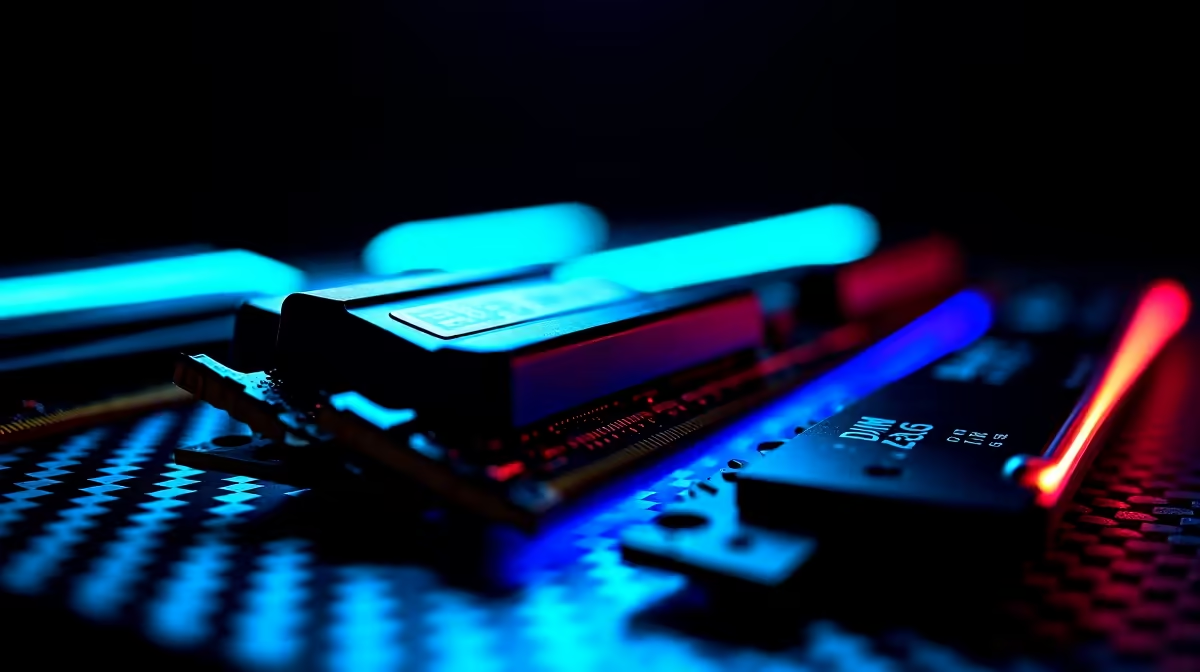
You just dropped a serious amount of ZAR on a new Ryzen 7000 series CPU. You boot up your favourite title... and it stutters. Sound familiar? Building a high-end rig is only half the battle. If you want buttery-smooth frame rates, optimising DDR5 memory and storage layout for faster AM5 gaming and multitasking is essential. Let us explore how to unlock your system's true potential. 🚀
AMD's AM5 platform thrives on fast memory. Unlike older generations, DDR5 brings massive bandwidth improvements. But simply plugging in the sticks is not enough. You need to ensure your RAM runs at its advertised speeds. This means enabling AMD EXPO in your BIOS.
When you browse our premium memory kits, look for EXPO-certified modules. The sweet spot for Ryzen 7000 processors is exactly 6000MHz. Pushing beyond that often yields diminishing returns. You also want to look for lower CAS latencies... ideally CL30. This combination guarantees snappy responsiveness during heavy multitasking.
Your foundation also matters immensely. A solid board ensures stable memory overclocks and consistent voltage. You can explore a wide variety of high-performance motherboards to find the perfect fit. If you want top-tier power delivery specifically for Ryzen, checking out ASUS AMD motherboards is a very smart move. They offer fantastic BIOS interfaces for easy tweaking. 🔧
Always install your DDR5 sticks in slots A2 and B2 first. This is standard for almost all modern boards and ensures you get the best signal integrity for dual-channel performance. Consult your manual if you are unsure.
Now let us talk about your storage setup. A single massive drive seems convenient... but splitting your workloads is much better. For peak multitasking, keep your Windows installation on a dedicated Gen 4 NVMe SSD. Use a secondary NVMe drive strictly for your game library.
This layout prevents Windows background tasks from eating up your game's bandwidth. It is especially crucial as games begin to utilise DirectStorage technology. DirectStorage allows your graphics card to pull data directly from the SSD. This bypasses the CPU and eliminates loading screens.
Whether you are building a dedicated AMD powerhouse or exploring alternatives like ASUS Intel motherboards, separating OS and game drives drastically reduces stuttering. It also makes formatting your PC much less stressful.
If tweaking BIOS settings and installing multiple drives sounds like too much work... we have you covered. You can always grab a pre-built system that is already tuned for perfection. Take a look at our best gaming PC deals for rigs built and tested by local experts. ✨
Ready to Build Your Dream Rig? Getting the best performance out of your hardware requires the right components. For maximum power, choice, and value in South Africa, Evetech is hard to beat. Explore our massive range of PC components and find the perfect parts to conquer your world.
The motherboards, tools and accessories referenced in this article are stocked at Evetech.co.za with local SA warranty, ZAR pricing and nationwide delivery.
The article breaks down the real-world impact on gaming FPS, creator workflows and everyday responsiveness — not just raw spec numbers.
Only a handful of specs meaningfully change your experience. The guide ranks them by real impact so you spend on what counts.
We cover upgrade headroom, platform longevity and the specific features worth paying extra for if you plan to keep this build for several years.
The article includes a clear generational uplift summary so you can judge whether upgrading from your current hardware is worthwhile.
Humidity Damage to PC Components: Recovery Guide. Everything you need to know with SA pricing, step-by-step instructions & expert recommendations.
Read more
Gamer Spending Trends April : Complete Setups. Clear setup instructions with SA-specific considerations, troubleshooting tips & recommended components.
Read more
Setting Up DDR5 32GB Kit. Tested & verified settings for best FPS and visual quality on SA hardware budgets.
Read more
Tech Setup Guide for SPU Res Students. Clear setup instructions with SA-specific considerations, troubleshooting tips & recommended components.
Read more
Monster Hunter Wilds Ultrawide Support: 21:9 and. Clear setup instructions with SA-specific considerations, troubleshooting tips & recommended components.
Read more
Apple iPad Durability Guide: Cases, Screen. Practical breakdown of costs, regulations & whether it makes financial sense for SA buyers.
Read more
AMD RX 9050 XT: Rumoured Specs, Price & Release. SA-focused analysis with local pricing data, real-world insights & actionable buying advice.

Can RTX 4080 Super Run AI Workloads for SA Developers Detailed answer with SA data, expert analysis & practical recommendations for local buyers.

Can RTX 4090 Run AI Workloads for SA Developers Detailed answer with SA data, expert analysis & practical recommendations for local buyers.

Top Settings for Intel Arc B580 at Ultrawide 1440p picks evaluated on performance, value & SA availability with current Rand pricing from Evetech.

RTX 4060 CS2 Low Settings at 1080p: FPS Results. Real-world benchmark data, FPS numbers & performance analysis. What SA gamers can actually expect.

Visual Artifacts: Possible GPU Issue Issue #1. Diagnosis steps, proven fixes & when to seek professional help. SA-specific support info included.

Can the RTX 4090 Handle 1440p 144Hz Gaming. Performance testing verdict with real data & practical recommendations for SA buyers.

Top ASUS GPU Under R15000 picks evaluated on performance, value & SA availability with current Rand pricing from Evetech.

GTA 6 Max Settings on RTX 5070. Tested & verified settings for best FPS and visual quality on SA hardware budgets.

Cyberpunk 2077 Max Settings on RTX 5080. Tested & verified settings for best FPS and visual quality on SA hardware budgets.

Starfield Max Settings on RTX 5070 Ti. Tested & verified settings for best FPS and visual quality on SA hardware budgets.

Top RTX 5090 Under R5000 picks evaluated on performance, value & SA availability with current Rand pricing from Evetech.