


Humidity Damage to PC Components: Recovery Guide
Humidity Damage to PC Components: Recovery Guide. Everything you need to know with SA pricing, step-by-step instructions & expert recommendations.
Read moreWant a quiet liquid cooler for South African PCs? Prioritise pump noise, fan curves, radiator size, airflow, and mounting fit for stable temps and less whine. 🔇❄️
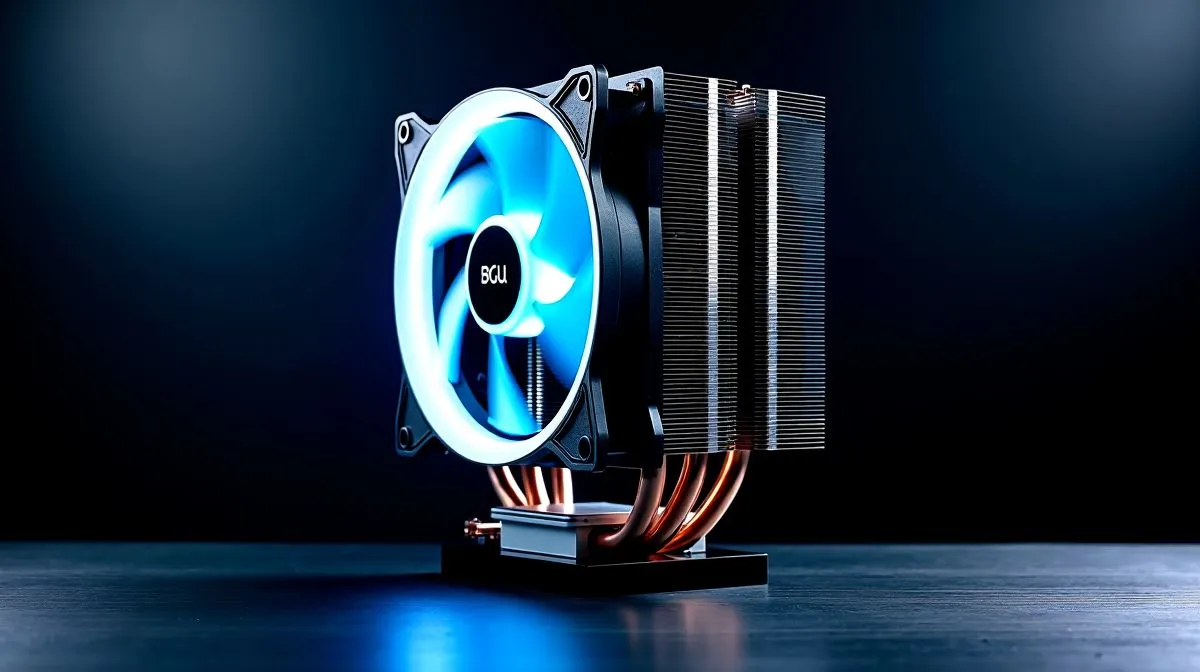
Looking for a Quiet Liquid Cooler for South African PCs: What to Prioritise? If you game in an apartment, stream with a mic, or edit late at night, pump whine and high-RPM fans ruin sessions. This short guide helps you pick low-noise AIOs, match fans and radiators, and keep temps under control without sounding like a plane.
The radiator is the heart of liquid cooling. Thicker, longer rads usually move heat with lower fan speeds. A high-quality pump that avoids resonance and PWM jitter reduces audible whine. When choosing brands, consider established manufacturers known for reliable engineering and service; Evetech lists trusted options like Corsair for easy comparison. https://www.evetech.co.za/PC-Components/case-fans-97.aspx?brands=CORSAIR
Fans determine the final noise signature. Look for models with high static pressure for radiators and fluid dynamic or magnetic bearings for long-term quiet operation. Evetech maintains a broad case fan selection to match different AIOs and chassis layouts — use that to compare specs and reviews. https://www.evetech.co.za/PC-Components/case-fans-97.aspx
Bigger fans spin slower to move the same air, so 140mm setups are generally quieter at equal cooling performance. If your chassis and radiator accept 120mm only, choose premium, low-RPM 120mm fans. See fan size filters to confirm compatibility with your build. https://www.evetech.co.za/PC-Components/case-fans-97.aspx?attributes-size=120mm
When possible, pair a larger radiator with 140mm fans and set a conservative fan curve in BIOS or your motherboard utility. Slower spin reduces tonal whine and keeps CPU temps within safe limits while you game or stream.
RGB solutions often add frames or hubs that slightly change vibration characteristics, but lighting alone won’t dictate noise. If silence is primary, filter to non-lit fans and focus on build quality. Evetech helps you compare both options so you can choose RGB flair or subdued performance. https://www.evetech.co.za/PC-Components/case-fans-97.aspx?attributes-lightingeffects=RGB For minimal distractions, explore non-lit choices. https://www.evetech.co.za/PC-Components/case-fans-97.aspx?attributes-lightingeffects=None
Mount radiators with rubber grommets or damping pads; decouple the pump from metal panels if your AIO allows it. I tested an AIO in a small Cape Town room and swapped stock fans for low-noise options, which cut perceived noise by half without raising peak temperatures. Brands like Deepcool offer varied designs worth considering during selection. https://www.evetech.co.za/PC-Components/case-fans-97.aspx?brands=Deepcool
Measure radiator clearance, confirm fan header PWM support, and read local reviews. Aim for a balance: a quality pump, a roomy radiator, and low-noise fans. Small choices add up to a much quieter gaming experience. Then buy locally to ensure warranty and quick support from South African retailers today.
Ready to Find Your Perfect Match? The Mac vs Windows debate is complex, but for maximum power, choice, and value in South Africa, Windows is hard to beat. Explore our massive range of laptop specials and find the perfect machine to conquer your world.
A quiet liquid cooler for South African PCs depends on pump noise, fan curves, low-RPM fan quality, and radiator airflow matching your case.
Check stated pump dBA, look for reviews measuring idle and load noise, and confirm whether the pump can run at reduced speeds.
Usually yes. A larger radiator lets fans spin slower for the same cooling, reducing noise, but only if your case supports it and airflow is good.
Aim for a fan curve that holds lower RPM at desktop loads and ramps gradually under gaming. Pair with silent PWM fans for better control.
Yes if you prioritise radiator size, airflow, and thermal headroom. Match cooler capacity to your CPU and set a sensible fan ramp.
Confirm socket support for your CPU, radiator thickness clearance, and whether the bracket and mounting hardware match your motherboard and case.
Ensure secure mounting, manage cable routes, verify fan orientation, and tune pump/fan profiles in BIOS or your motherboard software.
Humidity Damage to PC Components: Recovery Guide. Everything you need to know with SA pricing, step-by-step instructions & expert recommendations.
Read more
Gamer Spending Trends April : Complete Setups. Clear setup instructions with SA-specific considerations, troubleshooting tips & recommended components.
Read more
Setting Up DDR5 32GB Kit. Tested & verified settings for best FPS and visual quality on SA hardware budgets.
Read more
Tech Setup Guide for SPU Res Students. Clear setup instructions with SA-specific considerations, troubleshooting tips & recommended components.
Read more
Monster Hunter Wilds Ultrawide Support: 21:9 and. Clear setup instructions with SA-specific considerations, troubleshooting tips & recommended components.
Read more
Apple iPad Durability Guide: Cases, Screen. Practical breakdown of costs, regulations & whether it makes financial sense for SA buyers.
Read more
AMD RX 9050 XT: Rumoured Specs, Price & Release. SA-focused analysis with local pricing data, real-world insights & actionable buying advice.

Can RTX 4080 Super Run AI Workloads for SA Developers Detailed answer with SA data, expert analysis & practical recommendations for local buyers.

Can RTX 4090 Run AI Workloads for SA Developers Detailed answer with SA data, expert analysis & practical recommendations for local buyers.

Top Settings for Intel Arc B580 at Ultrawide 1440p picks evaluated on performance, value & SA availability with current Rand pricing from Evetech.

RTX 4060 CS2 Low Settings at 1080p: FPS Results. Real-world benchmark data, FPS numbers & performance analysis. What SA gamers can actually expect.

Visual Artifacts: Possible GPU Issue Issue #1. Diagnosis steps, proven fixes & when to seek professional help. SA-specific support info included.

Can the RTX 4090 Handle 1440p 144Hz Gaming. Performance testing verdict with real data & practical recommendations for SA buyers.

Top ASUS GPU Under R15000 picks evaluated on performance, value & SA availability with current Rand pricing from Evetech.

GTA 6 Max Settings on RTX 5070. Tested & verified settings for best FPS and visual quality on SA hardware budgets.

Cyberpunk 2077 Max Settings on RTX 5080. Tested & verified settings for best FPS and visual quality on SA hardware budgets.

Starfield Max Settings on RTX 5070 Ti. Tested & verified settings for best FPS and visual quality on SA hardware budgets.

Top RTX 5090 Under R5000 picks evaluated on performance, value & SA availability with current Rand pricing from Evetech.