


Humidity Damage to PC Components: Recovery Guide
Humidity Damage to PC Components: Recovery Guide. Everything you need to know with SA pricing, step-by-step instructions & expert recommendations.
Read moreReduce background noise in voice chat with noise-isolating ear cushions and smart mic habits 🎧 Learn simple fixes that make your voice clearer and your team chat easier to follow.
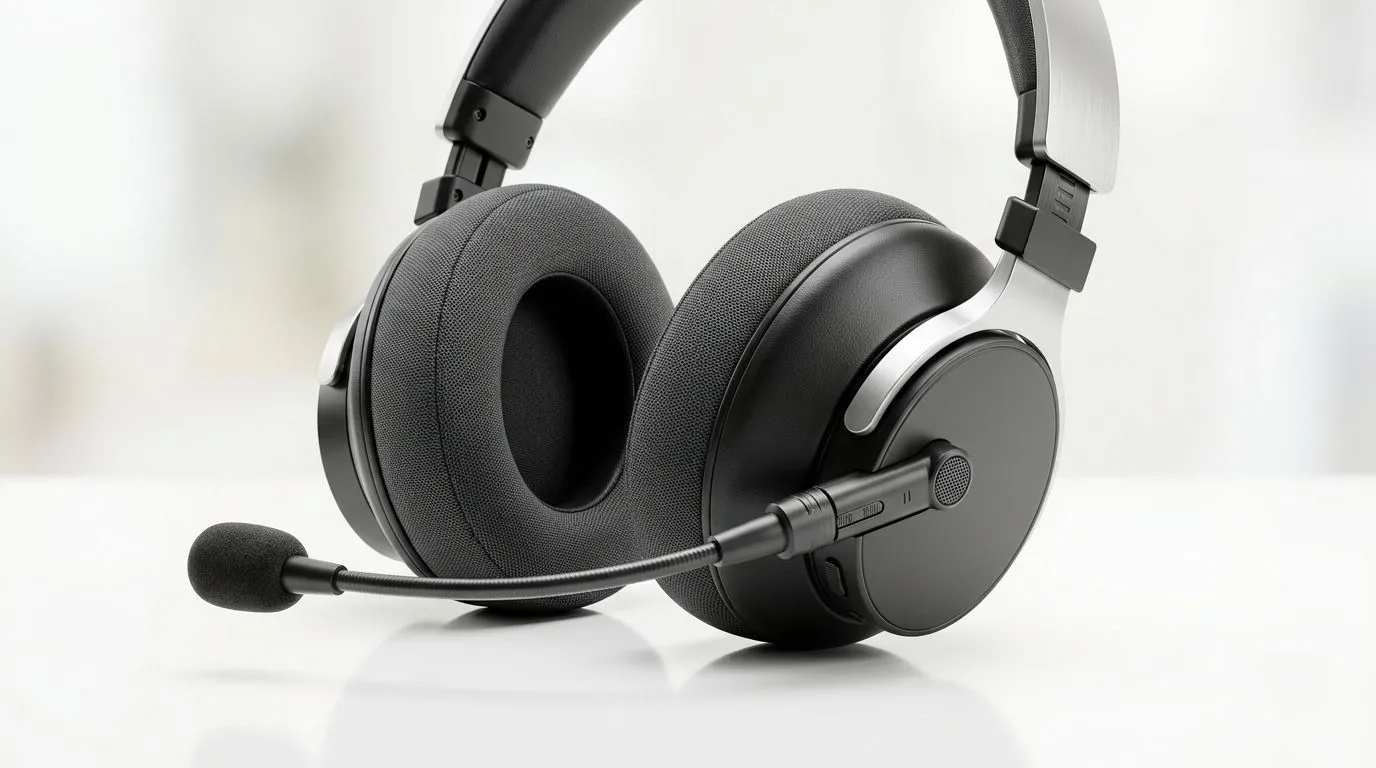
If your squad’s hearing you like you’re “inside a shopping mall”, you’ll feel it fast. Teammates stop trusting your callouts… matches get messy… and you end up muting yourself “just to be safe”. In South Africa’s late-night ranked grind, clear voice chat isn’t a luxury. It’s part of teamwork.
Good news: you don’t need pro studio gear to improve your mic. With a few better mic habits, you can reduce background noise and sound more consistent across long sessions 🔧
Most “background noise” isn’t electrical. It’s distance and angle. A mic that’s too far picks up room sound and fan rumble. Too close? Plosives and clipping.
Try this setup:
If your headset mic is detachable or boom-mounted, extend the boom so it sits near the corner of your mouth. That small change reduces keyboard clicks and background voices. ✨
Even the best headset mic can struggle if settings are off. Use your OS and game chat settings, not guesswork.
A practical checklist:
On Windows, use the built-in Sound settings to set your correct input device, then speak at your normal volume and adjust Input volume while watching the input meter. If it hits the red often, lower it slightly and you’ll reduce distortion and “extra hiss” from over-amplification.
If you’re still fighting noise after good habits, your mic hardware might be the bottleneck. Look for a boom mic design (for consistent positioning) and a headset model known for clearer vocal pickup.
If you want a strong wireless option for chat clarity, check the Razer Barracuda X Chroma (Phantom White) here: Shop Razer Barracuda X Chroma Wireless Headset deals
Prefer wired headsets for less fuss? Browse the range and compare mic types and comfort: Explore Razer headphones and headsets Or go broader with: Headphone headsets for sale
One squad member in our Discord kept apologising for “background noise”. We tested for 3 minutes: moved the boom mic closer, turned down the input boost, and used push to talk during ult callouts. Suddenly their voice sat cleanly in the mix. No new headset. Just better habits. 🚀
Do this before competitive:
You’ll hear the difference, and your teammates will feel it.
Ready to Find Your Perfect Match? Clear comms start with the right setup. If you’re upgrading for smoother voice chat and better value in South Africa, explore Evetech’s range and pick gear that fits your budget and your playstyle. Shop the best laptop specials and build a complete rig that keeps your team in sync.
Use noise-isolating ear cushions, mute when not speaking, and move the mic closer to your mouth for clearer voice chat.
Yes. They block outside sound better, so you hear less room noise and can keep your mic volume lower.
Keep the mic off the desk, aim it away from the keyboard, and use push-to-talk or a noise gate when needed.
A sensitive mic, poor placement, or an open-back fit can capture room sounds, fans, and keyboard clicks.
A noise gate helps, but it works best with good mic placement and noise-isolating ear cushions for cleaner results.
Keep the mic about two fingers from your mouth and slightly off to the side to reduce breath noise and plosives.
Humidity Damage to PC Components: Recovery Guide. Everything you need to know with SA pricing, step-by-step instructions & expert recommendations.
Read more
Gamer Spending Trends April : Complete Setups. Clear setup instructions with SA-specific considerations, troubleshooting tips & recommended components.
Read more
Setting Up DDR5 32GB Kit. Tested & verified settings for best FPS and visual quality on SA hardware budgets.
Read more
Tech Setup Guide for SPU Res Students. Clear setup instructions with SA-specific considerations, troubleshooting tips & recommended components.
Read more
Monster Hunter Wilds Ultrawide Support: 21:9 and. Clear setup instructions with SA-specific considerations, troubleshooting tips & recommended components.
Read more
Apple iPad Durability Guide: Cases, Screen. Practical breakdown of costs, regulations & whether it makes financial sense for SA buyers.
Read more
AMD RX 9050 XT: Rumoured Specs, Price & Release. SA-focused analysis with local pricing data, real-world insights & actionable buying advice.

Can RTX 4080 Super Run AI Workloads for SA Developers Detailed answer with SA data, expert analysis & practical recommendations for local buyers.

Can RTX 4090 Run AI Workloads for SA Developers Detailed answer with SA data, expert analysis & practical recommendations for local buyers.

Top Settings for Intel Arc B580 at Ultrawide 1440p picks evaluated on performance, value & SA availability with current Rand pricing from Evetech.

RTX 4060 CS2 Low Settings at 1080p: FPS Results. Real-world benchmark data, FPS numbers & performance analysis. What SA gamers can actually expect.

Visual Artifacts: Possible GPU Issue Issue #1. Diagnosis steps, proven fixes & when to seek professional help. SA-specific support info included.

Can the RTX 4090 Handle 1440p 144Hz Gaming. Performance testing verdict with real data & practical recommendations for SA buyers.

Top ASUS GPU Under R15000 picks evaluated on performance, value & SA availability with current Rand pricing from Evetech.

GTA 6 Max Settings on RTX 5070. Tested & verified settings for best FPS and visual quality on SA hardware budgets.

Cyberpunk 2077 Max Settings on RTX 5080. Tested & verified settings for best FPS and visual quality on SA hardware budgets.

Starfield Max Settings on RTX 5070 Ti. Tested & verified settings for best FPS and visual quality on SA hardware budgets.

Top RTX 5090 Under R5000 picks evaluated on performance, value & SA availability with current Rand pricing from Evetech.