


Humidity Damage to PC Components: Recovery Guide
Humidity Damage to PC Components: Recovery Guide. Everything you need to know with SA pricing, step-by-step instructions & expert recommendations.
Read moreEvery spec on motherboard explained in plain English. What matters for gaming and creator work in 2026, what's marketing fluff, and how each number translates to real-world performance.
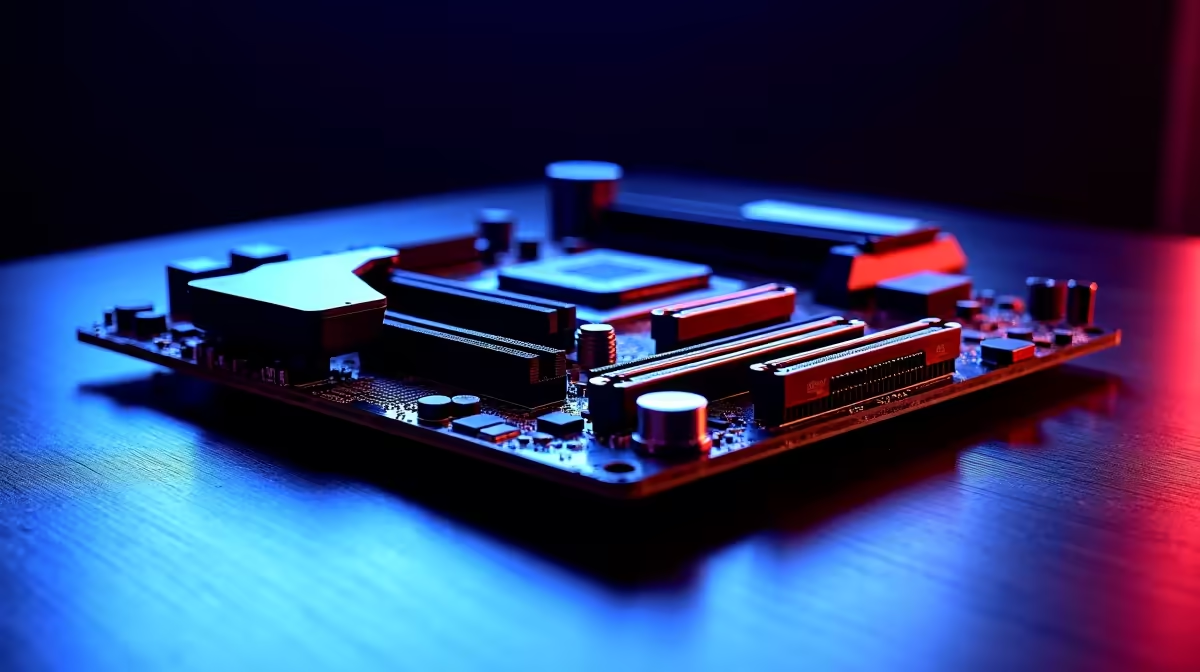
Staring at a rendering progress bar while Eskom schedules stage 4 loadshedding is a uniquely South African stress. Every second counts when client deadlines loom. A sluggish timeline ruins your creative flow. You need an AMD creator motherboard for 4K editing and 3D rendering that will not bottleneck your workflow. Let us break down the exact features you need to turn hours of exporting into minutes.
Your storage speed dictates your timeline smoothness. When scrubbing through heavy 4K footage, standard drives choke. You want a board with multiple PCIe 5.0 M.2 slots. This ensures your massive raw files load instantly. Time is money in the editing bay.
If you want to buy motherboards tailored for creators, prioritise massive I/O options. Thunderbolt 4 or USB4 ports are also vital. They let you move terabytes of client data to external drives fast. Investing around R6000 on a feature-rich board saves you massive headaches later.
3D rendering pushes your CPU to its absolute limit for hours. Weak power delivery means thermal throttling... and missed deadlines. Look for robust VRM designs with thick metal heatsinks.
Premium ASUS AMD motherboards often feature 16 or more power stages. This clean power delivery ensures your high-end Ryzen processor maintains boost clocks. It keeps your system stable without crashing mid-render. Cooling is just as important as the power phases. Good boards include multiple fan headers for custom airflow setups.
Complex Blender scenes and layered After Effects projects eat RAM quickly. Having 32GB is the bare minimum today. A proper AMD creator motherboard for 4K editing and 3D rendering must support up to 128GB or 192GB of DDR5.
You will want stable EXPO profiles to maximise performance. Make sure to pair your board with high-speed memory kits to prevent frustrating memory bottlenecks.
Always separate your OS, cache, and project files across three different NVMe drives. This prevents read and write bottlenecks during heavy 4K rendering. It keeps your system snappy even when exporting massive video files.
Moving files across a local network requires serious bandwidth. A 10Gb Ethernet port is essential for accessing a central NAS. Wi-Fi 6E or Wi-Fi 7 is a nice bonus for wireless freedom in your studio. Do not forget about audio features either. High-quality onboard audio helps with basic sound mixing.
While we are focusing on Team Red, some creators still prefer Team Blue. If that is you, top-tier ASUS Intel motherboards offer similar networking features.
Building from scratch can feel daunting. You can always grab one of our best gaming PC deals instead. You can simply upgrade the RAM and storage later to suit your creative demands.
Ready to Build Your Dream Workstation? Stop letting hardware limit your creativity. Whether you are cutting 4K film or rendering complex 3D environments, having the right foundation is crucial. Explore our massive range of AMD motherboards and start building a rig that works as hard as you do.
The motherboards, tools and accessories referenced in this article are stocked at Evetech.co.za with local SA warranty, ZAR pricing and nationwide delivery.
The article breaks down the real-world impact on gaming FPS, creator workflows and everyday responsiveness — not just raw spec numbers.
Only a handful of specs meaningfully change your experience. The guide ranks them by real impact so you spend on what counts.
We cover upgrade headroom, platform longevity and the specific features worth paying extra for if you plan to keep this build for several years.
The article includes a clear generational uplift summary so you can judge whether upgrading from your current hardware is worthwhile.
Humidity Damage to PC Components: Recovery Guide. Everything you need to know with SA pricing, step-by-step instructions & expert recommendations.
Read more
Gamer Spending Trends April : Complete Setups. Clear setup instructions with SA-specific considerations, troubleshooting tips & recommended components.
Read more
Setting Up DDR5 32GB Kit. Tested & verified settings for best FPS and visual quality on SA hardware budgets.
Read more
Tech Setup Guide for SPU Res Students. Clear setup instructions with SA-specific considerations, troubleshooting tips & recommended components.
Read more
Monster Hunter Wilds Ultrawide Support: 21:9 and. Clear setup instructions with SA-specific considerations, troubleshooting tips & recommended components.
Read more
Apple iPad Durability Guide: Cases, Screen. Practical breakdown of costs, regulations & whether it makes financial sense for SA buyers.
Read more
AMD RX 9050 XT: Rumoured Specs, Price & Release. SA-focused analysis with local pricing data, real-world insights & actionable buying advice.

Can RTX 4080 Super Run AI Workloads for SA Developers Detailed answer with SA data, expert analysis & practical recommendations for local buyers.

Can RTX 4090 Run AI Workloads for SA Developers Detailed answer with SA data, expert analysis & practical recommendations for local buyers.

Top Settings for Intel Arc B580 at Ultrawide 1440p picks evaluated on performance, value & SA availability with current Rand pricing from Evetech.

RTX 4060 CS2 Low Settings at 1080p: FPS Results. Real-world benchmark data, FPS numbers & performance analysis. What SA gamers can actually expect.

Visual Artifacts: Possible GPU Issue Issue #1. Diagnosis steps, proven fixes & when to seek professional help. SA-specific support info included.

Can the RTX 4090 Handle 1440p 144Hz Gaming. Performance testing verdict with real data & practical recommendations for SA buyers.

Top ASUS GPU Under R15000 picks evaluated on performance, value & SA availability with current Rand pricing from Evetech.

GTA 6 Max Settings on RTX 5070. Tested & verified settings for best FPS and visual quality on SA hardware budgets.

Cyberpunk 2077 Max Settings on RTX 5080. Tested & verified settings for best FPS and visual quality on SA hardware budgets.

Starfield Max Settings on RTX 5070 Ti. Tested & verified settings for best FPS and visual quality on SA hardware budgets.

Top RTX 5090 Under R5000 picks evaluated on performance, value & SA availability with current Rand pricing from Evetech.