



Best Budget SSD: Speed Without Breaking the Bank
Looking for the best budget SSD? Get near-NVMe speeds without overspending. We compare SATA vs NVMe, DRAM vs DRAMless, and list reliable picks by capacity and price. ⚡💸
|
Loading tags...
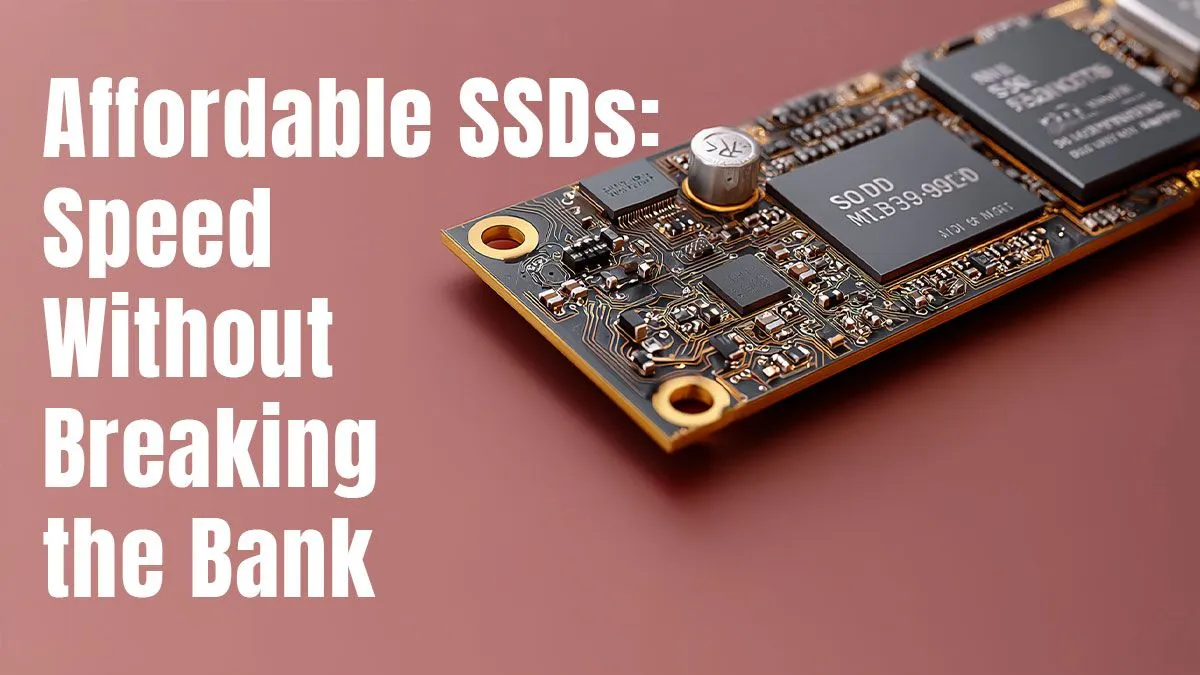
Tired of staring at loading screens while your mates are already dropping into the action? We get it. That old, slow hard drive is holding your PC back. But what if the single biggest speed boost you can give your rig costs less than a new game? A budget SSD is the answer. It’s the most impactful, wallet-friendly upgrade you can make, transforming your sluggish machine into a responsive beast. Let's find the best budget SSD for you.

RYZEN 5 8400F 4.7GHz GT 710 2GB DDR5 Workstation PC
R10079.00In Stock

AMD RYZEN 5 8400F 4.7GHz RX 9060 XT 16GB DDR5 Budget Gaming PC
R19949.00In Stock

RYZEN 5 7500X3D RTX 5060 DDR5 Gaming PC
R21524.00In Stock

RYZEN 5 8500G 5.0GHz with Vega Graphics DDR5 PC
R11024.00In Stock

RYZEN 7 5700 4.6GHz RTX 5060 Ti 16GB Budget Gaming PC
R20264.00In Stock

RYZEN 5 9600X 5.2GHz ARC B580 12GB DDR5 Gaming PC
R21419.00In Stock
Why a Budget SSD is the Ultimate PC Upgrade
For years, the hard disk drive (HDD) was the standard. It’s a mechanical device with a spinning platter… think of a tiny record player. An SSD (Solid-State Drive), on the other hand, uses flash memory, like a massive, super-fast USB stick. This means no moving parts, resulting in lightning-fast access to your data.
The difference is night and day.
- Blazing Boot Times: Your PC will be ready to go in seconds, not minutes.
- Instant Application Loading: Programs like Discord, Chrome, and OBS snap open.
- Faster Game Levels: Load into maps in Warzone or Valorant before everyone else. 🚀
It's a total system-wide performance lift. Before you even think about a new processor, make sure your operating system is running on an SSD. It's the foundation of a modern, responsive PC, and thankfully, finding the best budget SSD is easier than ever.
Key Features of the Best Budget SSDs in South Africa
Navigating the world of SSDs can seem tricky with all the acronyms and specs. But for a budget-focused upgrade, you only need to focus on a few key things. We'll help you find a great drive that works with your Intel or AMD motherboard without any hassle.
NVMe vs. SATA: What's the Real Difference?
You'll see two main types: SATA and NVMe.
- SATA SSDs: These look like small 2.5-inch rectangles and use the same cables as older hard drives. They are incredibly reliable and offer a massive speed boost over any HDD.
- NVMe M.2 SSDs: These look like a stick of RAM and plug directly into the motherboard. They are significantly faster on paper, and their prices have dropped so much that they are often the best choice, even for budget builds.
For most gamers, the real-world difference between a good SATA SSD and a budget NVMe drive isn't huge for loading times. The key is moving away from a mechanical drive.
Capacity: How Much Storage Do You Really Need?
This is where you need to be realistic about your needs and budget.
- 250GB - 500GB: This is the sweet spot for a boot drive. It’s enough for Windows and your most-played games. You can keep your old HDD for storing photos, videos, and less-played titles.
- 1TB and Up: If this will be your only drive, 1TB is the new standard. Games are getting huge, and this gives you breathing room. A larger drive also frees up budget that might otherwise go to a high-end NVIDIA or ATI graphics card.

Ryzen 5 9600X 5.4GHz RTX 5060 8GB DDR5 Budget Gaming PC
R21524.00In Stock

Intel Core Ultra 7 265K 5.3GHz RTX 5070 12GB DDR5 Gaming PC
R30344.00In Stock
RYZEN 5 8400F 4.7GHz GT 710 2GB DDR5 Workstation PC
R10079.00In Stock

RYZEN 5 9600X 5.2GHz RX 9060 XT 16GB DDR5 Gaming PC
R22679.00In Stock
![[Pre Built] AMD RYZEN 9 9900X RX 9070 XT Gaming PC](https://img.evetech.co.za/repository/ProductImages/ryzen-9-9900-x-rx-9070-xt-gaming-pc-pbs-main-1600px-v1.webp)
[Pre Built] AMD RYZEN 9 9900X RX 9070 XT Gaming PC
R42524.00In Stock

AMD RYZEN 9 9950X 5.7GHz Quadro RTX 5000 Ada 32GB DDR5 Workstation PC
R128834.00In Stock
Read/Write Speeds: Don't Get Lost in the Numbers
Every SSD box boasts huge MB/s numbers. While important, the "random read/write" performance is what makes your PC feel snappy. It’s the drive's ability to quickly find small, scattered files. Honestly, any modern SSD will feel worlds apart from an HDD. It's a similar feeling to having sufficient DDR gaming RAM; the overall responsiveness is what you notice most, not just a single number on a chart.
Installing Your New SSD: A Quick Guide 🔧
Upgrading to an SSD is one of the easiest DIY PC tasks. You’ll need a screwdriver and about 30 minutes.
First, power down and unplug your PC. Opening up your computer case will give you access to the drive bays and motherboard slots. For a SATA drive, you'll connect a power cable from your power supply and a SATA data cable to your motherboard. For an NVMe drive, you simply slot it into the M.2 port on your motherboard and secure it with a tiny screw. It's crucial to ensure good airflow inside your case to keep all components, including your new SSD and existing CPU cooler, running optimally.
TIP FOR YOU
Fresh Start Pro Tip ✨
While cloning your old drive is convenient, a fresh installation of Windows on your new SSD is often better. It gets rid of accumulated digital clutter, ensuring your PC runs as fast and clean as possible from day one. Just remember to back up your important files first!
Once installed, you can either clone your old drive or, for best performance, do a fresh install of Windows. A quick search on YouTube will give you dozens of step-by-step visual guides.

AMD RYZEN 7 5700 4.6GHz RX 9070 16GB Gaming PC
R28349.00In Stock

RYZEN 9 9900X 5.6GHz RTX 5070 Ti 16GB DDR5 Gaming PC
R41369.00In Stock
AMD RYZEN 7 9800X3D RTX Pro 4500 DDR5 Workstation PC
R78644.00In Stock
![[Pre Built] AMD Ryzen 7 9800X3D RX 9070 XT Gaming PC](https://img.evetech.co.za/repository/ProductImages/ryzen-7-9800-x-3-d-rx-9070-xt-gaming-pc-48-gb-2-tb-nvme-main-1600px-v1.webp)
[Pre Built] AMD Ryzen 7 9800X3D RX 9070 XT Gaming PC
R69299.00In Stock
Intel Core Ultra 7 265K RTX Pro 4500 DDR5 Workstation PC
R77909.00In Stock
Intel Core Ultra 9 285K 5.7GHz RTX 5000 Ada 32GB DDR5 Workstation PC
R133349.00In Stock
Finding the Best Budget SSD Deals at Evetech
The best budget SSD is one that delivers a massive performance boost without making you live on two-minute noodles for a month. At Evetech, we carefully select drives from trusted brands like Kingston, Crucial, and Western Digital that offer the perfect balance of price, performance, and reliability.
Whether you're giving an old PC a new lease on life or building a new rig from one of our popular Intel & AMD bundle packs, an SSD is a non-negotiable component for a great experience. It’s the upgrade that you will feel every single time you turn on your computer.
Ready to Feel the Speed? An SSD is the single most effective upgrade for most PCs, and it doesn't have to cost a fortune. Explore our wide range of budget-friendly SSDs and leave those loading screens in the dust.
Related Products

AMD RYZEN 5 3600 RTX 3050 Budget Gaming PC
R11024.00In Stock
![[Pre Built] AMD RYZEN 5 5500 ARC A380 Gaming PC](https://img.evetech.co.za/repository/ProductImages/gamdias-talos-e3-gaming-case-ryzen-5-5500-arc-a380-gaming-pc-pbs-main-1600px-v1.webp)
[Pre Built] AMD RYZEN 5 5500 ARC A380 Gaming PC
R12494.00In Stock
![[Pre Built] AMD RYZEN 7 9700X RTX 5070 Gaming PC](https://img.evetech.co.za/repository/ProductImages/ryzen-7-9700-x-rtx-5070-gaming-pc-pbs-main-1600px-v1.webp)
[Pre Built] AMD RYZEN 7 9700X RTX 5070 Gaming PC
R35699.00In Stock
Intel Core Ultra 9 285K 5.7GHz RTX 5000 Ada 32GB DDR5 Workstation PC
R133349.00In Stock
![[Pre Built] AMD RYZEN 7 9700X RX 9070 XT Gaming PC](https://img.evetech.co.za/repository/ProductImages/ryzen-7-9700-x-rx-9070-xt-gaming-pc-pbs-main-1600px-v2.png)
[Pre Built] AMD RYZEN 7 9700X RX 9070 XT Gaming PC
R39794.00In Stock
Intel Core Ultra 7 265K 5.5GHz RX 9070 XT 16GB DDR5 Gaming PC
R40109.00In Stock
Choose a cheap NVMe SSD with DRAM or HMB, solid TBW, and good reviews. 500GB–1TB offers great cost-per-gig and cuts game load times dramatically.
Yes. For everyday use, a SATA SSD feels fast and beats HDDs. If you don’t edit 4K or move huge files, SATA vs NVMe speed differences are small in real life.
DRAM helps sustained speed and random writes. DRAMless with HMB is fine for light use. For gaming and apps, prefer DRAM if the price gap is small.
For a budget PC storage upgrade, 500GB works for OS plus a few titles. 1TB is safer for modern games. Creators should start at 1TB–2TB.
Often, Gen3 cheap NVMe SSDs deliver similar real-world feel. Go Gen4 on a budget only if prices are close or you need PS5-ready speeds and heavy file transfers.
Aim for competitive TBW (endurance) figures and a 3–5 year warranty. For 1TB, 200–600 TBW is common; more is better if you write lots of data.
Yes, but only a PCIe Gen4 NVMe that meets Sony's spec (about 5,500 MB/s) will work. Many ps5 ssd budget options also need a heatsink to sustain speed.











