



5 Essential Budget Office Laptop Features for Productivity
Identifying key budget office laptop features ensures you get maximum productivity without overspending. 💼 Discover essential specs like SSD storage, RAM, and display quality to make the right choice for your business needs. 🚀
|
Loading tags...

Staring at that spinning wheel of death while your old laptop struggles with a single spreadsheet? You’re not alone. In today’s world of hybrid work and side hustles, you need a machine that just works… without costing a fortune. But navigating the tech jargon to find a good deal can be a mission. Forget the confusing specs for a moment. We’re breaking down the 5 absolutely essential budget office laptop features that deliver real-world productivity. 🚀
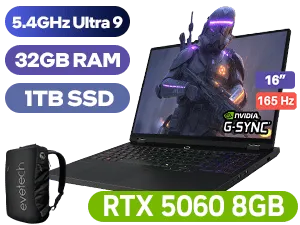
Lenovo Legion Pro 5 32GB/1TB
R32,999In Stock
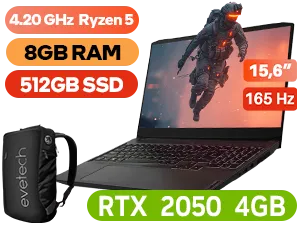
Lenovo IdeaPad Gaming 3 8GB/512GB Ryzen 5
R10,999In Stock
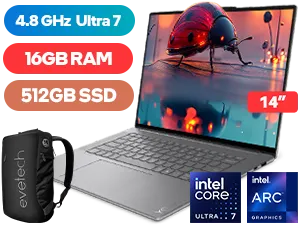
Lenovo Yoga Slim 7 16GB/512GB Ultra 7
R23,999In Stock
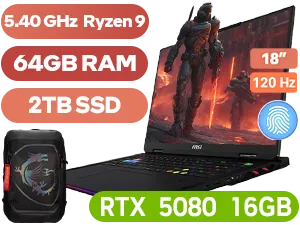
MSI Raider A18 64GB/2TB Ryzen 9
R75,999In Stock
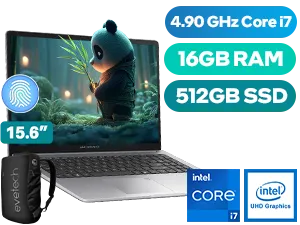
Asus ExpertBook P1 P1503CVA 16GB/512GB
R15,999In Stock
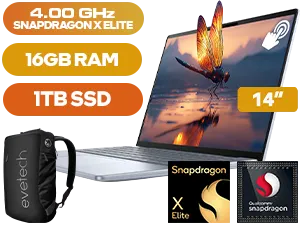
Dell Inspiron 14 Plus 16GB/1TB Snapdragon
R35,999In Stock
CPU: The Engine of Your Workflow
Let's get one thing straight: you don't need a top-of-the-line processor for office tasks. Spending big on a Core i9 for emails and documents is like using a monster truck for a grocery run. The real sweet spot for a budget office laptop is a modern Intel Core i3/i5 or an AMD Ryzen 3/5. These processors are more than capable of handling multitasking across multiple browser tabs, video calls, and office suites without breaking a sweat.
Focusing on a recent generation (e.g., 11th Gen or newer for Intel, 5000 series or newer for AMD) is one of the smartest budget office laptop features to prioritise. It ensures better power efficiency and performance. You can find excellent, wallet-friendly options among our Intel laptops on special that are perfect for this. Similarly, Team Red offers incredible value, and it's always worth checking out the latest AMD laptops on special for powerful and efficient workhorses.
RAM & Storage: The Unsung Productivity Heroes
If the CPU is the engine, think of RAM as your desk space and storage as your filing cabinet. Not enough desk space (RAM), and everything gets cluttered and slow. A slow filing cabinet (Hard Disk Drive - HDD), and it takes forever to find anything.
Why 8GB of RAM is the Minimum
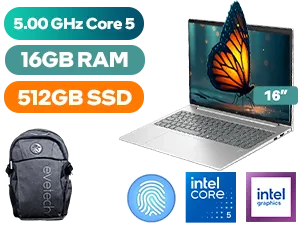
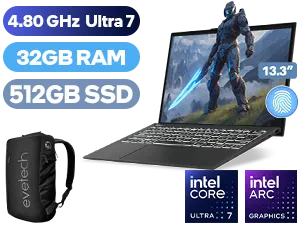
With modern operating systems and web browsers being notoriously memory-hungry, 4GB of RAM is simply not enough anymore. 8GB is the new standard, allowing you to run your browser, a music app, your email client, and a document editor simultaneously without your laptop grinding to a halt.
The SSD is Non-Negotiable
This might be the single most important feature for making a budget laptop feel fast. A Solid-State Drive (SSD) has no moving parts, meaning it reads and writes data exponentially faster than a traditional HDD. This translates to:
- Windows booting up in seconds, not minutes.
- Applications launching almost instantly.
- Files opening and saving in a flash.
Even a smaller 256GB SSD is a better choice than a massive 1TB HDD for a primary drive. It completely transforms the user experience.
TIP FOR YOU
Productivity Pro Tip ⚡
On Windows 11, press Win + Z to quickly see and use Snap Layouts. This lets you instantly arrange multiple windows on your screen—perfect for referencing a document while writing an email, without constantly switching tabs. It's a built-in feature that makes you a multitasking master.
Display & Keyboard: Your Daily Comfort Matters
You’ll be staring at this screen and typing on this keyboard for hours every day, so don't overlook ergonomics. A poor screen and a mushy keyboard can lead to eye strain and frustration, killing your productivity.
Look for a laptop with a Full HD (1920x1080) resolution. This ensures text is sharp and you have enough screen real estate to work comfortably. An IPS panel is a bonus, offering better colour accuracy and viewing angles. Secondly, a comfortable, responsive keyboard makes a world of difference. A backlit keyboard is a fantastic feature to find on a budget office laptop, making those late-night work sessions so much easier. ✨
Battery Life: Your Loadshedding Lifeline 🔋
In South Africa, great battery life isn't a luxury; it's a necessity. You need a laptop that can survive a loadshedding slot (or two) without you having to panic-save your work. Look for models that advertise at least 6-8 hours of battery life for light productivity tasks. While a powerful machine from the best gaming laptop deals is awesome for play, they often trade battery longevity for raw power. For a dedicated work device, endurance is key.


Modern Connectivity: Don't Get Left Behind
A great budget office laptop needs the right ports to connect to your world. Ensure the machine you choose has the modern I/O (Input/Output) you need for a seamless workflow. Key features to look for include:
- At least one USB-C port: This versatile port can often handle data transfer, video output, and even charging, reducing the number of cables you need.
- Wi-Fi 6 (802.11ax): Provides a faster, more stable wireless connection, which is crucial for smooth video calls and quick downloads.
- A decent webcam: In an age of remote meetings, a built-in 720p webcam is the baseline for looking professional.
Checking for these essential features ensures your new laptop won't feel outdated in a year. You can find machines with all the right connections in our full catalogue of laptop specials for sale in South Africa.
Ready to Boost Your Productivity? Finding the right machine doesn't have to be complicated or expensive. By focusing on these essential budget office laptop features, you can get a powerful, reliable workhorse without breaking the bank. Explore our massive range of laptop specials and find the perfect upgrade for your hustle.
Related Products
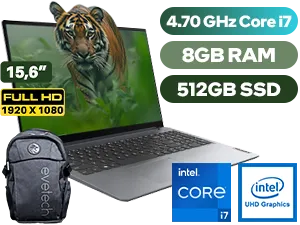
An SSD is crucial among budget office laptop features. It significantly speeds up boot times and file loading compared to traditional hard drives.
Aim for at least 8GB of RAM. This ensures smooth multitasking when running web browsers, spreadsheets, and email clients simultaneously.
Yes, a 1920x1080 (Full HD) resolution is vital for clear text and ample screen real estate, reducing eye strain during long work hours.
Look for at least an Intel Core i3 or AMD Ryzen 3. These offer the best balance of performance and energy efficiency for affordable business laptops.
Target a battery life of at least 8 hours. This allows you to work through a standard business day without constantly searching for a power outlet.
While not mandatory, a backlit keyboard is a great feature for low-light environments and is often found on high-value budget models.











