



Budget overclocking: Pushing Cheap Components to the Limit
• Pick budget overclocking • Add long-tails • Map intent • Build on-page SEO • Set category/author. Budget overclocking experiments push cheap CPUs/GPUs safely ⚡🧪 with real settings, benchmarks, and risk-aware tips.
|
Loading tags...
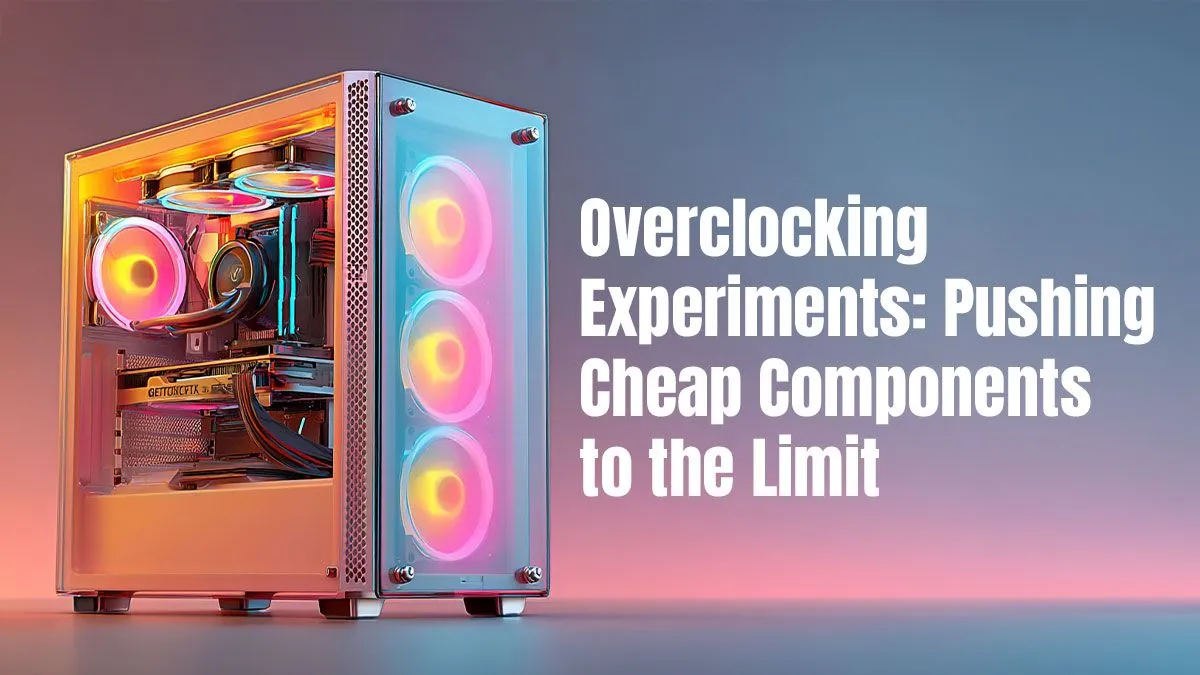
Let's be honest, gaming in South Africa isn't cheap. That new AAA title drops, and suddenly your trusty rig is chugging along, struggling to keep a steady framerate. What if you could squeeze out 10-15% more performance without spending an extra Rand? That’s not magic; it’s the art of budget overclocking. It’s about taking affordable hardware and pushing it to its absolute, stable limit. Welcome to your free performance upgrade. 🚀
![[Pre Built] AMD RYZEN 7 9700X RX 9070 XT Gaming PC](https://img.evetech.co.za/repository/ProductImages/ryzen-7-9700-x-rx-9070-xt-gaming-pc-pbs-main-1600px-v2.png)
[Pre Built] AMD RYZEN 7 9700X RX 9070 XT Gaming PC
R39794.00In Stock

Intel Core Ultra 5 225F ARC A380 6GB Gaming PC
R14174.00In Stock

RYZEN 7 5700 4.6GHz RTX 5060 Ti 16GB Budget Gaming PC
R20264.00In Stock

Intel Core Ultra 5 225F 4.9GHz RTX 3050 6GB DDR5 Gaming PC
R16274.00In Stock

Intel Core Ultra 9 285K 5.7GHz RTX 5090 32GB DDR5 Gaming PC
R80114.00In Stock
AMD RYZEN 7 5700 4.6GHz A1000 8GB Workstation PC
R20159.00In Stock
Understanding the Budget Overclocking Mindset
At its core, overclocking is running a component—like your CPU or graphics card—at a higher speed than the manufacturer’s default settings. Budget overclocking simply applies this principle to more affordable parts. It’s a calculated risk that rewards careful research and patience with tangible, in-game performance gains.
Instead of buying the top-tier component, you buy a solid, mid-range part with known overclocking potential and unlock that extra power yourself. It’s the ultimate PC enthusiast move for savvy South African builders looking to maximise value.
The Key Components for Pushing Cheap Hardware
Not all parts are created equal when it comes to overclocking. To start your journey, you need to focus on components that offer the most headroom for performance gains without demanding a premium price tag.
Your Motherboard and CPU Combo
This is the heart of your operation. For CPUs, you'll want an "unlocked" model, like an Intel 'K'-series or most AMD Ryzen chips. These are designed to be pushed. But the CPU is only half the story. It needs a solid foundation. A board with decent Voltage Regulator Modules (VRMs) and heatsinks is crucial for delivering stable power. You don't need the most expensive option, but grabbing one from a selection of cheap Intel & AMD based motherboards with good reviews is a smart first step.
Of course, more speed means more heat. Stock coolers won't cut it here. Investing a few hundred Rand in a capable aftermarket tower cooler is non-negotiable for any serious overclocking attempt. It's the single most important supporting component, so explore a quality range of CPU coolers to protect your investment.

RYZEN 7 9700X RTX Pro 2000 DDR5 Workstation PC
R35699.00In Stock

AMD RYZEN 7 9800X3D RTX Pro 4500 DDR5 Workstation PC
R78644.00In Stock
![[Pre Built] AMD Ryzen 7 9800X3D RX 9070 XT Gaming PC](https://img.evetech.co.za/repository/ProductImages/ryzen-7-9800-x-3-d-rx-9070-xt-gaming-pc-48-gb-main-1600px-v1.webp)
[Pre Built] AMD Ryzen 7 9800X3D RX 9070 XT Gaming PC
R67199.00In Stock

RYZEN 7 9700X 5.5GHz RX 9070 XT 16GB DDR5 Gaming PC
R37484.00In Stock

RYZEN 9 9950X 5.7GHz RTX 5090 32GB DDR5 Gaming PC
R78119.00In Stock

AMD RYZEN 5 3600 4.2GHz GT 710 2GB PC
R6824.00In Stock
The Graphics Card (GPU) ⚡
This is where you'll see the most noticeable FPS gains. Almost all modern GPUs can be overclocked using free software like MSI Afterburner. Pushing the core and memory clocks on your graphics card can be the difference between a choppy 45 FPS and a smooth 60 FPS. When browsing for your next upgrade, remember that even a mid-range card from our NVIDIA & ATI graphics cards selection has hidden potential waiting to be unlocked.
TIP FOR YOU
Monitor Your Vitals! 🌡️
Before you start pushing sliders, download free tools like HWMonitor and FurMark. Use HWMonitor to watch your temperatures and voltages in real-time. Run a FurMark stress test before and after your overclock to ensure your system is stable under heavy load. An unstable overclock is worse than no overclock at all!
Don't Forget the Supporting Cast
Overclocking cheap components successfully relies on a stable ecosystem. Two often-overlooked parts are your RAM and power supply.
- RAM: Enabling the XMP profile in your BIOS is a one-click overclock that ensures your RAM runs at its advertised speed. For those who want to go deeper, manually tightening timings can yield small but meaningful improvements in system responsiveness. Even older, affordable kits like DDR3 gaming RAM modules can benefit from a little tuning.
- Power Supply (PSU): Pushing your components harder means they draw more power. A cheap, unreliable power supply can cause instability or, worse, damage your entire system. This is not the place to cut corners. A quality unit from a reputable brand ensures clean, stable voltage. A trusted Corsair power supply provides the stable foundation your overclocked rig needs to perform reliably.
- Chassis: All that extra performance generates heat. Your components need to breathe. A chassis with good airflow pathways is essential. Look for well-designed computer cases that prioritise ventilation, with mesh front panels and multiple fan mounts.
RYZEN 7 5700 4.6GHz RTX 5060 Ti 16GB Budget Gaming PC
R20264.00In Stock

AMD RYZEN 5 3600 4.2GHz A400 4GB Workstation PC
R9449.00In Stock

Intel Core Ultra 5 245K 5.2GHz RTX 5060 8GB DDR5 Gaming PC
R30659.00In Stock
[Pre Built] AMD Ryzen 7 9800X3D RX 9070 XT Gaming PC
R67199.00In Stock
![[Pre Built] AMD RYZEN 9 9900X RX 9070 XT Gaming PC](https://img.evetech.co.za/repository/ProductImages/ryzen-9-9900-x-rx-9070-xt-gaming-pc-pbs-main-1600px-v1.webp)
[Pre Built] AMD RYZEN 9 9900X RX 9070 XT Gaming PC
R42524.00In Stock
Intel Core Ultra 9 285K 5.7GHz RTX 5000 Ada 32GB DDR5 Workstation PC
R133349.00In Stock
Your Smart Start to Overclocking
Budget overclocking is a rewarding skill that empowers you to get more for your money. It turns a good PC into a great one. If you're building from scratch, a fantastic way to get a balanced set of overclock-ready components is to start with a pre-selected combo. Our Intel & AMD based bundle packs often pair a capable CPU and motherboard, giving you a perfect, value-focused starting point for your performance journey. ✨
Ready to Build a High-Performance Rig on a Budget? Unlocking extra performance is easier than you think. With the right components and a little know-how, you can build a machine that punches well above its price tag. Explore our massive range of PC components and find the perfect hardware to start your budget overclocking adventure today.
Related Products
![[Pre Built] AMD RYZEN 5 5500 ARC A380 Gaming PC](https://img.evetech.co.za/repository/ProductImages/gamdias-talos-e3-gaming-case-ryzen-5-5500-arc-a380-gaming-pc-pbs-main-1600px-v1.webp)
[Pre Built] AMD RYZEN 5 5500 ARC A380 Gaming PC
R12494.00In Stock
AMD RYZEN 7 9800X3D RTX Pro 4500 DDR5 Workstation PC
R78644.00In Stock
AMD RYZEN 5 3600 4.2GHz GT 710 2GB PC
R6824.00In Stock

RYZEN 9 9900X 5.6GHz RTX 5070 Ti 16GB DDR5 Gaming PC
R41369.00In Stock

RYZEN 7 9800X3D 5.2GHz RTX 5080 16GB DDR5 Gaming PC
R51869.00In Stock
Intel Core Ultra 7 265K RTX Pro 4500 DDR5 Workstation PC
R77909.00In Stock
Start +50–100 MHz core, +200 MHz memory, then test. Use a cheap GPU overclock guide and keep temps <80°C for a stable overclock budget build.
For many budget chips, stay near stock, add +0.02–0.05 V max. Use safe overclock voltages budget parts advice and keep load temps below 85°C.
Raise clocks in small steps, stress test 15–30 min each change, and log temps. Prioritize overclocking without crashing using OCCT or 3DMark loops.
Yes. Best cooling for budget overclock is a decent tower air cooler or optimized case airflow; replace paste and set fan curves for quieter stability.
Often undervolt vs overclock budget gives similar FPS at lower noise and temps. Try a voltage-frequency curve for efficient performance.
Typical budget overclocking settings net 5–15% gains in GPU-bound games and quicker renders, but silicon lottery and cooling limit results.
Use Time Spy, Superposition, Cinebench, and long game sessions. Aim for zero errors and consistent clocks for a stable overclock budget build.











