



Budget PC Components Quiz: Find Your Perfect Part
• Assess needs • Match parts • Save money — Budget PC components quiz helps you find the best budget-friendly CPU, GPU, RAM and storage with quick, tailored recommendations. 🧩💸
|
Loading tags...
Building a PC in South Africa can feel like a boss battle for your bank account. How do you squeeze maximum performance out of every Rand? It’s tough knowing where to save and where to spend. Forget the guesswork. This quick budget PC components quiz is your cheat sheet. We'll guide you through the essentials to help you find your perfect part, ensuring you build a rig that’s all power, no panic. 🚀

AMD RYZEN 5 8400F 4.7GHz RX 9060 XT 16GB DDR5 Budget Gaming PC
R19949.00In Stock

AMD RYZEN 7 5700 4.6GHz RX 9060 XT 16GB Gaming PC
R19424.00In Stock

Intel Core Ultra 7 265K 5.3GHz Quadro A1000 8GB DDR5 Workstation PC
R33389.00In Stock

Intel Core Ultra 5 225F ARC A380 6GB Gaming PC
R14174.00In Stock
![[Pre Built] AMD RYZEN 9 9900X RTX 5070 Ti Gaming PC](https://img.evetech.co.za/repository/ProductImages/ryzen-9-9900-x-rtx-5070-ti-gaming-pc-pbs-main-1600px-v1.webp)
[Pre Built] AMD RYZEN 9 9900X RTX 5070 Ti Gaming PC
R44729.00In Stock

Intel Core Ultra 5 225F 4.9GHz A400 4GB DDR5 Workstation PC
R14174.00In Stock
First, What Kind of Gamer Are You?
Before you even look at a spec sheet, you need a game plan. Your play style dictates your build. This is the first question in our PC component quiz: who are you at the keyboard?
- The eSports Ace: You live in Valorant, CS2, or Apex Legends. Your goal is a high, stable framerate (144Hz+). You need a snappy CPU and can be more modest with your GPU.
- The AAA Explorer: You want to experience Cyberpunk 2077 or Starfield with beautiful graphics. Your priority is a powerful graphics card that can handle high resolutions and settings.
- The Creative All-Rounder: You game, but you also stream, edit videos, or code. You need a balanced build with a strong multi-core CPU and plenty of RAM.
Knowing your profile makes it much easier to find your perfect PC component without overspending.
The Graphics Card: Your Framerate Engine
For most gamers, the GPU is the single most important part. It’s what renders the stunning visuals in your favourite titles. If you’re an AAA Explorer, this is where a good chunk of your budget should go. An eSports Ace can get away with a more modest card, as competitive games are often less demanding.
Take a look at the current landscape of affordable NVIDIA and ATI graphics cards to see what fits your budget. Look for models that offer the best performance-per-Rand for the games you play most.
Intel Core Ultra 7 265K 5.3GHz Quadro A1000 8GB DDR5 Workstation PC
R33389.00In Stock

Intel 14th Gen Core i3 14100F 4.7GHz GT 710 2GB PC
R9869.00In Stock
Intel Core Ultra 5 225F 4.9GHz A400 4GB DDR5 Workstation PC
R14174.00In Stock
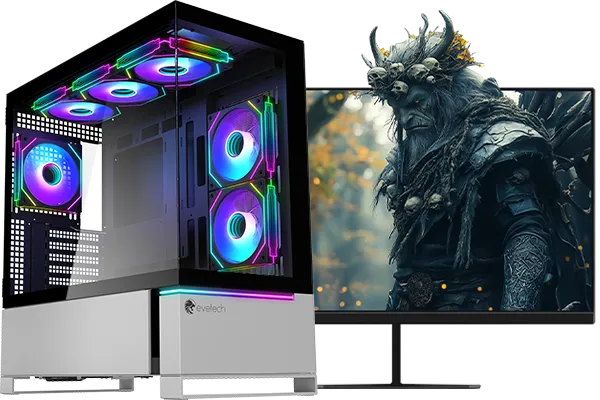
RYZEN 7 7800X3D 5.0GHz RTX 5080 32GB DDR5 Gaming PC
R48719.00In Stock
RYZEN 5 9600X 5.4GHz A1000 8GB DDR5 Workstation PC
R25199.00In Stock

AMD RYZEN 7 5700 4.6GHz A1000 8GB Workstation PC
R20159.00In Stock
The Brains: Choosing a CPU & Motherboard
Your CPU is the brain, and the motherboard is the nervous system connecting everything. For an eSports build, a CPU with high single-core speed is key. For the Creative All-Rounder, more cores will dramatically speed up rendering and multitasking.
Don’t get lost in the options. Start by exploring some value-packed Intel and AMD motherboards to see what features you get at different price points. To make life even easier and guarantee compatibility, our motherboard and CPU bundle packs are a fantastic shortcut.
TIP FOR YOU
Don't Forget the Socket! 🔧
Always make sure your CPU socket type (e.g., AM5 for modern AMD, LGA 1700 for modern Intel) matches the socket on your motherboard. They are not cross-compatible. Checking this one simple detail will save you a massive headache and a potential return.
Memory & Cooling: Your Build's Support Crew
These parts might not seem as exciting, but they are critical for a stable, responsive system.
How Much RAM Do You Need?
For most budget builds in 2024, 16GB is the sweet spot. It provides enough headroom for gaming, Discord, and a few browser tabs. While you can find deals on older DDR3 gaming RAM modules, most modern builds will require DDR4 or DDR5. 16GB ensures you’re not hitting a performance wall.
Keeping Your Cool
Your CPU comes with a stock cooler, but even a modest aftermarket one can make a huge difference. A cooler CPU is a faster, longer-lasting CPU. It prevents thermal throttling (when your PC slows down to avoid overheating) during intense gaming sessions. A simple tower cooler is one of the best value upgrades you can make, and you can browse a great selection of budget CPU coolers to find one that fits. ✨

AMD RYZEN 9 9900X 5.6GHz RTX 4000 Blackwell 24GB DDR5 Workstation PC
R56174.00In Stock
Ryzen 7 9700X 5.5GHz RTX 5060 Ti 16GB DDR5 Gaming PC
R29399.00In Stock
![[Pre Built] AMD RYZEN 9 9900X RX 9070 XT Gaming PC](https://img.evetech.co.za/repository/ProductImages/ryzen-9-9900-x-rx-9070-xt-gaming-pc-pbs-main-1600px-v1.webp)
[Pre Built] AMD RYZEN 9 9900X RX 9070 XT Gaming PC
R42524.00In Stock
RYZEN 5 9600X 5.2GHz A400 4GB DDR5 Workstation PC
R18164.00In Stock
RYZEN 5 7500X3D RTX 5060 DDR5 Gaming PC
R21524.00In Stock

RYZEN 5 8400F 4.7GHz GT 710 2GB DDR5 Workstation PC
R10079.00In Stock
Power & Housing: The Foundation
You wouldn't build a house on a shaky foundation, right? The same goes for your PC.
Your Power Supply Unit (PSU) feeds clean, stable power to all your expensive components. Skimping here is a massive risk. A cheap, unreliable PSU can fail and potentially take other parts with it. Look for a unit from a reputable brand with an 80+ Bronze rating or higher. Investing in one of our reliable Corsair power supply units is a smart move for long-term peace of mind.
Finally, give your components a good home. A good case isn't just about looks; it's about airflow. A case with good ventilation will help all your parts run cooler and quieter. There are plenty of stylish and effective computer cases that won't break the bank.
Ready to Assemble Your Perfect PC? You've got the knowledge... now it's time to get the parts. This guide is your first step to building a rig that respects your wallet and crushes your favourite games. Explore our full range of PC components and start building your dream machine in South Africa today.
Related Products
AMD RYZEN 9 9900X 5.6GHz RTX 4000 Blackwell 24GB DDR5 Workstation PC
R56174.00In Stock
Intel Core Ultra 5 225F ARC A380 6GB Gaming PC
R14174.00In Stock

RYZEN 9 9900X 5.6GHz RTX 5070 Ti 16GB DDR5 Gaming PC
R41369.00In Stock
![[Pre Built] AMD RYZEN 7 9700X RTX 5070 Gaming PC](https://img.evetech.co.za/repository/ProductImages/ryzen-7-9700-x-rtx-5070-gaming-pc-pbs-main-1600px-v1.webp)
[Pre Built] AMD RYZEN 7 9700X RTX 5070 Gaming PC
R35699.00In Stock

AMD RYZEN 5 3600 4.2GHz A400 4GB Workstation PC
R9449.00In Stock
![[Pre Built] Intel Core Ultra 9 285K RTX 5080 Gaming PC](https://img.evetech.co.za/repository/ProductImages/intel-core-ultra-9-285-k-rtx-5080-gaming-pc-48-gb-main-1600px-v1.webp)
[Pre Built] Intel Core Ultra 9 285K RTX 5080 Gaming PC
R76649.00In Stock
A short interactive tool that asks key use and budget questions to recommend CPUs, GPUs, RAM and storage matched to your budget and goals.
It weighs your performance needs, upgrade plans and price limits, then suggests cost-effective components and near-term deals.
Yes — the quiz factors core count, clock speed and price to suggest the best budget CPU for gaming and streaming needs.
Absolutely. You’ll receive budget GPU recommendations that balance frame rates, VRAM and power draw for your target games.
Yes, recommendations include compatibility and upgrade paths so you can pick parts that scale with future improvements.
Only a few minutes — quick, clear questions deliver tailored part picks without lengthy tech jargon or surveys.
Yes. It customizes suggestions for productivity, streaming, media editing or general use while prioritizing value.











