



Building PC Strategy Games Guide: Parts & Tips
Building PC strategy games demands the right CPU, GPU, RAM and storage choices — this guide shows parts, budgets, and tweaks to run Civ, Total War, and Stellaris smoothly. ⚙️🎯
|
Loading tags...
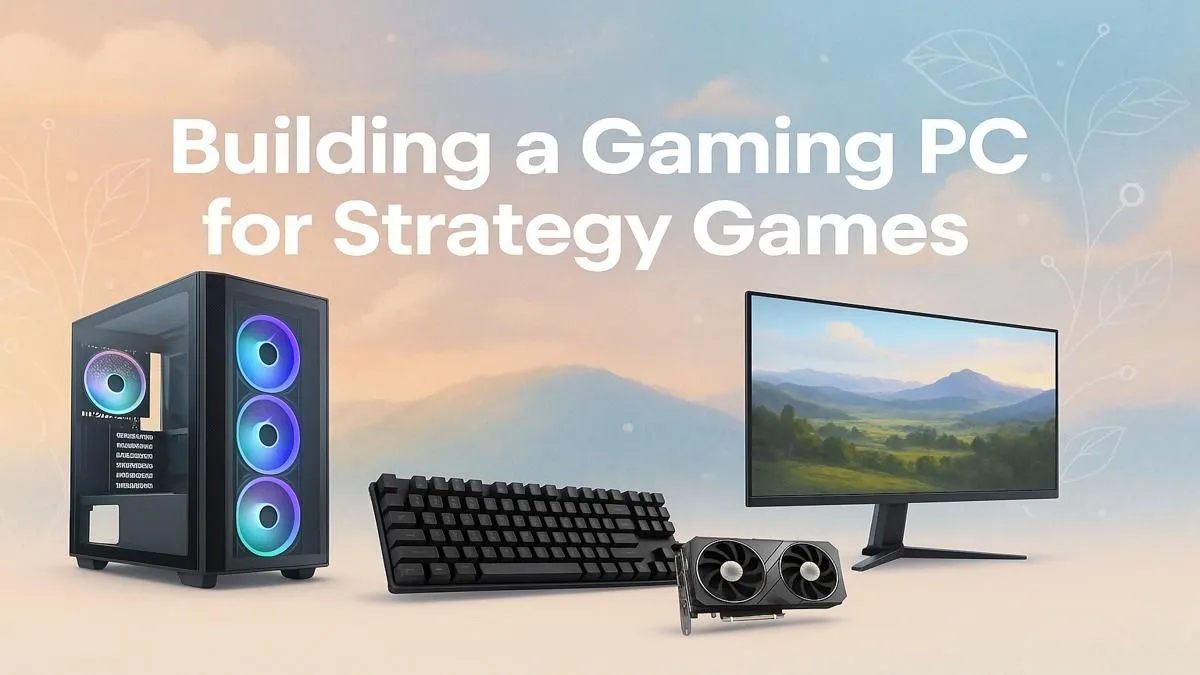
Tired of your late-game Total War campaign slowing to a crawl? Or watching your sprawling Stellaris empire take forever to process a single turn? You’re not alone. For South African strategy fans, the 'end-turn' button can become a test of patience. Building a PC specifically for strategy games is the ultimate move. It’s not about raw graphical power… it’s about smart, calculated choices to ensure your grand campaigns run smoothly from the first turn to the last. 🚀

Intel Core Ultra 7 265K 5.3GHz RTX 5070 12GB DDR5 Gaming PC
R30344.00In Stock

Intel Core Ultra 5 225F ARC A380 6GB Gaming PC
R14174.00In Stock
![[Pre Built] Intel Core Ultra 7 265KF RX 9070 XT Gaming PC](https://img.evetech.co.za/repository/ProductImages/intel-core-ultra-7-265-kf-rx-9070-xt-gaming-pc-pbs-main-1600px-v1.webp)
[Pre Built] Intel Core Ultra 7 265KF RX 9070 XT Gaming PC
R42209.00In Stock

RYZEN 7 7800X3D 5.0GHz RTX 5060 Ti 16GB DDR5 Gaming PC
R26774.00In Stock
![[Pre Built] Intel Core Ultra 7 265K RTX 5070 Gaming PC](https://img.evetech.co.za/repository/ProductImages/intel-core-ultra-7-265-kf-rtx-5070-gaming-pc-pbs-main-1600px-v1.webp)
[Pre Built] Intel Core Ultra 7 265K RTX 5070 Gaming PC
R38114.00In Stock

Intel Core Ultra 7 265K 5.3GHz Quadro A1000 8GB DDR5 Workstation PC
R33389.00In Stock
Why Building a PC for Strategy Games is Different
Unlike fast-paced shooters that lean heavily on your graphics card (GPU), grand strategy and real-time strategy (RTS) games are often CPU-bound. This means your processor does the heavy lifting: calculating complex AI moves, managing thousands of units, and processing vast world simulations. A powerful CPU is your key to avoiding that dreaded late-game lag. This unique demand is why a purpose-built machine often outperforms even some of the best gaming PC deals that are optimised for FPS titles.
The Core Components for Your Strategy Command Centre 🧠
When planning your build, focus your budget on these key parts. Getting this balance right is crucial for a great strategy gaming experience.
The Brains of the Operation: CPU
This is your most important component. Look for a processor with a good balance of high clock speeds (for responsiveness) and multiple cores (for handling many tasks at once). Modern titles like Civilization VI or Age of Empires IV make excellent use of multi-core CPUs. An Intel Core i5 or AMD Ryzen 5 is a fantastic starting point, offering brilliant performance without breaking the bank. You can find excellent complete systems in our range of budget gaming PCs that feature these powerful processors.
![[Pre Built] AMD RYZEN 7 9700X RTX 5070 Gaming PC](https://img.evetech.co.za/repository/ProductImages/ryzen-7-9700-x-rtx-5070-gaming-pc-pbs-main-1600px-v1.webp)
[Pre Built] AMD RYZEN 7 9700X RTX 5070 Gaming PC
R35699.00In Stock
Intel Core Ultra 5 225F ARC A380 6GB Gaming PC
R14174.00In Stock

RYZEN 7 5700 4.6GHz RTX 5060 Ti 16GB Budget Gaming PC
R20264.00In Stock
RYZEN 7 7800X3D 5.0GHz RTX 5060 Ti 16GB DDR5 Gaming PC
R26774.00In Stock
[Pre Built] Intel Core Ultra 7 265K RTX 5070 Gaming PC
R38114.00In Stock
RYZEN 5 9600X 5.4GHz A1000 8GB DDR5 Workstation PC
R25199.00In Stock
Memory for Massive Maps: RAM
Strategy games love RAM. Large maps, countless units, and complex mods all consume memory. While 16GB is the minimum you should consider today, upgrading to 32GB is a wise move for enthusiasts playing games like Cities: Skylines 2 or heavily modded Paradox titles. This ensures a smooth experience when your empire is at its peak. Many of our most popular PCs under R20,000 come with 16GB of fast DDR4 or DDR5 RAM, ready for your next conquest.
The Visual Engine: Graphics Card (GPU)
Here’s where you can be smart with your money. You don’t need the most powerful GPU on the market to enjoy strategy games at high settings. A solid mid-range card like an NVIDIA GeForce RTX 4060 or an AMD Radeon RX 7600 will deliver excellent 1080p and even 1440p performance. Of course, if you want to marvel at every detail of a fully zoomed-in battlefield in 4K, investing in one of our more powerful PCs above R20,000 will give you that top-tier visual experience.
Lightning-Fast Loading: Storage (SSD)
Don't let slow loading screens interrupt your strategic flow. A fast NVMe Solid-State Drive (SSD) is non-negotiable. It drastically cuts down loading times for games and saves, getting you back into the action in seconds. A 1TB NVMe SSD provides a great balance of speed and space for your operating system and a healthy library of strategy titles.

RYZEN 7 9700X 5.5GHz RX 9070 XT 16GB DDR5 Gaming PC
R37484.00In Stock

AMD RYZEN 5 8400F 4.7GHz RX 9060 XT 16GB DDR5 Budget Gaming PC
R19949.00In Stock
RYZEN 5 9600X 5.4GHz A1000 8GB DDR5 Workstation PC
R25199.00In Stock
[Pre Built] Intel Core Ultra 7 265K RTX 5070 Gaming PC
R38114.00In Stock

RYZEN 7 9700X RTX Pro 2000 DDR5 Workstation PC
R35699.00In Stock
![[Pre Built] AMD RYZEN 5 5500 ARC A380 Gaming PC](https://img.evetech.co.za/repository/ProductImages/gamdias-talos-e3-gaming-case-ryzen-5-5500-arc-a380-gaming-pc-pbs-main-1600px-v1.webp)
[Pre Built] AMD RYZEN 5 5500 ARC A380 Gaming PC
R12494.00In Stock
Smart Builds and Pro Tips 🔧
Balancing these components is the art of building a PC for strategy games. Your goal is a responsive system that won't stutter when the on-screen action gets intense.
TIP FOR YOU
Optimise Your End-Turn Times ⚡
If your game is running slow late-game, it's likely CPU-bound. Try lowering settings that affect the processor, not the GPU. These often include 'Unit Detail', 'AI Quality', or 'Physics'. Reducing these can significantly speed up turn processing without making your game look much different, keeping your epic campaigns fluid.
While building your own PC is rewarding, it can also be time-consuming. If you'd rather jump straight into conquering the world, exploring a range of expertly assembled systems is a brilliant alternative. Our pre-built PC deals are balanced for performance and come with full warranties, giving you peace of mind and more time to play.
Ready to Command Your Next Campaign? Building a PC for strategy games is about making smart choices. Whether you build it yourself or choose an expertly crafted rig, the right hardware makes all the difference. Explore our massive range of custom and pre-built PCs and find the perfect machine to lead your empire to victory.
Related Products

AMD RYZEN 9 9950X 5.7GHz Quadro RTX 5000 Ada 32GB DDR5 Workstation PC
R128834.00In Stock
Ryzen 7 9700X 5.5GHz RTX 5060 Ti 16GB DDR5 Gaming PC
R29399.00In Stock

Intel 14th Gen Core i3 14100F 4.7GHz GT 710 2GB PC
R9869.00In Stock
AMD RYZEN 7 5700 RTX Pro 2000 Workstation PC
R26669.00In Stock

AMD RYZEN 5 3600 RTX 3050 Budget Gaming PC
R11024.00In Stock
Intel Core Ultra 7 265K 5.3GHz RTX 5060 8GB DDR5 Gaming PC
R29399.00In Stock
CPU, RAM and storage often matter more than raw GPU power for many strategy titles; choose a strong CPU and fast SSD for best results. (best CPU for strategy games)
Aim for 16GB as a baseline and 32GB for large grand strategy sessions; that covers mods and large maps. (RAM for grand strategy games)
Yes — a balanced budget CPU, 16GB RAM, and an SSD give smooth performance for turn-based and many real-time strategy games. (budget PC build for strategy games)
Not usually; many turn-based titles rely on CPU and memory. A midrange GPU is enough unless you want high resolutions. (building a turn-based strategy PC)
Choose a fast NVMe SSD for main installs and a larger HDD or SATA SSD for archives to reduce load times. (storage for strategy game libraries)
Yes — small form factor strategy game PC builds can be powerful if you pick compact coolers and efficient GPUs. (small form factor strategy game PC)
Lower unit/AI detail and use multicore-friendly settings, plus fast storage; follow optimal settings strategy games PC tips for smoother runs. (optimal settings strategy games PC)











