



Competitive Gaming PC Build: Max FPS, Low Latency
Competitive Gaming PC Build: Learn component choices, tuning, and network tweaks to maximize FPS and reduce input lag 🎯⚡
|
Loading tags...
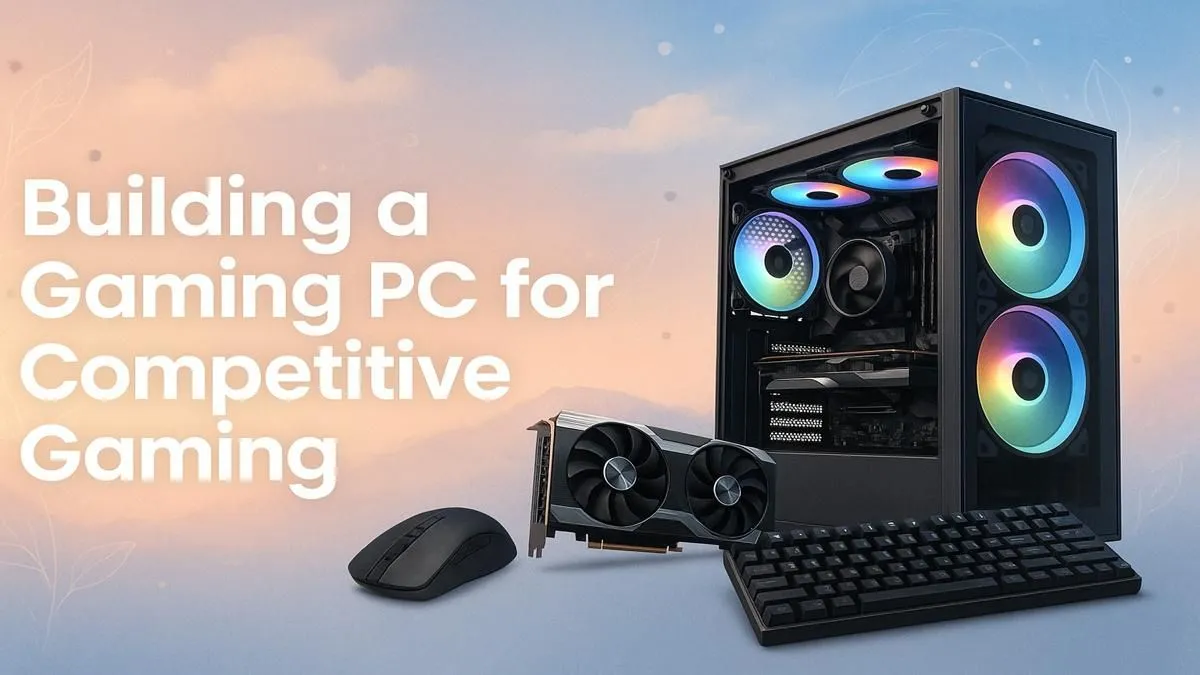
Ever lost a crucial 1v1 in Valorant because of a sudden frame drop? Or missed a headshot in Apex Legends thanks to input lag? In the high-stakes world of competitive gaming, your hardware isn't just a tool… it's your teammate. A proper competitive gaming PC build is the difference between climbing the ranks and being stuck in Elo-hell. This guide breaks down exactly what you need for maximum FPS and the lowest possible latency.

AMD RYZEN 5 3600 4.2GHz A400 4GB Workstation PC
R9449.00In Stock

AMD RYZEN 9 9950X 5.7GHz Quadro RTX 5000 Ada 32GB DDR5 Workstation PC
R128834.00In Stock

RYZEN 5 7500X3D RTX 5060 DDR5 Gaming PC
R21524.00In Stock

Intel 14th Gen Core i3 14100F 4.7GHz ARC A380 6GB Gaming PC
R12599.00In Stock

AMD RYZEN 5 8400F 4.7GHz RX 9060 XT 16GB DDR5 Budget Gaming PC
R19949.00In Stock

RYZEN 9 9900X 5.6GHz RTX 5070 Ti 16GB DDR5 Gaming PC
R41369.00In Stock
The Unfair Advantage: How High FPS & Low Latency Win Matches
Before we talk hardware, let's get one thing straight: frames win games. High Frames Per Second (FPS) give you smoother visuals, making it easier to track fast-moving targets. When paired with a high-refresh-rate monitor (144Hz or more), more frames mean you see enemy movements sooner than someone on a standard 60Hz setup.
Low latency is the other half of the equation. This refers to the delay between you clicking your mouse and the action happening on-screen. A low-latency PC setup ensures your reactions are instant, giving you a critical edge in duels where milliseconds matter.
Core Components for Your Competitive Gaming PC Build
Building the ultimate esports rig isn't about buying the most expensive parts. It’s about creating a balanced system where each component works together to deliver lightning-fast performance. 🔧
The CPU: The Engine for High Framerates
For competitive titles like CS2, Valorant, or Fortnite, the Central Processing Unit (CPU) is often the most critical component for achieving ultra-high FPS. These games rely on fast single-core performance to process actions and game logic quickly.
Look for CPUs with high clock speeds from Intel's Core i5/i7 or AMD's Ryzen 5/7 series. You don't need the most cores; you need the fastest ones. Many excellent esports rigs can be built on a surprisingly lean budget, and some of our best budget gaming PCs are configured with this philosophy in mind.
The GPU: Your Visual Powerhouse 🚀
While the CPU feeds the frames, the Graphics Processing Unit (GPU) renders them. For competitive gaming, the goal is to consistently exceed your monitor's refresh rate. If you have a 144Hz monitor, you want your GPU to push 144+ FPS at all times, even during intense firefights.
A card like an NVIDIA GeForce RTX 4060 or an AMD Radeon RX 7600 is a fantastic sweet spot for 1080p high-refresh-rate gaming. These cards deliver incredible performance without breaking the bank, forming the core of many of our great value PCs under R20,000.
AMD RYZEN 7 5700 RTX Pro 2000 Workstation PC
R26669.00In Stock
AMD RYZEN 9 9950X 5.7GHz Quadro RTX 5000 Ada 32GB DDR5 Workstation PC
R128834.00In Stock

RYZEN 7 9700X 5.5GHz RX 9070 XT 16GB DDR5 Gaming PC
R37484.00In Stock

AMD RYZEN 7 5700 4.6GHz RX 9070 16GB Gaming PC
R28349.00In Stock
![[Pre Built] AMD RYZEN 9 9900X RX 9070 XT Gaming PC](https://img.evetech.co.za/repository/ProductImages/ryzen-9-9900-x-rx-9070-xt-gaming-pc-pbs-main-1600px-v1.webp)
[Pre Built] AMD RYZEN 9 9900X RX 9070 XT Gaming PC
R42524.00In Stock

AMD RYZEN 5 3400G 4.2GHz Radeon Vega PC
R5879.00In Stock
RAM & Storage: Speed is Everything
For a modern competitive gaming PC, 16GB of fast RAM is the standard. Look for kits running at 3200MHz or higher. Equally important is an NVMe Solid-State Drive (SSD). It drastically reduces game loading times and makes the entire system feel snappier. If you want a perfectly balanced system from the start, check out our current pre-built PC deals, which are expertly configured for performance.
TIP FOR YOU
Pro Tip for Max Speed ⚡
When you get a new PC or build one, make sure to enter the BIOS and enable the XMP (for Intel) or EXPO (for AMD) profile for your RAM. Otherwise, your memory will run at a slower default speed, and you'll be leaving free performance on the table!
The Monitor: Don't Waste Your Frames
Your incredible high-FPS PC is completely wasted if you're still using a 60Hz monitor. A 144Hz monitor is the minimum for any serious competitive player, with 240Hz and even 360Hz options providing an even greater advantage. Look for a monitor with a 1ms response time to minimise motion blur and ghosting. For setups that can push these incredible frame rates while streaming, you'll want to explore the power of high-performance PCs over R20,000.
![[Pre Built] AMD Ryzen 7 9800X3D RTX 5080 Gaming PC](https://img.evetech.co.za/repository/ProductImages/ryzen-7-9800-x-3-d-rtx-5080-gaming-pc-48-gb-main-1600px-v1.webp)
[Pre Built] AMD Ryzen 7 9800X3D RTX 5080 Gaming PC
R77699.00In Stock
AMD RYZEN 9 9950X 5.7GHz Quadro RTX 5000 Ada 32GB DDR5 Workstation PC
R128834.00In Stock

Intel Core Ultra 5 225F ARC A380 6GB Gaming PC
R14174.00In Stock

RYZEN 5 8500G 5.0GHz with Vega Graphics DDR5 PC
R11024.00In Stock
[Pre Built] AMD RYZEN 9 9900X RX 9070 XT Gaming PC
R42524.00In Stock
Intel Core Ultra 7 265K 5.3GHz RTX 5060 8GB DDR5 Gaming PC
R29399.00In Stock
Pre-Built Perfection vs. DIY Dreams
Should you build it yourself or buy a pre-configured machine? Building a PC can be a rewarding experience, but a professionally assembled pre-built PC from Evetech guarantees component compatibility, expert cable management, and warranty support. It's the fastest way to get in the game with a machine optimised for performance right out of the box.
Whether you're starting from scratch or looking for a complete, ready-to-win system, Evetech has some of the best gaming PC deals in South Africa.
Ready to Dominate the Leaderboard? A high-FPS, low-latency setup is the ultimate upgrade for any serious gamer. Don't let your hardware hold you back. Explore Evetech's massive range of gaming PCs and find the perfect machine built to win.
Related Products

AMD RYZEN 5 3600 4.2GHz GT 710 2GB PC
R6824.00In Stock
![[Pre Built] AMD RYZEN 7 9700X RX 9070 XT Gaming PC](https://img.evetech.co.za/repository/ProductImages/ryzen-7-9700-x-rx-9070-xt-gaming-pc-pbs-main-1600px-v2.png)
[Pre Built] AMD RYZEN 7 9700X RX 9070 XT Gaming PC
R39794.00In Stock
![[Pre Built] HP OMEN 35L B1ZR4EA Intel Core Ultra 7 265K RTX 4080 SUPER Gaming PC](https://img.evetech.co.za/repository/ProductImages/intel-core-ultra-7-265-k-rtx-4080-super-gaming-pc-pbs-main-1600px-v1.webp)
[Pre Built] HP OMEN 35L B1ZR4EA Intel Core Ultra 7 265K RTX 4080 SUPER Gaming PC
R49349.00In Stock

AMD RYZEN 9 9900X 5.6GHz RTX 4000 Blackwell 24GB DDR5 Workstation PC
R56174.00In Stock
![[Pre Built] AMD RYZEN 9 9900X RTX 5070 Ti Gaming PC](https://img.evetech.co.za/repository/ProductImages/ryzen-9-9900-x-rtx-5070-ti-gaming-pc-pbs-main-1600px-v1.webp)
[Pre Built] AMD RYZEN 9 9900X RTX 5070 Ti Gaming PC
R44729.00In Stock
Intel Core Ultra 5 245K 5.2GHz RTX 5060 Ti 16GB DDR5 Gaming PC
R30449.00In Stock
CPU, GPU, RAM and a fast NVMe SSD matter most; prioritize single-core CPU performance and a high refresh rate GPU. Best CPU for competitive gaming matters.
Yes — focus on a midrange GPU, fast RAM, and SSD. Use a balanced CPU/GPU combo and follow budget competitive gaming PC build tips for max value.
16GB of fast, low-latency RAM (3200-3600MHz) is ideal for most esports. Best RAM for competitive gaming prioritizes speed and low timings.
Careful overclocking can boost FPS and reduce frame variance. Test stability, monitor temps, and follow overclocking for esports performance guides.
Very important — 144Hz or higher gives smoother motion and input advantage. Check high refresh rate monitor recommendations for esports.
PCIe NVMe SSDs offer the fastest load times and minimal stutter. Choose PCIe 4.0 NVMe drives for the best SSD for gaming load times.
Use wired Ethernet, enable router QoS, update NIC drivers, and tweak BIOS/network settings. Network optimization for gaming PC cuts lag and jitter.











