



Gaming PC for Students: How PC Building Boosts Learning
Gaming PC for students — Checklist: 1) Align builds to learning goals; 2) Recommend budget-friendly parts; 3) Highlight skills taught; 4) Share classroom resources. Discover how building boosts learning and engagement 🎮📚
|
Loading tags...
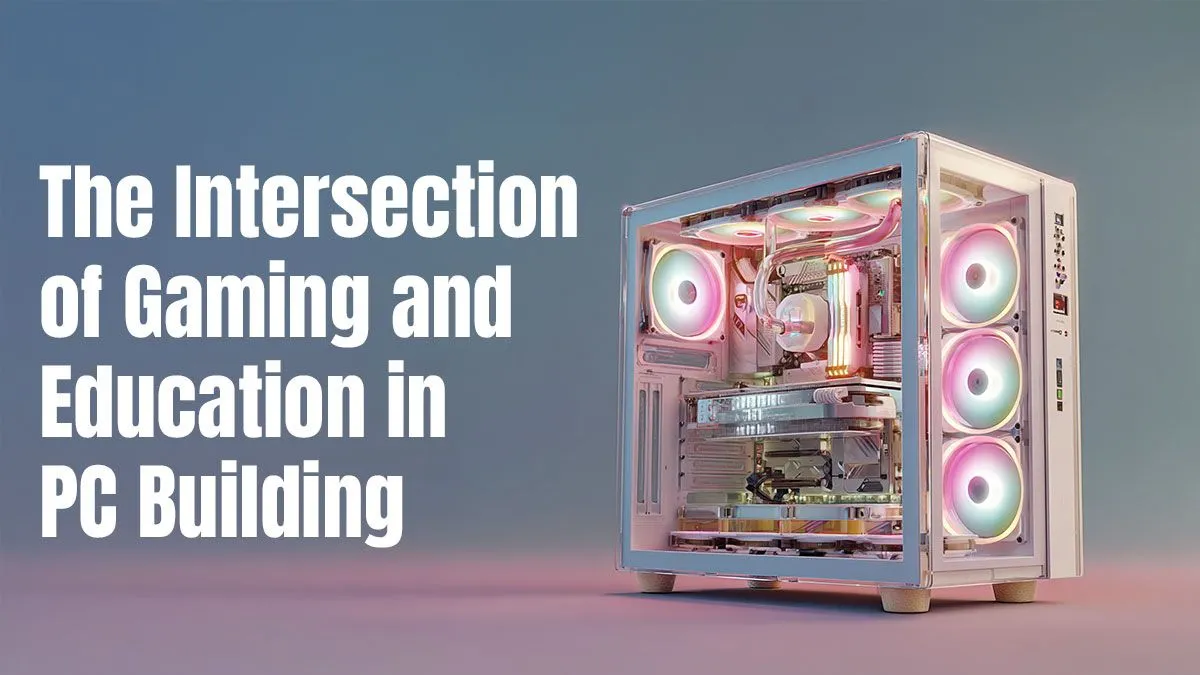
Thinking about a gaming PC for students? It’s a classic debate in many South African homes. You see a gateway to Apex Legends; your parents see a distraction from assignments. But what if building that PC was the most valuable homework you did all year? Forget seeing it as just a gaming machine. Building a PC is a hands-on crash course in technology, problem-solving, and budgeting—skills that are crucial for any student's future. 🚀

Intel Core Ultra 7 265K 5.3GHz Quadro A1000 8GB DDR5 Workstation PC
R33389.00In Stock
![[Pre Built] AMD RYZEN 7 9700X RTX 5070 Gaming PC](https://img.evetech.co.za/repository/ProductImages/ryzen-7-9700-x-rtx-5070-gaming-pc-pbs-main-1600px-v1.webp)
[Pre Built] AMD RYZEN 7 9700X RTX 5070 Gaming PC
R35699.00In Stock

RYZEN 5 8400F 4.7GHz GT 710 2GB DDR5 Workstation PC
R10079.00In Stock

AMD RYZEN 5 3600 RTX 3050 Budget Gaming PC
R11024.00In Stock

AMD RYZEN 7 5700 4.6GHz RX 9070 16GB Gaming PC
R28349.00In Stock
AMD RYZEN 5 3400G 4.2GHz Radeon Vega PC
R5879.00In Stock
How PC Building Teaches Essential Tech Skills
Assembling a computer from scratch might seem intimidating, but it's one of the best ways to understand how technology actually works. Instead of just using a device, you learn what makes it tick. This process demystifies technology and builds confidence.
The journey starts with the motherboard, the central nervous system of your rig. Choosing the right one involves understanding compatibility, form factors, and feature sets. This initial step alone teaches crucial research and decision-making skills, forcing you to think about how different parts connect. You'll learn what a CPU socket is, where the RAM slots go, and why the chipset matters—all fundamental knowledge for anyone interested in a STEM career. This hands-on experience is something no textbook can replicate, turning abstract concepts into tangible results. A good foundation starts with one of our Intel and AMD-based motherboards.
Beyond the Screen: Budgeting and Future-Proofing
One of the biggest lessons from building a gaming PC for students has nothing to do with hardware... it's about managing money. You have a budget, and you need to allocate it smartly to get the best performance for your ZAR.
Learning to Manage a Budget 🧠
Do you spend more on a powerful graphics card for high-frame-rate gaming or invest in a faster SSD for quick boot times? This balancing act is a practical lesson in financial literacy. You learn to research prices, hunt for deals, and make compromises. For those starting out, considering one of our Intel and AMD bundle packs can be a fantastic way to get core components sorted while saving a bit of cash.

RYZEN 7 9800X3D 5.2GHz RTX 5080 16GB DDR5 Gaming PC
R51869.00In Stock

AMD RYZEN 5 3600 4.2GHz ARC A380 6GB Gaming PC
R9659.00In Stock

RYZEN 7 5700 4.6GHz RTX 5060 Ti 16GB Budget Gaming PC
R20264.00In Stock

RYZEN 5 8500G 5.0GHz with Vega Graphics DDR5 PC
R11024.00In Stock
Intel Core Ultra 7 265K 5.5GHz RX 9070 XT 16GB DDR5 Gaming PC
R40109.00In Stock

Ryzen 7 9700X 5.5GHz RTX 5060 Ti 16GB DDR5 Gaming PC
R29399.00In Stock
Planning for the Future
Building a PC also teaches long-term planning. You learn that the choices you make today affect your options tomorrow. For instance, you might start with an integrated GPU to get the PC running for schoolwork and light gaming, knowing you can add a dedicated NVIDIA or AMD graphics card later when you've saved up. This modular approach is unique to the PC world and is a powerful lesson in strategic thinking.
TIP FOR YOU
Power Up for Tomorrow ⚡
When choosing a power supply, think about your future upgrades. A slightly higher wattage PSU than you currently need provides headroom for a more powerful graphics card or CPU later on. It's a small extra investment now that saves you from having to buy a whole new unit down the line. A reliable unit is key!
A Component-by-Component Masterclass
Every part you install offers a unique learning opportunity. The process of building a student gaming PC is a puzzle where each piece teaches you something new.
- Memory (RAM): Installing RAM modules teaches you about memory capacity, speed, and how it impacts multitasking—perfect for a student juggling research tabs, a word processor, and maybe a sneaky YouTube video. ✨
- Cooling: Attaching one of the many available CPU coolers is a lesson in thermal dynamics. You learn why managing heat is critical for performance and stability, a great metaphor for handling pressure during exam season.
- Power Supply (PSU): A PC won't run without power, and installing a Corsair power supply teaches the importance of a stable and efficient foundation for any complex system.
- The Case: Finally, putting everything into one of our many computer cases isn't just about making it look cool. It’s a lesson in cable management, airflow optimisation, and organisation. 🔧
![[Pre Built] AMD RYZEN 7 9700X RX 9070 XT Gaming PC](https://img.evetech.co.za/repository/ProductImages/ryzen-7-9700-x-rx-9070-xt-gaming-pc-pbs-main-1600px-v2.png)
[Pre Built] AMD RYZEN 7 9700X RX 9070 XT Gaming PC
R39794.00In Stock

RYZEN 9 9950X 5.7GHz RTX 5090 32GB DDR5 Gaming PC
R78119.00In Stock

Intel 14th Gen Core i3 14100F 4.7GHz ARC A380 6GB Gaming PC
R12599.00In Stock
AMD RYZEN 7 5700 RTX Pro 2000 Workstation PC
R26669.00In Stock
AMD RYZEN 5 8400F 4.7GHz RX 9060 XT 16GB DDR5 Budget Gaming PC
R19949.00In Stock
Intel Core Ultra 5 245K 5.2GHz RTX 5060 Ti 16GB DDR5 Gaming PC
R30449.00In Stock
By the end, you don’t just have a powerful PC for studies and gaming. You have a deeper understanding of technology and a set of practical skills that will serve you for life.
Ready to Build Your Future? A gaming PC for a student is more than an entertainment device—it's a hands-on learning project. Building one develops skills in tech, finance, and problem-solving. Explore our massive range of PC components and start your building journey today.
Related Products

Intel Core Ultra 5 225F 4.9GHz GT 710 2GB DDR5 PC
R11864.00In Stock

RYZEN 7 9700X 5.5GHz RX 9070 XT 16GB DDR5 Gaming PC
R37484.00In Stock
Intel Core Ultra 5 225F ARC A380 6GB Gaming PC
R14174.00In Stock
Ryzen 7 9700X 5.5GHz RTX 5060 Ti 16GB DDR5 Gaming PC
R29399.00In Stock
Intel 14th Gen Core i3 14100F 4.7GHz ARC A380 6GB Gaming PC
R12599.00In Stock
RYZEN 9 9950X 5.7GHz RTX 5090 32GB DDR5 Gaming PC
R78119.00In Stock
A gaming PC for students supports learning with simulations, creative tools and collaborative projects that teach coding, problem solving and digital literacy.
A budget educational gaming PC typically ranges $600–$900, prioritizing CPU, GPU and 16GB RAM for performance and future upgrades.
Simulation and strategy titles like Minecraft Education and Kerbal Space Program, plus coding games, support game-based learning and curriculum ties.
Yes. Classroom gaming PCs power STEM labs, robotics, esports clubs and software courses, giving hands-on hardware and teamwork experience.
Design student builds with a midrange CPU, modest GPU, 16GB RAM, SSD and a durable case; focus on cooling and upgrade paths for longevity.
Manage risks with network filters, usage policies and curated educational software to preserve the educational benefits of gaming PCs.
Students learn troubleshooting, hardware literacy, budgeting, teamwork and critical thinking — transferable STEM and career skills.











