



Is 8GB LPDDR5 RAM Enough for Windows 11 Multitasking?
Wondering if 8GB RAM is enough for Windows 11? We analyze LPDDR5 performance to see if it handles daily multitasking or falls short. 🚀 Discover if this fast memory spec fits your workflow or if an upgrade to 16GB is essential for your laptop. 💻
|
Loading tags...

Thinking of a new laptop but stuck on the RAM? You see "8GB LPDDR5" on the spec sheet and wonder... is that actually enough for Windows 11, especially when you're juggling Discord, Chrome, and maybe a cheeky game? 🤔 Let's be real, nobody enjoys a stuttering mess when they're trying to get things done. So, let's dive into whether 8GB LPDDR5 RAM is the sweet spot for modern multitasking or a bottleneck waiting to happen.

What Makes LPDDR5 Different Anyway?
Before we decide if 8GB is enough, it's important to know what "LPDDR5" means. It stands for Low-Power Double Data Rate 5. The key word here is "Low-Power." This type of RAM is designed for laptops and mobile devices to be incredibly fast while sipping battery life. It's usually soldered directly onto the motherboard, which means you can't upgrade it later. This makes choosing the right amount from the start absolutely critical.
While it's more power-efficient and often faster than its desktop DDR5 cousin, the question remains: does that efficiency make up for a smaller 8GB capacity?
The 8GB LPDDR5 RAM Reality Check for Windows 11
The honest answer is... it depends entirely on you. Windows 11 itself is a bit hungrier for memory than its predecessor. Let's break down a few common South African user scenarios to see where 8GB LPDDR5 RAM fits in.

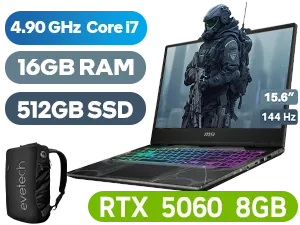
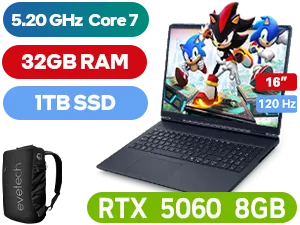
The "Just Browsing" Crew & Light Users
If your daily computer use involves a few browser tabs, streaming Netflix, checking emails, and working on Microsoft Office documents, then 8GB of LPDDR5 RAM is perfectly adequate. The speed of LPDDR5 ensures that apps load quickly and the system feels responsive for these basic tasks. You'll find plenty of affordable laptop specials that hit this sweet spot for everyday value.
The Student & Office Warrior: Pushing the Limits
Here's where things get tricky. Picture this: you're researching for an assignment with 15+ Chrome tabs open, Spotify is playing in the background, you're on a Zoom call, and you have a massive Excel sheet open. 💻 This is where 8GB of RAM starts to feel the strain. The system will lean heavily on your SSD for virtual memory (the page file), which can slow things down. For this level of multitasking, you might find that some powerful Intel laptops with 16GB of RAM offer a much smoother experience.
TIP FOR YOU
Check Your RAM Usage 🔧
Press Ctrl+Shift+Esc to open Task Manager. Click the "Performance" tab and then "Memory". This gives you a real-time look at how much RAM your apps are using. If you're constantly sitting above 80-90% usage with your typical workload, it's a clear sign you need more RAM!
The Gamer & Content Creator: A Clear Bottleneck
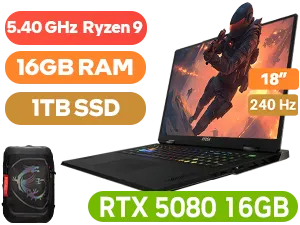
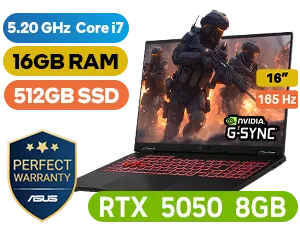
For serious gamers and creators, let's be blunt: 8GB LPDDR5 RAM is not enough for modern multitasking. Modern games like Apex Legends or Baldur's Gate 3 can easily use 6-8GB of RAM on their own. If you want to run Discord, a browser, and the game simultaneously, you're going to experience lag, stuttering, and potential crashes. The same goes for video editing or 3D rendering. These demanding tasks need a lot more memory to work with. If this sounds like you, browsing our best gaming laptop deals with 16GB or even 32GB of RAM is essential.

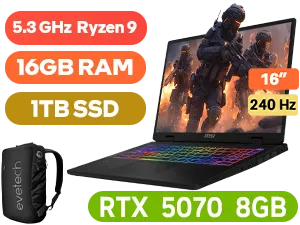
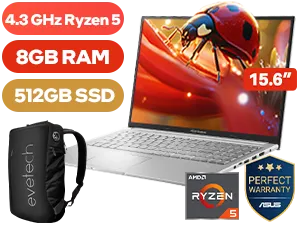

So, Is 8GB LPDDR5 RAM a Deal-Breaker?
For a light, portable machine dedicated to simple tasks, an 8GB LPDDR5 configuration is a smart, battery-saving choice. However, for anyone who considers themselves a power user, a student, or a gamer, it's a significant compromise.
The modern standard for a smooth, future-proof Windows 11 experience is quickly becoming 16GB. It gives you the headroom to multitask without worry and ensures your machine can handle more demanding applications down the line. Whether you're looking at the latest Ryzen-powered machines or team blue, considering that step up is a wise investment. You can always check out these AMD laptops on special to see how much performance you can get for your money.
Ultimately, while the technology in 8GB LPDDR5 RAM is impressive, capacity still reigns supreme for serious multitasking. 🚀
Ready to Banish Lag for Good? Deciding on the right amount of RAM is crucial. While 8GB LPDDR5 can handle the basics, stepping up to 16GB unlocks true multitasking freedom on Windows 11. Explore our massive range of laptop specials and find the perfect machine to conquer your workload... and your game.
Related Products
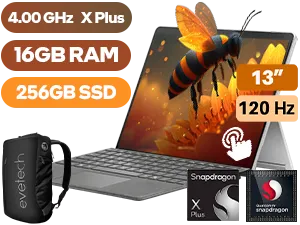
Microsoft Surface Pro 11 16GB/256GB Snapdragon
R29,999In Stock
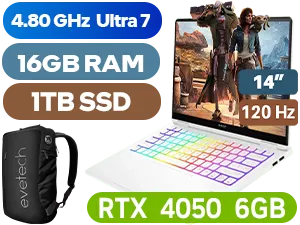
HP OMEN Transcend 16GB/1TB Ultra 7
R29,999In Stock
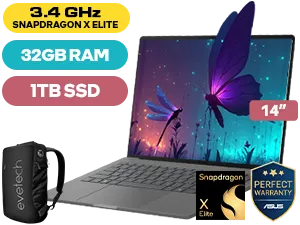
ASUS ZenBook A14 32GB/1TB Snapdragon X Elite
R24,999In Stock
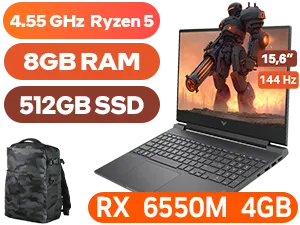
HP Victus 15 8GB/512GB Ryzen 5
R11,999In Stock
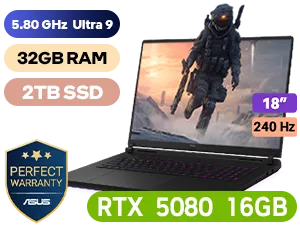
ASUS ROG Strix SCAR 18 32GB/2TB
R69,999In Stock

OMEN Transcend 16GB/1TB Ultra 7
R29,999In Stock
Yes, 8GB LPDDR5 is sufficient for general productivity, web browsing, and media consumption on Windows 11, thanks to its high speed and efficiency.
No, LPDDR5 memory is typically soldered to the motherboard to save space and power, so you cannot upgrade it after purchase.
For casual indie games, 8GB is fine, but modern AAA titles generally require 16GB of RAM for smooth performance and to avoid stuttering.
Yes, LPDDR5 offers significantly higher bandwidth and data transfer rates than DDR4, improving system responsiveness even with lower capacities.
Windows 11 has slightly higher idle memory usage, making fast memory like LPDDR5 crucial for maintaining speed on 8GB systems.
When physical RAM is full, Windows uses your SSD as virtual memory (paging file), which significantly slows down multitasking performance.











