



Simulation Gaming PC Build: Best Setup for Sim Games
Simulation gaming PC build guide shows optimal parts and setup to run flight, racing and vehicle sims smoothly. Save time choosing CPU, GPU, controls and tuning. 🎮⚙️
|
Loading tags...
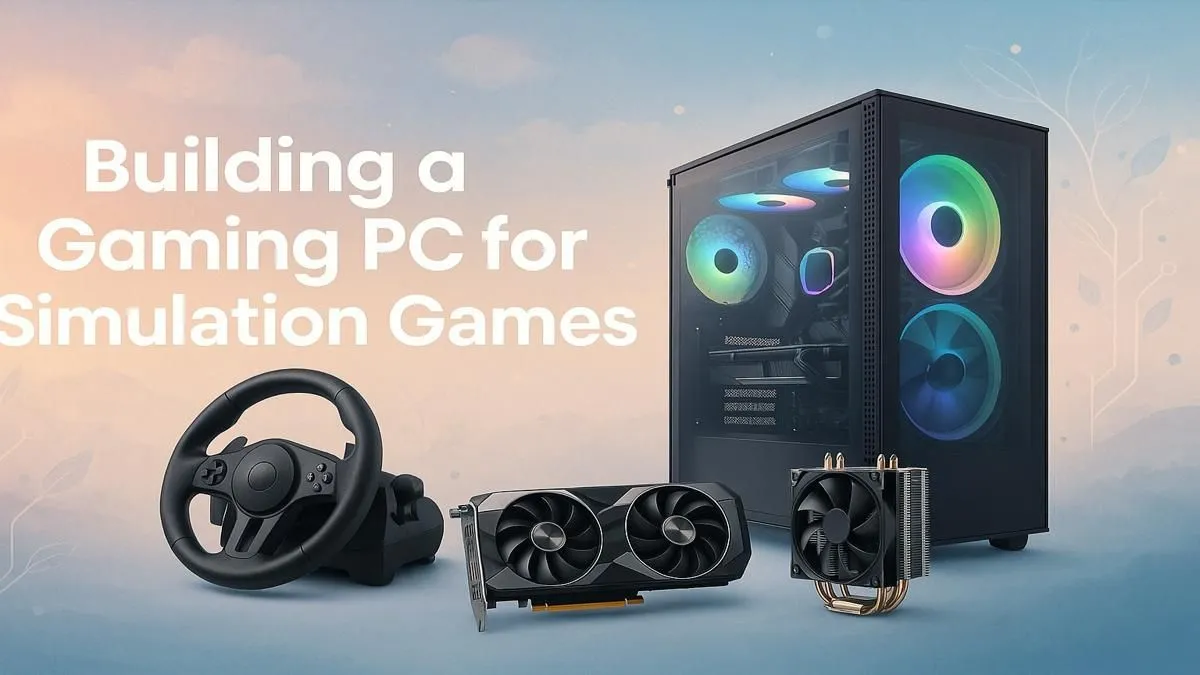
Tired of choppy frame rates when you’re lining up the perfect overtake at Kyalami? Or stuttering visuals as you approach O.R. Tambo in a fully loaded A320? A generic gaming PC often struggles with the unique demands of simulation titles. Building the perfect simulation gaming PC build isn’t just about chasing the highest numbers… it’s about crafting a stable, immersive experience where the hardware disappears, leaving only you and the virtual world. Let's get it sorted.

AMD RYZEN 5 3600 4.2GHz GT 710 2GB PC
R6824.00In Stock

AMD RYZEN 7 5700 4.6GHz RX 9070 16GB Gaming PC
R28349.00In Stock

Intel Core Ultra 5 225F ARC A380 6GB Gaming PC
R14174.00In Stock
![[Pre Built] Intel Core Ultra 7 265K RTX 5070 Gaming PC](https://img.evetech.co.za/repository/ProductImages/intel-core-ultra-7-265-kf-rtx-5070-gaming-pc-pbs-main-1600px-v1.webp)
[Pre Built] Intel Core Ultra 7 265K RTX 5070 Gaming PC
R38114.00In Stock

RYZEN 5 9600X 5.2GHz ARC B580 12GB DDR5 Gaming PC
R21419.00In Stock

RYZEN 5 9600X 5.2GHz A400 4GB DDR5 Workstation PC
R18164.00In Stock
Why a Sim PC Build is a Different Beast
Unlike many fast-paced shooters that rely heavily on the graphics card (GPU), simulation games are often brutal on the processor (CPU). Think about it: titles like Microsoft Flight Simulator, DCS World, or Assetto Corsa Competizione are constantly calculating complex physics, aerodynamics, AI behaviour, and vast environmental data. This makes the CPU the true heart of any serious simulation gaming PC build.
A balanced machine is key, but understanding where to allocate your budget is crucial. Your PC is the central brain powering your entire setup, from your high-refresh-rate monitor to your force-feedback wheel or flight yoke. Getting the core components right ensures every input feels instant and every visual is buttery smooth.
Nailing the Components for Your Sim Rig 🔧
Crafting the best setup for sim games means focusing on components that deliver sustained performance. Here’s a breakdown of what truly matters.
The CPU: The Brains of the Operation
The CPU handles the simulation itself. For years, sim titles favoured high clock speeds on a single core. While that's still important, modern sims are getting better at using multiple cores. A processor with strong single-thread performance and a healthy core count (6 to 8 cores is a fantastic sweet spot) will prevent bottlenecks and keep your physics calculations running smoothly, even in a crowded race or a complex flight plan. A solid CPU is the foundation of many of our best gaming PC deals.
The GPU: Your Window to Another World
Your Graphics Processing Unit (GPU) renders the world you see. For a single 1080p monitor, a mid-range card will serve you well. But the real magic of sim gaming comes with immersive displays. Are you planning a triple-monitor setup for maximum peripheral vision, or strapping on a high-resolution VR headset like the HP Reverb G2? If so, you'll need a powerful GPU to push all those pixels without dropping frames. A high, stable frame rate is non-negotiable for a smooth experience. For these demanding setups, exploring powerful PCs above R20k is a great place to start.

RYZEN 7 5700 4.6GHz RTX 5060 Ti 16GB Budget Gaming PC
R20264.00In Stock

Intel Core Ultra 5 245K 5.2GHz RTX 5060 8GB DDR5 Gaming PC
R30659.00In Stock
RYZEN 5 9600X 5.2GHz A400 4GB DDR5 Workstation PC
R18164.00In Stock
RYZEN 5 9600X 5.2GHz ARC B580 12GB DDR5 Gaming PC
R21419.00In Stock

RYZEN 7 9700X 5.5GHz RX 9070 XT 16GB DDR5 Gaming PC
R37484.00In Stock
Intel Core Ultra 5 225F ARC A380 6GB Gaming PC
R14174.00In Stock
RAM & Storage: The Unsung Heroes
Sims love RAM. With massive, detailed maps and complex aircraft or vehicle models, 16GB is the absolute minimum today. For a truly comfortable experience in titles like MSFS 2020, 32GB is the recommended sweet spot to eliminate stutters.
Equally important is storage. Modern sims can be huge, often exceeding 100GB. A fast NVMe SSD won't just speed up your PC's boot time; it will dramatically cut down on loading screens, getting you onto the track or into the cockpit faster. ✨
TIP FOR YOU
Sim Storage Pro Tip ⚡
games and their add-ons can consume hundreds of gigabytes. Consider a two-drive solution: a primary 1TB NVMe SSD for your operating system and favourite sims, and a larger, more affordable SATA SSD for your less-played titles and scenery packs. This keeps everything running fast without breaking the bank.
Your Perfect Simulation Setup, No Matter Your Budget
A top-tier sim rig is an investment, but you don't need to spend a fortune to get a fantastic experience. The best setup for sim games is the one that matches your goals and your wallet.
The Entry-Level Simmer
Getting started in the world of sim racing or flight sims is more accessible than ever. A modern PC with a capable 6-core CPU and a solid graphics card can deliver an excellent 1080p experience in titles like Euro Truck Simulator 2, Assetto Corsa, or X-Plane 11. You can find some excellent starting points in our range of budget gaming PCs. There are plenty of powerful and affordable options available, with many of the best PCs under R20k offering a perfect gateway into serious simulation.
Intel Core Ultra 7 265K RTX Pro 4500 DDR5 Workstation PC
R77909.00In Stock
![[Pre Built] AMD RYZEN 9 9900X RX 9070 XT Gaming PC](https://img.evetech.co.za/repository/ProductImages/ryzen-9-9900-x-rx-9070-xt-gaming-pc-pbs-main-1600px-v1.webp)
[Pre Built] AMD RYZEN 9 9900X RX 9070 XT Gaming PC
R42524.00In Stock

RYZEN 7 9700X 5.5GHz RTX 5070 12GB DDR5 Gaming PC
R34334.00In Stock

RYZEN 5 8400F 4.7GHz GT 710 2GB DDR5 Workstation PC
R10079.00In Stock
![[Pre Built] HP OMEN 35L B1ZR4EA Intel Core Ultra 7 265K RTX 4080 SUPER Gaming PC](https://img.evetech.co.za/repository/ProductImages/intel-core-ultra-7-265-k-rtx-4080-super-gaming-pc-pbs-main-1600px-v1.webp)
[Pre Built] HP OMEN 35L B1ZR4EA Intel Core Ultra 7 265K RTX 4080 SUPER Gaming PC
R49349.00In Stock
RYZEN 7 9700X 5.5GHz RX 9070 XT 16GB DDR5 Gaming PC
R37484.00In Stock
The Hardcore Realist 🚀
When you’re ready for ultimate immersion—triple screens, VR, direct-drive wheels, and motion platforms—you need a PC that won’t hold you back. This means investing in a high-end CPU and GPU to ensure your hardware can keep up with your ambitions. For a professionally built, high-performance machine ready to go straight out of the box, check out these awesome pre-built PC deals. It's the fastest way to get your dream rig up and running.
Ready to Stop Dreaming and Start Driving? A purpose-built simulation PC is your ticket to ultimate immersion. Whether you're a weekend racer or a flight-sim veteran, we've got the hardware to make it happen. Customise your own perfect sim rig and find the engine for your new reality.
Related Products
![[Pre Built] Intel Core Ultra 7 265KF RX 9070 XT Gaming PC](https://img.evetech.co.za/repository/ProductImages/intel-core-ultra-7-265-kf-rx-9070-xt-gaming-pc-pbs-main-1600px-v1.webp)
[Pre Built] Intel Core Ultra 7 265KF RX 9070 XT Gaming PC
R42209.00In Stock

AMD RYZEN 5 3600 RTX 3050 Budget Gaming PC
R11024.00In Stock

RYZEN 7 9700X RTX Pro 2000 DDR5 Workstation PC
R35699.00In Stock
Intel Core Ultra 7 265K 5.5GHz RTX 5070 Ti 16GB DDR5 Gaming PC
R43049.00In Stock
![[Pre Built] AMD RYZEN 9 9900X RTX 5070 Ti Gaming PC](https://img.evetech.co.za/repository/ProductImages/ryzen-9-9900-x-rtx-5070-ti-gaming-pc-pbs-main-1600px-v1.webp)
[Pre Built] AMD RYZEN 9 9900X RTX 5070 Ti Gaming PC
R44729.00In Stock
![[Pre Built] AMD RYZEN 7 9700X RTX 5070 Gaming PC](https://img.evetech.co.za/repository/ProductImages/ryzen-7-9700-x-rtx-5070-gaming-pc-pbs-main-1600px-v1.webp)
[Pre Built] AMD RYZEN 7 9700X RTX 5070 Gaming PC
R35699.00In Stock
CPU, GPU, RAM, fast NVMe storage and reliable peripherals like wheels or HOTAS. Flight simulator PC build benefits from a strong single-thread CPU and GPU.
Expect $1,000–1,600 for a solid mid-range sim gaming PC with a capable GPU and CPU; budget sim gaming PC options reduce cost with smart compromises.
VR greatly boosts immersion in flight and racing sims but demands a powerful GPU. Choose a VR-ready GPU in your simulation gaming PC build for smooth VR.
Mid to high-end NVIDIA or AMD cards deliver the frame rates and visual fidelity sims need. Look for strong raster performance for sim racing PC components.
Yes—wheels, pedals, HOTAS, and rudder pedals improve realism. Prioritise quality and compatibility when selecting controls and peripherals for sim games.
Design with a quality PSU, spare M.2 and PCIe slots to simplify upgrades. Follow an upgrade path to scale CPU, GPU or storage as sim requirements grow.
Balance resolution and frame rate, tweak LOD and background processes, and use simulation PC performance tuning guides to get smooth, realistic gameplay.











