

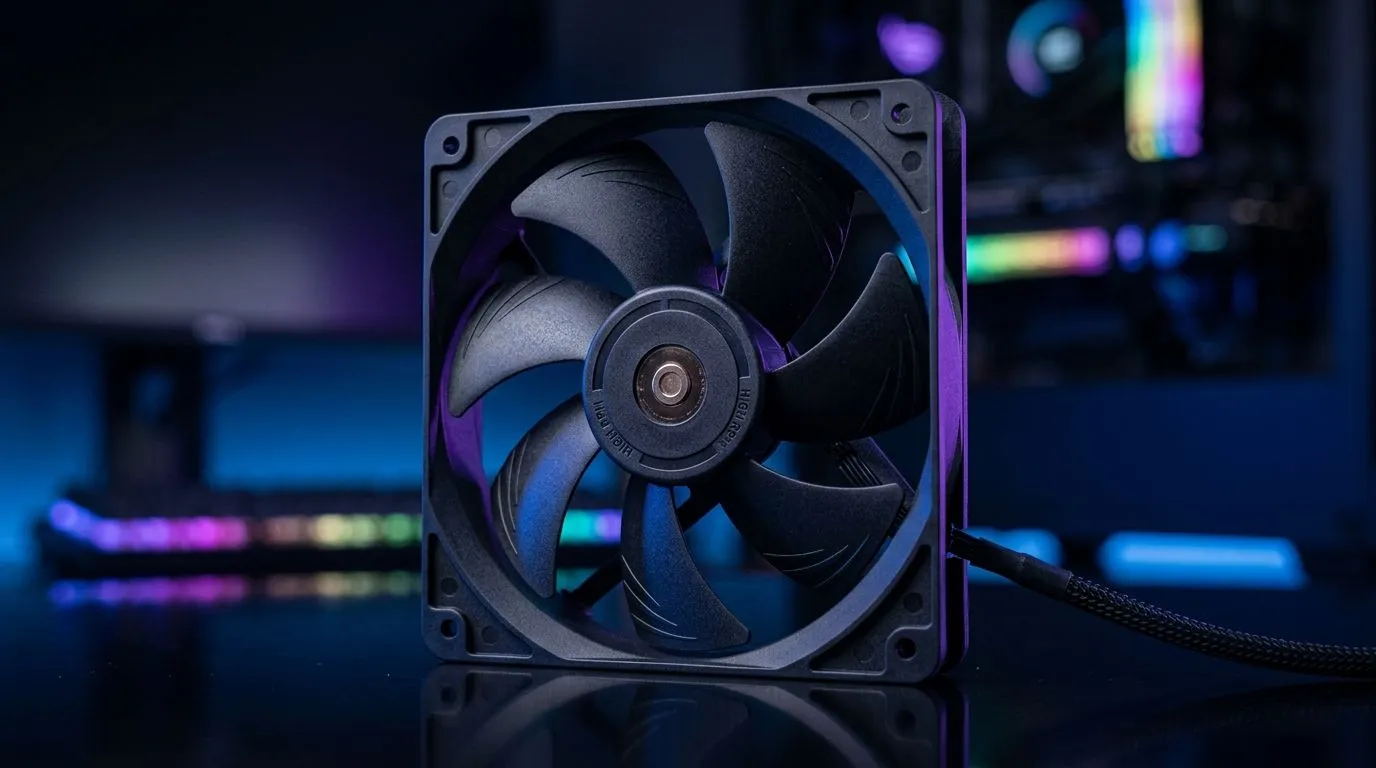
High RPM Case Fans for Gaming PCs in South Africa: Worth It?
If your gaming PC sounds like it’s auditioning for a jet engine, you’re not alone… and you’re also not stuck. In South Africa, where load shedding and hot rooms are real, case airflow matters. The big question is whether high RPM case fans for gaming PCs in South Africa: worth it?
Let’s break it down properly: when higher RPM helps, when it hurts (noise and turbulence), and how to pick the right fan size for your setup. 🔧
What “High RPM” Really Changes (and When It Doesn’t)
RPM (revolutions per minute) is just one piece of the airflow puzzle. Fans move air based on their static pressure, blade design, and how well they’re mounted. In real builds, high RPM can be worth it when your case has:
- Dense dust filters
- Tight radiator fins (AIO coolers)
- Front mesh panels that restrict airflow
But if you’re mainly exhausting warm air through open mesh, you often get better value with quieter fans running higher than expected, instead of maxing everything to the limit.
Noise vs cooling: the practical trade-off
Higher RPM usually means higher noise. In South African homes, that difference is noticeable during ranked sessions or streaming. The sweet spot is usually: enough RPM to keep GPU temps stable, without turning your rig into a soundbar replacement. ⚡
Fan Size and Placement: 120mm vs 140mm in South African Builds
Fan size affects how much air you can push at a given noise level. Larger fans (like 140mm) can often move similar airflow with less RPM than 120mm.
Here’s what to think about:
- 140mm fans: Great for front intake and top exhaust when your case supports them.
- 120mm fans: Often easier to fit around radiator mounts and older case layouts.
You can browse sizes here:
- Consider 120mm case fans for common radiator and budget builds: Shop 120mm case fans
- Or go bigger with 140mm case fans if your case supports them: Shop 140mm case fans
RGB vs Performance: Don’t Let Lighting Fool Your Cooling Plan
RGB looks awesome… but cooling is still the priority. If you’re chasing performance, focus on airflow control first, then let aesthetics be the bonus.
If you want RGB elements without sacrificing airflow planning, use this as your starting point:
If you prefer a cleaner build or you just hate extra cable clutter, non-RGB options are still excellent for gaming rigs:
How to Decide If High RPM Case Fans Are Worth It for Your PC
Ask yourself two questions before you buy:
- Do I have heat bottlenecks? Check GPU hotspot and CPU temps under load.
- Do my fans have restrictive paths? Front filters and radiators change the story.
If you’re unsure, start with balanced intake and exhaust, then adjust fan curves in BIOS or using your motherboard software.
Productivity Pro Tip: tune curves, don’t max RPM
Productivity Pro Tip 🔧
On Windows, use your motherboard fan control software (or BIOS profiles) to set a quiet “base curve” first, then add a second step triggered by GPU temperature. This prevents fans from ramping constantly during desktop use, which improves comfort during long gaming sessions while still protecting temps during spikes.
Brands and Compatibility: Get the Right Fan, Not Just the Fast One
Some builders assume brands are only about aesthetics, but fan quality affects smoothness and how consistent the airflow is across speeds.
If you want a broad selection to compare specs and models, start here:
Or if you’re specifically considering CORSAIR:
Deepcool is also worth a look for value-focused builds:
Quick Verdict: When High RPM Case Fans Are Worth It?
High RPM case fans for gaming PCs in South Africa: worth it? Usually, yes… but only when airflow is restricted or you need extra radiator pressure.
High RPM is worth it if:
- Your case has dust filters that block flow
- You run an AIO radiator with tighter fin stacks
- Your room stays hot and your temps spike in summer
High RPM is not worth it if:
- Your case is open mesh and airflow is already good
- You mainly exhaust from unobstructed areas
- You’re sensitive to noise and constant fan ramping
Want an easy next step? Pick your fan size, match intake vs exhaust, then tune the curve. Your ears and your GPU will thank you. ✨
Ready to Buy the Right Fans (Before You Spend Again)
If you’re building or upgrading now, don’t gamble on “maximum RPM.” Start with airflow needs, choose the right size (120mm or 140mm), and then select models that suit your case layout and noise tolerance. 🚀
Ready to Find Your Perfect Match? The Mac vs Windows debate is complex, but for maximum power, choice, and value in South Africa, Windows is hard to beat. Explore our massive range of laptop specials and find the perfect machine to conquer your world.











