Quick Answer
A graphics card brace is a support bracket that contacts the underside or shroud of a GPU, preventing it from sagging downward in the PCIe x16 slot. For any triple-fan GPU weighing more than 1.5 kg, a brace protects both the PCIe slot contacts on the motherboard and the GPU's PCB from cumulative mechanical stress.
The Mechanics of PCIe Slot Stress Without a Brace 🔩
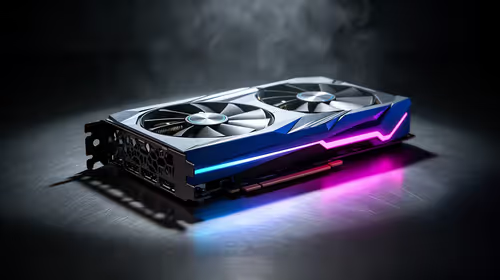
The PCIe x16 slot mounts horizontally on the motherboard, with the GPU hanging off the side of the case by its rear bracket and the slot connection. A triple-fan RTX 5080 or RX 9070 XT card weighs 1.8 kg to 2.4 kg and measures 300mm to 380mm from bracket to card tip. That mass, cantilevered off the slot, creates a rotational force that pulls the rear of the slot downward over time. The PCIe socket's contacts resist this, but sustained pull causes micro-movement at the contact interface. Over months to years this creates intermittent PCIe detection errors and in severe cases deformation of the plastic socket housing. Motherboards below R4,000 use thinner PCB substrate that amplifies this flexing.
Types of GPU Braces and How They Differ 🔧
Three main brace types exist. First, case-integrated adjustable arms: a metal arm extending from the drive cage column or a dedicated brace slot in the case floor, height-adjustable via a thumbscrew to contact the GPU shroud. Second, standalone adjustable brackets: units that slot into a drive bay or case standoff, sold separately for R200 to R450 locally. Third, reinforced PCIe slots: some premium Z890 and X870E boards use steel-reinforced PCIe slots with greater mechanical rigidity, reducing but not eliminating sag risk for moderately heavy cards. The adjustable arm type provides the most reliable support because it contacts the GPU at the point of maximum sag, typically 60 to 80 percent along the card's length from the bracket.
Installing and Adjusting a GPU Brace Correctly 🎯
Install the brace after all GPU power cables and case cables are routed and secured. Cable tension subtly changes the card's resting angle. With cables dressed, adjust the brace arm until it makes light contact with the GPU cooler shroud without lifting the card off the PCIe slot floor. Confirm the PCIe x16 retention clip is still latched after fitting. For vertical GPU mounting via a PCIe riser cable (which eliminates slot sag entirely) the brace becomes unnecessary, but PCIe 5.0 x16 riser cables add R600 to R1,200 in cost.
Check Brace Height After Thermal Cycling ⚡
Check brace adjustment after the first week of gaming use. Thermal expansion and contraction during regular gaming sessions can shift the brace position slightly, either losing contact with the GPU or creating upward pressure that stresses the slot in the opposite direction. A weekly check for the first month establishes the correct final position.
FAQ
Do I need a GPU brace if my case has a built-in one?
If the built-in brace is adjustable and contacts the GPU correctly, no additional aftermarket bracket is needed. Fixed-height built-in arms are less reliable for GPUs that differ significantly in length from what the case designer assumed.
Will a brace affect GPU temperatures?
A properly adjusted brace touches only the outer plastic shroud of the GPU cooler, not the heatsink fins or fan areas. There is no measurable impact on thermal performance.
What if GPU sag causes actual PCIe errors?
Reseat the GPU by removing it completely, cleaning the gold edge connector contacts gently with 99 percent isopropyl alcohol, and reseating firmly until the PCIe retention clip clicks. Install a brace immediately after. Persistent errors may indicate physical slot damage requiring board replacement.
Got a heavy GPU that needs proper support?
Evetech stocks GPU braces and cases with built-in support brackets to keep your graphics card level and your PCIe slot protected.