


Bandwidth Explained: What SA Buyers Need to Know
Bandwidth Explained: What Buyers Need to Know. Plain-English explanation of what it means, why it matters & how it affects your buying decisions in SA.
Read moreCheck If Your PC Can Handle RTX 5080. Step-by-step instructions with SA-specific tips, common pitfalls to avoid & expert recommendations.
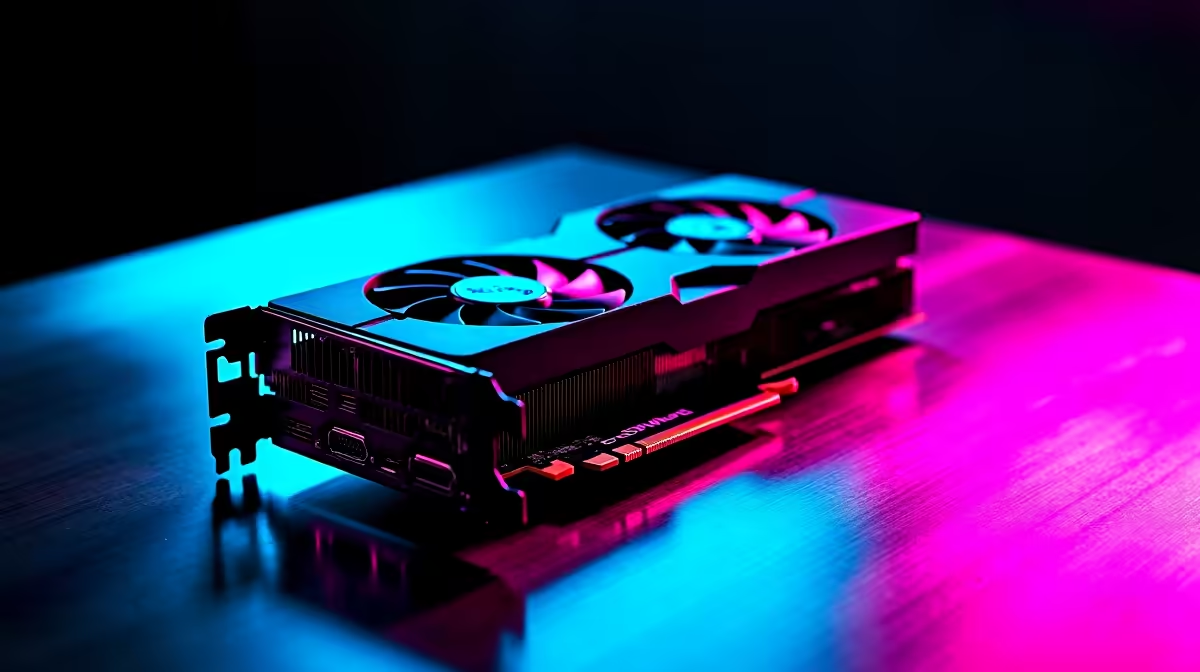
The Nvidia 50-series is almost here... and it is going to be an absolute beast. If you are saving your hard-earned ZAR for the ultimate upgrade, you need to prepare. Wondering how to check if your PC can handle RTX 5080 graphics? It takes more than just slotting it into your motherboard. Let us look at what you must check before making the jump.
The RTX 5080 will draw serious power. Rumours suggest you will need a highly robust PSU to keep things stable. This is especially true with our local grid being so unpredictable... sudden surges can damage delicate hardware. Check your current wattage right now. A high-quality 850W or 1000W unit is likely the sweet spot.
If your current power supply is looking a bit weak after years of loadshedding, do not risk your new components. Keep an eye on our weekly tech specials to grab a reliable Gold-rated PSU at a genuinely great price.
Modern GPUs are massive. The 5080 will probably be a heavy triple-slot monster. Grab a tape measure and check the inside of your chassis. You need enough length to fit the card safely. You also need enough width so the power cables do not press tightly against the side glass panel.
If it will not fit, you might need to buy graphics cards from the current 40-series instead... or simply upgrade your case to a spacious full tower.
Grab a ruler and measure from the back expansion slots to your front intake fans. Leave at least 30mm of extra breathing room. This ensures the massive RTX cooler gets enough airflow to prevent thermal throttling during hot summer gaming sessions.
Pairing a next-gen GPU with an older processor is a massive waste of ZAR. Your CPU needs to feed frames to the 5080 fast enough to keep up. If you are rocking an older chip, you will not get the performance you paid for. You will experience stuttering in demanding titles.
Sometimes, upgrading the motherboard, RAM, and CPU altogether is simply too much hassle. That is exactly when looking at pre-built PC deals makes perfect sense for a completely clean slate.
Upgrading a single component often leads to a frustrating domino effect. A new GPU means a new power supply... which means a new case... which needs a new CPU. If your current rig is more than four years old, a complete system overhaul might be the smartest move. This ensures you do not waste money on bottlenecked hardware.
You can easily explore the best gaming PC deals to find a beautifully balanced system ready for next-gen gaming. Alternatively, if you need mobility for local LANs or working remotely, modern gaming notebooks pack incredible desktop-level power into a highly portable chassis.
Ready for the Next Generation? Upgrading your rig is exciting, but making sure all your parts work together perfectly is crucial in South Africa. If your current setup cannot handle the heat, explore our massive range of gaming PCs and find the ultimate machine to conquer your favourite titles.
How to Check If Your PC Can Handle RTX 5 available at Evetech.co.za with local warranty and fast delivery.
How to Check If Your PC Can Handle RTX 5 - check Evetech for latest stock and SA pricing.
Depends on your use case. How to Check If Your PC Can Ha offers good value at current Rand pricing.
Bandwidth Explained: What Buyers Need to Know. Plain-English explanation of what it means, why it matters & how it affects your buying decisions in SA.
Read more
Set Up RX 7800 XT for Competitive Gaming. Step-by-step instructions with SA-specific tips, common pitfalls to avoid & expert recommendations.
Read more
Can the Ryzen 5 9600X Handle 4K Gaming Without Bottlenecking Detailed answer with SA data, expert analysis & practical recommendations for local buyers.
Read more
Why Is Ping So High in South Africa for Gaming Detailed answer with SA data, expert analysis & practical recommendations for local buyers.
Read more
Can a 1200W PSU Handle the RX 9070 XT? Power. Plain-English explanation of what it means, why it matters & how it affects your buying decisions in SA.
Read more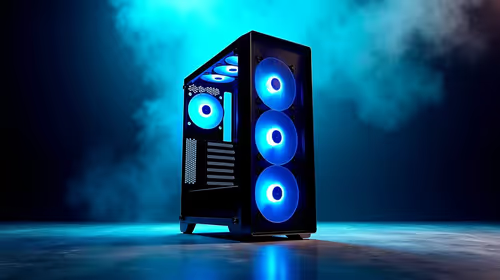
How Does Altitude Affect PC Cooling in Gauteng Detailed answer with SA data, expert analysis & practical recommendations for local buyers.
Read more
AMD RX 9050 XT: Rumoured Specs, Price & Release. SA-focused analysis with local pricing data, real-world insights & actionable buying advice.

Can RTX 4080 Super Run AI Workloads for SA Developers Detailed answer with SA data, expert analysis & practical recommendations for local buyers.

Can RTX 4090 Run AI Workloads for SA Developers Detailed answer with SA data, expert analysis & practical recommendations for local buyers.

Top Settings for Intel Arc B580 at Ultrawide 1440p picks evaluated on performance, value & SA availability with current Rand pricing from Evetech.

RTX 4060 CS2 Low Settings at 1080p: FPS Results. Real-world benchmark data, FPS numbers & performance analysis. What SA gamers can actually expect.

Visual Artifacts: Possible GPU Issue Issue #1. Diagnosis steps, proven fixes & when to seek professional help. SA-specific support info included.

Can the RTX 4090 Handle 1440p 144Hz Gaming. Performance testing verdict with real data & practical recommendations for SA buyers.

Top ASUS GPU Under R15000 picks evaluated on performance, value & SA availability with current Rand pricing from Evetech.

GTA 6 Max Settings on RTX 5070. Tested & verified settings for best FPS and visual quality on SA hardware budgets.

Cyberpunk 2077 Max Settings on RTX 5080. Tested & verified settings for best FPS and visual quality on SA hardware budgets.

Starfield Max Settings on RTX 5070 Ti. Tested & verified settings for best FPS and visual quality on SA hardware budgets.

Top RTX 5090 Under R5000 picks evaluated on performance, value & SA availability with current Rand pricing from Evetech.