


Bandwidth Explained: What SA Buyers Need to Know
Bandwidth Explained: What Buyers Need to Know. Plain-English explanation of what it means, why it matters & how it affects your buying decisions in SA.
Read moreInstall RTX 4070 Super in Your PC: Guide. Step-by-step instructions with SA-specific tips, common pitfalls to avoid & expert recommendations.
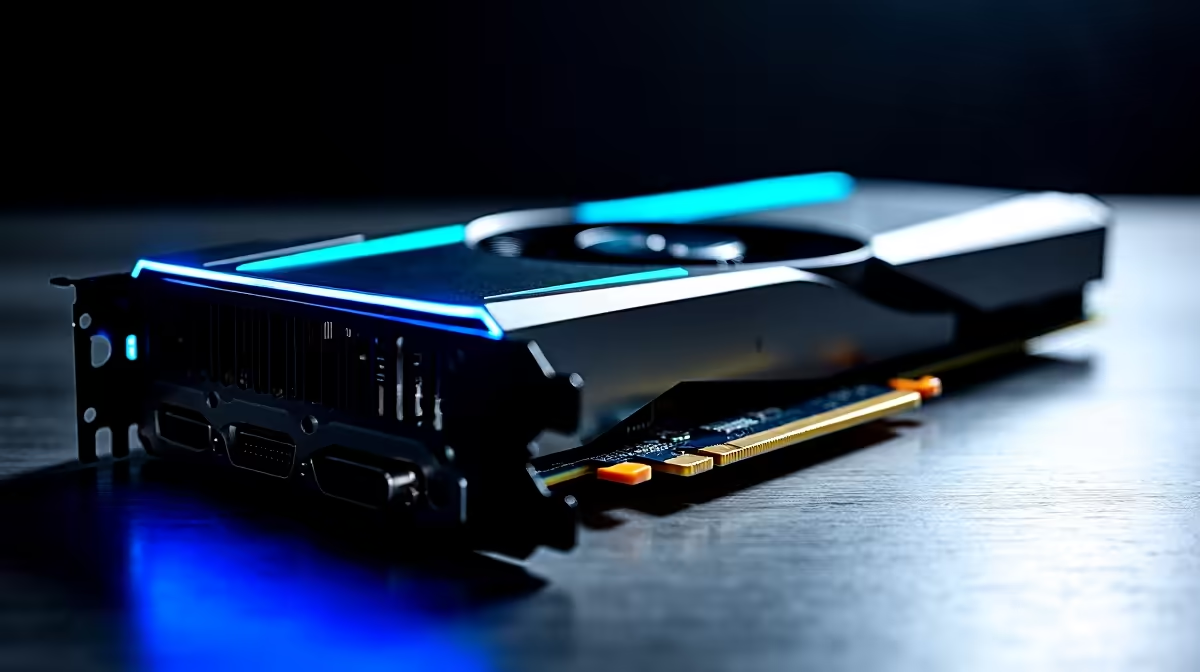
You finally saved up those hard-earned ZAR and got your hands on the RTX 4070 Super. It is an absolute beast for 1440p gaming. But staring at the box might leave you slightly nervous. Do not stress. Figuring out how to install an RTX 4070 Super in your PC is easier than you think. Let us get your rig ready for insane frame rates in just a few minutes 🚀
Before opening your case, you must check your power supply. The RTX 4070 Super requires a solid PSU. Nvidia recommends a 650W minimum for this card. You also need to check your power connectors. You will either use the included 12VHPWR adapter or a dedicated ATX 3.0 cable.
If you are still shopping around for the perfect model, browse our massive range of latest graphics cards to find the right fit.
Follow these simple steps to swap out your old pixel pusher safely.
Boot up your PC and download the latest Nvidia drivers. Before shutting down, you must uninstall your current display drivers.
Always use Display Driver Uninstaller (DDU) in Safe Mode to wipe your old graphics drivers. This prevents software conflicts and ensures your new RTX 4070 Super runs flawlessly right out of the box.
Switch off your PC and unplug the power cable. Open your side panel. Unplug the PCIe power cables from your old GPU. Unscrew the bracket holding the card to the case. Push down the plastic retention clip on your motherboard PCIe slot... then gently pull the card out.
Is your current rig too old for a modern GPU? It might be time to browse our pre-built PC deals for a fresh start.
Line up your shiny new RTX 4070 Super with the top PCIe x16 slot. Push it in firmly until you hear a satisfying click from the retention latch. Secure the card to your case using the bracket screws. This prevents GPU sag ✨
Plug in the 12VHPWR adapter or your dedicated PSU cable. Ensure the connection is flush and secure. A loose cable can cause serious hardware issues.
Want a rig where all this cable management is done perfectly? Check out our best gaming PC deals for beautifully assembled systems.
Plug your PC back into the wall and switch it on. Connect your monitor directly to the new GPU... not the motherboard. Boot into Windows and install those fresh Nvidia drivers.
Maybe you are a gamer on the move... and a desktop just does not suit your lifestyle? We also stock incredible high-performance laptops with RTX 40-series graphics.
Finally, do not forget to keep an eye on our weekly tech specials to grab top-tier gear at unbeatable prices.
Ready to Maximise Your Frame Rates? Upgrading your graphics card is the fastest way to boost your gaming performance. If you want to experience incredible ray tracing and DLSS 3 technology in South Africa, we have you covered. Explore our massive range of RTX 40-Series cards and find the perfect upgrade to conquer your favourite titles.
How to Install RTX 4070 Super in Your PC available at Evetech.co.za with local warranty and fast delivery.
How to Install RTX 4070 Super in Your PC - check Evetech for latest stock and SA pricing.
Depends on your use case. How to Install RTX 4070 Super offers good value at current Rand pricing.
Bandwidth Explained: What Buyers Need to Know. Plain-English explanation of what it means, why it matters & how it affects your buying decisions in SA.
Read more
Set Up RX 7800 XT for Competitive Gaming. Step-by-step instructions with SA-specific tips, common pitfalls to avoid & expert recommendations.
Read more
Can the Ryzen 5 9600X Handle 4K Gaming Without Bottlenecking Detailed answer with SA data, expert analysis & practical recommendations for local buyers.
Read more
Why Is Ping So High in South Africa for Gaming Detailed answer with SA data, expert analysis & practical recommendations for local buyers.
Read more
Can a 1200W PSU Handle the RX 9070 XT? Power. Plain-English explanation of what it means, why it matters & how it affects your buying decisions in SA.
Read more
How Does Altitude Affect PC Cooling in Gauteng Detailed answer with SA data, expert analysis & practical recommendations for local buyers.
Read more
AMD RX 9050 XT: Rumoured Specs, Price & Release. SA-focused analysis with local pricing data, real-world insights & actionable buying advice.

Can RTX 4080 Super Run AI Workloads for SA Developers Detailed answer with SA data, expert analysis & practical recommendations for local buyers.

Can RTX 4090 Run AI Workloads for SA Developers Detailed answer with SA data, expert analysis & practical recommendations for local buyers.

Top Settings for Intel Arc B580 at Ultrawide 1440p picks evaluated on performance, value & SA availability with current Rand pricing from Evetech.

RTX 4060 CS2 Low Settings at 1080p: FPS Results. Real-world benchmark data, FPS numbers & performance analysis. What SA gamers can actually expect.

Visual Artifacts: Possible GPU Issue Issue #1. Diagnosis steps, proven fixes & when to seek professional help. SA-specific support info included.

Can the RTX 4090 Handle 1440p 144Hz Gaming. Performance testing verdict with real data & practical recommendations for SA buyers.

Top ASUS GPU Under R15000 picks evaluated on performance, value & SA availability with current Rand pricing from Evetech.

GTA 6 Max Settings on RTX 5070. Tested & verified settings for best FPS and visual quality on SA hardware budgets.

Cyberpunk 2077 Max Settings on RTX 5080. Tested & verified settings for best FPS and visual quality on SA hardware budgets.

Starfield Max Settings on RTX 5070 Ti. Tested & verified settings for best FPS and visual quality on SA hardware budgets.

Top RTX 5090 Under R5000 picks evaluated on performance, value & SA availability with current Rand pricing from Evetech.