



Best Gaming Sound Cards: Ultimate Audio Upgrade Guide
Discover the best gaming sound cards to transform your setup. From pinpoint enemy footsteps to cinematic scores, a dedicated card changes everything. 🎧 Don't settle for flat onboard audio. Upgrade your immersion today! 🔊
|
Loading tags...
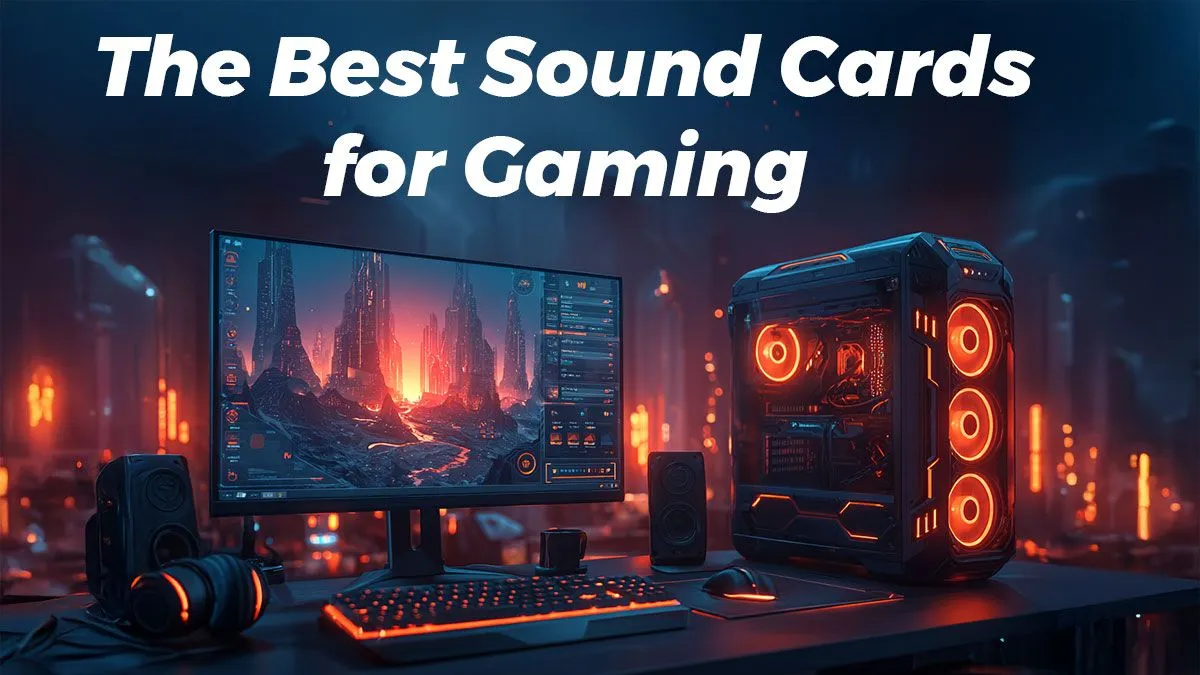
You’ve spent thousands on a beastly graphics card and a high-refresh-rate monitor. Your rig looks incredible, but does it sound incredible? For most South African gamers, the answer is no. Onboard motherboard audio is often an afterthought, leaving you with flat, muddy sound that ruins immersion. A dedicated sound card isn't just a luxury; it's the ultimate audio upgrade for hearing every footstep, explosion, and whisper with crystal clarity.
![[Pre Built] Intel Core Ultra 7 265KF RX 9070 XT Gaming PC](https://img.evetech.co.za/repository/ProductImages/intel-core-ultra-7-265-kf-rx-9070-xt-gaming-pc-pbs-main-1600px-v1.webp)
[Pre Built] Intel Core Ultra 7 265KF RX 9070 XT Gaming PC
R43049.00In Stock

AMD RYZEN 5 3600 4.2GHz ARC A380 6GB Gaming PC
R9974.00In Stock
![[Pre Built] AMD RYZEN 9 9900X RX 9070 XT Gaming PC](https://img.evetech.co.za/repository/ProductImages/ryzen-9-9900-x-rx-9070-xt-gaming-pc-pbs-main-1600px-v1.webp)
[Pre Built] AMD RYZEN 9 9900X RX 9070 XT Gaming PC
R43574.00In Stock

RYZEN 5 8400F 4.7GHz GT 710 2GB DDR5 Workstation PC
R11234.00In Stock
Intel Core Ultra 5 225F ARC A380 6GB Gaming PC
R14699.00In Stock
![[Pre Built] AMD RYZEN 9 9900X RTX 5070 Ti Gaming PC](https://img.evetech.co.za/repository/ProductImages/ryzen-9-9900-x-rtx-5070-ti-gaming-pc-pbs-main-1600px-v1.webp)
[Pre Built] AMD RYZEN 9 9900X RTX 5070 Ti Gaming PC
R45149.00In Stock
Do You Really Need a Dedicated Gaming Sound Card?
Let's be honest... the built-in audio on most motherboards is "good enough." But in gaming, "good enough" gets you eliminated. Motherboard audio chips share space and power with countless other components, creating electrical interference or "noise" that degrades sound quality. You might hear it as a faint hiss or crackle.
A dedicated sound card is a separate circuit board focused on one job: processing audio flawlessly. This isolation is key. It cleans up the signal, providing a richer, more detailed soundscape that onboard audio simply can't match. This is true even for the best budget gaming PCs, where an affordable sound card can make a massive difference.
What to Look for in the Best Gaming Sound Cards
When you start shopping, you'll see a lot of technical specs. Don't stress... here are the ones that actually matter for an epic gaming experience.

Intel Core Ultra 7 265K 5.5GHz RX 9070 XT 16GB DDR5 Gaming PC
R40949.00In Stock

RYZEN 7 5700 4.6GHz RTX 5060 Ti 16GB Budget Gaming PC
R18794.00In Stock

RYZEN 5 9600X 5.2GHz RX 9060 XT 16GB DDR5 Gaming PC
R23624.00In Stock
RYZEN 5 9600X 5.2GHz A400 4GB DDR5 Workstation PC
R18269.00In Stock
![[Pre Built] AMD RYZEN 7 9700X RX 9070 XT Gaming PC](https://img.evetech.co.za/repository/ProductImages/ryzen-7-9700-x-rx-9070-xt-gaming-pc-pbs-main-1600px-v2.png)
[Pre Built] AMD RYZEN 7 9700X RX 9070 XT Gaming PC
R40739.00In Stock
![[Pre Built] AMD RYZEN 7 5700 RTX 5060 Gaming PC](https://img.evetech.co.za/repository/ProductImages/ryzen-7-5700-rtx-5060-8gb-gaming-pc-pbs-1600px-v1.webp)
[Pre Built] AMD RYZEN 7 5700 RTX 5060 Gaming PC
R18479.00In Stock
Signal-to-Noise Ratio (SNR)
Measured in decibels (dB), SNR tells you how loud the audio signal is compared to the background noise level. A higher number is better. Most onboard audio hovers around 80-95 dB, while a good gaming sound card will push 115 dB or more. This means cleaner sound, especially in quiet moments.
Virtual Surround Sound
This is where the magic happens. ✨ Technologies like Dolby Atmos and DTS Headphone:X use clever algorithms to simulate a 3D, 360-degree soundscape in your stereo headphones. It’s the difference between hearing a gunshot and knowing exactly where it came from. For competitive titles like Valorant or Apex Legends, this positional awareness is a huge advantage.
Amplification
High-quality gaming headsets often need more power to drive them properly. A dedicated sound card includes a better headphone amplifier, delivering the power needed for punchy bass and crisp highs without distortion. It's an essential upgrade if you've invested in a premium headset for one of the many powerful PCs under R20k.
[Pre Built] AMD RYZEN 9 9900X RTX 5070 Ti Gaming PC
R45149.00In Stock

Intel Core Ultra 5 225F 4.9GHz GT 710 2GB DDR5 PC
R12074.00In Stock
AMD RYZEN 7 5700 4.6GHz A1000 Workstation PC
R18899.00In Stock
Intel Core Ultra 7 265K 5.3GHz Quadro A1000 8GB DDR5 Workstation PC
R33809.00In Stock

AMD RYZEN 7 5700 4.6GHz RX 9060 XT 16GB Gaming PC
R18479.00In Stock
Intel Core Ultra 9 285K 5.7GHz RTX 5000 Ada 32GB DDR5 Workstation PC
R134399.00In Stock
The Onboard vs. Dedicated Sound Card Showdown
Imagine you're creeping through a building in Warzone. With onboard audio, you might hear a vague footstep somewhere to your left. With one of the best gaming sound cards, you'll hear the scuff of a boot on concrete, ten metres away, on the floor above you, moving towards the eastern staircase. 🚀
That level of detail isn't an exaggeration; it's what superior audio processing provides. It makes single-player games more cinematic and gives you a tangible edge in multiplayer matches. This is especially true for gamers with high-end rigs over R20k where every component should be performing at its peak.
TIP FOR YOU
Quick Audio Boost ⚡
Did you know Windows has built-in virtual surround sound? Right-click the speaker icon in your taskbar, go to 'Spatial sound', and select 'Windows Sonic for Headphones'. It’s a free and easy way to get a taste of positional audio, but a dedicated gaming sound card with Dolby or DTS technology will take it to a whole new level.
Internal Sound Card vs. External DAC: Which is for You?
An internal PCIe sound card is the classic solution, slotting directly into your motherboard. It's a neat, set-and-forget option.
However, an external DAC (Digital-to-Analogue Converter) is another popular choice. This small box sits on your desk, connecting via USB. Its main benefit is complete isolation from any electrical noise inside your PC case. It's also portable, so you can use it with a laptop. Many of our pre-built PC deals have excellent onboard audio, but an external DAC is always a fantastic future upgrade.

AMD RYZEN 9 9900X 5.6GHz RTX 4000 Blackwell 24GB DDR5 Workstation PC
R57119.00In Stock

AMD RYZEN 5 3600 RTX 3050 Budget Gaming PC
R11234.00In Stock
Intel Core Ultra 9 285K 5.7GHz RTX 5000 Ada 32GB DDR5 Workstation PC
R134399.00In Stock
AMD RYZEN 7 5700 4.6GHz RX 9060 XT 16GB Gaming PC
R18479.00In Stock
![[Pre Built] AMD Ryzen 7 9800X3D RX 9070 XT Gaming PC](https://img.evetech.co.za/repository/ProductImages/ryzen-7-9800-x-3-d-rx-9070-xt-gaming-pc-48-gb-2-tb-nvme-main-1600px-v1.webp)
[Pre Built] AMD Ryzen 7 9800X3D RX 9070 XT Gaming PC
R71399.00In Stock

Intel Core Ultra 7 265K 5.3GHz RTX 5070 12GB DDR5 Gaming PC
R37379.00In Stock
The Final Verdict: Is an Audio Upgrade Worth It?
Absolutely. If you care about immersion and competitive performance, a dedicated gaming sound card is one of the most impactful upgrades you can make. It unlocks the full potential of your gaming headset and transforms your audio from a background feature into a powerful tool.
You've built a machine to deliver stunning visuals; now it's time to give it a voice to match. Check out Evetech's best gaming PC deals if you're looking for a complete system, but remember to leave room in your budget for the ultimate audio upgrade.
Ready to Hear the Difference? Don't let weak audio hold your R50,000 graphics card hostage. An audio upgrade is the final frontier for true gaming immersion. Explore our range of top-tier sound cards and give your games the sound they deserve.
Related Products
RYZEN 5 9600X 5.4GHz A1000 8GB DDR5 Workstation PC
R25199.00In Stock
Intel Core Ultra 7 265K 5.3GHz RTX 5070 12GB DDR5 Gaming PC
R37379.00In Stock
![[Pre Built] AMD Ryzen 7 9800X3D RTX 5080 Gaming PC](https://img.evetech.co.za/repository/ProductImages/ryzen-7-9800-x-3-d-rtx-5080-gaming-pc-48-gb-main-1600px-v1.webp)
[Pre Built] AMD Ryzen 7 9800X3D RTX 5080 Gaming PC
R79799.00In Stock

Intel Core Ultra 5 225F 4.9GHz RX 9060 XT 16GB DDR5 Gaming PC
R25409.00In Stock
![[Pre Built] AMD RYZEN 7 9700X RTX 5070 Gaming PC](https://img.evetech.co.za/repository/ProductImages/ryzen-7-9700-x-rtx-5070-gaming-pc-pbs-main-1600px-v1.webp)
[Pre Built] AMD RYZEN 7 9700X RTX 5070 Gaming PC
R36749.00In Stock

RYZEN 5 9600X 5.2GHz ARC B580 12GB DDR5 Gaming PC
R22259.00In Stock
While modern motherboards have decent onboard audio, a dedicated sound card offers superior signal-to-noise ratios and better positional audio for competitive play.
Internal cards often feature better shielding inside the case, while external DACs isolate interference completely and offer easier volume control access.
Generally, no. However, dedicated audio hardware offloads sound processing tasks from the CPU, which can prevent minor stuttering in CPU-intensive scenarios.
Yes, high-quality DACs and software processing enhance specific frequencies, making subtle cues like enemy footsteps much clearer in competitive shooters.
A DAC converts digital signals to analog for pure sound fidelity, whereas a sound card often adds gaming-specific features like surround sound virtualization.
Absolutely. Modern USB sound cards act as external DACs, providing high-fidelity audio without the electrical noise often found inside a PC case.








