



Build Lab
Step into the future of customization with Build Lab—where your vision becomes reality. 🛠️✨ From cutting-edge PC components to smart home upgrades and DIY essentials, our Build Lab collection empowers you to craft, refine, and perfect your setup. Discover the ultimate tools and parts to fuel your creativity and enhance your performance. Trusted by South Africa’s makers and innovators. 💬 “I love how easy it is to find exactly what I need—Build Lab has it all!” — Sipho, Port Elizabeth. Ready to level up your workspace or gaming rig? Start building today with top-tier gear and endless possibilities. 🚀
Deals at Evetech
Build Lab
33091 articles
How to fix Windows 11 input lag on an X870E motherboard setup
How to fix input lag Windows 11 X870E motherboard systems: start with USB, chipset drivers, BIOS stability, and display mode. This SA gaming checklist separates Windows, board, and peripheral delays with controlled tests.
Read more
How to Fix Microstutter on Windows 11 Ryzen 9 9950X3D Builds
Ryzen 9 9950X3D build microstutter fixes start with Windows 11 settings, BIOS, drivers, and frame pacing. Use this SA-focused checklist to isolate chipset setup, memory tuning, overlays, and display sync before replacing hardware or blaming parts.
Read more
How to Fix Black Screen on X870E Motherboard in South Africa
How to fix black screen on X870E motherboard starts with display, BIOS, CPU power, and RAM checks. Use this South Africa build checklist to isolate monitor input, firmware settings, PCIe seating, and memory training before replacing parts.
Read more
AM5 Motherboard Stuttering After Windows Update: Fix Checks
AM5 motherboard stuttering after a Windows update usually points to drivers, BIOS settings, chipset software, or power stability. For SA gamers, check updates in a sensible order before replacing hardware or changing major settings.
Read more
Lethal Company Crashing on ROG Ally X: Fix Guide
Lethal Company crashing on ROG Ally X usually needs a clean stability check before changing hardware assumptions. For SA players, review game files, drivers, overlays, thermals, display mode, and recent patches.
Read more
Mass Effect Legendary Edition 1440p settings for 60fps on the RX 9070
Mass Effect Legendary Edition 1440p settings should target stable play before headline numbers. Tune visuals, frame caps, drivers, thermals, and monitor settings around the GPU so South African gamers get smoother results.
Read more
Lag Spikes on Openserve in Rustenburg Fix Guide
Lag Spikes on Openserve in Rustenburg starts with local checks, not guesswork. Test the router, Wi-Fi path, cable, device load, game server route, and provider status before changing hardware.
Read more
USB DAC Instability After enabling EXPO: Fix Guide
USB DAC instability after enabling EXPO needs a careful reset path, not random part swapping. Check power, firmware settings, cables, and rollback options before replacing SA gaming hardware.
Read more
Cheapest 1440p ultrawide gaming PC at R20,000 in SA
Cheapest 1440p ultrawide gaming PC at R20,000 should be shortlisted around the job it must do. South African buyers should compare panel type, resolution, refresh rate, and ports, warranty path, and upgrade room before treating any pick as best.
Read more
UCT Actuarial Science student in Sea Point? Best build under R15,000
UCT Actuarial Science student in Sea Point? needs a balanced parts plan, not a random basket. Map the CPU, GPU, RAM, SSD, cooling, and monitor target to the budget so SA builders know where to spend first.
Read more
What UCT Actuarial Science students in Stellenbosch actually buy
What UCT Actuarial Science students in Stellenbosch actually buy needs a practical check before you shortlist anything. Compare fit, compatibility, warranty support, timing, and total setup balance for South African buyers.
Read more
Best gaming setup for Wits Engineering students living in Benoni
Best gaming setup for Wits Engineering students should be shortlisted around the job it must do. South African buyers should compare fit, performance, compatibility, and upgrade room, warranty path, and upgrade room before treating any pick as best.
Read more
Wits Medicine student in Brooklyn? Best build under R20,000
Wits Medicine student in Brooklyn? Best build needs a balanced parts plan, not a random basket. Map the CPU, GPU, RAM, SSD, cooling, and monitor target to the budget so SA builders know where to spend first.
Read more
How to compare CPUs for home lab servers without chasing hype
How to compare CPUs for home lab servers needs a workload-first comparison. For SA buyers, judge real performance, platform fit, warranty path, power needs, and upgrade timing before choosing either side.
Read more
How to compare gaming keyboards for silent bedroom setups without chasing
How to compare gaming keyboards for silent needs a workload-first comparison. For SA buyers, judge real performance, platform fit, warranty path, power needs, and upgrade timing before choosing either side.
Read more
Buy now or upgrade later: UPS units decisions for laptop-to-desktop upgrades
Buy now or upgrade later: UPS units decisions should be shortlisted around the job it must do. South African buyers should compare CPU, GPU, RAM, and screen quality, warranty path, and upgrade room before treating any pick as best.
Read more
How to Decide Which 3D Printing Slicer You Should Use
Which 3D printing slicer to use depends on your printer: Bambu Studio and Creality Print suit their own hardware, OrcaSlicer adds calibration tools, Cura offers the broadest compatibility, and PrusaSlicer suits Prusa owners and tinkerers. All four are free.
Read more
How should a hybrid worker choose a 14-inch laptop in South Africa?
A hybrid worker should choose a 14-inch laptop around portability, battery and docking, so one device serves both office and home. The 16GB floor covers calls and open tabs, while USB-C docking switches desks in seconds. The Dell Pro 14 at R30,999 leads the pick.
Read more
The best 1440p monitor setup for a smallholding in SA
A smallholding home setup makes sense with a 1440p monitor when one screen must handle office work and family PC use. Use the Dahua DHI-LM27-E331 27-inch QHD 180Hz as the Evetech reference, then weigh screen size, refresh rate, ports and stand comfort against the desk it will sit on.
Read more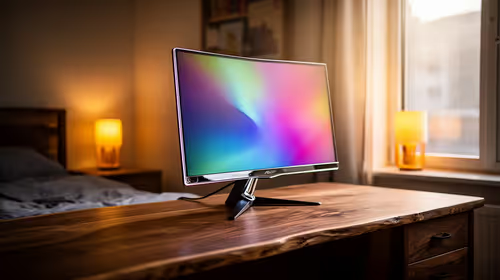
How to set up a 4K monitor in student digs
In student digs, set up a 4K monitor around reading comfort, desk space and simple device connection. Dell S2725QC and Dell 27 Plus 4K S2725QS are relevant 4K options, while QHD high-refresh screens remain worth comparing if smoother motion or a tighter fit is more important.
Read morePinned Articles
RTX 5090 For Elden Ring At 1080p: SA Gamer Guide
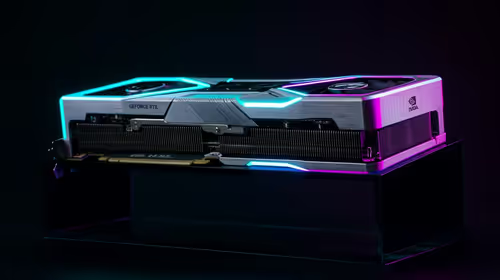
RTX 5090 Elden Ring at 1080p guidance depends on settings, CPU balance, VRAM, cooling, and game updates. Treat FPS wording as a test target, not a guaranteed result for SA builds.

Cheapest GPU that runs Hollow Knight at 1440p 60+ FPS
Cheapest GPU that runs Hollow Knight at 1440p should be shortlisted around the job it must do. South African buyers should compare GPU tier, VRAM, cooling, and PSU headroom, warranty path, and upgrade room before treating any pick as best.

RTX 4080 too expensive? Cheaper SA alternatives for video editing
RTX 4080 too expensive? Cheaper SA alternatives should solve the exact workload without overbuying. Compare nearby options by GPU tier, VRAM, cooling, and PSU headroom, local warranty path, and total build balance before moving to a product page.

Recommended Build for Hollow Knight Silksong at R100,000 in SA
Recommended build for Hollow Knight Silksong at R100 000 SA buyer's guide frames a dream-class PC around more than one game. Balance flagship graphics, premium CPU, 32GB or more RAM, fast SSDs, quiet cooling and power quality.
Featured Articles

Windows 11 Ethernet unidentified network: isolate the fault safely
Windows 11 Ethernet unidentified network needs a cable, router and PC comparison before a reset. Test a second device and run the network troubleshooter. Save adapter drivers and custom settings before using network reset as the final step.

Steam processing Vulkan shaders: tell preparation from a stalled Linux launch
Steam processing Vulkan shaders is graphics preparation rather than a normal game download. On Linux, compare progress and repeat launches before deleting caches. A driver or game change can alter the work, so gather evidence before paying for a new GPU.

Steam discounts and events: what personalised discovery changes in 2027
Steam discounts and events are moving towards personalised recommendations in early 2027. A firm start date is still pending. The change concerns promotional visibility, so compare the actual rand price and game requirements before making a purchase.

Windows 11 Bluetooth toggle missing: restore the radio before pairing again
Windows 11 Bluetooth toggle missing can mean the radio is not being detected or enabled. Start with a complete power-off, then check the adapter and drivers. Pairing a new mouse cannot repair an absent Bluetooth control, so isolate the PC first.
New Articles

Windows 11 spatial sound greyed out: check the playback device first
Windows 11 spatial sound greyed out needs an output-device check before a headset purchase. Select the intended playback device and look for Windows Sonic for Headphones. Speaker, HDMI and headphone routes can expose different spatial sound options.

NACON Revolution 5 Unlimited: PC mode, audio and dock buying checks
NACON Revolution 5 Unlimited adds a control screen, TMR sticks and charging dock. The controller targets PS5 and PC use, with a dedicated PC mode. Match your games and connection route before treating its premium features as a reason to replace a working pad.

GeForce NOW October 2026 games: check the service before buying a GPU
GeForce NOW October 2026 games include 25 planned additions, with six in the first week. Store release dates do not guarantee instant cloud access. Check the exact game, store version, regional service and connection before changing your PC budget.

DGX Spark 64GB: plan model memory before the October partner launch
DGX Spark 64GB is a new local-AI configuration scheduled for 23 October. Its smaller unified memory pool changes workload planning. Compare model size, context and concurrency with the existing 128GB system before requesting a South African quote.