




Daily Drop
Explore your perfect mix of daily essentials with our Daily Drop collection. 🌅✨ Whether you're on the move, working from home, or setting up your creative space, these carefully curated picks promise practicality and style. From sleek tech accessories to home and lifestyle must-haves, we've got you covered. Join countless South Africans upgrading their daily lives with our top-notch, value-driven picks. 💬 “Such a lifesaver! Exactly what I needed for my workspace.” — Sifiso, Joburg. Find your daily fix today—uncompromising quality, unbeatable deals. 🚀
Deals at Evetech
Daily Drop
6607 articles
Firefox mute tab: silence one page while keeping other audio
Firefox can mute one noisy tab using its speaker button or context menu. Check the tab control before changing Windows volume or replacing a working headset.
Read more
Firefox clear startup cache: test interface faults without a profile reset
Firefox has a startup-cache control on its Troubleshooting Information page. Use it for a focused interface test and keep it separate from clearing website data or refreshing the profile.
Read more
Firefox Primary Password protects logins: understand reset risk
Firefox Primary Password protects access to locally saved logins. It is separate from a website or Mozilla account password, and forgetting it can put saved credentials at risk during reset.
Read more
Firefox import bookmarks HTML: add saved sites without a restore overwrite
Firefox can add bookmarks from an HTML file through its Library import menu. Back up the current collection first and distinguish an additive import from restoring a Firefox backup.
Read more
Firefox work offline: check the browser mode before changing the network
Firefox offline mode can stop pages loading even when the computer has a connection. Check the browser setting, compare another browser and record the exact error before changing network hardware.
Read more
Firefox restore closed tabs: recover the page before changing startup
Firefox can reopen a recently closed tab or restore a previous session. Choose the recovery route for what disappeared, then check startup settings without clearing useful history.
Read more
Firefox private browsing: understand what the session removes
Firefox private browsing separates a temporary session from normal browsing history. It does not make you anonymous online, and files or bookmarks you deliberately save can remain after the last private window closes.
Read more
Firefox export bookmarks: choose HTML for a browser transfer
Firefox export bookmarks creates an HTML file for transfer to another browser or computer. A Firefox bookmark backup and a continuing Sync connection serve different purposes, so choose the format before changing your current collection.
Read more
Firefox pin tabs: keep daily pages small and easy to reach
Firefox pin tabs keeps frequently used pages compact at the left of the tab strip. Pinning organises an open page; a bookmark serves a different purpose, and neither should be mistaken for saving unfinished work inside a website.
Read more
Firefox task manager: inspect memory and CPU before closing tabs
Firefox task manager opens the about:processes view for estimated CPU and memory use. Inspect the busy process, protect unsaved work and retest one change at a time; the combined Extensions row is not a per-extension verdict.
Read more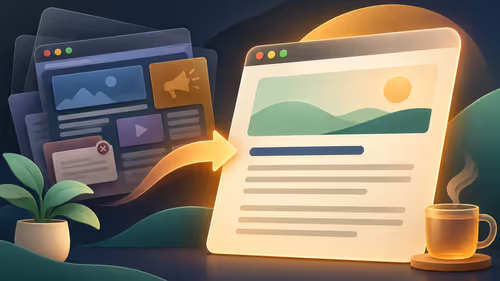
Firefox Reader View: check page support before chasing a missing icon
Firefox Reader View simplifies eligible articles and offers text, spacing and theme controls. A missing Reader View icon can mean the page is unsuitable, so test an article page before treating the browser or display as faulty.
Read more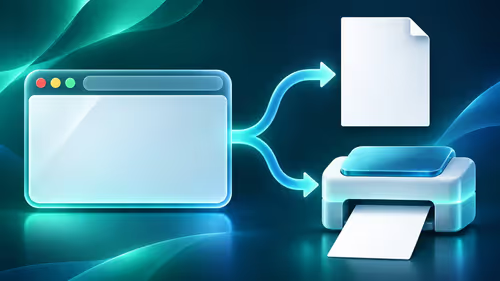
Firefox print preview: test PDF output before the printer
Firefox print preview lets you select a printer or save the page to PDF. Check the preview, destination and page settings first, then compare another browser if the output is still wrong before resetting saved print settings.
Read more
Firefox clear cache: refresh page files while keeping cookies
Firefox can clear temporary page files without clearing cookies. Select the cached-files option carefully, then reload the affected page before changing unrelated browser settings.
Read more
Firefox clear cookies for one site: remove only the affected data
Firefox lets you remove cookies and stored data for one website. Expect that site to sign you out, save local work first, and leave unrelated websites alone.
Read more
Firefox Sync settings: choose what each computer shares
Firefox Sync settings let you choose which supported information a device synchronises. Sign in to the intended Mozilla account, check the selected categories and test with a harmless bookmark.
Read more
Firefox translate page: separate translation from preferred language
Firefox can translate supported web content on the device. Translation controls and preferred website languages serve different purposes, so choose the one that matches the page you want to read.
Read more
Firefox block notifications: silence a website at its permission
Firefox website notifications depend on site permission. Block an unwanted site in the browser, then check operating-system notification controls separately if the alert behaviour still differs.
Read more
Firefox change search engine: set the address-bar default
Firefox search settings let you choose an available default engine. The default, search shortcuts and installed search extensions are separate controls, so check which one changed your searches.
Read more
Firefox PDF viewer: open documents and save the edited copy deliberately
Firefox PDF viewer opens documents in the browser and provides annotation and form tools. Check the PDF action, work on a saved copy and reopen the final file to confirm the information you entered survived before submitting an application or assignment.
Read more
How to share WiFi password on iPhone: check the nearby-sharing requirements
Learn how to share WiFi password on iPhone using nearby Apple devices. Keep Wi-Fi and Bluetooth on, check contacts and the connected phone, then use Share Password; separate this process from sharing a mobile-data hotspot or changing a router password.
Read morePinned Articles
Firefox private browsing: understand what the session removes
Firefox private browsing separates a temporary session from normal browsing history. It does not make you anonymous online, and files or bookmarks you deliberately save can remain after the last private window closes.

Where bryanston gamers buy a webcam that's Guide for SA Gamers
Where bryanston gamers buy a webcam that's needs careful context before choosing parts. Use this guide to compare options, trade-offs, platform fit, and upgrade timing for a South African gaming PC without relying on live stock, price, or benchmark promises.

Why is my RTX 5080 build low FPS after a GPU driver update- Step-by-step fix
RTX 5080 build low FPS after a GPU driver update needs a careful rollback path. Check drivers, firmware, cables, USB ports, overlays, and recent settings before replacing hardware in an SA gaming setup.

Cheapest 180Hz 1440p build for cinematic story games in SA
Cheapest 180Hz 1440p build for cinematic story games in SA helps SA readers plan hardware, settings, compatibility, and upgrade trade-offs. Check GPU, CPU, RAM, storage, monitor, and stability needs without risky performance claims.
Featured Articles
Firefox clear cache: refresh page files while keeping cookies
Firefox can clear temporary page files without clearing cookies. Select the cached-files option carefully, then reload the affected page before changing unrelated browser settings.
Firefox PDF viewer: open documents and save the edited copy deliberately
Firefox PDF viewer opens documents in the browser and provides annotation and form tools. Check the PDF action, work on a saved copy and reopen the final file to confirm the information you entered survived before submitting an application or assignment.
How to share WiFi password on iPhone: check the nearby-sharing requirements
Learn how to share WiFi password on iPhone using nearby Apple devices. Keep Wi-Fi and Bluetooth on, check contacts and the connected phone, then use Share Password; separate this process from sharing a mobile-data hotspot or changing a router password.

Firefox screenshot: capture a region, the visible area or the full page
Firefox screenshot offers a selected region, visible-page capture and full-page capture. Choose the smallest useful area, copy or download the result, and inspect the saved image before sharing account details or assuming every part of a page was captured.
New Articles
Firefox mute tab: silence one page while keeping other audio
Firefox can mute one noisy tab using its speaker button or context menu. Check the tab control before changing Windows volume or replacing a working headset.
Firefox clear startup cache: test interface faults without a profile reset
Firefox has a startup-cache control on its Troubleshooting Information page. Use it for a focused interface test and keep it separate from clearing website data or refreshing the profile.
Firefox Primary Password protects logins: understand reset risk
Firefox Primary Password protects access to locally saved logins. It is separate from a website or Mozilla account password, and forgetting it can put saved credentials at risk during reset.
Firefox import bookmarks HTML: add saved sites without a restore overwrite
Firefox can add bookmarks from an HTML file through its Library import menu. Back up the current collection first and distinguish an additive import from restoring a Firefox backup.