



Find the Best PC Cleaning Tools for Peak Performance
Discover the best PC cleaning tools to keep your rig running cool and fast. From compressed air to anti-static brushes, our guide breaks down the essential gear for every PC owner. Stop thermal throttling and boost performance with the right supplies! 💨✨
|
Loading tags...
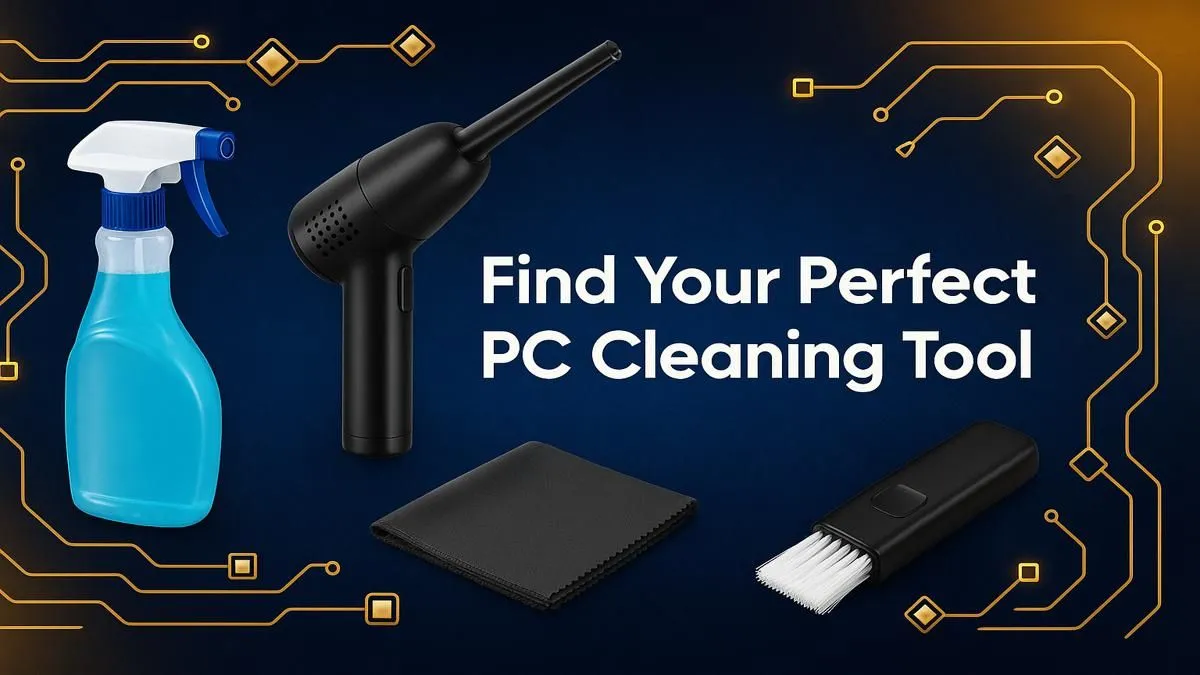
Is your PC sounding more like a jet engine during a Johannesburg heatwave? Before you start pricing out new fans or a liquid cooler, the culprit might be simpler: dust. That fuzzy grey blanket inside your case is the silent killer of performance, choking your components and throttling your frame rates. Finding the best PC cleaning tools isn't just about aesthetics; it's about reclaiming the power you paid for. Let's get your rig running cool and quiet again. 🚀
Why a Clean PC is a Faster PC
Think of dust as a tiny, unwanted winter jacket for your CPU and graphics card. These components generate heat, and they rely on heatsinks and fans to dissipate it. When they're covered in dust, that heat gets trapped.
Your PC is smart, though. To prevent damage, it throttles performance—slowing everything down to cool off. Suddenly, your smooth 144 FPS in Apex Legends drops to a stuttery 60. Regular cleaning with the right computer cleaning supplies is the most effective way to prevent this, protecting your investment, whether it's one of our awesome budget gaming PCs or a top-tier beast.
![[Pre Built] AMD Ryzen 7 9800X3D RTX 5080 Gaming PC](https://img.evetech.co.za/repository/ProductImages/ryzen-7-9800-x-3-d-rtx-5080-gaming-pc-48-gb-main-1600px-v1.webp)
[Pre Built] AMD Ryzen 7 9800X3D RTX 5080 Gaming PC
R79799.00In Stock

Intel Core Ultra 7 265K 5.5GHz RX 9070 XT 16GB DDR5 Gaming PC
R40949.00In Stock
![[Pre Built] AMD RYZEN 9 9900X RX 9070 XT Gaming PC](https://img.evetech.co.za/repository/ProductImages/ryzen-9-9900-x-rx-9070-xt-gaming-pc-pbs-main-1600px-v1.webp)
[Pre Built] AMD RYZEN 9 9900X RX 9070 XT Gaming PC
R43574.00In Stock

RYZEN 9 9900X 5.6GHz RTX 5070 Ti 16GB DDR5 Gaming PC
R41894.00In Stock
![[Pre Built] HP OMEN 35L B1ZR4EA Intel Core Ultra 7 265K RTX 4080 SUPER Gaming PC](https://img.evetech.co.za/repository/ProductImages/intel-core-ultra-7-265-k-rtx-4080-super-gaming-pc-pbs-main-1600px-v1.webp)
[Pre Built] HP OMEN 35L B1ZR4EA Intel Core Ultra 7 265K RTX 4080 SUPER Gaming PC
R49349.00In Stock
RYZEN 7 7800X3D 5.0GHz RTX 5080 32GB DDR5 Gaming PC
R49769.00In Stock
Your Essential PC Cleaning Toolkit
You don't need a workshop full of gear. A few key items make up the best PC cleaning tools for any build. Forget the vacuum cleaner (a static electricity nightmare!) and assemble this pro kit instead.
Compressed Air: The Dust Destroyer
This is your number one weapon. A can of compressed air delivers a powerful, focused jet that dislodges dust from fan blades, motherboard crevices, and PSU vents without you having to touch sensitive parts.
How to use it safely:
- Use short, controlled bursts.
- Hold the can upright to avoid spraying liquid propellant.
- Hold your case fans still with a finger so they don't spin too fast and damage the bearings.
RYZEN 5 9600X 5.2GHz GT 710 2GB DDR5 PC
R15434.00In Stock

AMD RYZEN 5 3600 4.2GHz GT 710 2GB PC
R7349.00In Stock

Ryzen 7 9700X 5.5GHz RTX 5060 Ti 16GB DDR5 Gaming PC
R29399.00In Stock
AMD RYZEN 7 5700 4.6GHz A1000 Workstation PC
R18899.00In Stock
![[Pre Built] Intel Core Ultra 9 285K RTX 5080 Gaming PC](https://img.evetech.co.za/repository/ProductImages/intel-core-ultra-9-285-k-rtx-5080-gaming-pc-48-gb-main-1600px-v1.webp)
[Pre Built] Intel Core Ultra 9 285K RTX 5080 Gaming PC
R78749.00In Stock

AMD RYZEN 5 3600 4.2GHz A400 4GB Workstation PC
R9764.00In Stock
Isopropyl Alcohol (90%+): The Grime Dissolver
For tasks like replacing your CPU's thermal paste or cleaning up a sticky residue, pure isopropyl alcohol (IPA) is essential. Its high purity means it evaporates almost instantly, leaving no conductive residue behind. This is especially true for the high-performance CPUs and GPUs found in powerful custom PCs over R20k, where every degree counts.
TIP FOR YOU
Safety First! ⚡
Always apply isopropyl alcohol to your microfibre cloth or cotton swab, never directly onto the component itself. This gives you full control and prevents any liquid from seeping into places it shouldn't. A little goes a long way!
Microfibre Cloths & Brushes: The Gentle Finishers
For wiping down your case panels (inside and out), cables, and the smooth surfaces of your GPU backplate, nothing beats a lint-free microfibre cloth. For stubborn dust on heatsink fins or motherboard details, a set of soft-bristled brushes (like new paintbrushes or dedicated anti-static brushes) is perfect. They provide the gentle agitation needed to lift dust so the compressed air can blow it away. ✨

RYZEN 9 9900X 5.6GHz RTX PRO 6000 96GB DDR5 Next Gen Workstation PC
R211574.00In Stock
[Pre Built] HP OMEN 35L B1ZR4EA Intel Core Ultra 7 265K RTX 4080 SUPER Gaming PC
R49349.00In Stock
![[Pre Built] AMD Ryzen 7 9800X3D RX 9070 XT Gaming PC](https://img.evetech.co.za/repository/ProductImages/ryzen-7-9800-x-3-d-rx-9070-xt-gaming-pc-48-gb-main-1600px-v1.webp)
[Pre Built] AMD Ryzen 7 9800X3D RX 9070 XT Gaming PC
R69299.00In Stock
Intel Core Ultra 7 265K RTX Pro 4500 DDR5 Workstation PC
R79169.00In Stock
AMD RYZEN 5 3600 4.2GHz GT 710 2GB PC
R7349.00In Stock
Intel Core Ultra 7 265K 5.5GHz RX 9070 XT 16GB DDR5 Gaming PC
R40949.00In Stock
Anti-Static Wrist Strap: The Silent Guardian
Here’s a tool many people skip, and it's a huge mistake. Your body can build up a static charge that can instantly kill sensitive components like RAM or your motherboard. An anti-static wrist strap safely grounds you to your PC case, neutralising any risk. It's a small price to pay to protect the heart of your rig, even for the most affordable gaming PCs under R20k.
A Quick Cleaning Routine 🔧
Got your PC cleaning kit ready? Here’s a simple routine to follow every 3-6 months.
- Power Down: Shut down your PC completely and unplug it from the wall.
- Get Outside: Take your case to a well-ventilated area. You don't want all that dust back in your room.
- Open Up: Remove the side panels.
- First Pass: Use compressed air to blow out the large, loose dust from your fans, filters, and heatsinks.
- Detailing: Use your brushes to gently loosen stubborn dust, then follow up with more compressed air. Wipe down surfaces with your microfibre cloth.
- Reassemble: Close it up, plug it in, and enjoy the silence and speed!
Keeping your machine pristine ensures you're always getting the maximum performance you paid for, especially if you snagged one of the best gaming PC deals in South Africa.

AMD RYZEN 5 3400G 4.2GHz Radeon Vega PC
R6299.00In Stock

RYZEN 5 9600X 5.2GHz RX 9060 XT 16GB DDR5 Gaming PC
R23624.00In Stock

Intel Core Ultra 5 225F 4.9GHz A400 4GB DDR5 Workstation PC
R14699.00In Stock
RYZEN 5 8400F 4.7GHz GT 710 2GB DDR5 Workstation PC
R11234.00In Stock
![[Pre Built] Intel Core Ultra 7 265KF RX 9070 XT Gaming PC](https://img.evetech.co.za/repository/ProductImages/intel-core-ultra-7-265-kf-rx-9070-xt-gaming-pc-pbs-main-1600px-v1.webp)
[Pre Built] Intel Core Ultra 7 265KF RX 9070 XT Gaming PC
R43049.00In Stock
Ryzen 7 9700X 5.5GHz RTX 5060 Ti 16GB DDR5 Gaming PC
R29399.00In Stock
When Cleaning Isn't Enough
Sometimes, even with the best PC cleaning tools and a spotless interior, your PC might still feel sluggish. Components age, and new games demand more power. If a thorough clean doesn't restore the snappy performance you remember, it might be a sign that your hardware is becoming a bottleneck. If your rig is still struggling, exploring our range of pre-built PC deals offers a hassle-free path to next-level performance.
Ready for a Fresh Start? A clean PC runs like a dream, but sometimes... you just need more power. If dust wasn't the only thing holding you back, it might be time for an upgrade. Explore our massive range of PC hardware specials and build the machine that will conquer your world.
Related Products

AMD RYZEN 5 3600 4.2GHz ARC A380 6GB Gaming PC
R9974.00In Stock
[Pre Built] Intel Core Ultra 9 285K RTX 5080 Gaming PC
R78749.00In Stock
AMD RYZEN 9 9900X 5.6GHz RTX 4000 Blackwell 24GB DDR5 Workstation PC
R57119.00In Stock
Intel Core Ultra 5 225F ARC A380 6GB Gaming PC
R14699.00In Stock
Intel 14th Gen Core i3 14100F 4.7GHz GT 710 2GB PC
R8924.00In Stock
[Pre Built] AMD Ryzen 7 9800X3D RX 9070 XT Gaming PC
R69299.00In Stock
Every PC owner needs a can of compressed air or an electric duster, soft anti-static brushes, microfiber cloths, and high-purity isopropyl alcohol for a thorough clean.
No, you should never use a household vacuum. They create a static electricity buildup that can permanently damage sensitive components like your motherboard, RAM, or GPU.
For optimal performance, a light cleaning of fans and filters should be done every 3 to 6 months. A deep clean of all components is recommended at least once a year.
Absolutely. A good pc cleaning kit for a gaming pc bundles all the necessary supplies, often including specialized tools that make it easier to maintain high-performance parts.
Hold the fan blades gently to stop them from spinning, then use short bursts of compressed air. For stubborn dust, use a cotton swab lightly dampened with isopropyl alcohol.
Disconnect all power and use an anti-static wrist strap. Use a soft brush and compressed air to gently remove loose dust. Never use liquids directly on the motherboard.







