



Game Streaming Backup Strategies
🎮 Reliable game streaming backup solutions to protect your setup. Discover how to secure your entertainment systems with effective strategies.
|
Loading tags...
You’re live. The chat is popping, you’ve just pulled off an insane clutch, and your viewer count is climbing. Then, the dreaded beep… and darkness. Load shedding strikes again. For a South African streamer, this isn’t just an inconvenience; it’s a direct hit to your growth and community. A solid game streaming backup strategy isn’t a luxury, it’s essential gear. Let’s make sure your stream never dies unexpectedly again. ⚡
Why Every SA Streamer Needs a Backup Power Strategy
Losing power mid-stream does more than just end the broadcast. It breaks momentum, frustrates your loyal viewers, and can even corrupt your save files or damage sensitive PC components. A sudden shutdown is jarring for your hardware. Consistent, reliable power is the foundation of a professional stream. Without a backup plan, you're gambling with your reputation and your rig every time the lights flicker.
The core of any streamer's backup strategy is an uninterruptible power supply (UPS). Think of it as a big battery that instantly kicks in the moment Eskom lets you down, giving you precious minutes to gracefully end your stream, save your progress, and shut down your PC safely.

Elecstor-ECO mini 18W UPS 8000mAh - 25WH Backup power / ELE-ECO1825
R599.00In Stock
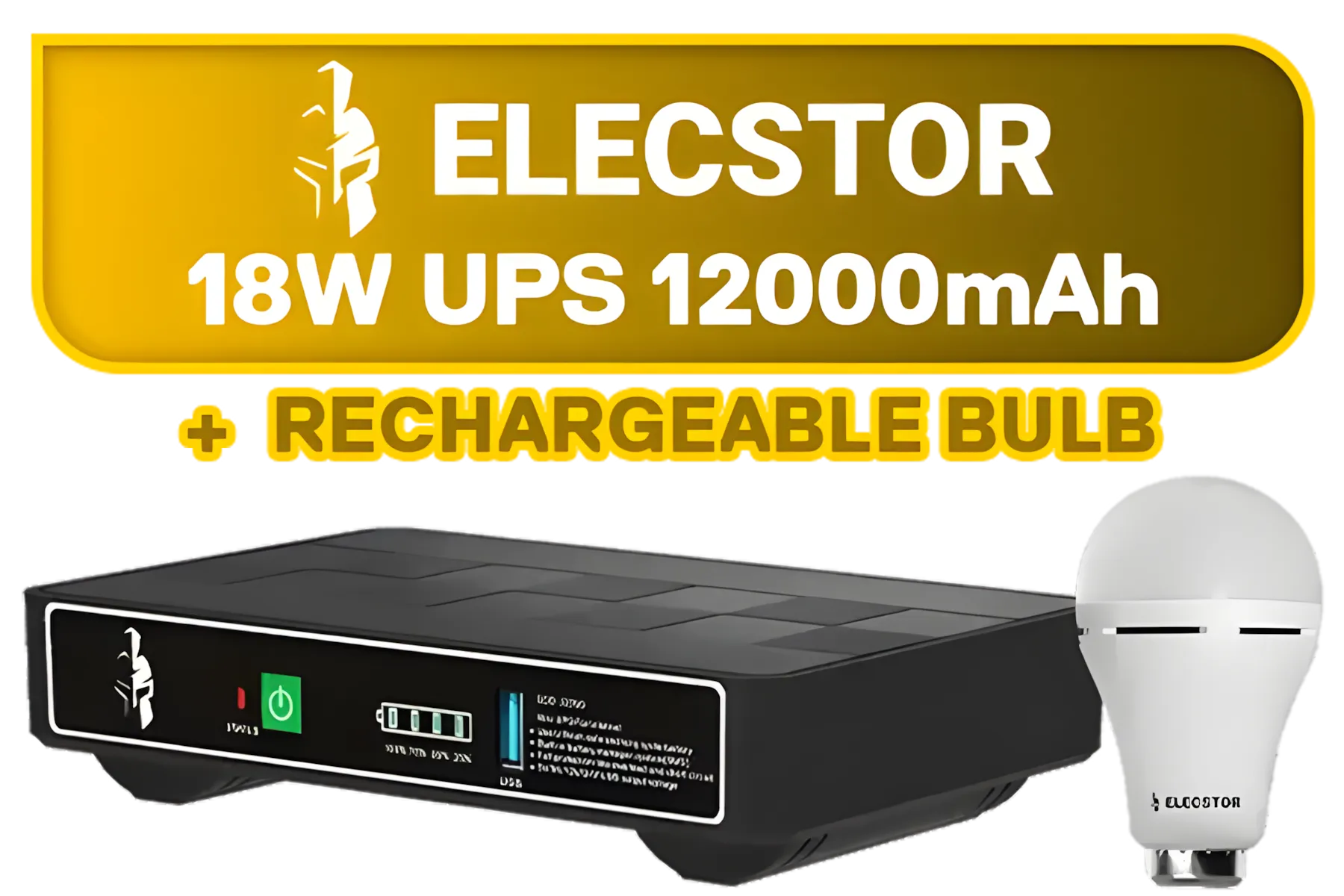
Elecstor-ECO 18W Mini DC UPS 12000mAh - 38WH Backup power for router / TIT-ECO32700 <span style="color:red; font-size:18px;">+ FREE Elecstor Rechargeable Bulb</span>
R849.00In Stock
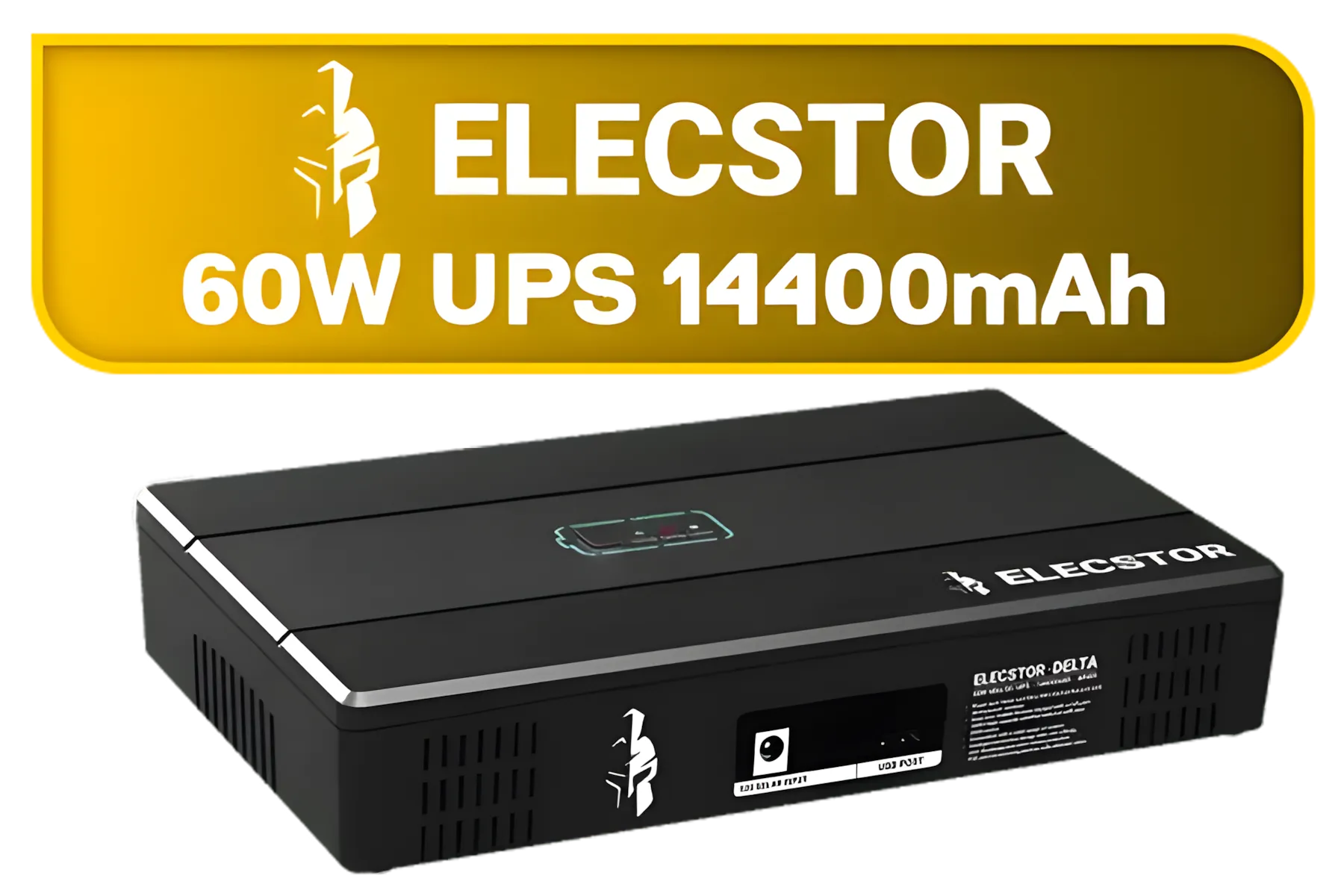
Elecstor-DELTA 60W mini dc UPS 14400mAh - 46WH Backup power / ELE-ECOPLUS860L
R1299.00In Stock
Choosing the Right UPS for Your Streaming Setup
Not all backup solutions are created equal. Your choice depends on your specific needs, from your PC's power draw to your budget. A well-thought-out game streaming backup strategy starts with picking the right hardware.
Calculate Your Power Needs
First, figure out how much power your setup actually uses. You need to cover your PC, at least one monitor, and your router/ONT. Check the wattage on your PC's power supply unit (PSU) as a starting point, but remember you rarely use its full capacity. A 750W PSU might only draw 300-400W during a heavy gaming session. A simple rule is to aim for a UPS with a VA (Volt-Ampere) rating that comfortably exceeds your total wattage.
Runtime and Your Budget
How long do you need the power to last? Are you just looking for 5-10 minutes to shut down safely, or do you want to try and ride out a short outage? More runtime means a bigger, more expensive UPS.
Thankfully, you don't need to break the bank. There are plenty of solid entry-level options under R1300 that provide enough juice to protect your gear and your stream. For those wanting proven reliability and a bit more headroom, exploring options from trusted brands like Titan is a smart move, ensuring your backup strategy is built on a rock-solid foundation.
Elecstor-ECO 18W Mini DC UPS 12000mAh - 38WH Backup power for router / TIT-ECO32700 <span style="color:red; font-size:18px;">+ FREE Elecstor Rechargeable Bulb</span>
R849.00In Stock
Elecstor-ECO mini 18W UPS 8000mAh - 25WH Backup power / ELE-ECO1825
R599.00In Stock
Elecstor-DELTA 60W mini dc UPS 14400mAh - 46WH Backup power / ELE-ECOPLUS860L
R1299.00In Stock
TIP FOR YOU
Pro Tip: Prioritise Your Plugs 🔌
plug in your essential gear: PC tower, primary monitor, and router. A UPS is for critical components, not your desk lamp, printer, or phone charger. Overloading it will drastically reduce its runtime when you need it most.
Beyond Power: A Complete Streaming Backup Plan
A truly resilient setup thinks beyond just the plug socket. While a UPS is your first line of defence, consider these other elements for your game streaming backup strategies.
- Internet Redundancy: Load shedding can sometimes take out your fibre connection. Having a mobile phone ready to use as a 4G/5G hotspot can be a lifesaver, keeping you connected to your chat while you power down.
- Auto-Save Everything: Make sure your broadcasting software (like OBS or Streamlabs) and your games are set to auto-save frequently. This, combined with cloud saves, ensures that even if the worst happens, you won't lose hours of progress or carefully crafted scenes. ✨
Don't Let Load Shedding Win Your stream is your brand. Protect it from unexpected outages and give your audience the consistent, professional broadcast they deserve. Shop our full range of UPS solutions at Evetech and build a backup strategy that never leaves you in the dark.
Related Products
Elecstor-DELTA 60W mini dc UPS 14400mAh - 46WH Backup power / ELE-ECOPLUS860L
R1299.00In Stock
Elecstor-ECO mini 18W UPS 8000mAh - 25WH Backup power / ELE-ECO1825
R599.00In Stock
Elecstor-ECO 18W Mini DC UPS 12000mAh - 38WH Backup power for router / TIT-ECO32700 <span style="color:red; font-size:18px;">+ FREE Elecstor Rechargeable Bulb</span>
R849.00In Stock
Cloud storage with local redundancy provides optimal protection for streaming equipment and files.
Daily backups are recommended for active streamers to protect recent content and configurations.
Popular tools include Acronis True Image and Backblaze for securing streaming-specific files effectively.
Backup prevents data loss from hardware failure, ensuring uninterrupted streaming and content preservation.
Use cron jobs or scheduled backup software to automate backups of your streaming setup's important files.
Cloud storage allows offsite backups of streaming content, providing scalable storage for growing libraries.
Cost varies with storage volume—expect $5–$50/month for hybrid cloud-local setups for content creators.











