



Gaming Frame Rates: How They Shape Your Gameplay
- Explain why gaming frame rates matter - Compare 60fps vs 144fps - Show practical fps improvement tips Gaming frame rates shape responsiveness, clarity and input feel 🎯🚀 Get ideal fps targets and quick fixes.
|
Loading tags...
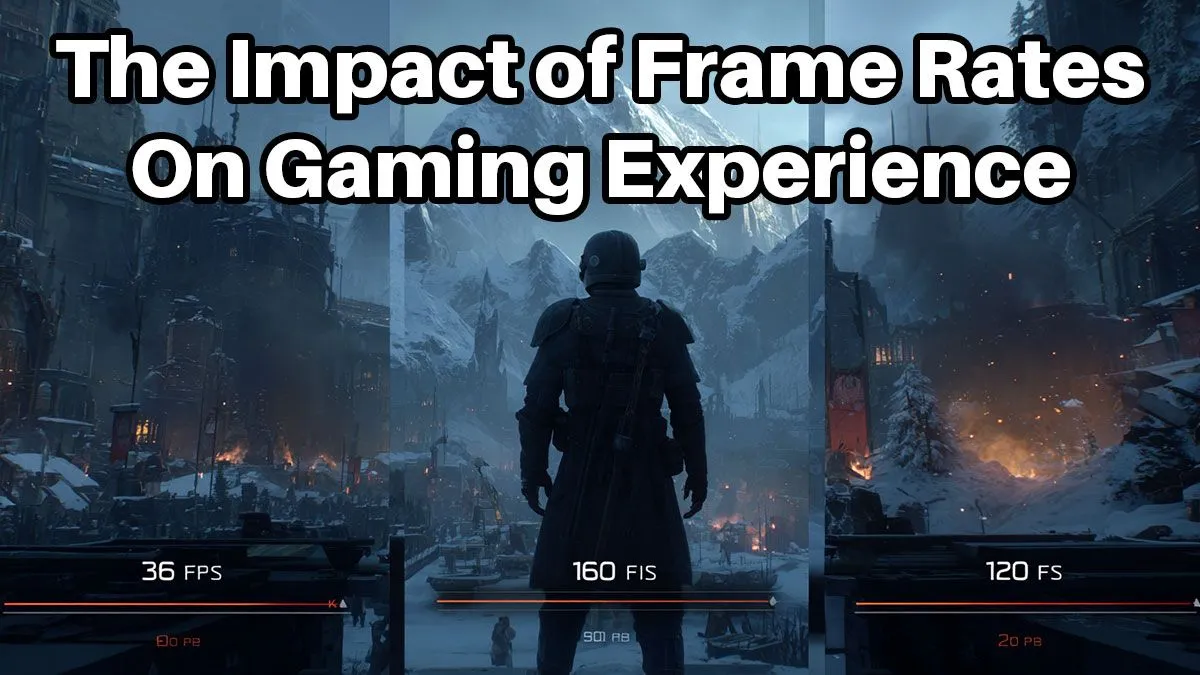
Ever missed a crucial shot in Warzone because your screen stuttered? Or felt like your car was skipping frames in a tight race? That frustrating lag often comes down to one thing: your gaming frame rate. Measured in FPS (Frames Per Second), this single metric dictates the smoothness of your entire experience. Understanding how gaming frame rates shape your gameplay is the first step to unlocking buttery-smooth performance and dominating the competition. Let's dive in.

AMD RYZEN 7 5700 4.6GHz RX 9070 16GB Gaming PC
R28349.00In Stock

RYZEN 5 7500X3D RTX 5060 DDR5 Gaming PC
R21524.00In Stock
![[Pre Built] AMD Ryzen 7 9800X3D RTX 5080 Gaming PC](https://img.evetech.co.za/repository/ProductImages/ryzen-7-9800-x-3-d-rtx-5080-gaming-pc-48-gb-main-1600px-v1.webp)
[Pre Built] AMD Ryzen 7 9800X3D RTX 5080 Gaming PC
R77699.00In Stock

Intel Core Ultra 5 225F 4.9GHz RX 9060 XT 16GB DDR5 Gaming PC
R24464.00In Stock

Intel Core Ultra 5 225F ARC A380 6GB Gaming PC
R14174.00In Stock
![[Pre Built] AMD RYZEN 9 9900X RTX 5070 Ti Gaming PC](https://img.evetech.co.za/repository/ProductImages/ryzen-9-9900-x-rtx-5070-ti-gaming-pc-pbs-main-1600px-v1.webp)
[Pre Built] AMD RYZEN 9 9900X RTX 5070 Ti Gaming PC
R44729.00In Stock
Understanding the Basics of Gaming Frame Rates
At its core, a frame rate is simple. Think of it like a digital flipbook. Each "page" is a single still image, or a "frame." When you flip through the pages quickly, it creates the illusion of motion. The speed at which your PC can "flip" these pages is its frame rate, measured in FPS. The higher the FPS, the smoother and more fluid the motion on your screen appears. ⚡
It's easy to confuse FPS with your monitor's refresh rate, measured in Hertz (Hz). While related, they are different.
- FPS (Frames Per Second): How many frames your graphics card is producing each second.
- Hz (Hertz): How many times your monitor can refresh the image on the screen each second.
For the best experience, you want your FPS to at least match your monitor's refresh rate. A 144Hz monitor is wasted if your PC can only produce 60 FPS. Knowing this helps you choose a balanced setup, and even a solid budget gaming PC can deliver an incredible experience when paired with the right monitor.
How Different Frame Rates Impact Your Gameplay
Not all frame rates are created equal. The target FPS you should aim for depends heavily on the types of games you play and how competitive you want to be. The impact of different gaming frame rates on your actual gameplay is massive.
30 FPS: The Old Standard
This was the benchmark for older consoles. It's playable for slow-paced, cinematic single-player games, but it feels sluggish and unresponsive in fast-paced action. In a competitive shooter, 30 FPS puts you at a significant disadvantage due to higher input lag.
60 FPS: The Modern Gold Standard ✨
This is the sweet spot for most gamers. At 60 FPS, gameplay is smooth, responsive, and visually pleasing. It makes tracking fast-moving targets easier and dramatically reduces input lag compared to 30 FPS. For most gamers in South Africa, hitting a stable 60 FPS is the primary goal, and it's achievable on a wide range of systems, including many excellent gaming PCs under R20k.
120+ FPS: The Competitive Edge
If you're serious about esports titles like Valorant, CS2, or Apex Legends, this is where you need to be. The jump from 60 to 120 FPS (and beyond) provides a noticeable competitive advantage. Animations are smoother, targets are easier to track, and the reduced input lag means your actions appear on screen almost instantly. This level of performance requires a powerful rig, often found in the high-performance PCs above R20k category, where every millisecond counts.

Intel Core Ultra 5 225F 4.9GHz GT 710 2GB DDR5 PC
R11864.00In Stock

Intel Core Ultra 7 265K 5.3GHz Quadro A1000 8GB DDR5 Workstation PC
R33389.00In Stock

AMD RYZEN 9 9950X 5.7GHz Quadro RTX 5000 Ada 32GB DDR5 Workstation PC
R128834.00In Stock

AMD RYZEN 5 8400F 4.7GHz RX 9060 XT 16GB DDR5 Budget Gaming PC
R19949.00In Stock
Intel Core Ultra 5 225F 4.9GHz RX 9060 XT 16GB DDR5 Gaming PC
R24464.00In Stock
Intel Core Ultra 7 265K RTX Pro 4500 DDR5 Workstation PC
R77909.00In Stock
Balancing Visuals and Performance for Optimal FPS
So, how do you achieve your target frame rate? It's a constant balancing act between visual quality ("eye candy") and raw performance. Turning up every graphical setting to "Ultra" might look stunning in screenshots, but it can tank your FPS.
To boost your gaming frame rates, you'll often need to tweak in-game settings. Key settings that heavily impact performance include:
- Resolution: Lowering from 4K to 1440p or 1080p gives a huge FPS boost.
- Shadow Quality: High-quality shadows are very demanding.
- Anti-Aliasing: Smooths out jagged edges but can be a performance hog.
- Texture Quality: Affects VRAM usage on your graphics card.
TIP FOR YOU
Quick FPS Boost 🚀
Modern games often include upscaling technologies like NVIDIA's DLSS or AMD's FSR. Found in the graphics settings, enabling "Performance" or "Ultra Performance" mode can provide a massive FPS increase with minimal loss in visual quality. It's one of the best ways to improve how frame rates shape your gameplay without a hardware upgrade.
Finding a system that's already configured for this balance is a huge time-saver. Check out our curated pre-built PC deals that are optimised right out of the box for a great experience.
AMD RYZEN 7 5700 4.6GHz RX 9070 16GB Gaming PC
R28349.00In Stock
![[Pre Built] AMD RYZEN 5 5500 ARC A380 Gaming PC](https://img.evetech.co.za/repository/ProductImages/gamdias-talos-e3-gaming-case-ryzen-5-5500-arc-a380-gaming-pc-pbs-main-1600px-v1.webp)
[Pre Built] AMD RYZEN 5 5500 ARC A380 Gaming PC
R12494.00In Stock

Intel 14th Gen Core i3 14100F 4.7GHz ARC A380 6GB Gaming PC
R12599.00In Stock
![[Pre Built] Intel Core Ultra 7 265KF RX 9070 XT Gaming PC](https://img.evetech.co.za/repository/ProductImages/intel-core-ultra-7-265-kf-rx-9070-xt-gaming-pc-pbs-main-1600px-v1.webp)
[Pre Built] Intel Core Ultra 7 265KF RX 9070 XT Gaming PC
R42209.00In Stock
RYZEN 5 9600X 5.4GHz A1000 8GB DDR5 Workstation PC
R25199.00In Stock

RYZEN 7 9700X RTX Pro 2000 DDR5 Workstation PC
R35699.00In Stock
The Hardware That Powers Your Frame Rate 🔧
Ultimately, your PC's components determine your FPS ceiling. Three core parts are responsible for your gameplay frame rates:
- The GPU (Graphics Card): This is the undisputed king of FPS. It does the heavy lifting of rendering every single frame. A more powerful GPU means higher potential frame rates at higher settings.
- The CPU (Processor): The CPU prepares the data for the GPU. A slow CPU can "bottleneck" a powerful GPU, meaning the GPU is waiting for data and can't run at its full potential. This is especially true at higher frame rates (120+ FPS).
- RAM (Memory): While it doesn't directly generate frames, having enough fast RAM ensures your CPU can feed the GPU without stutters or hitches caused by loading assets from slower storage.
Putting it all together can be tricky, which is why exploring the best gaming PC deals in South Africa is a great way to see what combinations deliver the best performance for your budget.
Ready to Experience Smooth Gameplay? Understanding gaming frame rates is your secret weapon. Now it's time to find the hardware that brings that knowledge to life. Stop letting stutters and lag dictate your matches. Explore our complete range of gaming PCs and find the perfect rig to deliver the FPS you deserve.
Related Products
![[Pre Built] AMD RYZEN 9 9900X RX 9070 XT Gaming PC](https://img.evetech.co.za/repository/ProductImages/ryzen-9-9900-x-rx-9070-xt-gaming-pc-pbs-main-1600px-v1.webp)
[Pre Built] AMD RYZEN 9 9900X RX 9070 XT Gaming PC
R42524.00In Stock

AMD RYZEN 7 5700 4.6GHz A1000 8GB Workstation PC
R20159.00In Stock
[Pre Built] AMD Ryzen 7 9800X3D RTX 5080 Gaming PC
R77699.00In Stock
[Pre Built] AMD RYZEN 5 5500 ARC A380 Gaming PC
R12494.00In Stock

Intel Core Ultra 7 265K 5.3GHz RTX 5070 12GB DDR5 Gaming PC
R30344.00In Stock
AMD RYZEN 7 5700 RTX Pro 2000 Workstation PC
R26669.00In Stock
Frame rates measure fps produced by your GPU. Higher gaming frame rates boost smoothness, input response and visual clarity for better gameplay.
60fps is playable but many pros prefer 120–240fps for lower input lag and clearer motion; compare 60fps vs 144fps for specifics.
Frame rate is GPU output (fps); refresh rate is monitor updates (Hz). Match fps to refresh rate for smoother motion and to avoid tearing.
Yes — higher fps typically lowers input lag and improves responsiveness, especially in fast-paced or competitive titles.
Update drivers, lower in-game settings, enable performance mode, upgrade your GPU or use resolution scaling to boost fps.
Aim for stable 120–144 fps to fully use a 144Hz monitor and enjoy fluid motion with reduced blur.
Higher frame rates improve visual clarity and reduce latency, which can help aiming precision in competitive play.











