

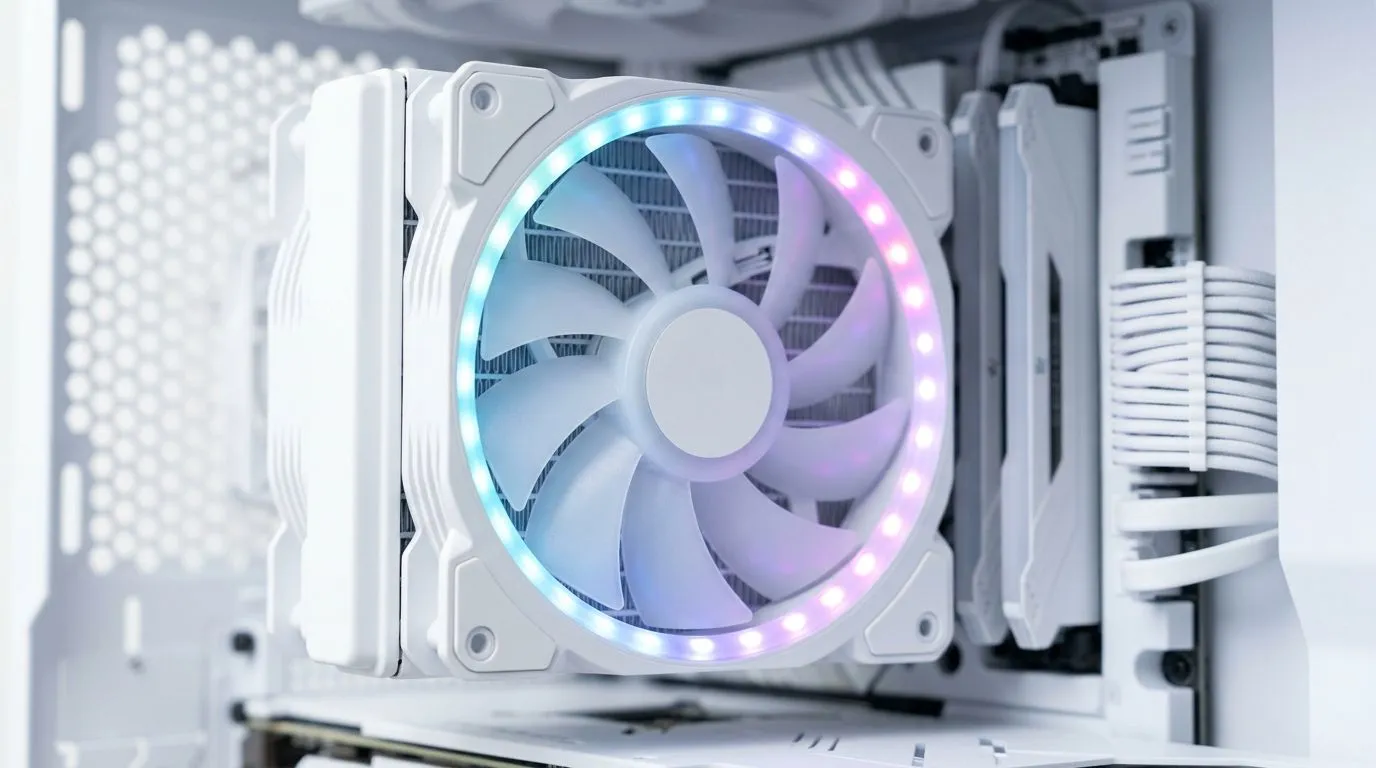
24-LED ARGB Fan Lighting in a White PC Build: Simple Guide to Get It Looking Clean (and Not Messy)
So you’ve gone for a white build… nice. Now the question is: how do you make the lighting look intentional, not like a random light show? 🔥 In South Africa, where loadshedding and budget both matter, you want fans that are easy to set up, stable in use, and good-looking at a glance. This guide shows you exactly how to add 24-LED ARGB fan lighting to a white PC build, step-by-step, using the right fan options from Evetech. ✨
24-LED ARGB Fan Placement in a White Case: Where the Glow Should Land
Before you buy or install anything, look at your airflow path. Fans should support your CPU and GPU temperatures, not fight them. In most white builds:
- Front intake pulls cool air in.
- Top/Rear exhaust pushes warm air out.
- Side intake is usually optional unless your case supports it well.
With ARGB, placement also controls how light reflects off your case interior. White panels bounce RGB colour better, so you often get a more “premium” look with fewer tweaks.
When choosing fans, start with size and lighting style:
- 120mm for common front/top mounts
- 140mm for cases that support bigger intakes (often quieter at the same airflow)
Evetech carries a range of case fans by size and lighting, including RGB and non-lighting options:
- 120mm fans: browse 120mm case fans
- 140mm fans: browse 140mm case fans
24-LED ARGB Fan Lighting in a White PC Build: Picking the Right Fans and Sync Options
Not all ARGB is the same in practice. Some fans include control, some rely on a motherboard ARGB header, and some let you use specific ecosystems (like certain popular brands). If you want a smooth “set it and forget it” experience, pay attention to lighting type and ecosystem compatibility.
Start broad, then narrow down:
- General selection: case fans in the Evetech Build Lab range
- CORSAIR options: CORSAIR case fans
- Deepcool options: Deepcool case fans
- RGB lighting effects: fans with RGB lighting effects
- Non-lighting option (for fans you don’t want to overdo): fans with no lighting
If your goal is a clean white aesthetic, consider limiting the lighting zones. One subtle rule: all fans do ARGB, or only the “visible” fans do. Mixed setups can look great, but only if you choose a consistent theme.
Wiring reality check (so you don’t trip at 1am) 🔧
ARGB fans typically use a 3-pin ARGB header (5V). Some cases also include a controller. Check your case manual and motherboard manual before you assume cables will “just fit”. If you’re unsure, Evetech’s product listings usually spell out controller and header requirements.
Productivity Pro Tip ⚡
Keep a small label maker or painter’s tape nearby when installing. Label each ARGB cable and the fan it came from (Front Intake, Top Exhaust, Rear Exhaust). When you’re wiring 3–6 fans, this saves you from guesswork and prevents the common mistake of swapping connectors.
24-LED ARGB Fan Lighting in a White PC Build: Setup That Looks Premium (Without Overdoing It) ✨
Here’s the easy approach that most people get right:
- Install fans first and confirm airflow direction (arrow on the fan frame).
- Connect ARGB to your motherboard or controller.
- Boot once and verify all fans light up.
- In your motherboard software (or fan controller app), choose one colour theme and keep it consistent.
For a white build, popular themes include:
- Cool white + blue (looks crisp, not neon)
- Soft cyan (great for RGB that won’t overpower your desk)
- Low brightness “breathing” (especially if your room lighting is warm at night)
Avoid the “rainbow everything” look unless you’re building for pure spectacle. ARGB can either frame your build… or fight your components.
Quick troubleshooting if one fan looks “off” 🚀
- If a single fan doesn’t sync, check the ARGB connector seating.
- If the pattern is inconsistent across fans, confirm they’re all on the same ARGB channel/controller.
- If the lighting flickers, recheck power and ensure cables aren’t pinched behind the motherboard tray.
Ready to dial it in? Time to pick your exact fan set (and make it official)
Once you’ve chosen your fan size, brands, and lighting style, you’re ready to lock the look. If you want a white build that stays clean under pressure (and looks great in Discord screenshots), choose fans with the right ARGB behaviour and set a calm theme you’ll actually enjoy for months.
Ready to Find Your Perfect Match? The Mac vs Windows debate is complex, but for maximum power, choice, and value in South Africa, Windows is hard to beat. Explore our massive range of laptop specials and find the perfect machine to conquer your world.











