

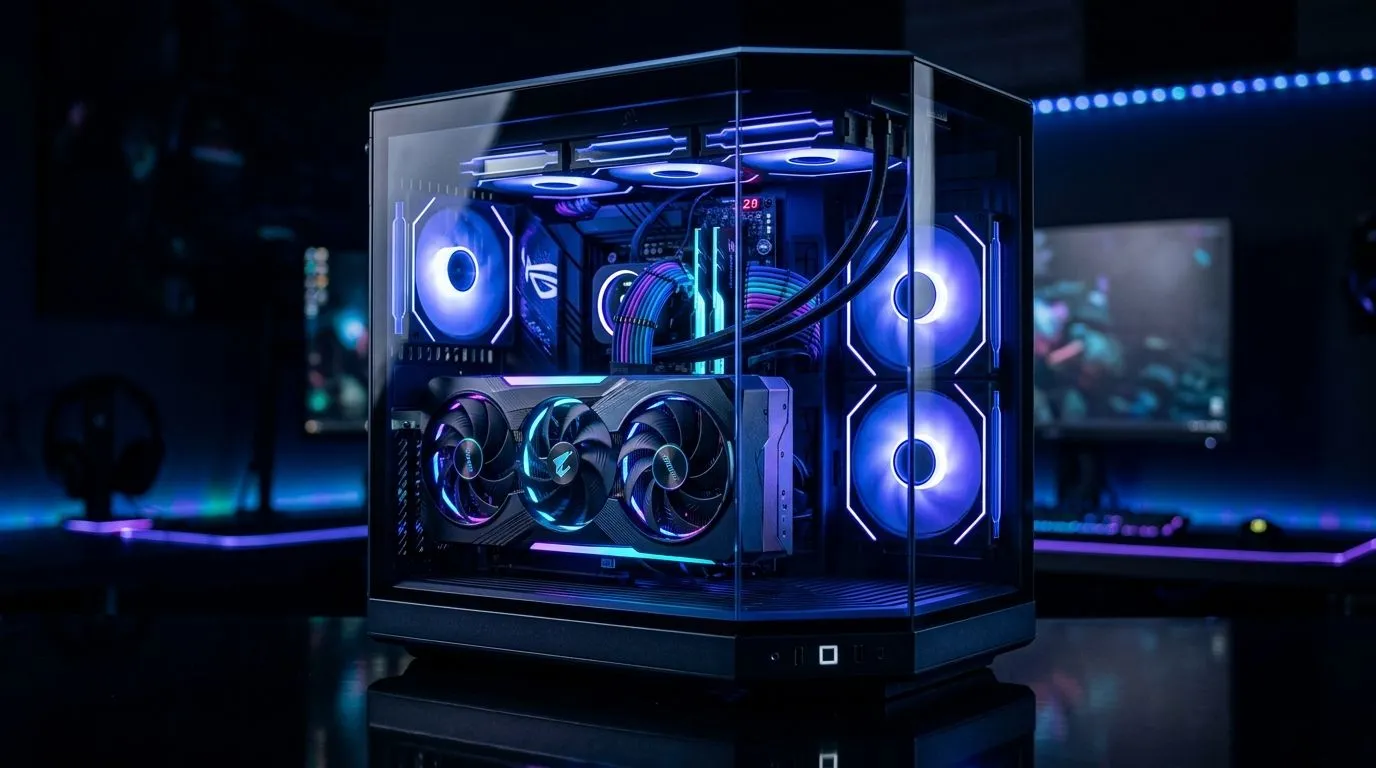
270° Panoramic Tempered Glass Case GPU Showcase Setup for South African Builds (That Actually Works)
Walk into your setup and the first thing people notice is the GPU. Not the RGB, not the fans… the card itself, framed like a centrepiece. If you’re building in South Africa and you want that “wow” moment without fighting airflow, a 270° panoramic tempered glass case GPU showcase setup is a smart move. 🔧
But here’s the catch: glass doesn’t cool. Layout does. So let’s plan a clean, safe, and good-looking showcase… that survives long gaming sessions.
270° Panoramic Tempered Glass Case GPU Showcase Setup: Choose the Right Case First
A true panoramic build is usually about three things: visibility, build space, and airflow paths. Before you buy, browse a case family and compare styles and dimensions. Start here: computer cases at Evetech and then narrow down by your vibe:
- Elegant glass + clean cable routing
- Enough GPU clearance (especially for thick cards)
- Fan support that matches your cooling plan
For inspiration, check specific ranges on our store:
- Fractal Design PC cases at Evetech
- Gamdias gaming cases at Evetech
- If you’re working with a tighter budget, this filtered set helps: Gamdias gaming cases under R1500
You’ll notice a pattern quickly: cases that look good often need a deliberate fan layout. Otherwise you get hot air trapped behind glass.
270° Panoramic Tempered Glass Case GPU Showcase Setup: Layout That Highlights Your GPU
Once your case is chosen, the “showcase” part is all about placement and cable management.
Mount the GPU like a display, not a mess
- Install the GPU fully seated and secure with screws.
- Keep the GPU power cables neat and routed behind the motherboard tray if the case allows it.
- Use short cable runs where possible, especially in open-glass sections.
Plan airflow for long sessions (not just boot)
A common mistake is adding more RGB fans but ignoring direction. For most builds:
- Intake fans bring cool air from the front or bottom.
- Exhaust fans push warm air out the top or rear.
If your case supports it, try a slightly positive pressure setup (more intake than exhaust). That helps reduce dust settling around the GPU and fans.
Keep clearance around the GPU bracket zone
Don’t let cables touch fan blades. Not only is it a noise problem… it can become a reliability issue over time with vibration.
GPU Showcase Pro Tip 🔧
On a 270° glass build, route GPU power cables flat and tuck them to the side where the panoramic window shows least “cable clutter.” A small zip-tie pass right after the GPU install keeps the look clean, and it also prevents cable drag on high-RPM fans during stress tests.
270° Panoramic Tempered Glass Case GPU Showcase Setup: Lighting Without Thermal Regret
RGB is fun… but lighting should never be the reason your GPU throttles. Keep these priorities in order:
- Fan orientation and dust control
- Cable management and unobstructed airflow
- RGB placement after temperatures are stable
If your GPU has a “hot spot,” the glass side can make it visually stunning but thermally unforgiving. That means you should test under load and watch temps, not vibes.
Final Checklist Before You Show It Off (And Finally Smile) ✨
Before you invite friends over or post the build:
- Confirm GPU power connectors are fully clicked in.
- Check all fans spin freely with no cable contact.
- Run a short gaming or benchmark session and verify temps stay reasonable.
- Do a final “door close” cable inspection through the glass. If you can see the cable, you can improve it.
Ready to turn your panoramic case into a clean, high-performance showcase? 🔥
Ready to Find Your Perfect Match? The Mac vs Windows debate is complex, but for maximum power, choice, and value in South Africa, Windows is hard to beat. Explore our massive range of laptop specials and find the perfect machine to conquer your world.











