


Best Laptop for Wits Students Under R8000
Top Laptop for Wits Students Under R8000 picks evaluated on performance, value & SA availability with current Rand pricing from Evetech.
Read moreChoosing between an air-cooled vs liquid-cooled GPU is crucial for performance. Discover which thermal setup suits your build for lower noise and better thermals. 🌡️💻
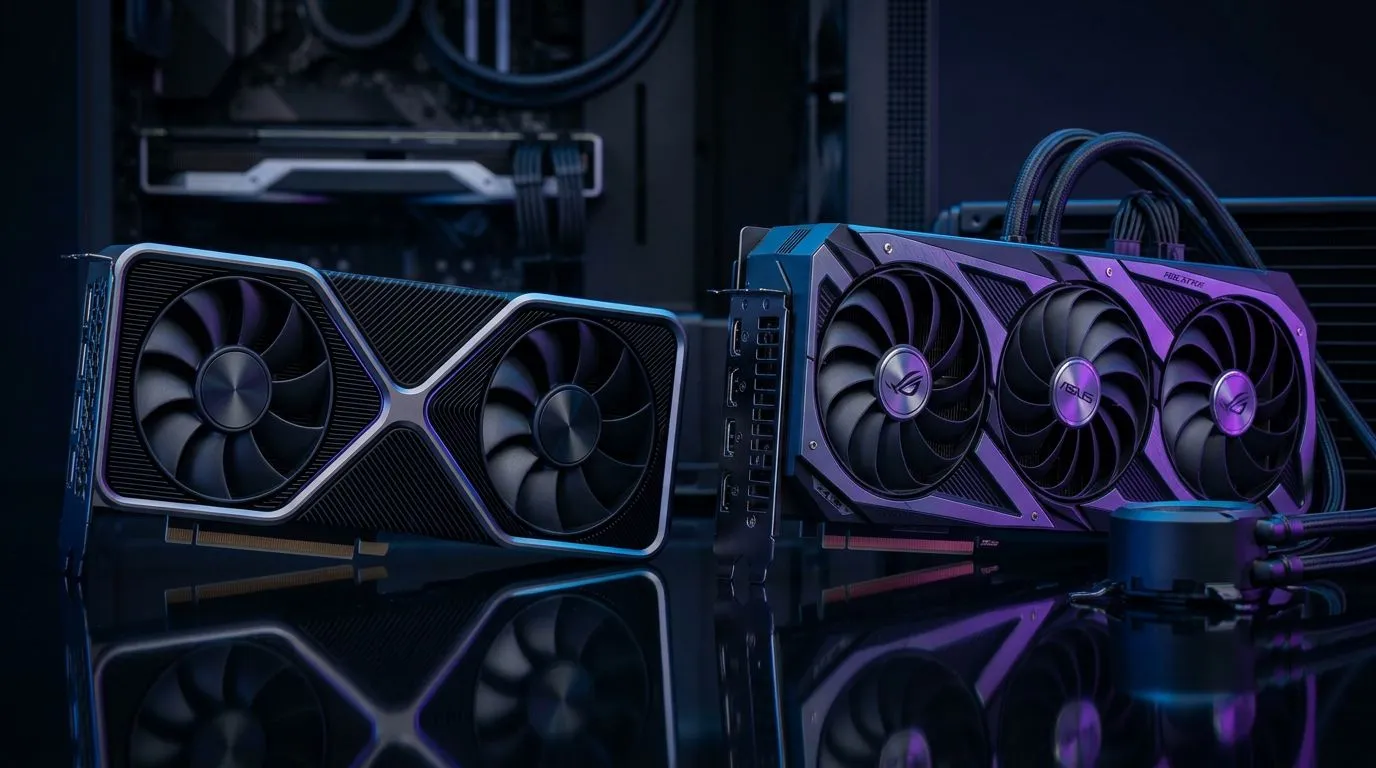
If you’ve ever pushed a GPU hard in a warm SA gaming room… you’ve felt the difference between “it’s fine” and “why is it throttling?” 🔥 Whether you’re gaming on a budget or building something for 4K, choosing between air cooling and liquid cooling affects noise, temperatures, and long-term reliability. ⚡
But here’s the real question: which thermal solution wins for your build lab setup? Let’s break it down clearly, without marketing fluff.
Air-cooled GPUs use fans and heatsinks to move heat away from the GPU core and memory. Liquid-cooled GPUs (more accurately, “hybrid” or “closed-loop”) use a sealed pump and cold plate to move heat into a radiator and then dump it with case fans.
In plain terms:
For most players, performance ends up similar under the same power limits. Cooling mainly influences boost behaviour and fan noise, not magic extra FPS.
Air cooling typically wins when you want:
Air cooling is often the better choice if:
Evetech carries a broad set of NVIDIA and Radeon cards across different cooling designs, so you can match the GPU to your case and noise tolerance. Browse options:
Closed-loop liquid coolers can bring advantages:
That said, liquid cooling is not “maintenance-free forever” in practice. The system is sealed, but you still need to:
If your case supports it, prioritize radiator placement where hot air can actually escape. Front or top radiator layouts can work, but it depends on fan direction and your overall case airflow.
On Windows, use the PowerToys FancyZones utility to create custom snap layouts for your windows. It's a lifesaver for managing multiple apps on an ultrawide monitor, letting you organise your timeline, preview window, and asset folders perfectly for video editing.
Here’s a quick guide you can use before you buy:
If two GPUs are similar in design and you run the same workloads, the “winner” usually comes down to:
That’s why it’s smart to shop with your case in mind, not just the marketing tag.
If you’re ready to compare models side-by-side, start with category filters. Evetech makes it easy to browse matching GPU types.
When you find a card you like, check the cooling configuration details and think about your airflow. Then decide: air for simplicity… or liquid for acoustics and thermal headroom.
Ready to Find Your Perfect Match? The Mac vs Windows debate is complex, but for maximum power, choice, and value in South Africa, Windows is hard to beat. Explore our massive range of laptop specials and find the perfect machine to conquer your world.
Liquid-cooled GPUs generally maintain lower temperatures, allowing for higher, more consistent boost clocks, though air-cooled models are highly efficient for most users.
Yes, liquid cooling often runs quieter because it uses larger radiators and fans to dissipate heat, preventing the loud fan ramps common in air-cooled GPU models.
Ensure your case has sufficient mounting space for the radiator and that the tubing length is adequate for your specific motherboard and GPU positioning.
AIO liquid-cooled GPUs are simple to install, but custom loops require advanced maintenance and careful planning to ensure no leaks occur.
Liquid cooling is superior for long sessions as it manages sustained heat loads more effectively, preventing thermal throttling during intense gameplay.
Air-cooled GPUs rely on internal airflow, so a well-ventilated case with high-quality intake and exhaust fans is essential for optimal thermal performance.
Top Laptop for Wits Students Under R8000 picks evaluated on performance, value & SA availability with current Rand pricing from Evetech.
Read more
Build Your R8,000 Student Laptop Setup: Complete. Clear setup instructions with SA-specific considerations, troubleshooting tips & recommended components.
Read more
Wits Laptops Under R8000: Q4 Report. Full parts list, Rand pricing & expected performance. Build confidently with SA-available components.
Read more
Top Laptops Under R8,000 picks evaluated on performance, value & SA availability with current Rand pricing from Evetech.
Read more
Top Budget Monitor for MacBook Under R5,000 picks evaluated on performance, value & SA availability with current Rand pricing from Evetech.
Read more
NWU Laptops Under R8000: Q3 Report. Full parts list, Rand pricing & expected performance. Build confidently with SA-available components.
Read more
CS2 Low FPS: Monitor Bottleneck. Real-world benchmark data, FPS numbers & performance analysis. What SA gamers can actually expect.

Is AOC a Good Monitor Brand for Gaming in South Africa Detailed answer with SA data, expert analysis & practical recommendations for local buyers.

What Gaming Monitor Can You Get for R20,000. Full parts list, Rand pricing & expected performance. Build confidently with SA-available components.

What Gamers Actually Bought: November Report. Real purchase data from SA retailers revealing what local buyers are actually choosing and why.

Can the RX 7700 XT Handle 1440p 144Hz Gaming. Performance testing verdict with real data & practical recommendations for SA buyers.

Top Laptop with Core i7 + RX 7700S: Picks picks evaluated on performance, value & SA availability with current Rand pricing from Evetech.

RX 7700 XT Black Myth Wukong 2 FPS: Performance. Real-world benchmark data, FPS numbers & performance analysis. What SA gamers can actually expect.

RTX 6080 Gran Turismo 7 PC Performance: FPS Test. Real-world benchmark data, FPS numbers & performance analysis. What SA gamers can actually expect.

Eliminate background noise in gaming voice chat using cardioid microphones to focus on your voice and reject room sounds. Get cleaner comms fast with smart placement and settings—🎮🎧

Wondering how much to spend on a high-end gaming headset in South Africa? We break down budget vs performance, what you actually get, and smart upgrade steps 🎧⚡

Wondering about THX Spatial Audio vs 7.1 surround for positional awareness? We compare imaging, depth, and cueing so you can pick the best option for gaming. 🎧👣

50mm bio-cellulose drivers vs standard drivers: does material affect audio precision? Compare clarity, bass control, and imaging so you can choose the right headphones. 🎧🔍