

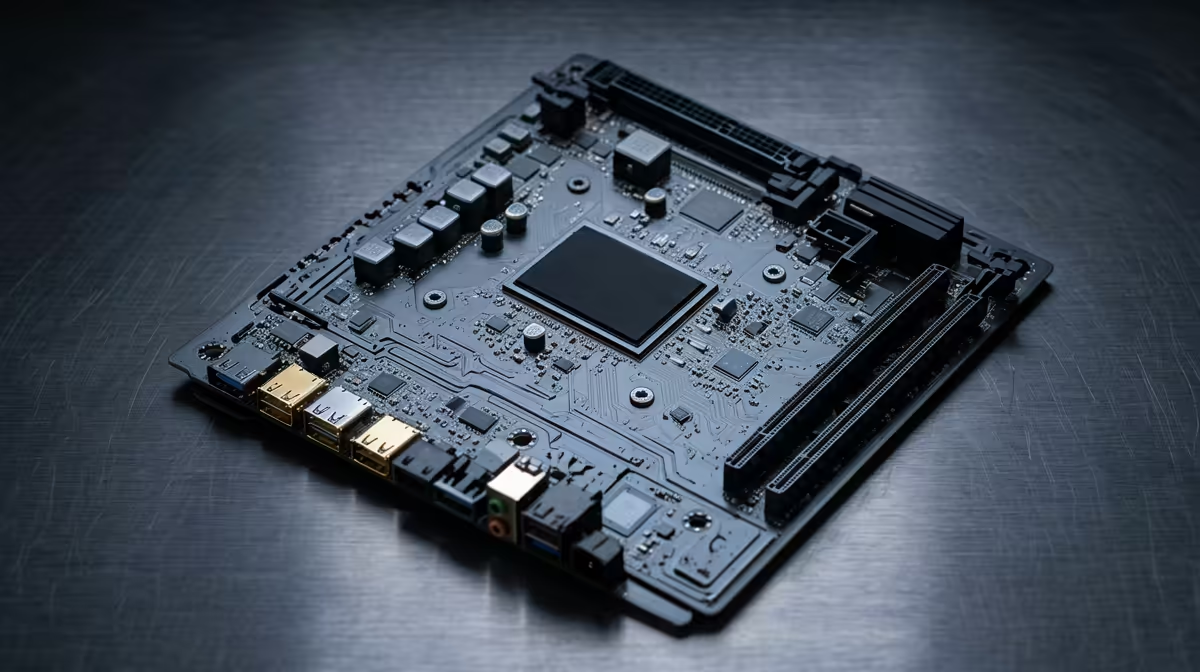
So, you’ve saved up around R30,000 for a powerful new editing PC. You’ve picked your CPU and GPU, but now you’re staring at a wall of motherboards, and they all look the same. Lekker. Don’t stress… picking the best motherboard for your editing PC is the secret to unlocking your machine’s true potential. It’s the foundation that ensures your pricey components actually perform as advertised, preventing bottlenecks that kill creativity.
Why Your Motherboard is the Unsung Hero of Your Editing Rig
Think of a motherboard as the central nervous system of your computer. It’s not just a circuit board; it’s the high-speed communications hub that connects every single component. For a video editing or content creation PC, a cheap, entry-level board just won't cut it. You need stable power for long renders, fast connections for massive project files, and room to grow.
A quality motherboard ensures your CPU gets consistent, clean power, preventing crashes when you're exporting a 4K timeline. It also dictates your storage speed and connectivity options. This principle of a balanced build is crucial, even when looking at more affordable budget gaming PCs, where a solid foundation makes all the difference. 🔧
Key Features for a R30k Editing Motherboard
When you're searching for the best motherboard for an editing PC within a R30k budget, a few features stand out as non-negotiable. It’s not about flashy RGB (though that’s cool too), it’s about practical performance that makes your workflow smoother.
Chipset and CPU Synergy
For a build in this price range, you’re likely looking at either an Intel B760 or an AMD B650 chipset. Both are fantastic mid-range options that support the latest technologies like PCIe 5.0 and DDR5 RAM without the premium price of their high-end counterparts. The key is to match your board to your chosen CPU to ensure stability and access to all its features.
Connectivity That Counts ✨
Video editing involves huge files. You'll be transferring footage from cameras, external drives, and network storage. Look for a motherboard with:
- Multiple high-speed USB ports: At least one USB 3.2 Gen 2x2 (20Gbps) or USB-C port is ideal for fast external SSDs.
- 2.5Gb Ethernet: Faster than the standard 1Gb port, this speeds up transfers to a local NAS or server.
- Wi-Fi 6/6E: If you’re working wirelessly, this is essential for a stable, fast connection.
Great connectivity is a hallmark of quality builds, which you'll notice across many of our best gaming PC deals where fast I/O is critical for peripherals and streaming.
RAM and Storage Potential
Your editing software loves RAM and fast storage. A good motherboard for a creative build should have:
- Four DIMM (RAM) slots: This allows you to start with 32GB (2x16GB) and easily upgrade to 64GB later without replacing your existing kit.
- At least two M.2 NVMe slots: One for your operating system and apps, and a second dedicated drive for your project files and cache. This dramatically improves timeline scrubbing and render speeds compared to older SATA SSDs. This expandability is a key differentiator from many PCs under R20k, where you might be limited to a single M.2 slot.
Our Recommendations for a Balanced R30k Build
So, which specific board is the best? The answer changes with stock and pricing, but the type of board to look for remains consistent. For a roughly R30,000 build, you should focus on mid-tier B760 (for Intel 13th/14th Gen) or B650 (for AMD Ryzen 7000 series) motherboards.
Brands like MSI (with their TOMAHAWK series), Gigabyte (AORUS ELITE), and ASUS (TUF Gaming) all offer excellent options in this space. They provide a strong balance of robust power delivery (VRMs), good cooling, and the essential connectivity we discussed. These are the kinds of boards we trust in our own PCs in the R20k+ range, ensuring reliability for demanding tasks.
Check Your Clearances! 🔧
Before you buy, double-check that your chosen motherboard's heatsinks (especially around the VRM and chipset) won't interfere with a large air cooler or the top fans in your PC case. A few millimetres can be the difference between a perfect fit and a frustrating rebuild. Always check the component dimensions on the official product pages.
Don't Want to Build? No Problem 🚀
Choosing the best motherboard for your editing PC is a critical step that pays off every time you sit down to create. It ensures every component you paid for performs at its peak, giving you a stable, responsive, and powerful machine.
But we get it... sifting through specs and building a PC from scratch isn't for everyone. If you want all the performance without the hassle of assembly and troubleshooting, a professionally built machine is the perfect solution. You can check out our expertly configured pre-built PC deals, where we've already done the hard work of matching the perfect components for you.
Ready to Build Your Creative Powerhouse? Choosing the right motherboard is the key to a powerful editing rig. Whether you're building it yourself or want a professionally assembled PC, we've got the hardware to bring your vision to life. Browse our huge range of PC components and start creating today.











