

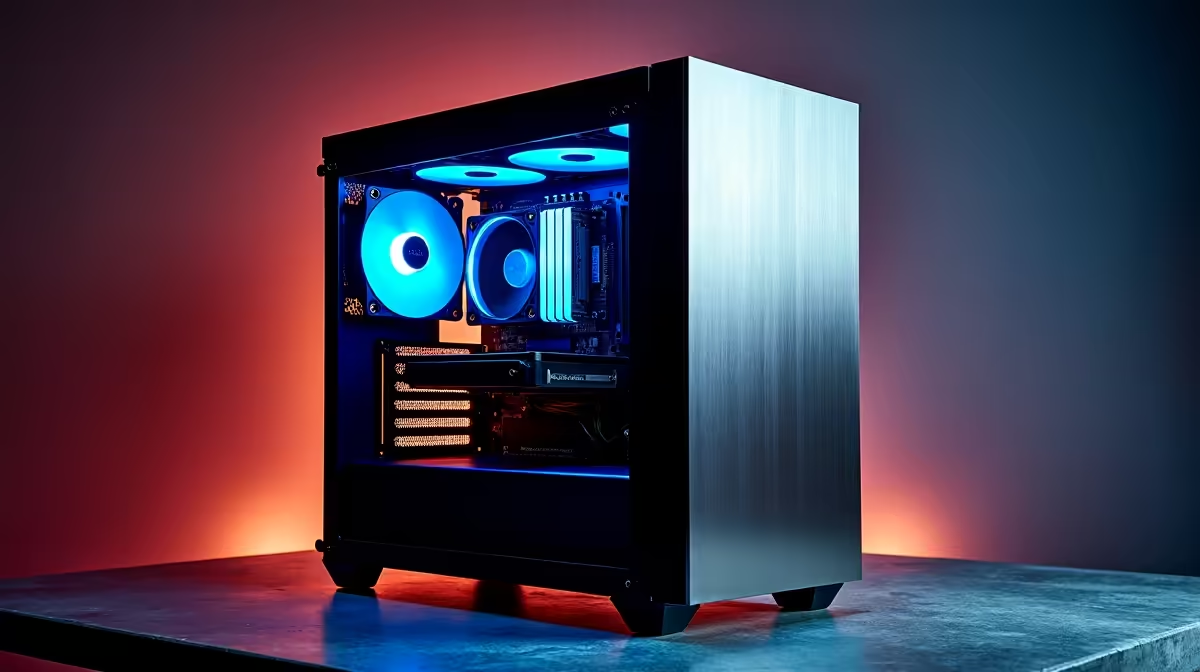
A R100,000 budget for a productivity PC build in South Africa in 2026 puts you firmly in the professional workstation tier - a category where component selection decisions have real consequences for render times, compilation speeds, multitasking headroom, and application responsiveness. This is not a gaming-focused build; it is optimized for sustained professional output across demanding software environments.
Quick Answer
What is the best productivity PC build under R100,000 in South Africa for 2026? At this budget, a Ryzen 9 9950X or Intel Core Ultra 9 285K paired with 64–128GB DDR5, a high-speed NVMe SSD array, an RTX 5070 or Arc Pro GPU, and a quality workstation case delivers professional-grade performance for video editing, 3D rendering, software development, and data science workloads.
🔧 CPU and Memory: The Productivity Foundation
For pure productivity - video editing, 3D rendering, code compilation, data processing - a high core count CPU is the most impactful single component choice. The AMD Ryzen 9 9950X (16 cores, 32 threads, Zen 5 architecture) is the clear recommendation at this budget tier. It dominates multi-threaded workloads in Premiere Pro, DaVinci Resolve, Blender, and development build systems. The Intel Core Ultra 9 285K offers competitive performance in certain application profiles and should be considered if your workflow is heavily single-threaded or requires Intel-specific optimizations.
Memory is the second pillar. Productivity applications - particularly video editing with multiple streams, 3D software with complex scene data, and virtual machines - consume RAM voraciously. At this budget, spec 64GB DDR5 as a baseline, with a 128GB option strongly recommended for video professionals and data scientists working with large datasets. DDR5 at 6000 MT/s CL30 is the sweet spot for Zen 5 performance.
A quality X670E motherboard provides PCIe 5.0 bandwidth for both GPU and storage - important when future-proofing a R100,000 investment. Ensure the board supports your full RAM capacity and has at least two M.2 slots for the NVMe configuration below.
📊 Storage, GPU, and Display Recommendations
For professional productivity, storage architecture matters as much as raw speed. Recommended setup:
- Primary NVMe (OS + Applications): PCIe 5.0 NVMe SSD, 2TB - delivering 12–14 GB/s sequential reads for fast application launch and project loading
- Secondary NVMe (Project Working Files): PCIe 4.0 NVMe SSD, 4TB - sustained scratch disk performance for video timelines and large file workflows
GPU selection for productivity depends on your software stack. For video editing and color work in DaVinci Resolve or Premiere Pro, an RTX 5070 or RTX 5070 Ti provides excellent GPU-accelerated rendering and CUDA compute performance. For 3D workflows in Blender or Maya, VRAM capacity is critical - prioritize models with 16GB+ VRAM. Professional-class GPUs (NVIDIA RTX Pro series or AMD Radeon Pro) offer ISV certification for CAD and engineering applications but command a significant premium that may not be justified for creative workflows.
Power supply at this tier: a 1000W 80 PLUS Gold or Platinum unit provides headroom for all components and any future upgrades. A quality mid-tower or full-tower case with excellent airflow (front intake, rear and top exhaust) keeps components cool during extended renders that push CPU and GPU to sustained loads.
💡 Putting the Budget Together for SA Buyers
Sample component allocation under R100,000 in the 2026 SA market:
- CPU (Ryzen 9 9950X): R11,000–R14,000
- Motherboard (X670E mid-range): R5,000–R8,000
- RAM (64GB DDR5 6000MHz): R4,500–R7,000
- Primary NVMe SSD (2TB PCIe 5.0): R3,000–R5,000
- Secondary NVMe SSD (4TB PCIe 4.0): R3,500–R5,500
- GPU (RTX 5070): R17,000–R22,000
- PSU (1000W Gold): R2,500–R4,000
- Case: R1,500–R3,000
- CPU Cooler (360mm AIO or top-end air): R2,000–R4,000
- Monitor (27" 4K IPS): R5,000–R10,000
Total: approximately R55,000–R82,000 depending on component tier selection, leaving headroom within the R100,000 budget for peripherals, a UPS, or RAM upgrade to 128GB.
For South African professionals, a UPS investment alongside this build is worthwhile - voltage fluctuations and brief outages can corrupt unsaved work and risk hardware damage to sensitive components during power events.
❓ Frequently Asked Questions
Should I prioritize CPU cores or GPU VRAM for video editing? Both matter, but for most video editing workflows, GPU VRAM is the practical bottleneck first. Ensure at least 12–16GB VRAM for 4K multi-stream editing. CPU core count becomes the primary factor for export rendering times - more cores directly reduces render duration.
Is the Ryzen 9 9950X better than the Intel Core Ultra 9 285K for productivity? For most multi-threaded productivity workloads, the Ryzen 9 9950X holds a consistent advantage in Blender, compression, and compilation benchmarks. The Core Ultra 9 285K leads in certain single-threaded tasks and some content creation applications. Your specific software stack should guide the final decision.
Do I need ECC memory for a professional productivity build? For most creative and development workloads, standard DDR5 is sufficient and significantly more cost-effective. ECC memory is essential for mission-critical data integrity applications (scientific computing, financial systems, long-running simulations) but adds cost and limits memory speed options without meaningful benefit for typical professional workflows.
What monitor is best for a R100,000 productivity build? A 27-inch 4K IPS panel with 99% sRGB coverage and factory calibration is the recommended baseline. For color-critical work in photography or video, target 100% DCI-P3 coverage and hardware calibration support. Budget R5,000–R15,000 for a monitor that matches the quality of the system it is connected to.
Compare Graphics Card Deals and Evetech Best Sellers at Evetech for the latest specs and SA deals.
Ready to Find Your Perfect Match? Shop at Evetech











