

Quick Answer
Under R50,000 in SA, the best video editing setup pairs a Ryzen 7 7700X or Ryzen 9 7900X, RTX 4070 or RX 7800 XT, 64GB DDR5, and a 2TB Gen 4 NVMe with a 27-inch 1440p IPS monitor. This handles 4K timelines in DaVinci Resolve and Premiere Pro at smooth playback with room to grow into After Effects and 8K work.
Where the R50,000 Should Go
Video editing PCs need balance, not just a flagship CPU or a top-tier GPU. The right split for R50,000 in SA in 2026 sits roughly at: R8,000 CPU + motherboard + RAM (platform), R12,000 GPU, R6,000 storage, R3,000 PSU + case + cooling, R10,000 monitor, R5,000 peripherals + audio + colour calibration, with about R6,000 in headroom for tax, delivery, and small items.
This split keeps the PC strong on every dimension: timeline scrubbing benefits from CPU, effects rendering benefits from GPU, multi-track editing benefits from RAM, asset streaming benefits from NVMe, and colour work benefits from a calibrated monitor.
Recommended Core Build
CPU and Platform
Ryzen 7 7700X or Ryzen 9 7900X on a B650 motherboard. The 7900X's 12 cores help with H.265 encoding and parallel render workflows, but the 7700X is plenty for most editors. AM5 also gives you upgrade paths to Ryzen 9000-series chips later.
GPU
RTX 4070 (12GB) or RX 7800 XT (16GB). Premiere Pro and DaVinci Resolve both benefit from CUDA on NVIDIA cards, particularly Resolve's neural engine effects. The RX 7800 XT gives you 16GB of VRAM, which helps with 4K and 6K timelines. Pick NVIDIA if you use NVENC for fast H.264/H.265 export, pick AMD if VRAM matters more than encoder speed.
RAM
64GB DDR5-6000 CL30. 32GB is workable but pinch-y once you stack After Effects, Premiere, Photoshop, and a browser. 64GB is the comfort tier for under R50,000.
Storage
2TB Gen 4 NVMe (WD Black SN850X or Samsung 990 Pro) for OS and active projects, plus a 4TB SATA SSD for archive. Fast scratch disk is critical for 4K editing.
PSU and Case
750W 80+ Gold PSU, fully modular, in a quiet airflow case like the Fractal North or NZXT H5 Flow.
The Monitor: The Most Underrated Spend
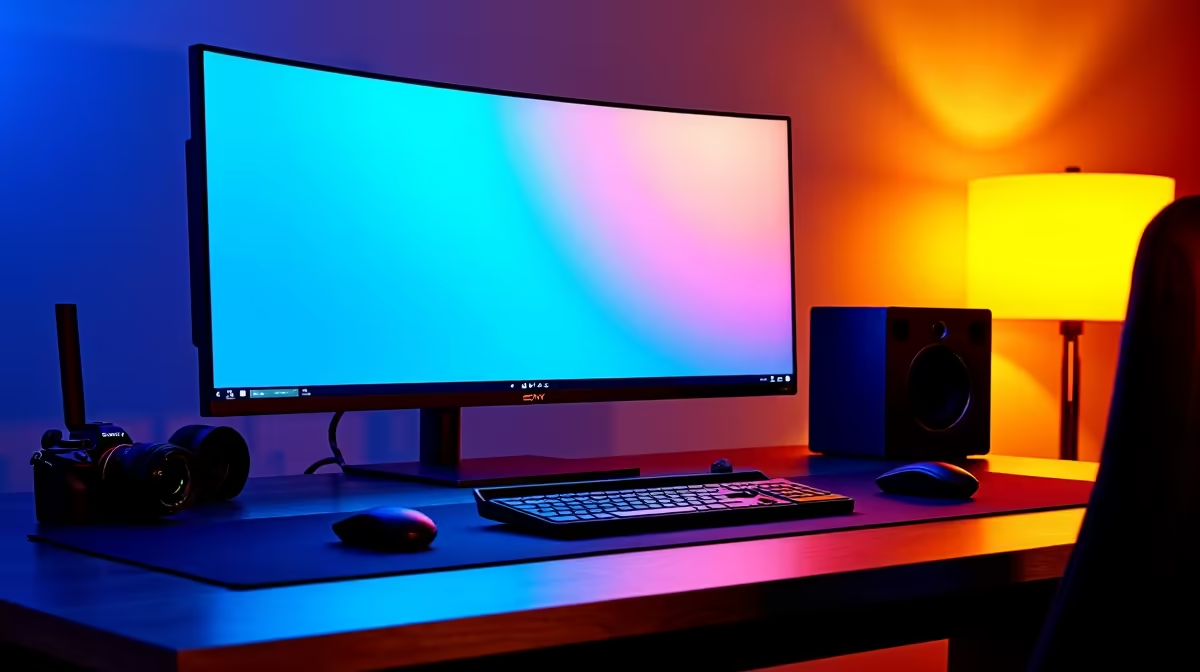
A calibrated 27-inch 1440p IPS panel with 99 percent sRGB or wider P3 coverage is the minimum for serious video work. SA pricing for a quality LG, Dell, or BenQ panel sits around R6,500 to R10,000. Add a hardware colorimeter (X-Rite or Datacolor) for around R3,500 if you deliver client work, calibration drift over six months is the silent killer of colour accuracy. For dual-screen workflows, a second 24-inch 1080p panel for timeline tools is a smart R3,000 add-on.
Storage Strategy for SA Editors
Loadshedding makes external SSD use risky for active edits, USB drops mid-write can corrupt projects. Keep active edits on internal NVMe and use external drives only for archive and transport. Pair the system with a 1500VA UPS, which gives you 10 to 20 minutes to save and shut down cleanly. Cloud backup via Google Drive, Dropbox, or backblaze should be running constantly for project files (not media), since SA fibre uploads are now fast enough to make this practical.
Software and Workflow Considerations
DaVinci Resolve Free is genuinely production-grade for SA editors and runs beautifully on this build. Premiere Pro and After Effects via Adobe Creative Cloud is around R600/month locally and benefits from RTX hardware. CapCut Pro is rising fast for short-form content. Plan to allocate R3,000 to R6,000 in software for the first year depending on your needs.
Common Mistakes Under R50,000
First, don't overspend on CPU at the expense of GPU, modern editing leans heavily on GPU effects. Second, don't skip the calibrated monitor, an uncalibrated panel undoes hours of careful colour grading. Third, don't buy a 1TB drive thinking you'll add storage later, 4K media fills 1TB faster than you'd believe. Fourth, don't skip the UPS, lost render hours from loadshedding cost real money.
Frequently Asked Questions
What is the best video editing setup under R50,000 in South Africa?
A Ryzen 7 7700X or Ryzen 9 7900X paired with an RTX 4070 or RX 7800 XT, 64GB DDR5, 2TB NVMe, and a calibrated 27-inch 1440p IPS monitor. This balance handles 4K editing in Resolve and Premiere with comfortable headroom for After Effects and motion graphics work.
Do I need 64GB of RAM for video editing?
For casual 1080p YouTube editing, 32GB is enough. For 4K work, multi-app workflows (Premiere + After Effects + Photoshop), or anything client-facing, 64GB removes a real bottleneck and is the right call within an R50,000 budget.
Do I need special tools or parts in SA for a video editing build?
No unique tools, just a magnetic Phillips screwdriver and an anti-static wrist strap. All parts are stocked locally at Evetech with proper SA warranty. The one accessory worth importing is a colorimeter if not available locally, but most major brands (X-Rite, Datacolor) are now stocked countrywide.
Ready to Find Your Perfect Match? Ready to build your editing rig? See video editing PC deals at Evetech











