

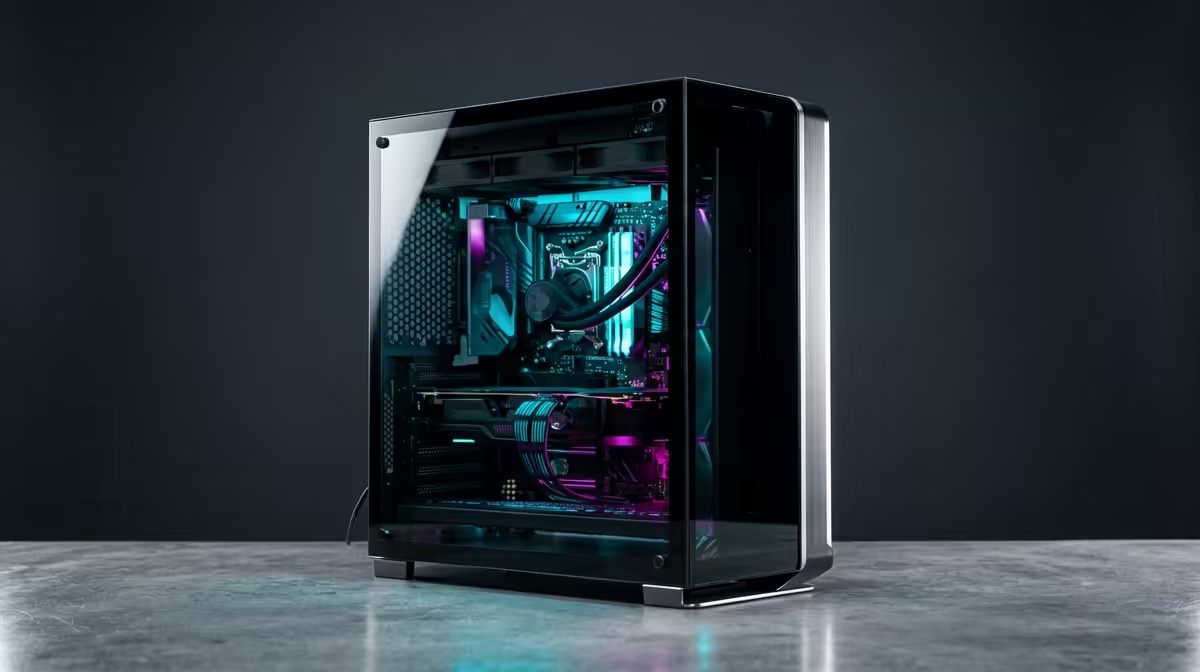
So, you're a creator in South Africa. You've got the vision, the talent, and a timeline that's screaming for attention. The only problem? That dream editing rig seems to have a price tag that’s more Hollywood blockbuster than indie film. What if we told you that a powerful, responsive budget editing PC build isn't a myth? It’s about spending smart, not spending big, and we’re here to show you how.
The Foundation of a Great Budget Editing PC Build
Building an editing PC on a budget isn't about buying the cheapest parts. It's a strategic game of allocation… knowing where to invest your hard-earned Rands for the biggest performance gains. For video editing, photo processing, or graphic design, your money should overwhelmingly favour two key areas: the Central Processing Unit (CPU) and Random Access Memory (RAM).
A powerful CPU with multiple cores and threads will slice through encoding tasks and complex timelines, while sufficient RAM ensures you can multitask between Adobe Premiere Pro, After Effects, and Photoshop without your system grinding to a halt. Everything else is important, but these two are non-negotiable.
Choosing Your Processor: The Heart of the Machine ⚡
The CPU is where your rendering and processing power lives. For years, the debate has raged between Intel and AMD, but today, the fantastic news for anyone planning an affordable editing build is that you can't really make a bad choice. Both brands offer incredible performance for the price.
Intel's Core Series
Intel CPUs, particularly the Core i5 and i7 lines, offer brilliant single-core performance, which is crucial for smooth software responsiveness and timeline scrubbing. They are workhorses that deliver reliable, consistent power. If you want to see how they stack up in complete systems, you can explore some of the latest Intel PC deals to get a feel for current pricing and configurations.
AMD's Ryzen Powerhouses
AMD's Ryzen processors, especially the Ryzen 5 and Ryzen 7 series, have become legendary for their multi-core performance. More cores mean more power for parallel tasks like exporting video or rendering 3D scenes. This often gives them an edge in raw production speed, making them a top choice for a budget editing PC build focused on heavy workloads. You can find some seriously powerful rigs in our complete AMD Ryzen PC deals section.
Ultimately, the best choice often comes down to the best deal available at the time of your build.
RAM and Storage: Your Workflow Accelerators
If the CPU is the heart, RAM and storage are the circulatory system. Skimp here, and you'll create a bottleneck that even the fastest processor can't overcome.
For a modern editing PC on a budget, 16GB of DDR4 or DDR5 RAM is the absolute minimum. However, if you can stretch your budget just a little, upgrading to 32GB will be the single most noticeable improvement you can make. It allows for smoother 4K editing, better multitasking, and fewer frustrating slowdowns.
For storage, the game has changed. A fast NVMe SSD is essential.
- Boot Drive (NVMe SSD): Install your operating system and all your creative applications here for lightning-fast startup times. A 500GB or 1TB drive is a great starting point.
- Project/Media Drive (SATA SSD or HDD): You can use a larger, more affordable SATA SSD or even a traditional Hard Drive (HDD) to store your raw footage and completed projects.
Editing Pro Tip 🔧
For a massive performance boost in Premiere Pro or DaVinci Resolve, use a separate, dedicated NVMe SSD as your 'Media Cache' or 'Scratch Disk'. This separates the read write tasks from your OS and project files, resulting in a buttery-smooth timeline scrubbing experience, even with high-resolution footage.
The Graphics Card (GPU): Smart Spending for Visuals
Here’s where you can be clever with your budget. While a high-end GPU is crucial for 3D animation and intense colour grading, many video editing tasks rely more on the CPU. A mid-range graphics card from NVIDIA's RTX 30-series or AMD's RX 6000-series is more than capable of handling GPU-accelerated effects and delivering smooth playback in your preview window.
The key is balance. There's no point pairing a top-tier GPU with a weak CPU. By focusing your budget on the core components first, you create a balanced and powerful budget editing PC. You can see this philosophy in action across many of our pre-built PCs under R20k, which offer a fantastic, optimised starting point without the hassle of building it yourself. ✨
Ready to Craft Your Dream Machine? Building a powerful editing PC doesn't have to drain your bank account. It's about making smart choices that prioritise performance where it counts. Design your own budget editing PC with our Custom PC Builder and bring your creative vision to life.











