

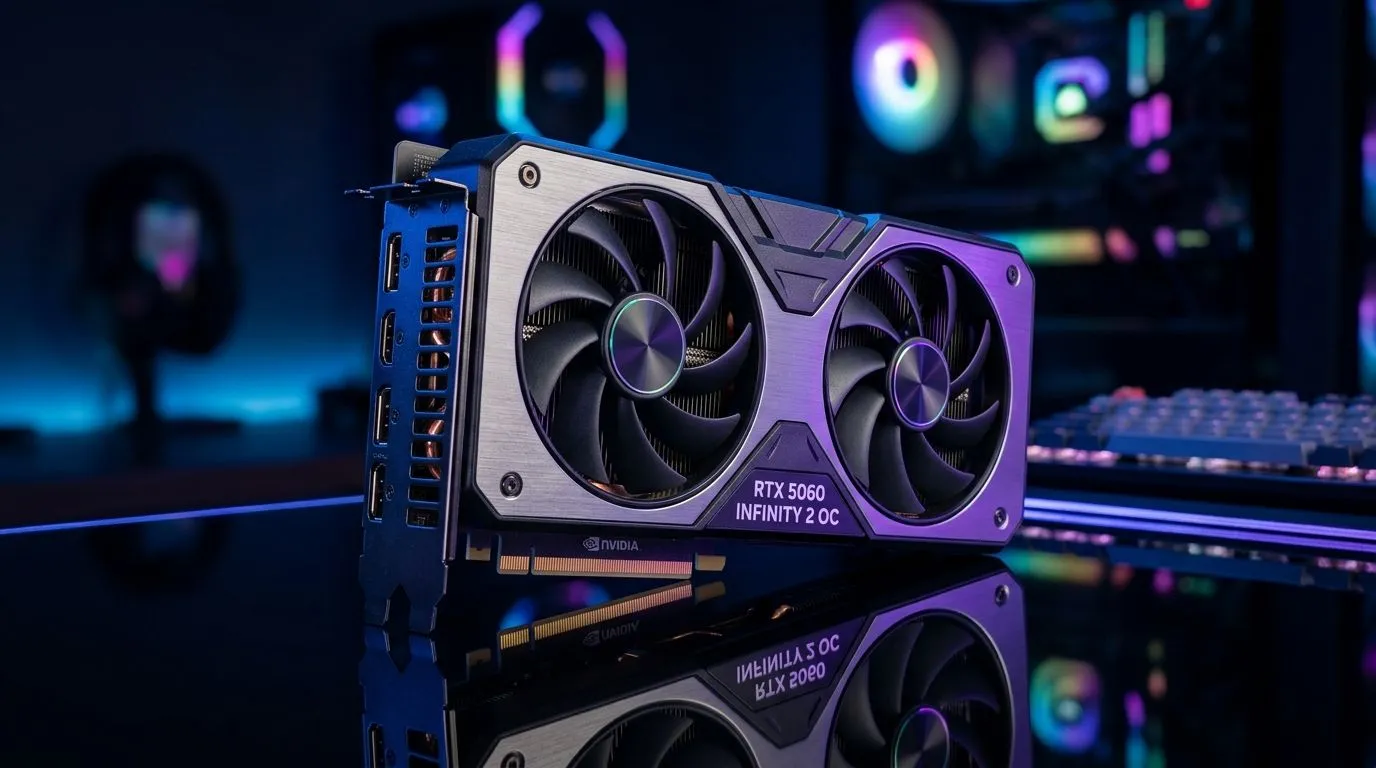
Build Lab: Build a Competitive Gaming PC with the RTX 5060 Infinity 2 OC that fits SA budgets
If you’re chasing smooth gameplay in 2026, you probably don’t want a “maybe it’ll run” PC… you want confidence. And in South Africa, every rand counts. With the right parts and smart settings, you can build a rig that feels fast in everyday games, competitive shooters, and even creator work.
This guide walks you through a practical build approach using the Build a Competitive Gaming PC with the RTX 5060 Infinity 2 OC idea, plus real-world checks like PSU headroom, cooling, and bottleneck avoidance. 🔧⚡
Build Lab: Plan the parts before you buy (so your PC doesn’t fight you)
A competitive gaming PC is less about chasing the highest number on a box… and more about balancing components.
Start with your target: FPS, resolution, and games you actually play
Ask yourself:
- What do you play most? (Valorant, Apex, Fortnite, Warzone, etc.)
- Are you gaming at 1080p, 1440p, or 4K?
- Do you care more about high FPS or visual quality?
Even without exact RTX 5060 benchmarks here, the general rule is consistent: at 1080p competitive settings, the CPU and RAM matter more. At higher resolutions, the GPU matters more. That’s why your whole build plan matters.
Match the platform to your upgrade path
Pick a motherboard that gives you:
- Enough M.2 slots for storage expansion
- Good VRM cooling (especially if you plan to upgrade later)
- Wi‑Fi/BT only if you truly need it
If you’re unsure where to start, browse Evetech’s broad GPU options to compare cards and families. This helps you sanity-check your direction early. ✨
Build Lab: Choose the GPU correctly for “competitive feel”
Why the RTX 5060 Infinity 2 OC belongs in this build
The RTX 50‑series focus is efficient performance for modern games, and the “OC” versions typically come with factory-tuned boosts. But the real win comes from staying within sensible power and cooling limits.
For South African buyers, that means: don’t oversize the PSU “just because”. Keep headroom reasonable, and ensure case airflow is actually able to move heat away from the GPU.
If you want to shop like a pro, use Evetech’s GPU category pages to compare listings and brands without guessing. 🚀
- Browse MSI options here: MSI graphics cards at Evetech
- Compare Radeon alternatives: Radeon graphics cards at Evetech
- Check the full GPU landscape: NVIDIA & ATI graphics cards at Evetech
- Stay focused on GeForce families: GeForce graphics cards at Evetech
Build Lab: Build the rest around the GPU (without bottlenecking)
Here’s how you keep performance stable, not spiky.
CPU: enough cores for modern games and background apps
Competitive players often have multiple apps running: Discord, browser tabs, overlays, clipping tools… and sometimes streaming. A CPU with solid single-thread performance and enough cores for multitasking usually gives the smoother “input feel” you’re after.
RAM: aim for stability, not just capacity
If your games stutter, it’s often RAM speed, insufficient RAM, or background memory pressure. For most modern gaming setups, 16GB is the minimum baseline many players still use, but 32GB is often the comfort choice when you keep lots of apps open.
Storage: NVMe SSD beats waiting times
Load times matter. Also, shader and cache behaviour tends to feel better on SSD storage. If budget allows, choose a reliable NVMe SSD and keep at least 15-20% free space for performance consistency.
PSU and cooling: the unsexy parts that prevent regret
A stable PSU helps avoid random crashes under load. Cooling helps your GPU maintain its boost clocks longer. In South Africa’s warm rooms and poorly ventilated setups, this is even more noticeable.
Productivity Pro Tip ⚡
On Windows, use the PowerToys FancyZones utility to create custom snap layouts for your windows. It’s a lifesaver for managing multiple apps on an ultrawide monitor, letting you organise your timeline, preview window, and asset folders perfectly for video editing.
Build Lab: Assembly checklist for a “competitive” first week
You don’t want to discover problems after you’ve already installed your whole library.
Before you close the case 🔧
- Reseat GPU and power cables
- Confirm RAM is fully clicked in
- Check M.2 is secure and screwed down properly
- Verify fan headers are connected (so fans actually spin)
After first boot: do these quick wins ⚡
- Update Windows and install GPU drivers
- Run a basic stress test to confirm stable thermals
- Set a custom fan curve only if you know what you’re doing (default curves are usually fine)
Game settings: don’t chase Ultra
For competitive games, start with:
- V-Sync off (unless you specifically need it for your monitor)
- Use your monitor’s refresh rate
- Lower shadow settings and keep textures at a level that looks good to you
Then test for smoothness using a consistent benchmark route in-game.
Build Lab: Local pricing reality (ZAR) and smart upgrading
In South Africa, prices can swing based on stock and import cycles. Instead of forcing the most expensive component, build a “core” that’s worth keeping for multiple upgrades:
- GPU stays as your main performance driver
- Storage stays useful across builds
- Platform choice (motherboard and PSU) determines how painless upgrades become
If you’re shopping now, compare availability and bundle value at Evetech, then lock in the parts that keep your build balanced. ✨
Build Lab: Ready for the next step? Shop and get it built
If you want a competitive gaming PC without the guesswork, the fastest path is picking parts that fit together and then letting a reputable store guide you through compatibility.
Ready to Find Your Perfect Match? The Mac vs Windows debate is complex, but for maximum power, choice, and value in South Africa, Windows is hard to beat. Explore our massive range of laptop specials and find the perfect machine to conquer your world.











