

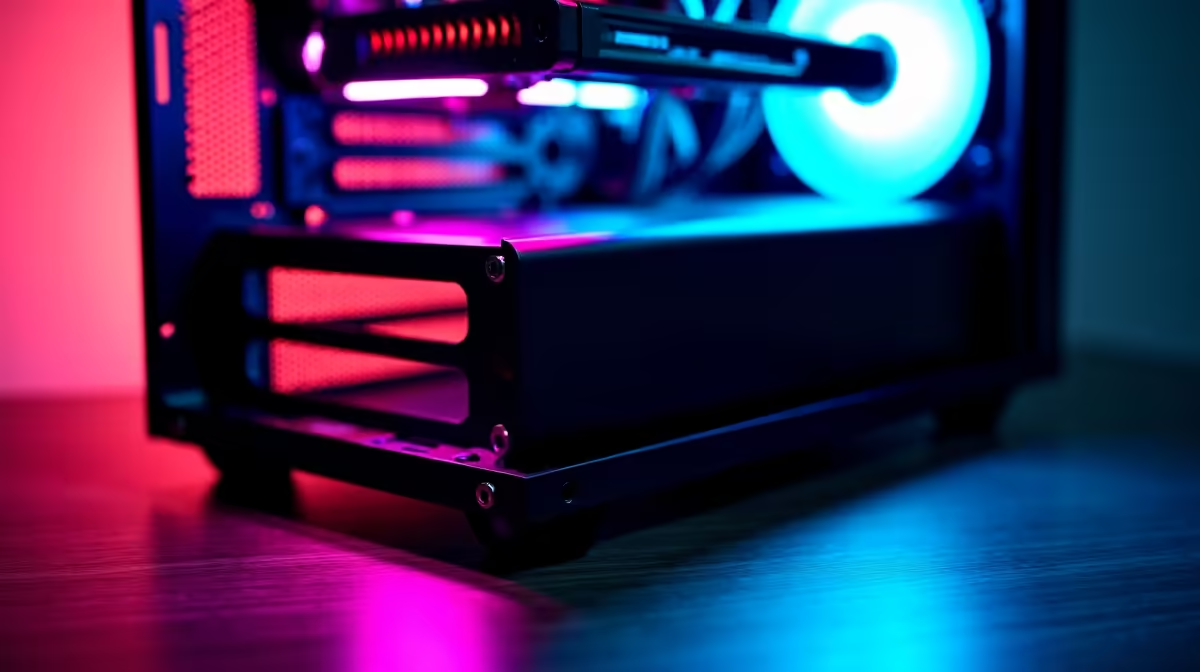
So, you’re dreaming of silky-smooth frame rates and a rig that’s uniquely yours? Welcome to the ultimate rite of passage for any serious PC gamer. The idea to build a gaming PC for beginners can feel like a massive challenge, but it’s simpler than you think. Forget the confusing jargon and endless forum threads. This is your straightforward, no-nonsense guide to building a powerful gaming machine right here in South Africa. Let's get building! 🔧
Why Build Your Own Gaming PC?
Before we grab a screwdriver, let's talk about the why. Assembling your own rig isn't just about saving a few bucks... though that's a nice bonus. It's about complete control. You choose every single component, from the processor's raw power to the colour of your case fans. This customisation ensures your PC is perfectly optimised for the games you play and the budget you have.
Plus, the knowledge you gain is invaluable. You'll understand how your machine works, making future upgrades and troubleshooting a breeze. It’s a rewarding project that ends with a powerful PC built by you, for you.
The Core Components: Your PC Building Shopping List
Every great gaming PC is built from the same set of core components. Getting familiar with them is the first step in our beginner's guide to PC building. Think of these as your squad, where each member has a vital role.
- CPU (Central Processing Unit): The "brain" of your PC, handling all the instructions and calculations.
- GPU (Graphics Processing Unit): The powerhouse that renders images, frames, and graphics. This is where most of your gaming budget should go.
- Motherboard: The central hub connecting all your components so they can talk to each other.
- RAM (Random Access Memory): Short-term memory for your PC, allowing it to quickly access data for multitasking and running games.
- Storage (SSD/HDD): Your long-term memory. An SSD (Solid State Drive) is essential for fast boot times and loading games quickly.
- PSU (Power Supply Unit): The heart of your rig, supplying clean and stable power to everything.
- Case: The skeleton that protects and houses all your precious hardware.
Budgeting Your Build: Finding the Sweet Spot
Deciding on a budget is crucial. You don't need to spend a fortune to get a fantastic 1080p gaming experience. For many starting out, exploring budget gaming PCs is a great way to see what's possible without breaking the bank.
A solid gaming rig can often be built for a reasonable price, and you'll find many excellent options in our range of PCs under R20k. If you're aiming for 4K resolutions and ultra settings, you'll be looking at more premium components found in our selection of powerful PCs above R20k.
A Simple Step-by-Step Guide to Assembling Your PC
Alright, you've got your parts. It's time for the fun bit. This simple step-by-step guide breaks down the assembly process. Take a deep breath… you’ve got this.
- Prep Your Space: Work on a large, non-conductive surface like a wooden table. Unbox everything and lay it out. Ground yourself occasionally by touching a metal object to discharge any static electricity.
- Motherboard First: The easiest way to build a gaming PC for beginners is to do an "out-of-case" assembly first. Gently lift the retention arm on the CPU socket, line up the arrows on the CPU and socket, and lower it in. Close the arm. Next, open the RAM clips, align the notch on the RAM stick with the slot, and press down firmly until both clips click into place.
- Case Prep: Install your motherboard's I/O shield (the little metal plate) into the back of the case. Screw in the motherboard "standoffs"—small brass screws that prevent the motherboard from shorting out on the case metal.
- Mount the Motherboard: Carefully lower your pre-assembled motherboard onto the standoffs and secure it with screws. Don't overtighten them!
- Install the GPU: Open the PCIe slot lock on your motherboard, remove the corresponding metal brackets from the back of your case, and firmly press your graphics card into the top-most long slot until it clicks. Secure it with screws. ✨
- Connect the Wires: This part can look intimidating, but your motherboard manual is your best friend. Connect the big 24-pin and 8-pin power cables to the motherboard, the GPU power cables, and the small, fiddly front panel connectors for your power button and USB ports.
Cable Management Pro Tip ⚡
Use the cutouts and channels in your PC case to route cables behind the motherboard tray. This isn't just for looks! Good airflow is critical for keeping your components cool and running at peak performance. A few zip ties can make a huge difference, turning a rat's nest into a clean, professional-looking build.
- The First Boot: Plug in your power cable, monitor, and keyboard. Press the power button. If the fans spin and you see the manufacturer's logo on screen (the BIOS/UEFI screen), congratulations! You've successfully built your first gaming PC. 🚀
What If It Doesn't Turn On?
Don't panic! It happens to even experienced builders. The most common issues are simple connection problems. Double-check that your RAM is fully clicked in and that all power cables are securely connected to the motherboard, GPU, and PSU.
Building a PC is an amazing experience, but we get it... sometimes you just want to jump straight into the game. If you'd rather skip the assembly, our experts have you covered. You can explore some of the best gaming PC deals in South Africa, built and tested by professionals. Or, for a hassle-free, high-performance option, check out our current pre-built PC deals that are ready to ship.
Ready to Build Your Dream Rig... or Have Us Do It? Whether you follow this guide to build a gaming PC yourself or choose a professionally assembled rig, the ultimate goal is epic gaming. Evetech is your partner in performance. Explore our massive range of gaming PCs and find the perfect machine to conquer your world.











