

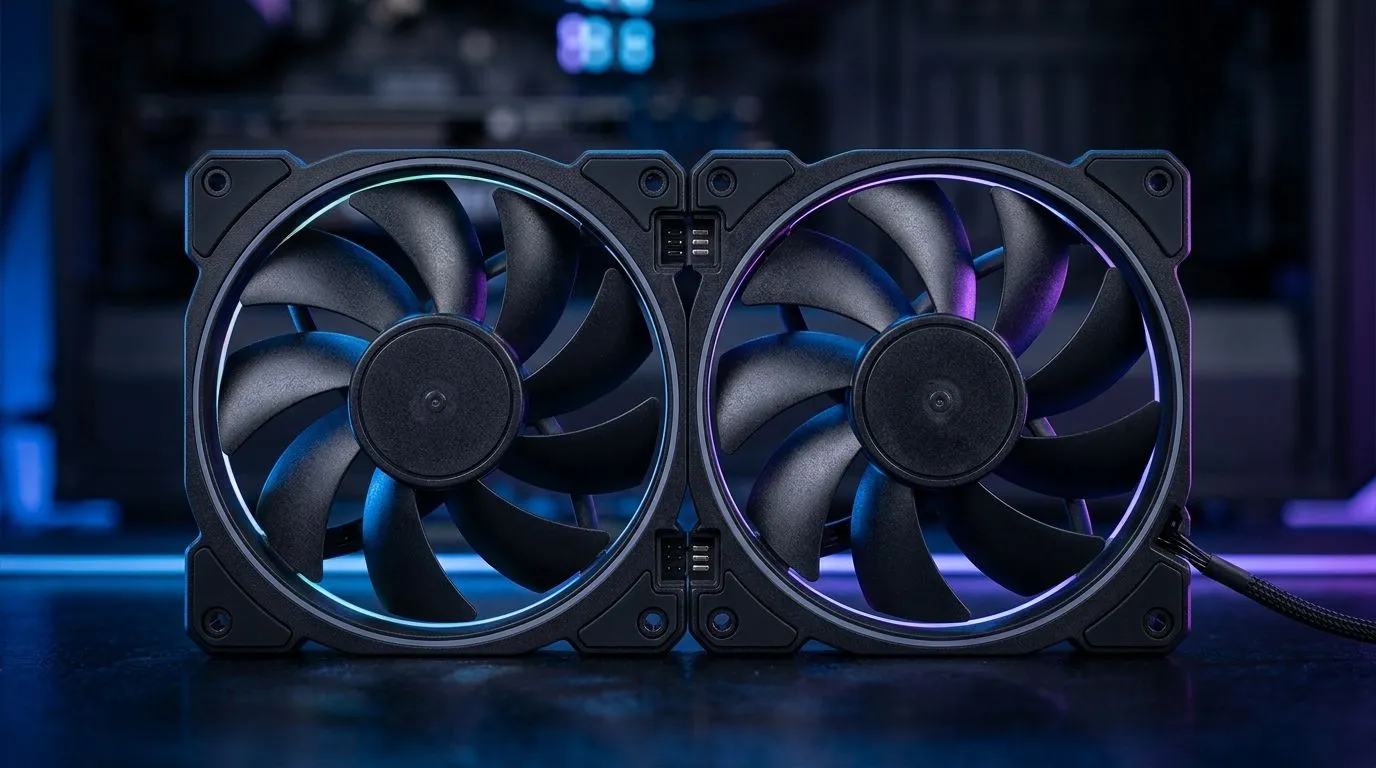
Cable-Free Fan-to-Fan Connection: Reduce PC Build Clutter
If your PC case looks like a spaghetti challenge, you’re not alone. South African gamers build for performance... and we still want a clean desk, airflow you can trust, and lighting that doesn’t fight your setup. 🔧
One of the easiest upgrades for a tidy build is a cable-free fan-to-fan connection approach. Instead of running a separate cable for every fan, you can daisy-chain control signals so the inside of your case stays organised, easier to troubleshoot, and simpler to upgrade later. Less clutter… more focus on gameplay.
Why cable-free fan setups work for airflow-first builds
When you’re targeting steady temperatures for high-FPS sessions, fan positioning matters. But so does what happens after your first build day. Every extra cable is another thing to reroute during GPU swaps, RAM upgrades, or moving from stock coolers to AIO setups.
With cable-free fan-to-fan connection: reduce PC build clutter, your build becomes:
- Easier to manage during installs and future changes
- Cleaner airflow paths (fewer cables sitting in the way)
- Less cable stress when you move the PC or transport it
Even if you’re chasing an RGB look, clutter can reduce the “wow” factor. A neat fan layout makes lighting effects feel intentional, not accidental. ✨
Picking fans and reducing the mess (without guessing)
Start with your case airflow plan: front intake, rear exhaust, and (if your temps demand it) top exhaust. Then choose fans that support streamlined wiring so you don’t end up buying cable extensions and “creative” routing fixes.
For product browsing, use Evetech’s case fan selection to match your build goals:
- Fans with the right diameter for your mount points
- Options with RGB (if you care about the visual side)
- Familiar brands you can buy again later
Here are some good starting points.
Find compatible fans for your case size
If your case supports 120mm mounts, browse the 120mm options first: 120mm case fans
For 140mm builds, check the larger mount options: 140mm case fans
Choose your style: brand and lighting
If you want a broad look at what’s available, start here: Case fans at Evetech
Want a specific lineup? Try: Corsair case fans
Or if you prefer DeepCool’s options: Deepcool case fans
For RGB-focused builds, filter directly: RGB case fans
And if you want a clean, low-glow look: Non-RGB case fans
Cable-Free Fan-to-Fan Connection: Reduce PC Build Clutter in real builds
Here’s what “cable-free” should feel like in practice. When you open your side panel, you shouldn’t need to move four cables just to access a fan screw. Instead, you should see a tidy run, with the fans connected in a logical chain.
Productivity Pro Tip ⚡
On install day, plan your fan wiring before tightening screws. Dry-fit the fans, route the primary connector first, then daisy-chain the remaining fans. You’ll save time later when you realise you forgot the one SATA clearance spot behind the motherboard tray.
Quick checklist before you buy 🔧
- Do your fan mounts match 120mm or 140mm?
- Are you adding RGB or keeping it minimal?
- Can your motherboard headers realistically support your fan count, or do you need an approach that simplifies control?
- Will future upgrades be easier with a cleaner internal layout?
Ready to Find Your Perfect Match?
Ready to Find Your Perfect Match? The Mac vs Windows debate is complex, but for maximum power, choice, and value in South Africa, Windows is hard to beat. Explore our massive range of laptop specials and find the perfect machine to conquer your world.











