

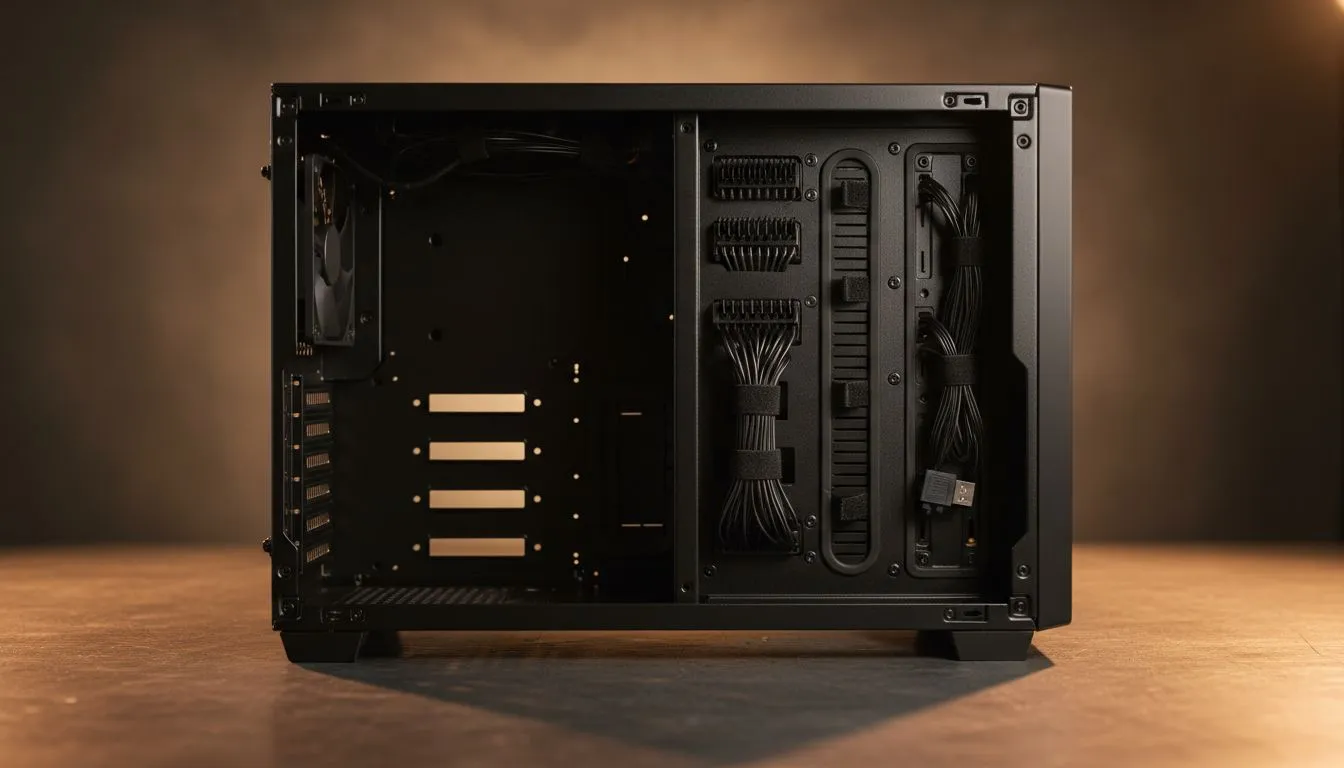
Dual‑Chamber setup: tidy cable starts here 🔧
South African builders: tired of cable spaghetti eating airflow and your RGB flex? In the next five minutes you’ll learn practical steps to get Dual‑Chamber PC Cable Management: Tidy Like a Pro — without buying every accessory. This guide is for gamers and buyers in SA who want clean builds that cool better and photograph well for bragging rights. ✨
Dual‑Chamber benefits for cable management
A dual‑chamber case separates power delivery, drives, and most cabling from the main board area. That separation makes routing cleaner, reduces visible clutter and improves airflow — which gamers notice as lower temps and quieter fans. If you’re still deciding on a chassis, browse Evetech’s full computer case range to compare layouts and sizes: Evetech cases collection. https://www.evetech.co.za/components/computer-cases-70
Dual‑Chamber examples to consider
Not all dual‑chamber cases are built equal. Fractal models often favour minimalist routing channels and rubber grommets — great for neat runs and long GPU cables. See Fractal’s options and specs on Evetech: Fractal Design PC cases. https://www.evetech.co.za/PC-Components/fractal-design-pc-cases-346
Gamdias offers aggressive styling and practical cable routes at different budgets. If you want a tidy look that doesn’t break the bank, check their selections — including choices under R1,500 for budget builds on the filtered page. https://www.evetech.co.za/PC-Components/gamdias-gaming-cases-293 https://www.evetech.co.za/PC-Components/gamdias-gaming-cases-293?max-price=1500
Dual‑Chamber PC Cable Management: Tidy Like a Pro — step‑by‑step
- Plan before you plug: dry‑fit PSU, drives and GPU to visualise cable runs.
- Use the chamber: route PSU cables through the back chamber and bring only necessary connectors through grommets.
- Shorten and secure: zip ties, Velcro straps and cable combs keep parallel runs tidy. For modular PSUs, only fit needed cables — it’s the simplest upgrade for cleaner builds.
- Hide extras: SSDs and pump cables can hide behind the motherboard tray or in the second chamber.
- Test airflow: after routing, run a stress test and check temps. Cleaner routing can lower case temps noticeably.
Routing Pro Tip ⚡
Use the case’s built‑in tie points and plan 45‑degree bends for SATA and front‑panel cables. It reduces strain and avoids kinking, especially on shorter cables.
Tools, parts and local buying tips
Keep a basic kit: modular PSU, a set of zip ties, a pack of Velcro straps and cheap cable combs. If you’re in South Africa and comparing case prices or looking for a specific fit, Evetech’s collection page shows models and local availability. https://www.evetech.co.za/components/computer-cases-70
Want a frugal pick with tidy routing and good airflow? Gamdias has strong budget options, while Fractal caters to builders after cleaner lines and better grommets for routing. Compare details on Evetech to match your build goals. https://www.evetech.co.za/PC-Components/fractal-design-pc-cases-346 https://www.evetech.co.za/PC-Components/gamdias-gaming-cases-293?max-price=1500
Final nudge: why tidy matters
A clean, dual‑chamber routed system isn’t just for looks. It’s easier to maintain, cooler under load and shops better for resale. Take the time to plan cable paths and you’ll thank yourself every upgrade cycle. Ready to pick a case that makes routing easy? Check Evetech’s curated case ranges to get started. https://www.evetech.co.za/PC-Components/gamdias-gaming-cases-293
Ready to Find Your Perfect Match? The Mac vs Windows debate is complex, but for maximum power, choice, and value in South Africa, Windows is hard to beat. Explore our massive range of laptop specials and find the perfect machine to conquer your world.











