


Best RTX 5070 Under R25,000 in South Africa 2026
Top RTX 5070 Under R25,000 picks evaluated on performance, value & SA availability with current Rand pricing from Evetech.
Read moreDual monitor setup for small bedrooms that actually works. Learn smart desk layout, cable routing, and ergonomic placement to reduce clutter and boost focus. 🖥️🧩
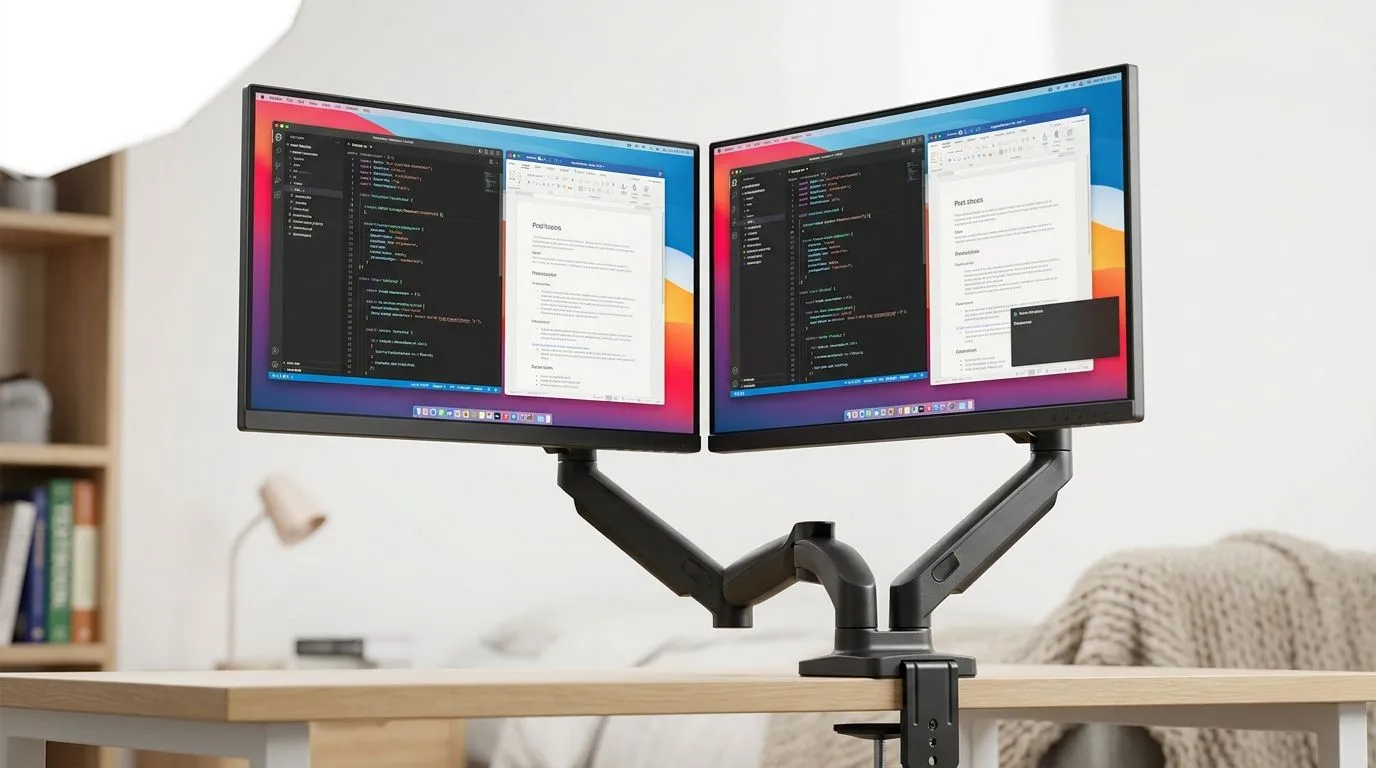
Setting up dual monitors in a compact South African bedroom can feel like a puzzle. You want maximum screen space without your gaming chair bumping the wall or clutter crowding your vibe. A smart dual monitor setup for small bedrooms boosts productivity and amps up gaming immersion—without turning your room into a maze. With clever layouts and the right gear, like a purpose-built gaming desk, you can create a clean and functional space that fits your style and tech needs. ⚡
The foundation of any great dual monitor setup is the desk. For small bedrooms, you need a gaming desk that offers enough surface area without overwhelming your space. Consider desks with a deep but narrow footprint, giving you room to angle your monitors comfortably. If you’re curious about options, check out this selection of gaming desks at Evetech that balances size and stability perfectly.
Some brands specialise in ergonomic and space-saving desks. The AutoFull collection is known for sleek designs that integrate cable management, keeping your setup neat in tight quarters. For a classic gamer vibe, you might prefer the robust build of Arozzi desks, which offer outstanding edge support ideal for dual monitor arms. Meanwhile, Nitro gaming desks deliver multifunctional layouts with customisable height options — great for alternating between sitting and standing during long gaming or work sessions.
Using monitor arms can free up precious desk space and effortlessly position screens at eye level, improving posture and reducing clutter.
Avoid flat, side-by-side layouts if your desk is narrow. Instead, create a slight inward curve between your monitors. This lets you immerse in games or multitask without neck strain. Place the primary monitor directly in front and the secondary angled slightly—ideal for chat windows, streams, or guides.
If floor space is limited, mount one or both screens on adjustable wall brackets. This preserves your desk surface for peripherals, drinks, or collectibles. Corners can also be your friend. A corner desk or positioning your setup into the corner of your room opens up a pathway, optimising every centimetre.
Clutter quickly kills even the best setups. Use cable ties and adhesive clips to route wires discreetly behind your desk or along legs. Adding LED bias lighting behind your monitors not only reduces eye strain but also enhances the colour depth and ambience of your games.
Pairing your dual monitor setup with the right desk, like one from Evetech’s curated range, means easier cable control and built-in LED strips for that extra wattage of atmosphere.
Explore functional gaming desks tailored for small spaces: Gaming desks at Evetech
Ready to optimise your gaming space? Upgrade to a desk that complements your dual monitor setup—Shop now at Evetech for performance that leaves lag in the dust.
Focus on a compact dual monitor layout: center your main display, keep both at similar heights, and use a monitor arm or slim stand to save space.
Use a small desk-friendly arrangement: align the screens to your face, avoid extreme angles, and route cables along the desk edge for a clean workspace.
Not always, but monitor arms help free desk space, improve ergonomics, and let you fine-tune screen distance and height in a limited room.
Run power and video cables together on the underside or behind the desk, use clips or a sleeve, and leave a service loop for monitor movement.
Aim for eye-level or slightly below the top third of each screen, then set distance so text stays readable without leaning forward—this supports ergonomic dual monitor comfort.
If desk space is extremely tight, an ultrawide can reduce footprint. Still, dual monitors often outperform for multitasking when you manage placement and stands well.
Place your main screen facing the room, avoid direct window glare, and use light-diffusing lighting or monitor hoods to keep reflections down.
Top RTX 5070 Under R25,000 picks evaluated on performance, value & SA availability with current Rand pricing from Evetech.
Read more
Core i5-14600K + B760 + RTX 5060 Build Under. Full parts list, Rand pricing & expected performance. Build confidently with SA-available components.
Read more
RX 7800 XT The Witcher 4 Low Settings at 1440p. Real-world benchmark data, FPS numbers & performance analysis. What SA gamers can actually expect.

RTX 5070 GTA 6 High Settings at 1440p: FPS Results. Real-world benchmark data, FPS numbers & performance analysis. What SA gamers can actually expect.

Does RTX 5070 Run Hot in South African Climate Detailed answer with SA data, expert analysis & practical recommendations for local buyers.

How Long Will the RX 7900 XTX Last for Gaming Detailed answer with SA data, expert analysis & practical recommendations for local buyers.

Every spec on PCIe 5.0 explained in plain English. What matters for gaming and creator work in 2026, what's marketing fluff, and how each number translates to real-world performance.

Every spec on bios explained in plain English. What matters for gaming and creator work in 2026, what's marketing fluff, and how each number translates to real-world performance.

Every spec on gaming setups explained in plain English. What matters for gaming and creator work in 2026, what's marketing fluff, and how each number translates to real-world performance.

Every spec on cooling systems explained in plain English. What matters for gaming and creator work in 2026, what's marketing fluff, and how each number translates to real-world performance.

Every spec on 10tb enough storage explained in plain English. What matters for gaming and creator work in 2026, what's marketing fluff, and how each number translates to real-world performance.

External HDD vs External SSD: real-world performance, SA pricing, power draw and which one delivers better value for your build. The clear answer — without the fluff.

What to prioritise when shopping for external hard drive in South Africa: the specs that matter, Rand value tiers, and the trade-offs between budget and flagship picks in 2026.

Desktop External HDDs vs Portable Drives: real-world performance, SA pricing, power draw and which one delivers better value for your build. The clear answer — without the fluff.