

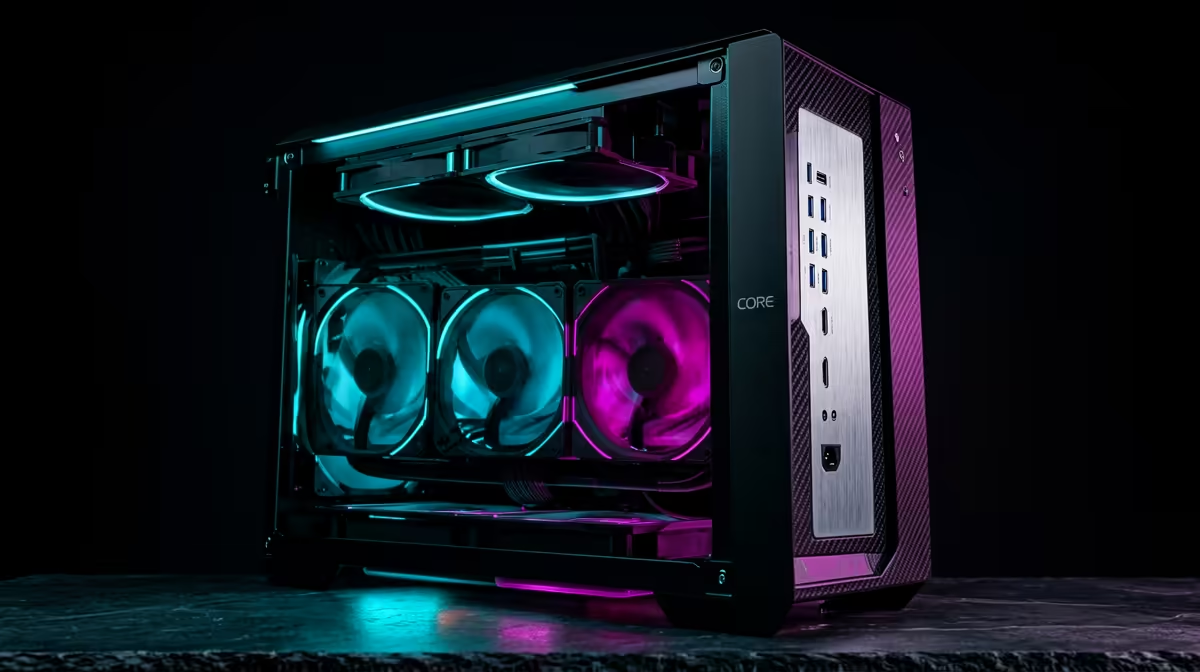
So, you're ready to build a new video editing rig? Awesome. But in South Africa, building a PC isn't just about raw power… it's about building smart. You need a machine that chews through 4K timelines today and won't feel like a dinosaur in two years. An editing PC build in South Africa focused on longevity isn't about spending the most money; it's about investing in the right places to create a future-proof creative powerhouse. 🚀
Core Philosophy: Balance and Upgradeability
The secret to a long-lasting editing PC isn't buying the most expensive everything. It's about creating a balanced system with a clear upgrade path. A common mistake is pairing a monster CPU with slow RAM or a tiny SSD. Instead, focus on a solid foundation—motherboard, PSU, and case—that will support more powerful components down the line. This approach ensures your investment serves you for years, not just a single project cycle.
Choosing Components for the Long Haul 🔧
Building a PC designed for longevity means prioritising certain parts over others. Here’s a breakdown of where to focus your budget for a killer editing rig.
The Brains: CPU (Intel vs. AMD)
Your processor is the heart of your editing workflow. More cores and threads generally mean faster export and render times. This is where a choice between a high-core-count CPU from our AMD Ryzen PC deals can make a huge difference.
However, don't ignore single-core speed! A high clock speed makes the active editing process—scrubbing timelines, applying effects, and general responsiveness—feel incredibly snappy. For workflows that benefit from hardware encoding like Quick Sync, exploring our Intel-powered PC deals is a fantastic option. The best choice depends on your specific software and workflow.
Memory Lane: Why RAM is Crucial
For video editing in 2024 and beyond, 16GB of RAM is the absolute minimum. The real sweet spot for a smooth 4K workflow is 32GB. It allows you to run your editing software, After Effects, and a browser without your system grinding to a halt.
Longevity Tip: Choose a motherboard with four RAM slots. Start with two 16GB sticks (for 32GB total). This leaves you two empty slots to easily and affordably upgrade to 64GB in the future when your projects get more demanding.
Storage Pro Tip ⚡
For a blazing-fast editing experience, use a three-tiered storage setup. 1) A fast NVMe SSD for your Operating System and apps. 2) A dedicated second NVMe or SATA SSD as a 'scratch disk' for active project files and cache. 3) A large, affordable Hard Drive (HDD) for archiving completed projects and storing raw footage. This optimises every part of your workflow.
The Visual Muscle: Graphics Cards (GPU)
Does an editing PC need a top-tier GPU? It depends. Modern editing software like DaVinci Resolve and Adobe Premiere Pro uses the GPU (via CUDA or OpenCL) to accelerate effects, colour grading, and exports. However, you often don't need the most powerful card on the market. A solid mid-range NVIDIA RTX or AMD RX card provides a massive performance boost over integrated graphics. Many of our best-value powerful PCs under R20k come equipped with GPUs that are perfect for the job.
The Smartest Editing PC Build in South Africa
Building a PC yourself is rewarding, but it can also be a headache. Ensuring component compatibility, managing cables for optimal airflow, and troubleshooting any issues takes time and expertise.
That's why considering a professionally assembled system is often the smartest move. You get a perfectly balanced, stress-tested machine with a full warranty, built by experts who know how to maximise performance and longevity. You get to focus on what you do best: creating. ✨
Ready to Build Your Creative Powerhouse? Whether you're a DIY pro or want a perfectly configured, ready-to-run machine, we've got your back. Explore our range of custom-built editing PCs and find the perfect rig to bring your vision to life.











