

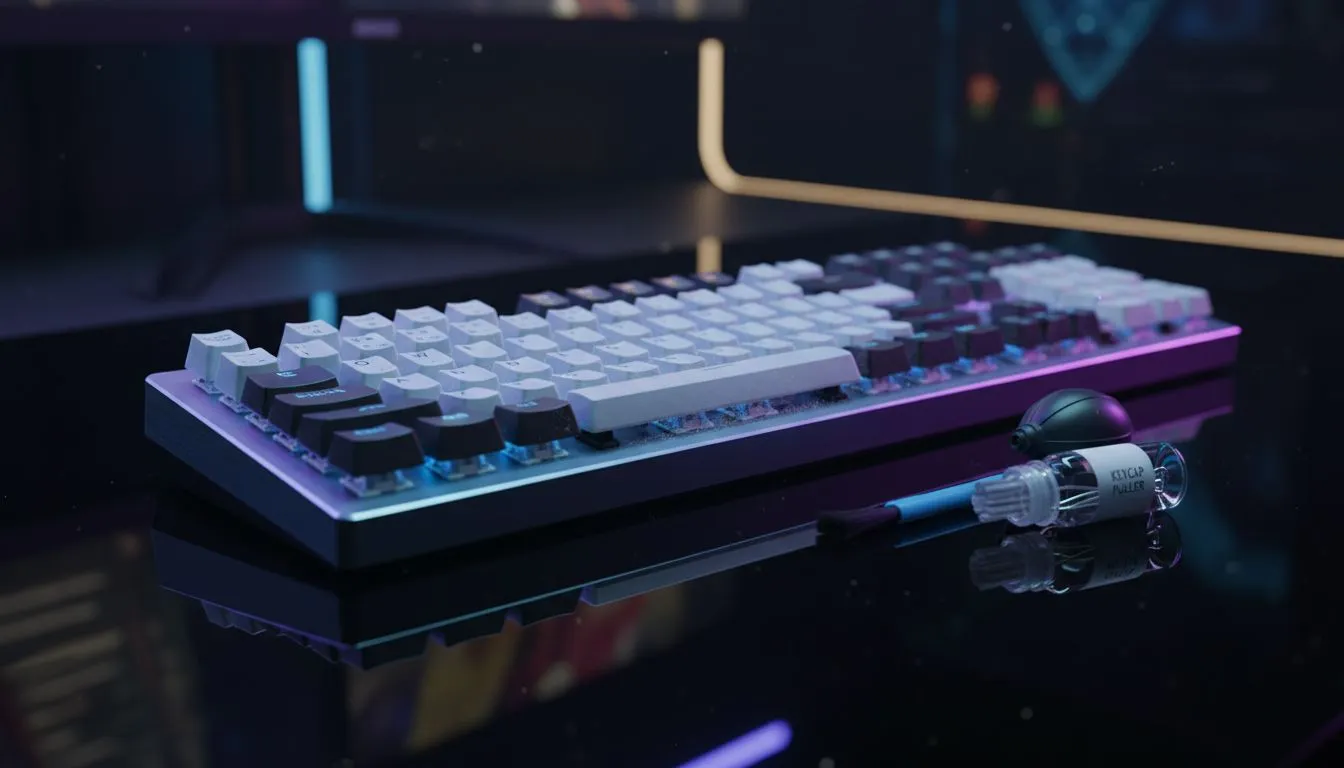
That satisfying clack of your mechanical keyboard is music to a gamer's ears. But what about the crunch of last night's chip crumbs? Or the sticky 'W' key from a spilled cooldrink? Keeping your gear clean isn't just about looks; it's about performance and longevity. This guide will show you exactly how to clean your mechanical keyboard, turning that grime-station back into a pristine battle station. Let's get your board looking and feeling brand new. 🔧
Why Bother Cleaning Your Gaming Keyboard?
Let's be honest, we've all eaten at our desks. But over time, that buildup of dust, skin cells, and snack debris can cause real problems. Keys might start sticking, refuse to register a press (a disaster in a competitive match), or just feel... gross.
Regular mechanical keyboard maintenance ensures every keystroke is as responsive as the day you bought it. It also extends the life of the switches, protecting your investment. A clean setup is a fast setup.
Your Cleaning Toolkit
Before you start, gather your supplies. You don't need a high-tech lab, just a few simple items:
- Keycap Puller: Essential for safely removing keycaps without damaging them.
- Compressed Air or a Small Blower: To blast out loose debris.
- Small, Stiff-bristled Brush: An old toothbrush or a small paintbrush works wonders.
- Microfibre Cloth: For wiping down surfaces without leaving lint.
- Isopropyl Alcohol (70% or higher): For sanitising and cutting through grime.
- Cotton Swabs: For getting into tight corners.
- A Bowl of Warm, Soapy Water: For washing the keycaps (optional, for deep cleans).
How to Clean Your Mechanical Keyboard: Two Methods
Depending on how much time you have and how dirty your board is, you can choose between a quick touch-up or a full deep clean.
The Quick Refresh (5-Minute Tidy)
This is perfect for weekly maintenance to keep the dust bunnies at bay.
- Unplug It: Always disconnect your keyboard first! This applies whether you're using one of the latest wired mechanical keyboards or a wireless model.
- Turn & Shake: Turn the keyboard upside down over a bin and give it a gentle shake to dislodge any large crumbs.
- Blast It: Use your compressed air or blower to blast out dust from between the keys. Work from top to bottom.
- Wipe Down: Lightly dampen a microfibre cloth with isopropyl alcohol and wipe down the tops of the keycaps and the keyboard frame.
This simple routine can make a huge difference and is a great habit to get into, even for the most affordable gaming keyboards in South Africa.
Wireless Keyboard Pro Tip 🧼
you're cleaning one of the many popular [wireless mechanical keyboards](https: www.evetech.co.za components buy-cheapest-gaming-keyboard-in-south-africa-52.aspx?attributes-connectivity=Wireless), remember to remove the batteries before you start. This prevents any accidental key presses from waking your PC and ensures there's no power running through the device while you work.
The Deep Clean (The Full Monty ✨)
This is the process you follow every 6-12 months to restore your keyboard to factory-fresh condition. Set aside about an hour.
- Take a "Before" Photo: Trust us. It helps you remember where all the keys go, especially the modifiers (Shift, Ctrl, Alt).
- Disconnect & Remove Keycaps: Unplug the keyboard. Use your keycap puller to gently wiggle and lift each keycap straight up. Be extra careful with larger keys like the spacebar, which may have stabiliser bars.
- Clean the Keycaps: Drop the keycaps into a bowl of warm water with a drop of dish soap. Let them soak for 30-60 minutes, then give them a gentle scrub with a cloth or soft brush. Rinse them thoroughly and lay them out on a towel to air dry completely. Do not put them in the sun or use a hairdryer, as high heat can warp the plastic.
- Item
- Reassemble: Once the keycaps are 100% dry, press them back onto the correct switches. Your "before" photo is your best friend here! You'll hear a satisfying click as they snap into place.
Is It Time for an Upgrade?
Sometimes, a keyboard is beyond a simple clean. If you've got malfunctioning switches, a frayed cable, or you're just ready for features like RGB lighting or programmable macros, it might be time for a new board. A full setup refresh with a new keyboard and mouse combo can completely revitalise your gaming experience.
Knowing how to clean your mechanical keyboard properly is a vital skill for any serious PC gamer. It keeps your gear feeling crisp and responsive. But if yours has seen one too many battles, check out the best gaming keyboard deals in SA to find your next weapon of choice.
Ready for That New Keyboard Feeling? A clean keyboard is a fast keyboard. But a brand new one is even better. Explore our massive range of gaming keyboards and find the perfect upgrade to dominate your game.











