

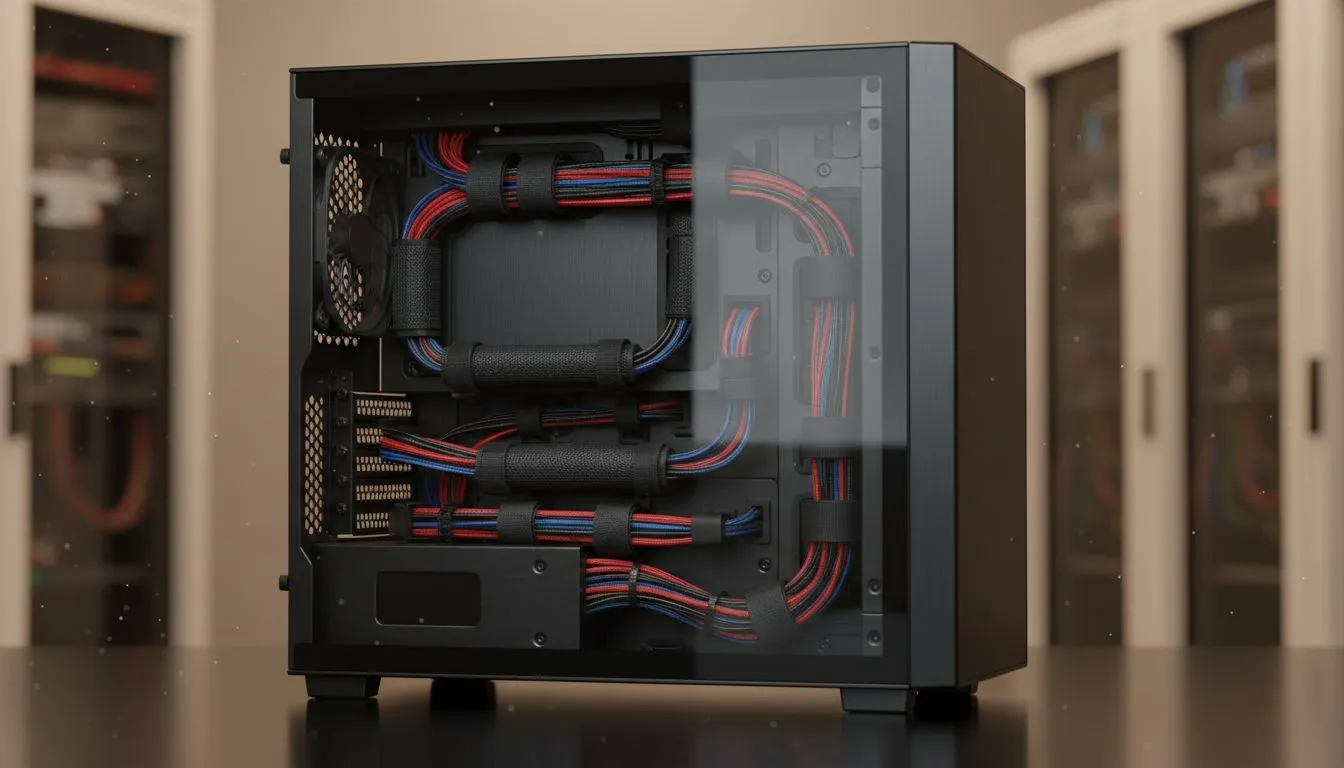
You’ve just peeled the plastic off your brand-new tempered glass side panel. The RGBs are glowing, your GPU is seated perfectly… but all you can see is a chaotic nest of cables. For South African gamers, a clean PC is a point of pride. Don't let messy wiring ruin your masterpiece. Mastering mid-tower cable management isn't just about looks; it's about performance, and it's easier than you think to achieve a tidy, professional-looking build.
Why Flawless Cable Management Matters
Beyond just looking lekker, organising the cables in your PC has tangible benefits that every builder should care about. A little effort behind the motherboard tray goes a long way.
Better Airflow, Cooler Temps ⚡
Clumps of cables, especially in front of your intake fans, can obstruct airflow. This creates hot spots and forces your fans to work harder, leading to more noise and potentially lower performance as components throttle. A clean interior allows for an unrestricted path for cool air, which is crucial during those intense gaming sessions. Many modern computer cases are designed with this in mind, offering plenty of room to hide cables away from the main chamber.
Simplified Maintenance and Upgrades
Ever tried to swap out a RAM stick or add a new SSD, only to be blocked by a jungle of wires? A tidy setup makes future upgrades and troubleshooting a breeze. When every cable has a designated path, you can easily access components without having to unplug half your system. This is a gift to your future self!
A Step-by-Step Guide to a Tidy Tempered Glass Build
Ready to transform that cable spaghetti into a clean work of art? It's all about planning and using your case's features to your advantage.
Step 1: Plan Your Routes
Before you install a single component, take a look inside your case. Identify the main cable cutouts: the 24-pin motherboard power, the 8-pin CPU power (usually at the top-left), PCIe power for your GPU, and SATA connectors. Visualise the most direct, hidden path for each cable from the power supply to its destination. This simple act of planning is the foundation of great mid-tower cable management.
Step 2: Leverage Your Case's Built-in Features
Modern chassis are your best friends when it comes to clean builds. Look for features like:
- PSU Shrouds: These brilliant covers hide your power supply and all the excess cables sprouting from it.
- Cable Channels & Tie-Down Points: Use the built-in Velcro straps and metal loops on the back of the motherboard tray to secure your cables. Premium cases from brands like Fractal Design often excel here, providing deep channels that make routing a dream.
- Rubber Grommets: These not only look clean but also protect your cables from sharp metal edges as they pass through cutouts.
Builder's Golden Rule 🔧
Always route your 8-pin CPU power cable before screwing in your motherboard. This cable's cutout is often tucked away at the top of the case, and it becomes nearly impossible to plug in once the motherboard is in place. Save yourself a massive headache!
Step 3: Bundle, Group, and Conquer
Work from the biggest cables to the smallest. Route your thick 24-pin motherboard cable first, then the CPU and PCIe power. Once the main arteries are in place, you can route smaller cables like fan headers and front panel I/O connectors alongside them. Use zip ties or Velcro straps to group cables that are heading in the same direction. Even affordable chassis, like many modern Gamdias gaming cases, provide enough tie-down points to make this effective.
Tidy Builds on a Tighter Budget
You don't need to spend thousands of Rands to get a case with excellent cable management features. The market has become incredibly competitive, and many budget-friendly options now include PSU shrouds, ample space behind the motherboard, and plenty of tie-down points. With a bit of patience and a handful of zip ties, you can make even an entry-level build look like a high-end custom rig. There are fantastic chassis options under R1500 that give you all the tools you need for a stunningly clean result.
Ready to Build Your Clean Machine? ✨ A tidy rig starts with the right foundation. Stop hiding your components and start showing them off with a case designed for beautiful, clean builds. Explore our huge range of PC cases and find the perfect chassis to house your next masterpiece.











