


Best RTX 5070 Under R25,000 in South Africa 2026
Top RTX 5070 Under R25,000 picks evaluated on performance, value & SA availability with current Rand pricing from Evetech.
Read moreLearn how to set up a native 12V-2x6 GPU power cable correctly for modern graphics cards—faster, safer builds with fewer power issues 🔌✅
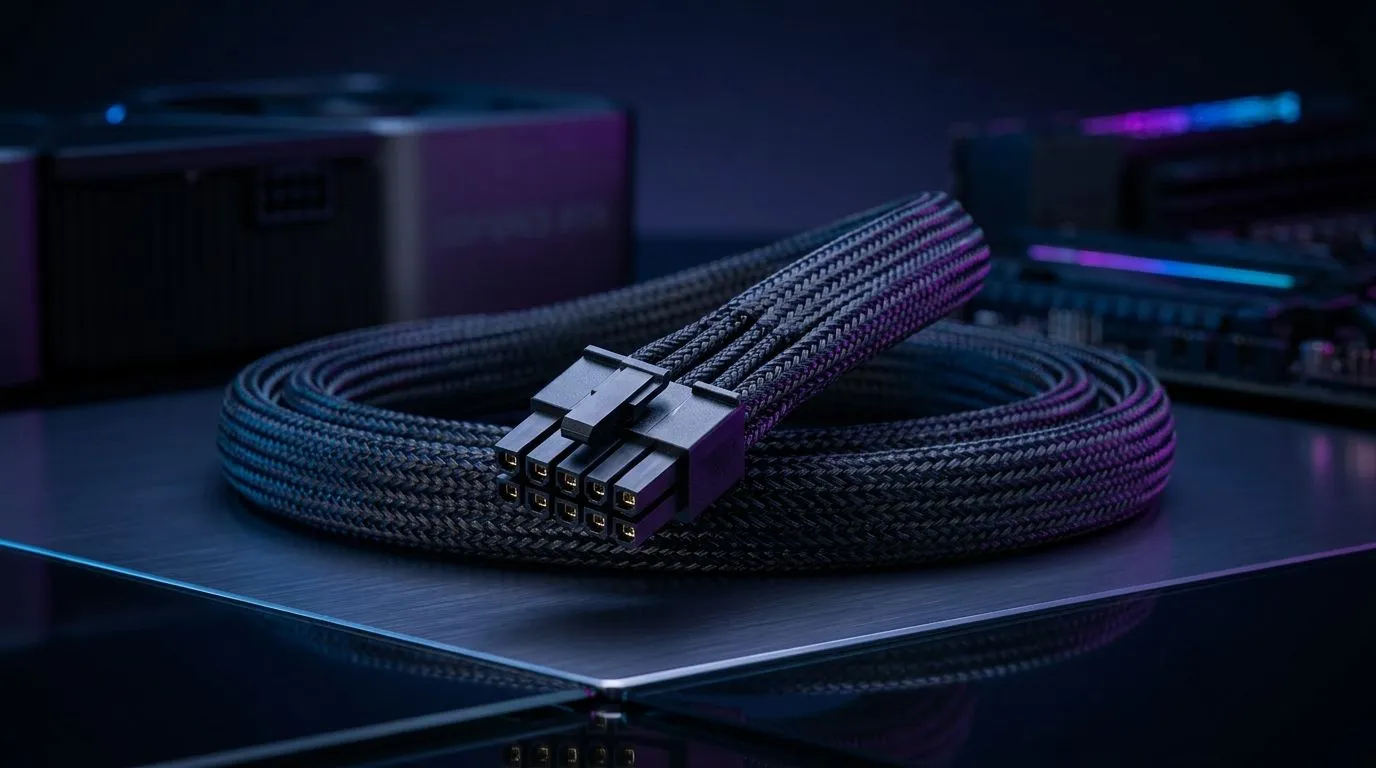
If you’ve just unboxed a new high-end GPU, the last thing you want is cable drama. The native 12V-2x6 GPU power cable setup is designed to simplify modern graphics card power delivery, reduce adapter clutter, and help your build look cleaner too. For South African gamers, that matters... because a tidy, reliable PC is easier to cool, easier to service, and far less stressful during a long gaming session or a late-night upgrade.
The 12V-2x6 connector is the newer style used for newer-generation GPUs that need a compact, high-power connection. In plain English, it replaces messy multi-adapter arrangements with a single direct cable from a compatible power supply. That means fewer joins, fewer loose ends, and less guesswork when you’re building or upgrading 🚀
A native cable setup is only useful if your PSU supports it properly. If your PSU does not include the right cable, don’t force a workaround. Use the correct cable for the correct power supply model.
Before you buy a cable or swap a card, check your power supply first. Compatibility is the whole story here. Some units include native support, while others need an approved modular cable from the PSU maker.
If you are shopping for a suitable upgrade path, start with a trusted PSU range like Corsair power supply options. If you prefer a specific brand filter, Evetech also lists GAMDIAS power supply options for easy comparison. For efficiency-focused builds, you can also browse 80 PLUS energy-efficient PSU choices.
When comparing PSUs, look for:
Switch off the PSU, unplug the machine, and press the case power button once. This helps discharge remaining power.
Make sure the cable is fully seated. A partial connection is never good enough. The plug should sit straight and firm.
Avoid sharp bends close to the GPU connector. Give the cable some breathing room so it doesn’t pull sideways.
If your cable is modular, confirm it is plugged into the correct PSU port. Use only the cable intended for that PSU model.
After powering on, open the side panel if needed and verify that nothing has shifted.
Route the GPU power cable before you install the side panel. It’s easier to spot a bad angle or tight bend when the case is open, and it can save you from reseating the connector later.
A lot of problems come from rushed installs, not bad hardware. The common ones are simple:
If your GPU sits close to the side panel, cable direction matters even more. Give the connector enough space. That extra millimetre can help keep the connection stable over time.
If your current PSU is older, noisy, or already running near capacity, this is a good time to reconsider it. A modern PSU with the correct cable support can make the whole build feel more polished. It may also reduce upgrade friction later when you move to a more demanding card or a cleaner small-form-factor case ✨
For many South African builders, the smartest approach is to buy once, then build around a PSU that supports current and future GPU cabling properly.
A native cable setup is not about style alone. It is about matching the right PSU, the right cable, and the right GPU with no shortcuts. If you’re building a fresh rig or upgrading an existing one, choose parts with compatibility in mind. That keeps your system neater, safer, and easier to maintain.
Ready to Find Your Perfect Match? The Mac vs Windows debate is complex, but for maximum power, choice, and value in South Africa, Windows is hard to beat. Explore our massive range of laptop specials and find the perfect machine to conquer your world.
A native 12V-2x6 GPU power cable is designed for modern graphics cards to deliver the right 12V power connection with correct fit and support.
Check your GPU model’s manual and PSU/cable recommendations. If the box or documentation lists 12V-2x6, you’re good to use a native 12V-2x6 cable.
Don’t assume interchangeability. Use the connector and cable specified by your graphics card. This helps prevent poor seating and power instability.
Align the connector to the GPU port fully and seat it straight until it clicks or locks. Avoid twisting, bending tightly, or forcing the plug.
Route with gentle bends and keep the cable away from sharp edges. Avoid stressing the connector area to support stable power delivery.
A mismatch or obstruction is usually the cause. Verify native 12V-2x6 compatibility, check connector alignment, and remove any clearance blockers.
Re-seat the connector, confirm GPU power requirements, and test stability. If you see crashes or no display, re-check compatibility and PSU cables.
No special tools are required. A careful install, correct orientation, and proper routing are usually enough for a safe 12V-2x6 cable setup.
Top RTX 5070 Under R25,000 picks evaluated on performance, value & SA availability with current Rand pricing from Evetech.
Read more
Core i5-14600K + B760 + RTX 5060 Build Under. Full parts list, Rand pricing & expected performance. Build confidently with SA-available components.
Read more
RX 7800 XT The Witcher 4 Low Settings at 1440p. Real-world benchmark data, FPS numbers & performance analysis. What SA gamers can actually expect.

RTX 5070 GTA 6 High Settings at 1440p: FPS Results. Real-world benchmark data, FPS numbers & performance analysis. What SA gamers can actually expect.

Does RTX 5070 Run Hot in South African Climate Detailed answer with SA data, expert analysis & practical recommendations for local buyers.

How Long Will the RX 7900 XTX Last for Gaming Detailed answer with SA data, expert analysis & practical recommendations for local buyers.

Every spec on PCIe 5.0 explained in plain English. What matters for gaming and creator work in 2026, what's marketing fluff, and how each number translates to real-world performance.

Every spec on bios explained in plain English. What matters for gaming and creator work in 2026, what's marketing fluff, and how each number translates to real-world performance.

Every spec on gaming setups explained in plain English. What matters for gaming and creator work in 2026, what's marketing fluff, and how each number translates to real-world performance.

Every spec on cooling systems explained in plain English. What matters for gaming and creator work in 2026, what's marketing fluff, and how each number translates to real-world performance.

Every spec on 10tb enough storage explained in plain English. What matters for gaming and creator work in 2026, what's marketing fluff, and how each number translates to real-world performance.

External HDD vs External SSD: real-world performance, SA pricing, power draw and which one delivers better value for your build. The clear answer — without the fluff.

What to prioritise when shopping for external hard drive in South Africa: the specs that matter, Rand value tiers, and the trade-offs between budget and flagship picks in 2026.

Desktop External HDDs vs Portable Drives: real-world performance, SA pricing, power draw and which one delivers better value for your build. The clear answer — without the fluff.