Staring at a render bar that’s barely moving? Hearing your PC fans scream like a jet engine during a 4K export? 🥵 You're not alone. In South Africa's climate, intense video editing can cook your components, causing slowdowns and crashes. But you don’t need a massive budget to fix it. Effective PC cooling for video editing is achievable, even under R30k. Let’s break down how to keep your machine cool, quiet, and lightning-fast.
Why Your Editing PC Runs Hotter Than a Braai
Unlike gaming, which has peaks and lulls in intensity, video editing is a marathon. When you’re exporting a 4K timeline or scrubbing through complex effects, your CPU and GPU are running at near 100% load for extended periods. This generates a massive amount of heat.
When components get too hot, they automatically slow down to protect themselves—a process called thermal throttling. Suddenly, your powerful processor is performing like a much cheaper chip, and your workflow grinds to a halt. Proper thermal management isn't a luxury; it's essential for consistent performance. Even a solid budget gaming PC can be transformed into an editing workhorse with the right cooling strategy.
Core Components for PC Cooling in Video Editing
Your PC's cooling system is a team effort, but the CPU cooler is the star player. For video editing, you need a solution that can handle sustained heat output without breaking a sweat.
CPU Coolers: Air vs. AIO Liquid Cooling
Choosing your CPU cooler is a critical first step.
- Air Coolers: These use a heatsink and fan to draw heat away from the CPU. High-end air coolers from brands like Noctua or DeepCool offer incredible, quiet performance and are exceptionally reliable. For most editing builds, a quality air cooler provides the best value and peace of mind.
- AIO (All-in-One) Liquid Coolers: AIOs use liquid to transfer heat from the CPU to a radiator, where fans dissipate it. They can offer a cleaner aesthetic and may handle peak temperature spikes slightly better. They are a fantastic choice for high-end CPUs, and you'll find them in many great PCs under R20k designed for performance.
For most builds focused on value and reliability, a robust air cooler is the smarter, more cost-effective choice for video editing.
Beyond the CPU: Case Airflow is King 👑
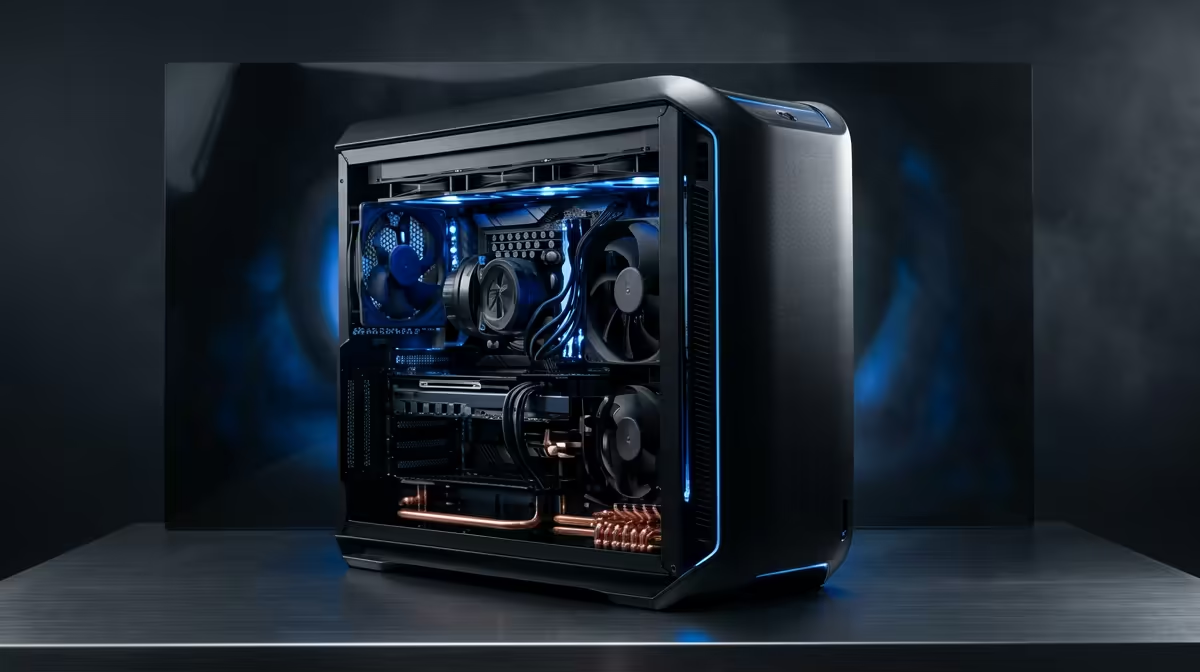
A brilliant CPU cooler can't do its job if it's just circulating hot air. Your PC case needs to breathe. A modern case with a mesh front panel is vital, allowing cool air to be pulled in easily.
Your goal is to create a clear path for air to travel: in through the front and/or bottom, and out through the back and/or top. This steady flow prevents hot spots from forming around your GPU and other components. Many of the best gaming PC deals feature chassis specifically chosen for their excellent airflow, making them a great starting point.
Pro Tip: Tune Your Fan Curves 🔧
Your PC's fans don't have to run at 100% all the time. Dive into your motherboard's BIOS or use free software like Fan Control to create a custom fan curve. This lets you set fans to run quietly at idle but ramp up automatically when your CPU temperature rises during a render. It's the key to a powerful and quiet editing machine.
Building a Cool Editing Rig Under R30k
So, how do you balance your budget? Don't pour all your cash into the CPU and GPU while skimping on cooling. A R25,000 PC with a great cooler and high-airflow case will consistently outperform a R28,000 machine that's constantly thermal throttling.
When planning your build, allocate at least R1,000–R2,000 specifically for your CPU cooler and quality case fans. This investment protects the performance of everything else in your system. Whether you're looking at powerful PCs above R20k or want the peace of mind of a professionally built system, smart cooling is non-negotiable.
Ultimately, the best PC cooling for video editing ensures you get 100% of the performance you paid for, every single time you hit "export." If you prefer to skip the hassle of component matching, exploring pre-built PC deals is a brilliant way to get a balanced, expertly cooled system right out of the box. 🚀
Ready to Build Your Cool-Running Editing Powerhouse?
Don't let thermal throttling kill your creativity. A well-cooled PC is the foundation of a smooth, efficient video editing workflow. Explore our range of expertly cooled pre-built PCs and find the perfect machine to bring your vision to life.