

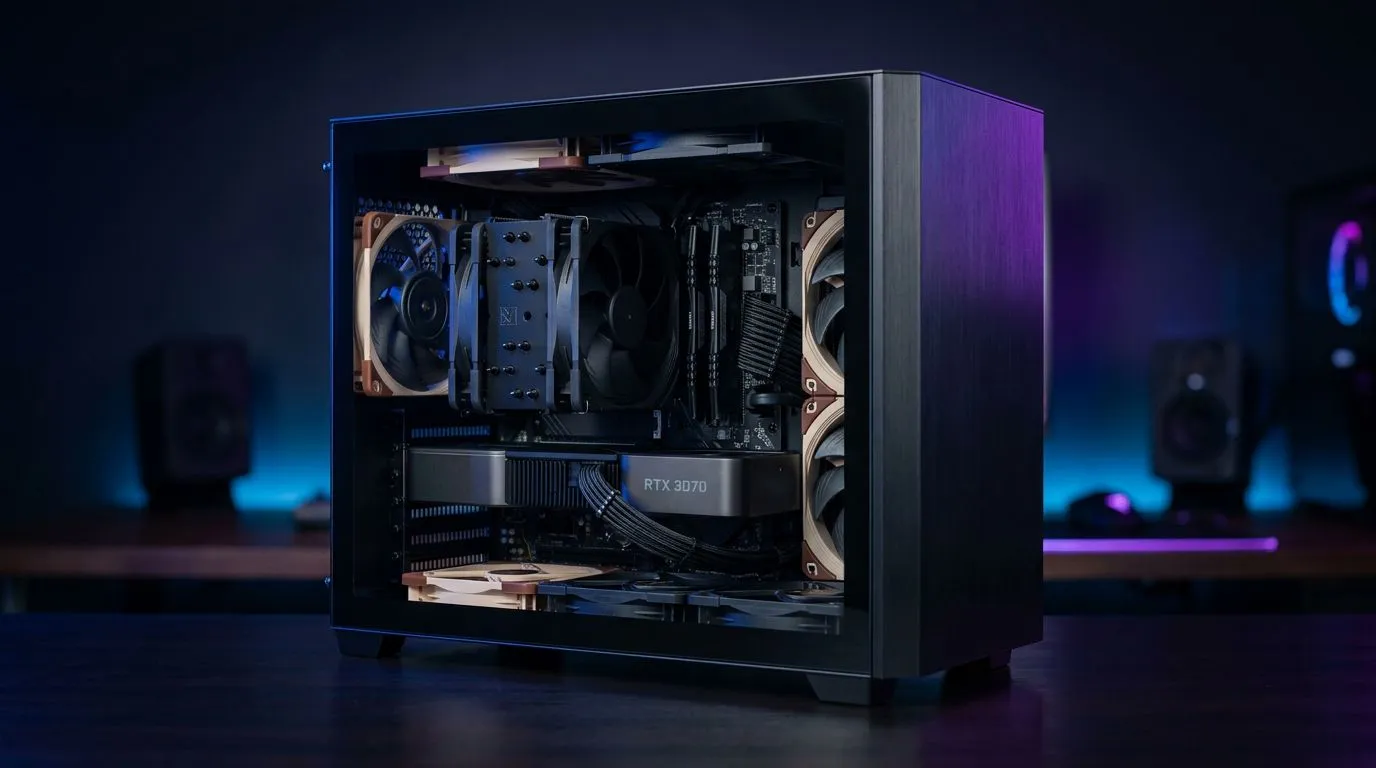
Quiet mATX Gaming Build: Stay Cool During South African Summers
If your PC fans sound like they’re auditioning for a starter Pokémon gym… you’re not alone. South African summers can push temperatures fast, especially in smaller rooms and compact desks. The good news? A quiet mATX gaming build is absolutely achievable with the right case airflow, cooler choice, and motherboard features. 🔧
In this Build Lab guide, I’ll walk you through a practical mATX layout that stays cool, stays quiet, and still holds strong FPS for South African gaming sessions… without wasting your budget.
Quiet mATX Gaming Build: Start With a mATX Motherboard That Helps Cooling and Noise Control
A quiet build starts with smart platform choices. An mATX motherboard isn’t just “smaller”… it can be the difference between a cramped airflow path and a clean route for warm air to exit.
When you’re choosing boards, focus on:
- VRM design quality (helps the CPU run cooler under load)
- Fan headers for coordinated airflow
- BIOS features that support stable power settings (and sane fan curves)
For AMD builds, check out the AMD mATX motherboard options here: AMD motherboards from Evetech 🔁
For Intel builds, start here: Intel motherboards from Evetech ✅
If you’re targeting value (and still want reliable day-to-day performance), compare budget-friendly boards too: Cheap Intel & AMD-based motherboards 💡
Quiet mATX Gaming Build: Build for Airflow First, Silence Second
“Silent” is usually a by-product of efficient cooling. Instead of maxing fan RPM, aim for steady airflow with good pressure balance.
Pick the right case airflow pattern
For mATX, the most common mistake is stuffing components into a case that doesn’t have enough front intake or rear/top exhaust. Prioritise:
- Front/bottom intake (cool air in)
- Rear and/or top exhaust (hot air out)
- Cable management that doesn’t block airflow
Use fan curves that don’t spike
Many builders set fans to “full blast” at every temperature event. That’s how you get that annoying ramp-up during loading screens.
Set a gentle curve like:
- Start fans lower at idle/desktop
- Increase gradually as CPU load rises
- Keep GPU fans as governed by the GPU’s own profile when possible
If you’re using a motherboard with good fan control, your noise floor improves quickly.
Choose a cooler strategy that matches your CPU
For a quiet summer build:
- A well-sized air cooler can outperform an underpowered cooler, even at lower RPM.
- If you go AIO (liquid), mount it where case airflow supports it, not where it “fits best”.
Quiet mATX Gaming Build: GPU and PSU Choices That Don’t Turn Your Room Into a Sauna
In warm weather, GPU heat and PSU heat add up. If your GPU runs hot, fan noise usually follows.
Here’s what to remember:
- Ensure your GPU isn’t trapped under blocked exhaust paths
- Use a PSU with proper ventilation space around it (avoid “sealed” builds)
- Keep filters clean. Dust thickens like an extra thermal layer
Evetech builds typically prioritise airflow-first component fit, because temperatures are the real driver of fan behaviour.
Quiet mATX Gaming Build: Tune Software and BIOS for Cooler Performance
You can’t always change physics, but you can change how hard your hardware works.
Power limits and thermal behaviour
For many systems, reasonable power limits reduce peak temps without killing gaming performance. The key is stability, not maximum theoretical boost.
Fan control targets (simple and effective)
Aim for these outcomes:
- Lower fan idle noise when you’re browsing or in Discord
- Smooth ramps during gaming
- Less aggressive boosting during short spikes
If your motherboard supports fan tuning in BIOS, use it early. Don’t wait until everything is assembled and you’re stuck troubleshooting later.
Productivity Pro Tip 🔧
On Windows, use the PowerToys FancyZones utility to create custom snap layouts for your windows. It's a lifesaver for managing multiple apps on an ultrawide monitor, letting you organise your timeline, preview window, and asset folders perfectly for video editing.
Quiet mATX Gaming Build: A Quick “South African Summer” Checklist Before You Buy
Before you finalise your parts, run this quick sanity check:
- Does your mATX case have at least front intake and rear exhaust support?
- Do you have enough fan headers or the right fan hub solution?
- Is your CPU cooler sized appropriately for your CPU class?
- Can you manage cables without pinching them against airflow lanes?
- Will your GPU breathe… or will it choke against the top exhaust?
Most quiet builds fail at one of those points. Fix that, and silence becomes realistic.
Quiet mATX Gaming Build: Ready to Keep It Quiet After Setup
Once built, update BIOS and drivers, then set a calm fan profile. After a few gaming sessions, check temps and re-balance.
Quiet isn’t a single setting. It’s the result of consistent airflow, smart cooling sizing, and predictable fan behaviour. And in South Africa’s summer heat, that predictability matters.
Ready to Find Your Perfect Match? The Mac vs Windows debate is complex, but for maximum power, choice, and value in South Africa, Windows is hard to beat. Explore our massive range of laptop specials and find the perfect machine to conquer your world.











