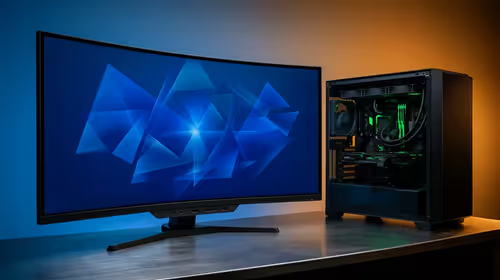
So, you’ve got R10,000 saved up and a dream of building your own gaming rig. That’s awesome! The journey of picking parts and seeing them come to life is a massive thrill. But before you start adding to your cart, there’s a crucial hurdle: component compatibility. Getting the R10000 PC build compatibility right is the difference between a smooth gaming machine and an expensive pile of parts that won’t even boot. Let’s get it right.
The Motherboard & CPU Tango
Think of your motherboard and CPU as a lock and key. They have to be a perfect match, or nothing works. This is the first and most common mistake new builders make. You can't just pair any Intel CPU with any motherboard; it needs the correct "socket," like LGA1700 for modern Intel chips. The same goes for AMD, which primarily uses the AM4 or newer AM5 socket.
Beyond the socket, you need to check the motherboard's "chipset" (e.g., B660, B550). This determines features and which generation of CPUs it supports. Always check the motherboard manufacturer's website for a CPU support list before you buy. Getting this first step right sets the foundation for a successful build and is vital for your R10000 PC build compatibility check. For inspiration on balanced builds, check out some of our expertly crafted budget gaming PCs.
Don't Guess Your RAM
RAM seems simple, right? Just plug it in. Not so fast. While ensuring you have the right type (like DDR4 or DDR5) is obvious, you also need to check its speed and compatibility with your motherboard. Every motherboard has a list of tested and approved RAM kits, often called a Qualified Vendor List (QVL), on its support page.
Straying from this list can lead to instability or your RAM not running at its advertised speed. This is especially true when trying to enable performance profiles like XMP or EXPO. A stable system is a happy system, particularly when you're aiming for great performance without breaking the bank. Many solid PCs under R20k are optimised with perfectly matched RAM for this very reason.
PSU Power Check ⚡
Not sure how much power you need? Use an online Power Supply Calculator. Websites like OuterVision or Cooler Master have tools where you can input all your components, and it will estimate the required wattage. Always add a little extra headroom (about 100-150W) for future upgrades and efficiency.
The Underestimated Power Supply Unit (PSU)
It’s tempting to save a few hundred Rand on the power supply, but please... don't. A cheap, unreliable PSU can be a system killer, potentially damaging all your other expensive components if it fails. For a build in the R10,000 range, a quality 550W-650W unit with an 80 Plus Bronze rating is a fantastic starting point.
This ensures it provides clean, stable power to your graphics card and CPU under load. It’s the unsung hero of your PC, working silently in the background to keep your games running smoothly. Ensuring your PSU can handle your parts is a non-negotiable part of PC build compatibility. If you want to see what reliable power looks like in action, browse some of the best gaming PC deals in South Africa.
Will It Actually Fit? Case & Clearance Issues 📏
This one hurts because it’s often discovered at the very last step. You’ve built everything, and now it's time to install your shiny new graphics card... only to find it’s 5mm too long for your case. Ouch.
Always check three key measurements:
- GPU Length: Compare the card's length to the maximum supported by the case.
- CPU Cooler Height: If you're using an aftermarket air cooler, make sure it's not too tall for the case's width.
- Motherboard Form Factor: Ensure your ATX, Micro-ATX, or Mini-ITX motherboard matches the case's supported sizes.
It's a simple check that saves a world of frustration. As you move into more powerful components, like those in PCs above R20k, these clearance considerations become even more critical.
The Smart Alternative: Guaranteed Compatibility
Building a PC is an amazing experience, but navigating the maze of compatibility can be a real headache. If you'd rather spend your time gaming than troubleshooting, letting an expert handle the assembly is a brilliant choice.
When you go with a professionally built machine, you get more than just a working PC. You get the peace of mind that every component is 100% compatible, tested for performance, and covered by a single warranty. The cable management is clean, the drivers are installed, and it's ready for action straight out of the box. It’s the perfect way to get the custom PC experience without the risk, and our pre-built PC deals are designed for exactly that.
Ready to Skip the Headaches?
Ensuring your R10,000 PC build has perfect compatibility can be tricky. For guaranteed performance right out of the box, nothing beats a professionally assembled rig. Explore our massive range of gaming PCs and find the perfect machine to conquer your world.