

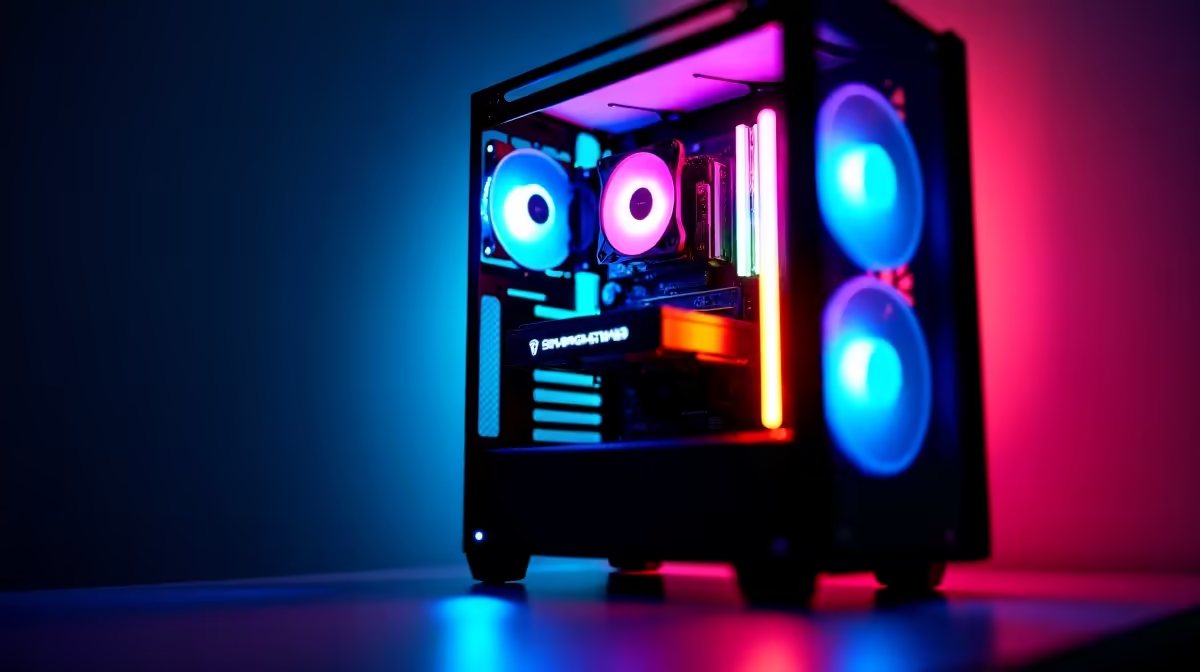
South Africa’s gaming PC market has matured significantly, and R40,000 is a serious budget that puts genuinely high-end performance within reach in 2026. At this price point you’re looking at builds that can handle 1440p gaming at high refresh rates and even push into 4K territory, making it one of the sweetest spots in the local market.
Quick Answer
Best gaming PC under R40,000 in South Africa (2026): At this budget you can build or buy a system with an AMD Ryzen 7 7700X or Intel Core i7-14700K paired with an RTX 4070 Ti Super or RX 7900 XT, 32GB DDR5 RAM, and a 1TB NVMe SSD. These configurations deliver excellent 1440p performance at 144–165Hz and solid 4K capability in most titles.
🔧 What R40,000 Gets You in 2026
At R40,000 you’re no longer making painful compromises. This budget covers a full high-end build including peripherals, or a flagship-tier tower if you already have a monitor and accessories. Here’s what to expect from each major component category:
GPU (Graphics Card): The GPU should absorb roughly 35–40% of your budget - around R14,000–R16,000. In this range, the NVIDIA RTX 4070 Ti Super and AMD RX 7900 XT are the standout performers. The RTX 4070 Ti Super offers excellent DLSS 3 support and strong ray tracing, while the RX 7900 XT gives you 20GB VRAM and exceptional rasterisation performance, particularly useful for modded games and high-resolution textures.
CPU: Pair your GPU with an AMD Ryzen 7 7700X (8-core, AM5 platform, great gaming IPC) or Intel Core i7-14700K (20-core hybrid, strong in both gaming and productivity). Either will prevent any GPU bottleneck at 1440p. For future-proofing, AM5 has a longer platform lifespan ahead of it.
RAM: 32GB DDR5-6000 is the sweet spot in 2026. AMD Ryzen 7000-series CPUs perform meaningfully better with fast DDR5, so don’t cheap out here. Look for a kit with tight timings (CL30 or better).
Storage: A 1TB PCIe Gen 4 NVMe SSD as your primary drive, paired with a 2TB SATA SSD for game storage, is ideal. Game install sizes have ballooned - modern titles can exceed 100GB each.
Motherboard: An AMD B650 or X670 board (for Ryzen 7000) or a Z790 board (for Intel 14th gen) gives you the feature set you need without overspending. Ensure it has PCIe 5.0 x16 for the GPU slot and at least two M.2 slots.
PSU: A fully modular 850W PSU with an 80+ Gold rating handles any single-GPU system in this tier with headroom to spare. Avoid going below 750W with high-end GPUs.
Case & Cooling: A mid-tower ATX case with good airflow (mesh front panel preferred) and a 240mm or 360mm AIO liquid cooler for the CPU keeps everything running quietly under load.
📊 Pre-Built vs. Custom Build at R40,000
Buying a pre-built gaming PC at this price offers convenience and warranty simplicity - one point of contact if anything goes wrong. Custom building typically gives you better component choices and flexibility, but requires time and some technical knowledge.
For most South African buyers, the pre-built route makes sense if:
- You want everything set up and tested out of the box
- You’re not confident in PC assembly
- You want a single warranty covering the whole system
Custom building is better if:
- You have specific component preferences (particular GPU brand, case aesthetic)
- You want to reuse components from an existing build
- You’re comfortable troubleshooting hardware
Evetech offers both configured gaming PCs and individual components, so you can go either route depending on your preference.
💡 What Games Will This PC Handle?
A R40,000 build in 2026 is more than capable of:
- 1440p at 144–165Hz: All modern AAA titles at high/ultra settings - Cyberpunk 2077, Black Myth: Wukong, Alan Wake 2, Spider-Man 2
- 4K at 60Hz: Most titles at high settings, with DLSS or FSR upscaling pushing frame rates higher
- Esports titles at 240Hz+: Apex Legends, CS2, Valorant, Overwatch 2 - frame rates will be uncapped and very high
- Content creation: Video editing in DaVinci Resolve, 3D rendering, streaming at 1080p60 without impacting game performance
If your primary goal is esports at 1080p/1440p, you could redirect some budget from the GPU to a better monitor or peripherals, since esports titles are less GPU-demanding.
🔍 Peripherals to Budget For
If your R40,000 needs to cover peripherals too, here’s a suggested allocation:
- Monitor: R4,000–R7,000 for a quality 1440p 165Hz IPS panel. This is one of the best upgrades for your gaming experience.
- Keyboard: R800–R1,500 for a solid mechanical gaming keyboard
- Mouse: R400–R900 for a lightweight gaming mouse
- Headset: R600–R1,200 for a decent gaming headset
- Chair: A good gaming chair runs R2,000–R4,000 and is worth the investment for long sessions
With peripherals factored in, your PC build budget shifts to roughly R26,000–R30,000, which still buys a very capable RTX 4070 Super or RX 7900 GRE-class system.
❓ Frequently Asked Questions
Is R40,000 enough for a 4K gaming PC in South Africa? Yes, but with caveats. At R40,000, you can absolutely game at 4K, but to do so at 60+ FPS in demanding AAA titles you’ll want to use DLSS (NVIDIA) or FSR (AMD) upscaling. Native 4K at maximum settings in titles like Cyberpunk 2077 still demands a flagship GPU like the RTX 4090 or RX 7900 XTX, which would consume most of a R40,000 budget on its own, leaving little for the rest of the system.
Should I choose AMD or NVIDIA GPU at this price point? Both brands offer excellent options at the R40,000 tier. NVIDIA’s DLSS 3 (with Frame Generation) gives a real performance edge in supported titles and the RTX series has stronger ray tracing. AMD’s RX 7900 XT offers more VRAM (20GB vs 16GB on the RTX 4070 Ti Super) which matters for high-res textures and future titles. If most of your games support DLSS, lean NVIDIA; if you mod games heavily or want more VRAM headroom, lean AMD.
How long will a R40,000 gaming PC last? At this budget, expect 4–6 years of strong gaming performance before you feel a meaningful need to upgrade. The GPU will likely be the first component to feel dated, typically after 3–4 years for demanding new releases. Upgrading the GPU later while keeping the CPU, RAM, and motherboard is the most cost-effective long-term strategy.
Is DDR5 worth it over DDR4 at this price point? Yes, especially for AMD Ryzen 7000 systems (which require DDR5). DDR5-6000 provides a meaningful performance uplift in CPU-sensitive games compared to slower DDR5, and prices have dropped considerably. If you’re building on AM5, DDR5-6000 CL30 is the recommended target.
Compare Graphics Card Deals and Evetech Best Sellers at Evetech for the latest specs and SA deals.
Ready to Find Your Perfect Match? Browse Gaming PCs at Evetech











