

Best Laptop for Wits Students Under R8000
Top Laptop for Wits Students Under R8000 picks evaluated on performance, value & SA availability with current Rand pricing from Evetech.
Read moreWindows hard drive not detected? Learn step-by-step troubleshooting for detection errors, BIOS and Disk Management fixes, and safe data recovery tips to restore access. 🛠️💾
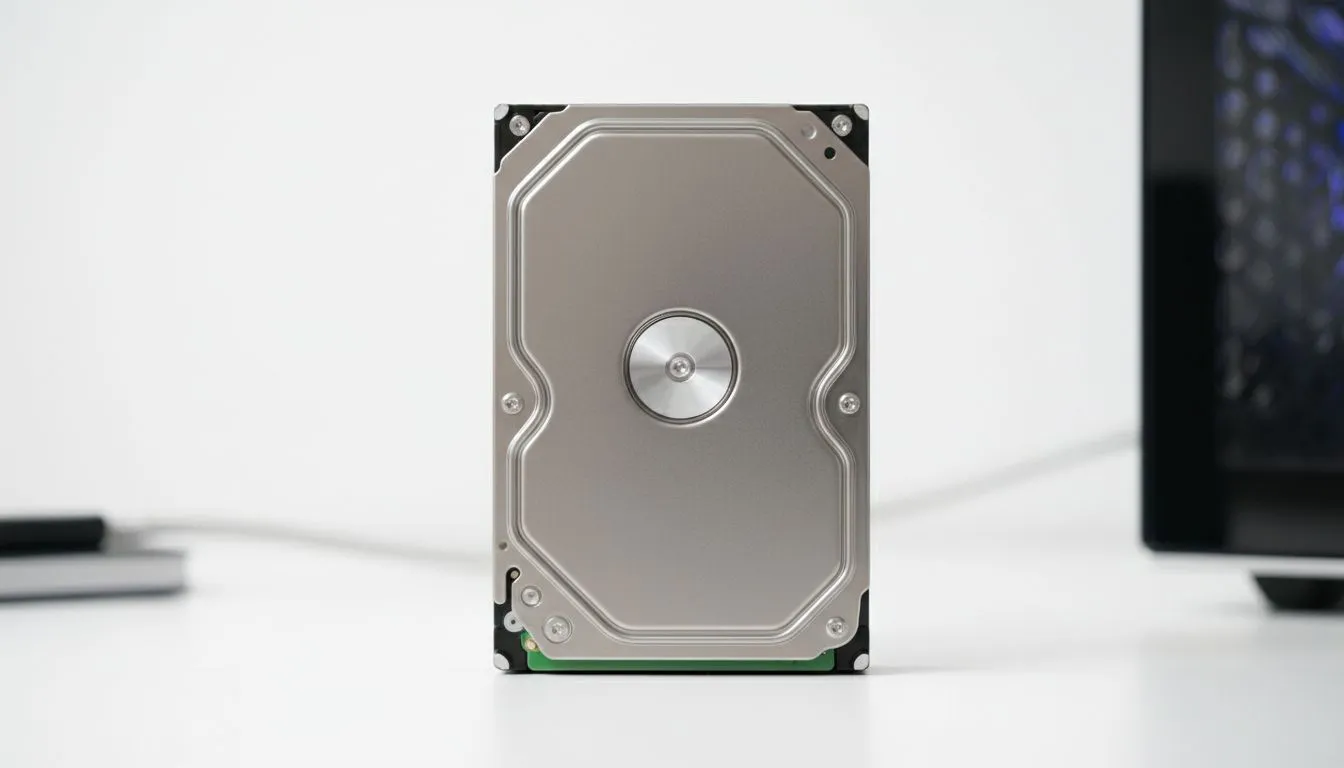
There is nothing worse than firing up your rig for a quick round of Warzone only to find your library missing. Whether it is a brand-new upgrade or an old reliable storage unit, having a Windows hard drive not detected is a common headache for South African gamers. Don't panic just yet... most of these issues are solved with a few simple clicks or a cable check. 🔧
If you are using portable storage, ensure your external SSDs are plugged into a high-speed USB port. Sometimes a loose SATA cable or a dusty M.2 slot is the culprit. For those using an external form factor drive, try a different port on your motherboard's I/O shield. Power surges or frequent loadshedding can sometimes cause temporary controller glitches that a simple replug can fix.
Often, a new drive is not broken... it just has not been "introduced" to Windows yet. Right-click the Start button and select Disk Management. If you see a black bar labelled "Unallocated", right-click it to create a new volume. This is standard practice when installing new solid state drives to ensure they are formatted correctly for your system. If the drive does not appear here at all, the issue might be deeper in the BIOS settings.
your drive appears in Disk Management but does not show up in File Explorer, it might just need a drive letter assigned. Right-click the partition and select "Change Drive Letter and Paths" to give it a name like D: or E:. This simple fix often makes a "missing" drive reappear instantly without needing to format or lose data.
Outdated firmware can cause detection issues, especially with newer NVMe protocols. If you are running high-end hardware from brands like ADATA, check their official toolbox software for firmware updates. Similarly, Western Digital users should use the Dashboard utility to monitor drive health and ensure the latest drivers are installed. ✨
If you have recently moved to the latest Gen 5 NVMe speeds, ensure your motherboard BIOS is updated. These cutting-edge drives often require specific AGESA or microcode updates to be fully recognised by the chipset. Check your motherboard manufacturer’s site to ensure you are not running an ancient BIOS version that cannot "see" the newest storage technology. 🚀
Ready to Upgrade Your Storage? Dealing with a failing drive is a mission, but upgrading to reliable storage doesn't have to be. Explore our massive range of SSD specials and find the perfect drive to keep your gaming library safe and fast.
Common causes: loose SATA/USB cables, missing power, disabled drive in BIOS, corrupted partition table, or driver issues.
Open Disk Management (diskmgmt.msc) or Device Manager to see connected drives; BIOS/UEFI also shows detected disks.
Power-cycle, reseat cables, check BIOS for detection, try a different port or USB enclosure, then run hardware diagnostics.
Try a different USB cable/port, test on another PC, update USB and storage drivers, or assign a drive letter in Disk Management.
Yes—use a SATA/USB adapter, try a different system, or consult professional data recovery if the drive shows hardware failure.
Check SATA power and data cables, enable the port in BIOS, switch SATA mode (AHCI/IDE) if required, or swap ports.
Yes. Update storage controller and chipset drivers; a faulty storage driver can prevent drive detection.
Top Laptop for Wits Students Under R8000 picks evaluated on performance, value & SA availability with current Rand pricing from Evetech.
Read more
Build Your R8,000 Student Laptop Setup: Complete. Clear setup instructions with SA-specific considerations, troubleshooting tips & recommended components.
Read more
Wits Laptops Under R8000: Q4 Report. Full parts list, Rand pricing & expected performance. Build confidently with SA-available components.
Read more
Top Laptops Under R8,000 picks evaluated on performance, value & SA availability with current Rand pricing from Evetech.
Read more
Top Budget Monitor for MacBook Under R5,000 picks evaluated on performance, value & SA availability with current Rand pricing from Evetech.
Read more
NWU Laptops Under R8000: Q3 Report. Full parts list, Rand pricing & expected performance. Build confidently with SA-available components.
Read more
CS2 Low FPS: Monitor Bottleneck. Real-world benchmark data, FPS numbers & performance analysis. What SA gamers can actually expect.

Is AOC a Good Monitor Brand for Gaming in South Africa Detailed answer with SA data, expert analysis & practical recommendations for local buyers.

What Gaming Monitor Can You Get for R20,000. Full parts list, Rand pricing & expected performance. Build confidently with SA-available components.

What Gamers Actually Bought: November Report. Real purchase data from SA retailers revealing what local buyers are actually choosing and why.

Can the RX 7700 XT Handle 1440p 144Hz Gaming. Performance testing verdict with real data & practical recommendations for SA buyers.

Top Laptop with Core i7 + RX 7700S: Picks picks evaluated on performance, value & SA availability with current Rand pricing from Evetech.

RX 7700 XT Black Myth Wukong 2 FPS: Performance. Real-world benchmark data, FPS numbers & performance analysis. What SA gamers can actually expect.

RTX 6080 Gran Turismo 7 PC Performance: FPS Test. Real-world benchmark data, FPS numbers & performance analysis. What SA gamers can actually expect.

Eliminate background noise in gaming voice chat using cardioid microphones to focus on your voice and reject room sounds. Get cleaner comms fast with smart placement and settings—🎮🎧

Wondering how much to spend on a high-end gaming headset in South Africa? We break down budget vs performance, what you actually get, and smart upgrade steps 🎧⚡

Wondering about THX Spatial Audio vs 7.1 surround for positional awareness? We compare imaging, depth, and cueing so you can pick the best option for gaming. 🎧👣

50mm bio-cellulose drivers vs standard drivers: does material affect audio precision? Compare clarity, bass control, and imaging so you can choose the right headphones. 🎧🔍