


Headset Stock Levels in Bloemfontein: January 2026 Report
Headset Stock Levels in Bloemfontein: January. Current stock data & price tracking for SA buyers. See what is available and where prices are heading.
Read more10 Things You Need to Know Before Buying Monitor. Comprehensive checklist covering every spec and feature you should verify before buying in SA.
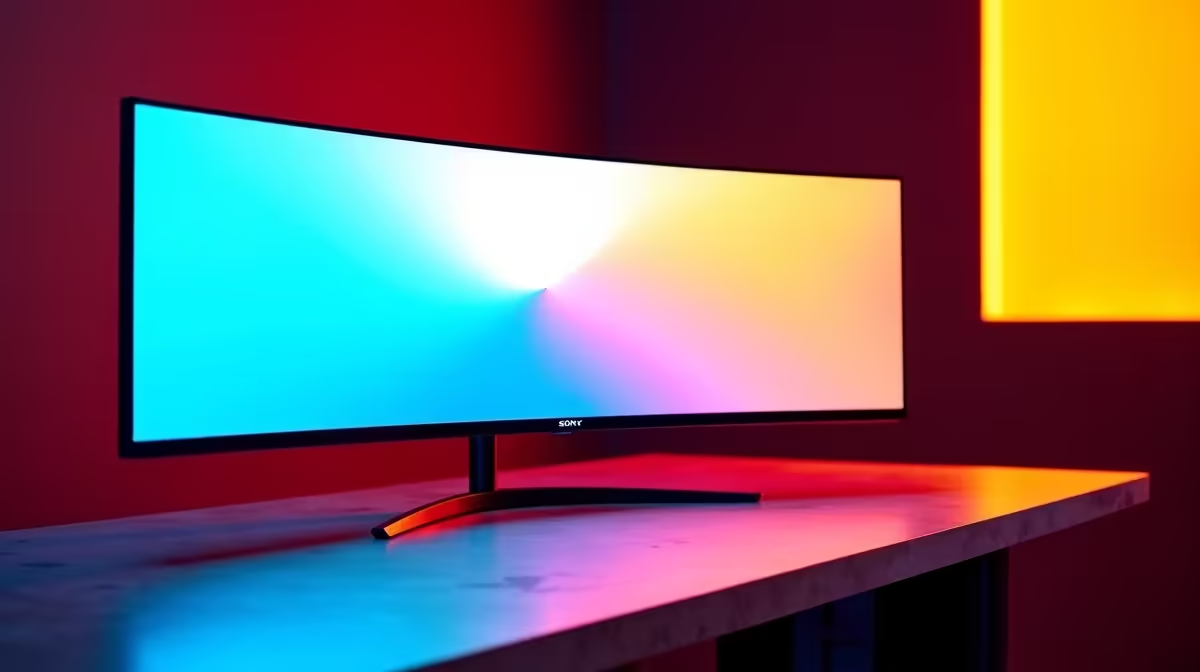
Buying a monitor in South Africa involves more decisions than most people anticipate - and getting it wrong is an expensive mistake, since monitors rarely get returned once out of the box. Whether you're upgrading for gaming, working from home, or building a creative studio, these ten points will ensure you spend your Rands wisely.
Before buying a monitor in SA, prioritise panel type (IPS for colour accuracy, VA for contrast, TN for fastest response times), resolution relative to your GPU's power, refresh rate for your primary use case, and whether the stand includes height and tilt adjustment. Also verify local warranty coverage - not all monitors sold in SA carry full in-country support.
1. Panel type determines your experience more than resolution. IPS panels offer the best colour accuracy and viewing angles - ideal for designers, content creators, and anyone who watches media on their monitor. VA panels deliver higher contrast ratios (better for dark scenes and movies). TN panels have the fastest response times but poor colour and viewing angles. Most gamers in 2026 choose IPS or IPS-class panels (like Nano IPS or Fast IPS).
2. Resolution must match your GPU's capabilities. A 4K monitor is wasted on a GPU that can't push 60 FPS at 4K in your games. Match resolution to what your card can actually deliver - a 1440p 165Hz monitor typically provides a better gaming experience than a 4K 60Hz monitor on a mid-range GPU. Check Evetech's GPU range to find cards matched to each resolution tier.
3. Refresh rate matters for gaming; not so much for office work. 144Hz is the baseline for serious gaming. 165Hz and 240Hz are meaningful upgrades for competitive players. For office productivity, content creation, and casual use, 60Hz or 75Hz is sufficient - investing in refresh rate for non-gaming tasks is unnecessary.
4. Response time spec is often misleading. Manufacturers advertise "1ms response time" on IPS panels, but this refers to MPRT (Motion Picture Response Time), a marketing figure - not the actual pixel response time (GTG). Look for GTG response times under 4ms for gaming and under 8ms for general use.
5. Adaptive sync saves you money - you don't always need the premium tier. FreeSync Premium and G-Sync Compatible monitors offer near-identical performance to full G-Sync hardware panels, at significantly lower prices. SA gamers with NVIDIA GPUs should look for G-Sync Compatible certified FreeSync monitors rather than paying the G-Sync hardware premium.
6. Check the stand - it affects your setup more than you think. Many budget monitors come with fixed-tilt stands that can't be height-adjusted. This causes neck strain over time. A monitor with full ergonomic adjustment (height, tilt, swivel, pivot) is worth the premium for anyone who spends 6+ hours daily at their desk.
7. HDR marketing claims vary wildly in quality. "HDR400" certified monitors are only marginally better than no HDR at all. True HDR requires at least HDR600 certification (600 nits peak brightness) and local dimming zones. Most monitors sold as "HDR" in the R3,000–R5,000 range are HDR in spec only - don't pay a premium for HDR unless the monitor is HDR1000 or FALD-equipped.
8. Ultrawide vs. 16:9 depends entirely on your workflow. 34-inch ultrawide (21:9) monitors are excellent for productivity multitasking and immersive single-player gaming. They're awkward for competitive multiplayer games (some titles have FOV advantages in ultrawide that are banned in tournaments). Dual-monitor setups often suit SA professionals better than a single ultrawide for flexible window management.
9. Verify local warranty before you buy. Some monitors available in South Africa carry only 1-year limited warranties, while others - particularly from premium brands - offer 3-year coverage including pixel defect replacement policies. Always check warranty terms. Buying from Evetech's monitor range gives you access to monitors with verified SA warranty support.
10. Calculate your total cost including mount or desk space. A 32-inch 4K monitor may not fit your desk without removing the stand and adding a VESA arm. Factor in VESA mount compatibility (most are 75x75mm or 100x100mm) and whether your desk can support the monitor's weight if you plan to use an arm. Many SA home office setups use 27-inch monitors specifically because they fit standard desks without requiring arm upgrades.
What monitor size is best for a South African home office setup? 27-inch at 1440p resolution is the most popular home office choice in SA in 2026 - it balances screen real estate, text sharpness (enough PPI to avoid scaling), and desk space requirements. 24-inch 1080p is the budget alternative, while 32-inch suits users with larger desks or vision accessibility needs.
Is IPS or VA better for gaming monitors in SA? IPS panels are generally better for gaming in well-lit SA rooms because of superior brightness and viewing angles. VA is better for dark room gaming or movie watching due to higher native contrast ratios. Modern Fast IPS panels have bridged the response time gap with TN, making IPS the default recommendation for most SA gamers.
How do I know if a monitor will work with my GPU in South Africa? Connect compatibility depends on ports. NVIDIA RTX cards output via DisplayPort 1.4 or HDMI 2.1 - check your monitor has a matching input. For 4K 144Hz or 1440p 240Hz, you need DisplayPort 1.4 or HDMI 2.1 - HDMI 2.0 caps 4K at 60Hz. Verify specs before purchasing.
Shop All Monitors and Graphics Card Deals at Evetech for fast delivery across South Africa.
Ready to Find Your Perfect Match? Browse Monitor-Ready Gaming PC Deals at Evetech
10 Things You Need to Know Before Buying available at Evetech.co.za with local warranty and fast delivery.
10 Things You Need to Know Before Buying - check Evetech for latest stock and SA pricing.
Depends on your use case. 10 Things You Need to Know Bef offers good value at current Rand pricing.
Headset Stock Levels in Bloemfontein: January. Current stock data & price tracking for SA buyers. See what is available and where prices are heading.
Read more
iMac for Medical Practice: Patient Management. SA-focused analysis with local pricing data, real-world insights & actionable buying advice.
Read more
RTX 5060 Fortnite Ultra Settings at 1080p: FPS. Real-world benchmark data, FPS numbers & performance analysis. What SA gamers can actually expect.
Read more
Headset Stock Levels in Cape Town: August Report. Current stock data & price tracking for SA buyers. See what is available and where prices are heading.
Read more
Eskom Load Shedding During Video Call: Solutions. SA-focused analysis with local pricing data, real-world insights & actionable buying advice.
Read more
LoL Performance on Extreme Gaming PC. Real-world benchmark data, FPS numbers & performance analysis. What SA gamers can actually expect.
Read more
Is a Ultra Short Throw Projector Good for Gaming?. Diagnosis steps, proven fixes & when to seek professional help. SA-specific support info included.

Is a Short Throw Projector Good for Gaming? Input. Diagnosis steps, proven fixes & when to seek professional help. SA-specific support info included.

Top Mouse Settings for Competitive FPS: Sensitivity picks evaluated on performance, value & SA availability with current Rand pricing from Evetech.

Top Speakers for MacBook Desk Setup picks evaluated on performance, value & SA availability with current Rand pricing from Evetech.

Is a Ergonomic Chair Better Than a Standard Office Chair for Gaming Detailed answer with SA data, expert analysis & practical recommendations for local buyers.

Use Spotlight Search Like a Pro on macOS. Step-by-step instructions with SA-specific tips, common pitfalls to avoid & expert recommendations.

wireless keyboard Fan Noise Too Loud: Quiet. Everything you need to know with SA pricing, step-by-step instructions & expert recommendations.

Connection Timeout: Troubleshooting Guide #2. Diagnosis steps, proven fixes & when to seek professional help. SA-specific support info included.
Headset Stock Levels in Bloemfontein: January. Current stock data & price tracking for SA buyers. See what is available and where prices are heading.
iMac for Medical Practice: Patient Management. SA-focused analysis with local pricing data, real-world insights & actionable buying advice.
RTX 5060 Fortnite Ultra Settings at 1080p: FPS. Real-world benchmark data, FPS numbers & performance analysis. What SA gamers can actually expect.
Headset Stock Levels in Cape Town: August Report. Current stock data & price tracking for SA buyers. See what is available and where prices are heading.