


Headset Stock Levels in Bloemfontein: January 2026 Report
Headset Stock Levels in Bloemfontein: January. Current stock data & price tracking for SA buyers. See what is available and where prices are heading.
Read moreBlender Keyboard Shortcuts for Mac: 3D Modelling. Comprehensive checklist covering every spec and feature you should verify before buying in SA.
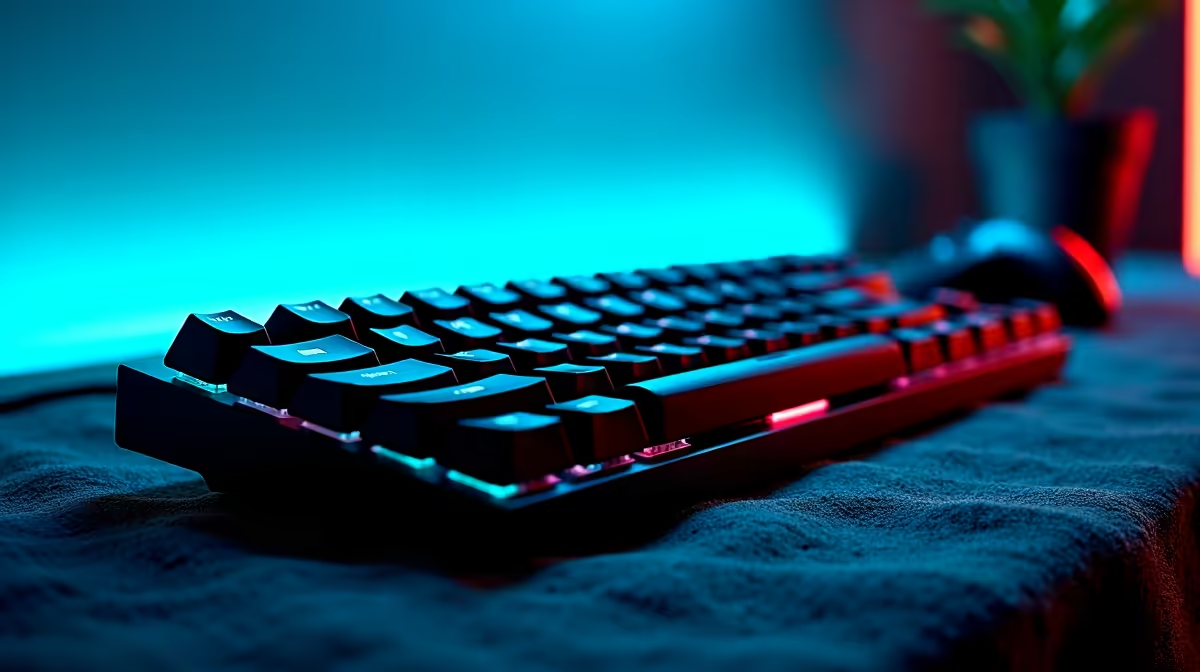
Blender on Mac uses a slightly different keyboard layout than Windows, but once you know the key mappings, your 3D modelling workflow becomes significantly faster. The good news is that most shortcuts translate directly, with the Command key replacing Ctrl and a few mouse adjustments for trackpad users.
What are the essential Blender keyboard shortcuts for Mac? On Mac, Command replaces Ctrl for most operations (Command+Z to undo, Command+S to save). The numeric keypad shortcuts work the same way, and you can enable Emulate Numpad in preferences if you’re on a MacBook. Core navigation uses the middle mouse button or Option+click to orbit.
Blender’s viewport navigation on Mac relies on a few key combinations. If you’re on a MacBook without a numpad, go to Edit > Preferences > Input and enable Emulate Numpad to use the number row instead.
| Action | Mac Shortcut |
|---|---|
| Orbit view | Middle Mouse Button (or Option + Left Click) |
| Pan view | Shift + Middle Mouse (or Shift + Option + Left Click) |
| Zoom | Scroll Wheel (or Control + Option + Left Click drag) |
| Front view | Numpad 1 (or 1 with Emulate Numpad) |
| Top view | Numpad 7 |
| Camera view | Numpad 0 |
| Toggle perspective/ortho | Numpad 5 |
| Frame selected | Numpad . (period) |
In Edit Mode (Tab to toggle), these shortcuts handle the bulk of mesh editing work:
| Action | Mac Shortcut |
|---|---|
| Select All / Deselect | A |
| Box Select | B |
| Circle Select | C |
| Grab/Move | G |
| Rotate | R |
| Scale | S |
| Extrude | E |
| Loop Cut | Control + R |
| Merge | M |
| Subdivide | Right-click > Subdivide |
| Vertex / Edge / Face mode | 1, 2, 3 |
| Toggle Edit Mode | Tab |
| Duplicate | Shift + D |
| Hide selected | H |
| Unhide all | Option + H |
Command key swaps: Save is Command+S, Undo is Command+Z, Redo is Command+Shift+Z, and Render is F12.
Does Blender work well on Mac for professional 3D modelling? Yes. The Apple Silicon versions of Blender (M1/M2/M3/M4) offer strong performance for modelling and rendering. Cycles rendering benefits from Metal GPU acceleration on Mac, making it a competitive option for SA creators and students.
Can I use Blender on a MacBook without a mouse? Yes, but it’s slower. Enable both Emulate Numpad and Emulate 3 Button Mouse in preferences. A dedicated mouse makes the workflow considerably more comfortable for extended sessions.
How do I reset a shortcut in Blender on Mac? Go to Edit > Preferences > Keymap. Search for the action you want to change, click the shortcut field, and press your new key combination. You can also right-click any shortcut in the keymap list and choose Restore.
Check out All Gaming Keyboards and Graphics Card Deals at Evetech — South Africa's home for gaming gear.
Ready to Find Your Perfect Match? Shop at Evetech
Blender Keyboard Shortcuts for Mac: 3D M available at Evetech.co.za with local warranty and fast delivery.
Blender Keyboard Shortcuts for Mac: 3D M - check Evetech for latest stock and SA pricing.
Depends on your use case. Blender Keyboard Shortcuts for offers good value at current Rand pricing.
Headset Stock Levels in Bloemfontein: January. Current stock data & price tracking for SA buyers. See what is available and where prices are heading.
Read more
iMac for Medical Practice: Patient Management. SA-focused analysis with local pricing data, real-world insights & actionable buying advice.
Read more
RTX 5060 Fortnite Ultra Settings at 1080p: FPS. Real-world benchmark data, FPS numbers & performance analysis. What SA gamers can actually expect.
Read more
Headset Stock Levels in Cape Town: August Report. Current stock data & price tracking for SA buyers. See what is available and where prices are heading.
Read more
Eskom Load Shedding During Video Call: Solutions. SA-focused analysis with local pricing data, real-world insights & actionable buying advice.
Read more
LoL Performance on Extreme Gaming PC. Real-world benchmark data, FPS numbers & performance analysis. What SA gamers can actually expect.
Read more
Is a Ultra Short Throw Projector Good for Gaming?. Diagnosis steps, proven fixes & when to seek professional help. SA-specific support info included.

Is a Short Throw Projector Good for Gaming? Input. Diagnosis steps, proven fixes & when to seek professional help. SA-specific support info included.

Top Mouse Settings for Competitive FPS: Sensitivity picks evaluated on performance, value & SA availability with current Rand pricing from Evetech.

Top Speakers for MacBook Desk Setup picks evaluated on performance, value & SA availability with current Rand pricing from Evetech.

Is a Ergonomic Chair Better Than a Standard Office Chair for Gaming Detailed answer with SA data, expert analysis & practical recommendations for local buyers.

Use Spotlight Search Like a Pro on macOS. Step-by-step instructions with SA-specific tips, common pitfalls to avoid & expert recommendations.

wireless keyboard Fan Noise Too Loud: Quiet. Everything you need to know with SA pricing, step-by-step instructions & expert recommendations.

Connection Timeout: Troubleshooting Guide #2. Diagnosis steps, proven fixes & when to seek professional help. SA-specific support info included.
Headset Stock Levels in Bloemfontein: January. Current stock data & price tracking for SA buyers. See what is available and where prices are heading.
iMac for Medical Practice: Patient Management. SA-focused analysis with local pricing data, real-world insights & actionable buying advice.
RTX 5060 Fortnite Ultra Settings at 1080p: FPS. Real-world benchmark data, FPS numbers & performance analysis. What SA gamers can actually expect.
Headset Stock Levels in Cape Town: August Report. Current stock data & price tracking for SA buyers. See what is available and where prices are heading.